前言
write方法是模拟在输入框中写入数据
write入参说明
| def write(text, into=None): | |
| """ | |
| :param text: The text to be written. | |
| :type text: one of str, unicode | |
| :param into: The element to write into. | |
| :type into: one of str, unicode, :py:class:`HTMLElement`, \ | |
| :py:class:`selenium.webdriver.remote.webelement.WebElement`, :py:class:`Alert` | |
| Types the given text into the active window. If parameter 'into' is given, | |
| writes the text into the text field or element identified by that parameter. | |
| Common examples of 'write' are:: | |
| write("Hello World!") | |
| write("user12345", into="Username:") | |
| write("Michael", into=Alert("Please enter your name")) | |
| """ | |
| _get_api_impl().write_impl(text, into) |
write案例分析
1、常规输入框中有提示信息的写法
write("123456", into="邮箱帐号或手机号码")
time.sleep(5)
write("123456", into="输入密码")
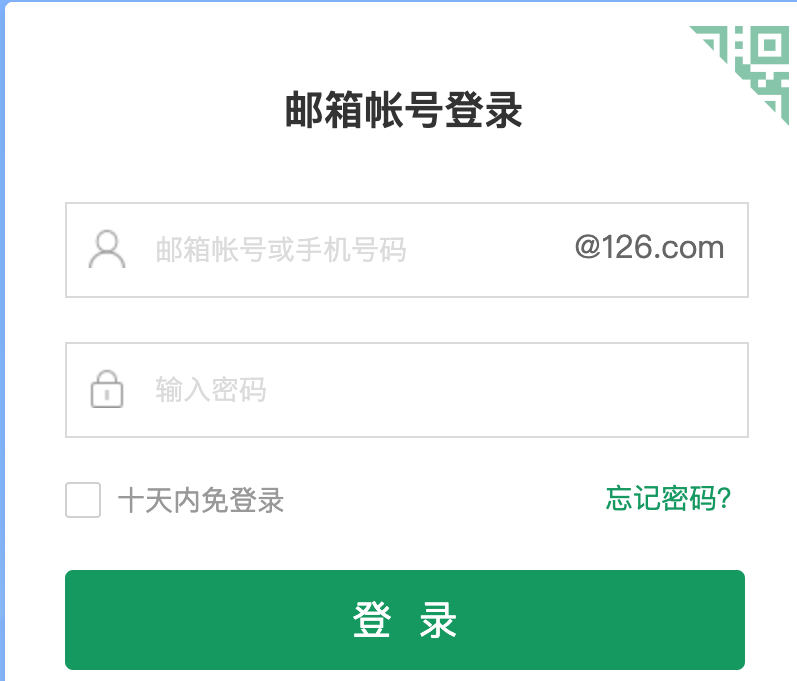

2、输入框没有提示信息的情况
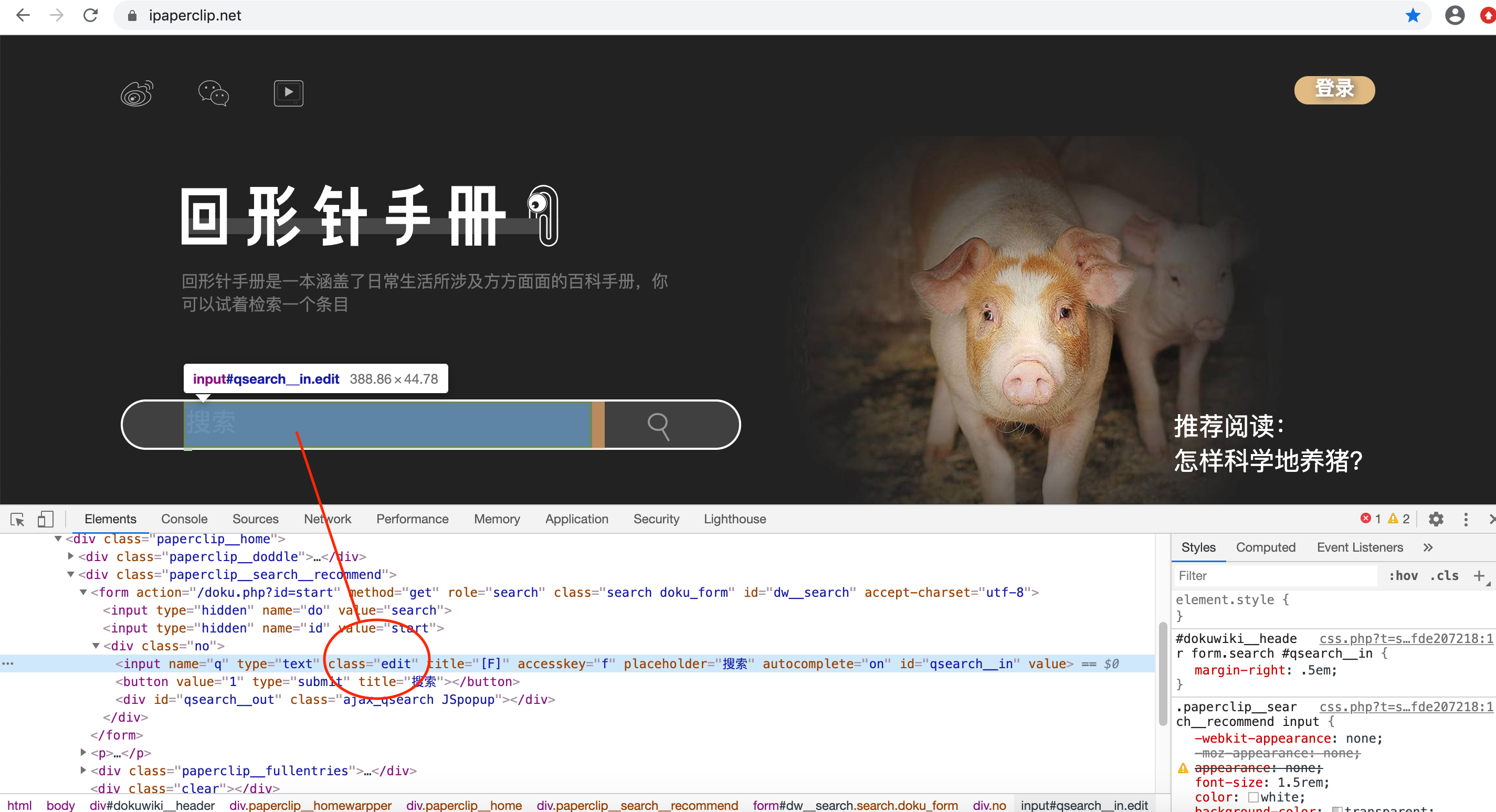
假设上面输入框即没有id,也没有提示信息
write("Helium", into=S(".edit"))


欢迎关注

weitungblog

 浙公网安备 33010602011771号