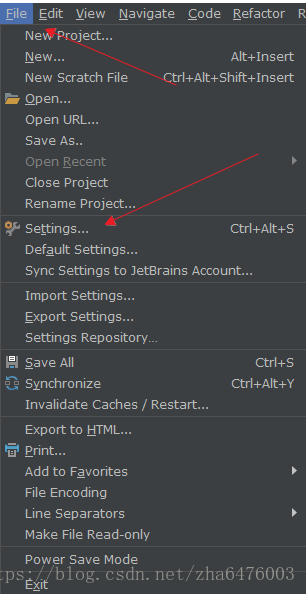
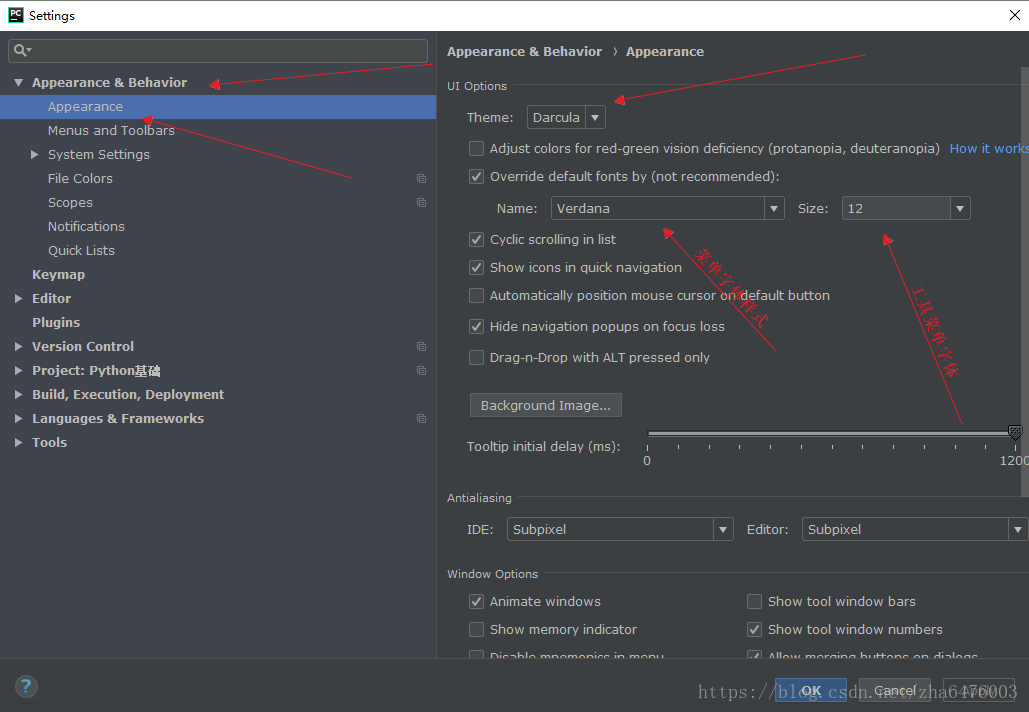
File → Settings → Appearance & Behavior → Appearance → Theme
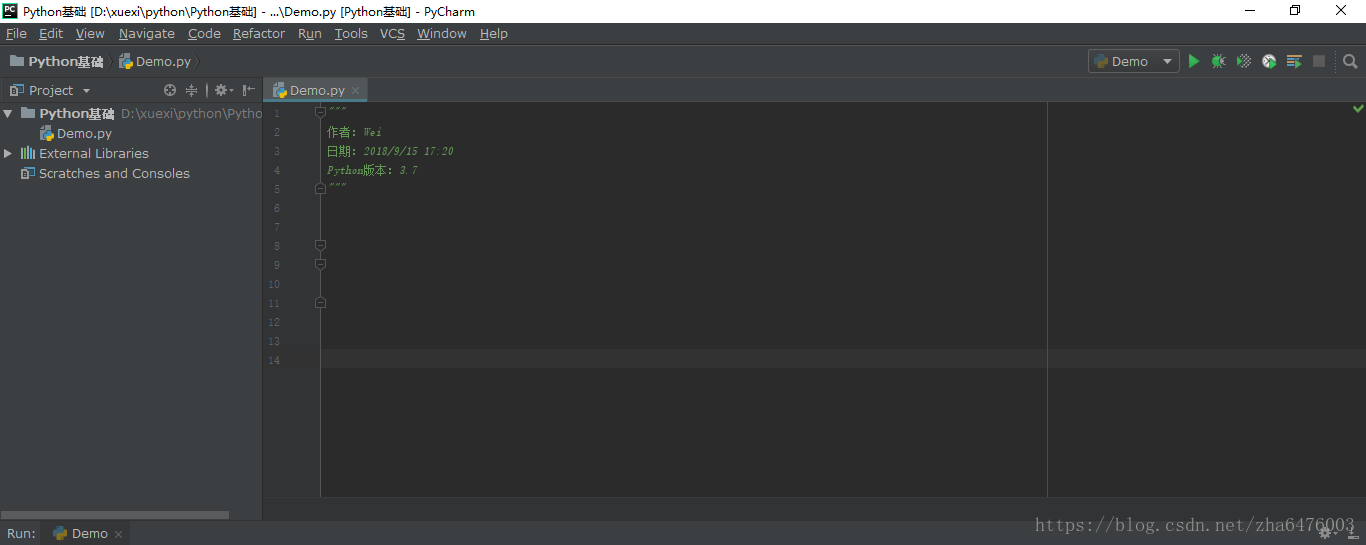
结果:
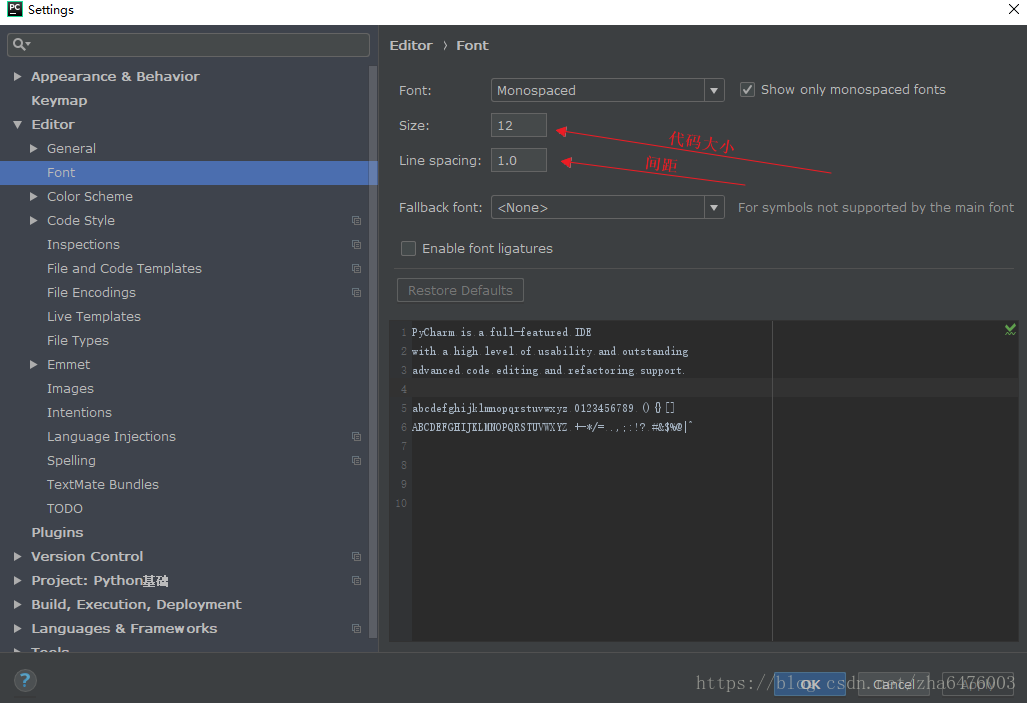
File → Settings → Editor → Font
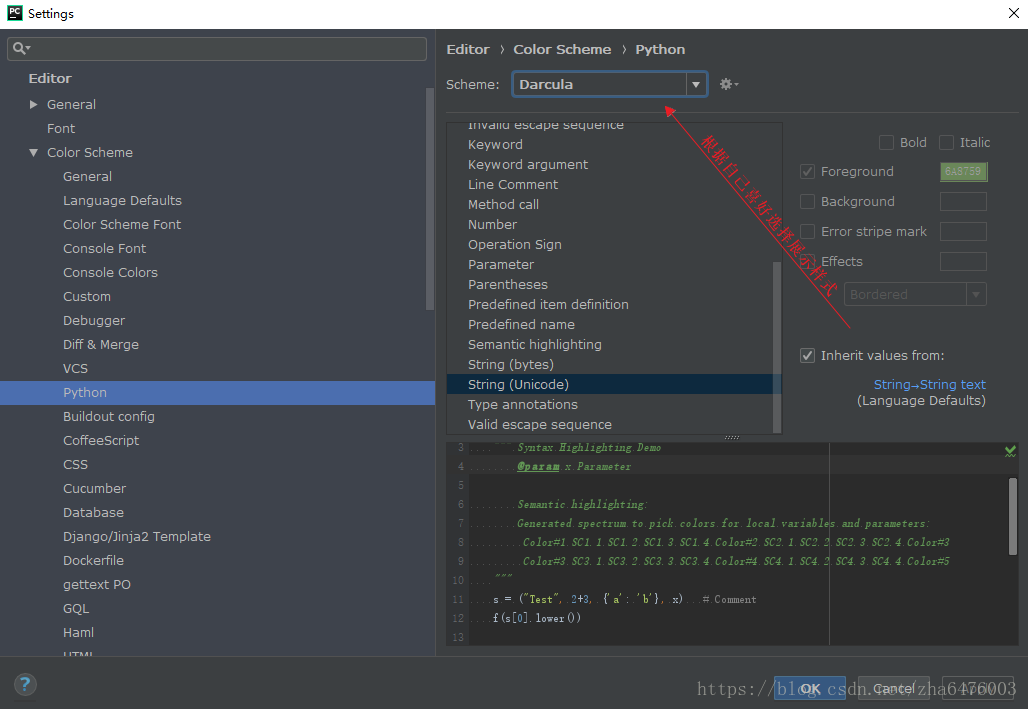
File → Settings → Editor → Color Schema → Python(根据自己所需选择编写Python就选Python)


 浙公网安备 33010602011771号