
酷炫的右侧悬浮菜单栏
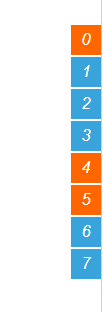
默认显示效果:
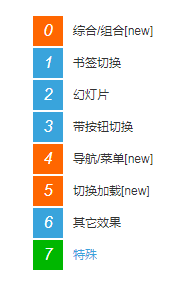
鼠标悬浮效果:
HTML、JS代码如下:
 1 <!DOCTYPE html>
 2 <html>
 3     <head>
 4         <meta charset="UTF-8">
 5         <title></title>
 6         <script src="jquery-1.11.1.min.js"></script>
 7         <style type="text/css">
 8             *{margin:0;padding:0;}
 9             body{ color:#333;font:12px/20px Arial,"Microsoft YaHei","宋体",sans-serif; text-align:center; background:#fff;  }
10             a{text-decoration:none;color:#333;}
11             .rightNav{ position:fixed; width:140px;  right:0; top:100px; _position:absolute; text-align:left; cursor:pointer; background-image:url(about:blank);  }
12             .rightNav a{ display:block; position:relative; height:30px; line-height:30px; margin-bottom:2px; background:#fff; padding-right:10px; width:130px; overflow:hidden;  cursor:pointer; right:-110px; }
13             .rightNav a:hover{ text-decoration:none; color:#39A4DC;  }
14             .rightNav a:hover em{ background:#00b700}
15             .rightNav a em{ display:block; float:left; width:30px; background:#39A4DC; color:#fff; font-size:16px; text-align:center; margin-right:10px;}
16             .rightNav a.new em{ background:#f60;}
17         </style>
18     </head>
19     <body>
20         <div class="rightNav">
21             <a class="new" href="#effect0" style="right: -110px;"><em>0</em>综合/组合[new]</a>
22             <a href="#effect1" style="right: -110px;"><em>1</em>书签切换</a>
23             <a href="#effect2" style="right: -110px;"><em>2</em>幻灯片</a>
24             <a href="#effect3" style="right: -110px;"><em>3</em>带按钮切换</a>
25             <a class="new" href="#effect4" style="right: -110px;"><em>4</em>导航/菜单[new]</a>
26             <a class="new" href="#effect5" style="right: -110px;"><em>5</em>切换加载[new]</a>
27             <a href="#effectT1" style="right: -110px;"><em>6</em>其它效果</a>
28             <a href="#effectT1" style="right: -110px;"><em>7</em>特殊</a>
29         </div>
30         <script type="text/javascript">
31
32             //右侧导航
33             var btb=$(".rightNav");
34             var tempS;
35             $(".rightNav").hover(function(){
36                     var thisObj = $(this);
37                     tempS = setTimeout(function(){
38                     thisObj.find("a").each(function(i){
39                         var tA=$(this);
40                         console.log(i);
41                         setTimeout(function(){ tA.animate({right:"0"},200);},50*i);
42                     });
43                 },200);
44
45             },function(){
46                 if(tempS){ clearTimeout(tempS); }
47                 $(this).find("a").each(function(i){
48                     var tA=$(this);
49                     setTimeout(function(){ tA.animate({right:"-110"},200,function(){
50                     });},50*i);
51                 });
52
53             });
54
55
56
57         </script>
58     </body>
59 </html>
不忘初心,勇闯博客园,欢迎大家留言交流技术,记得关注我哦!

 浙公网安备 33010602011771号