
Sentinel 学习笔记
Sentinel 快速入门
随着微服务的流行,服务和服务之间的稳定性变得越来越重要。Sentinel 是面向分布式服务架构的流量控制组件,主要以流量为切入点,从流量控制、熔断降级、系统自适应保护等多个维度来保障微服务的稳定性。
官方文档参考
Sentinel 的使用分为两个部分:
核心库(Java客户端):能够运行在Java8及以上版本的运行环境,同时对Dubbo和Spring Cloud 等框架也有较好的支持。
控制台(Dashboard):Dashboard主要负责管理推送规则、监控、管理机器信息。
一、快速开始 (SpringBoot Demo)
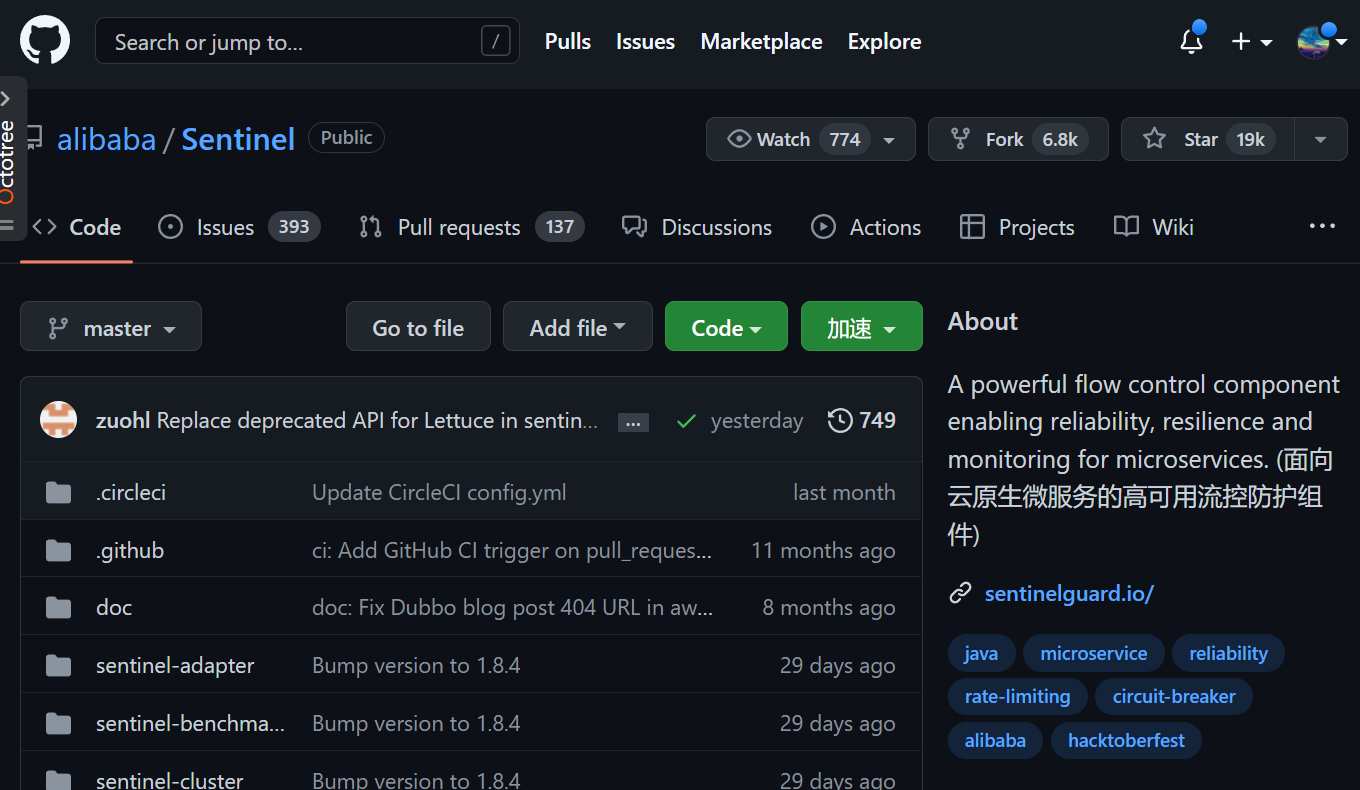
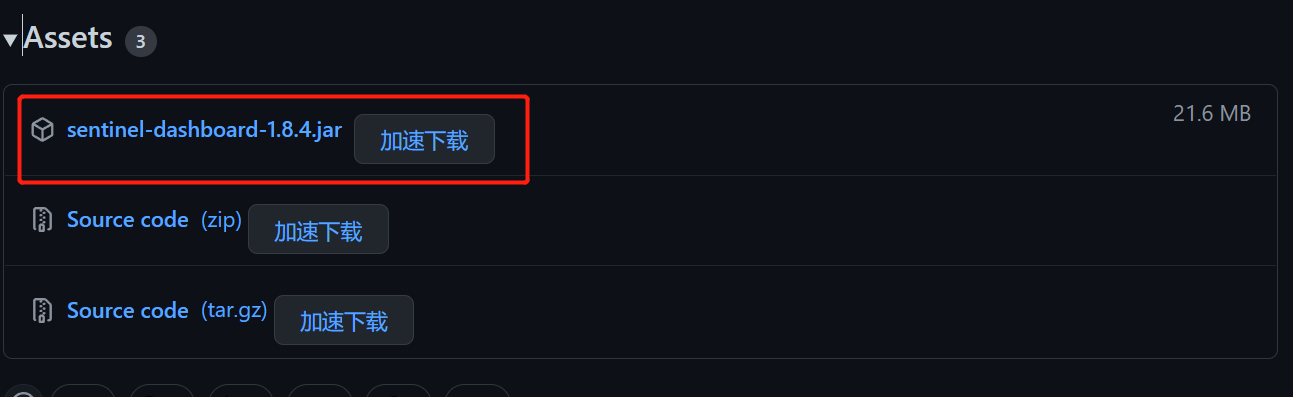
1. 控制台(Dashboard)下载
2.运行jar
java -Dserver.port=8888 -Dcsp.sentinel.dashboard.server=localhost:8888 -Dproject.name=sentinel-dashboard -jar sentinel-1.8.4.jar
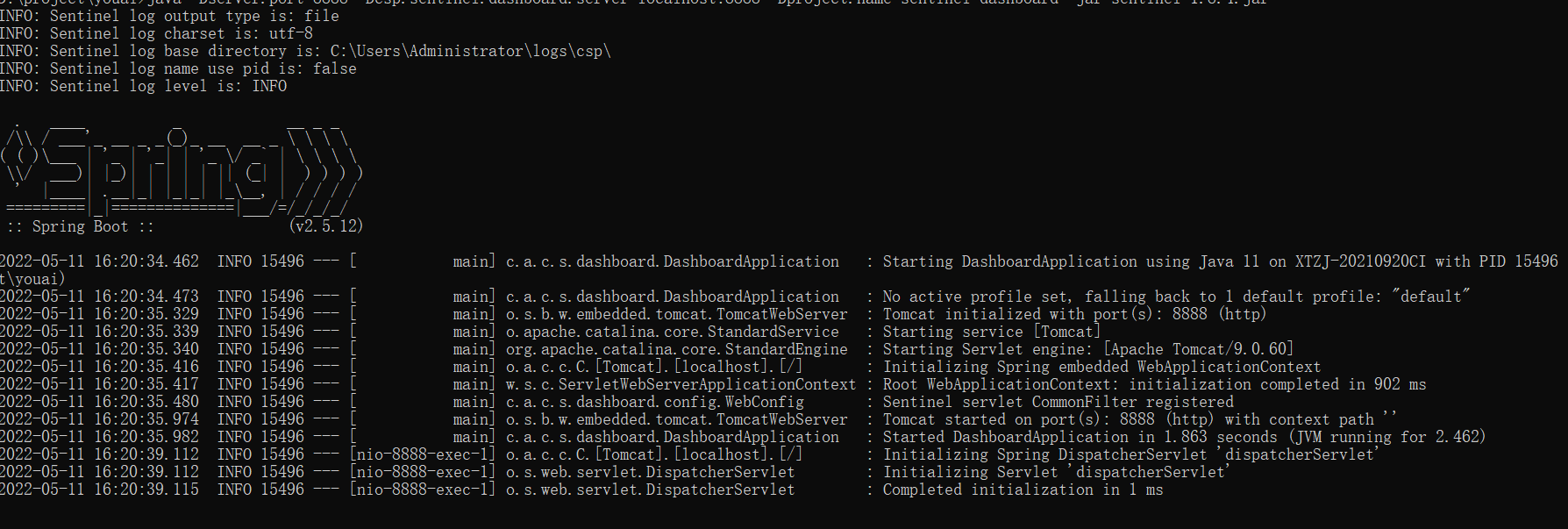
运行jar时,设置控制台地址和端口,并注意jar版本
3.打开控制台
http://localhost:8888
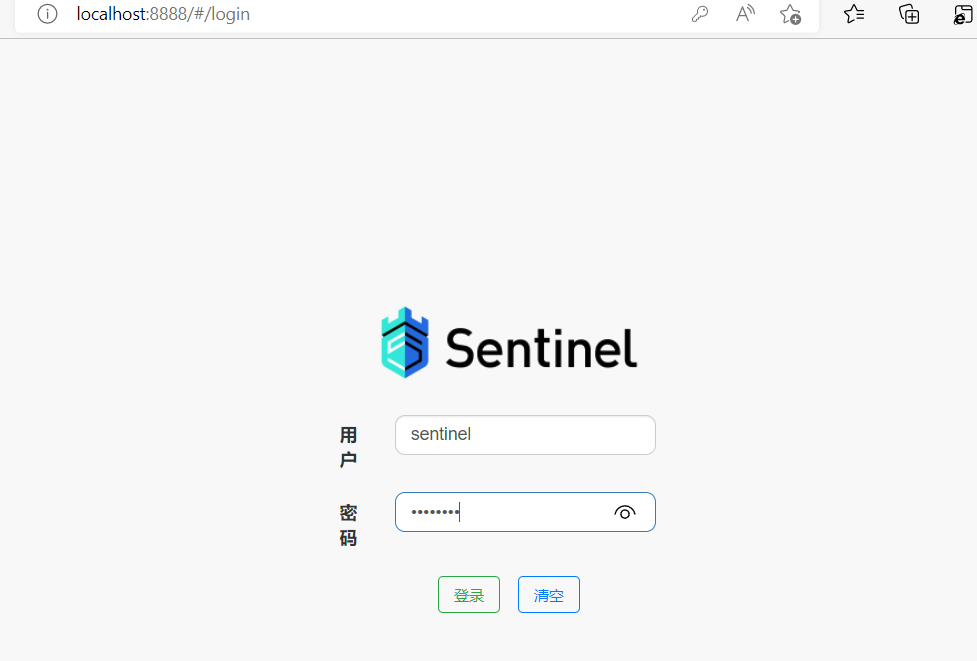
默认账号密码:Sentinel
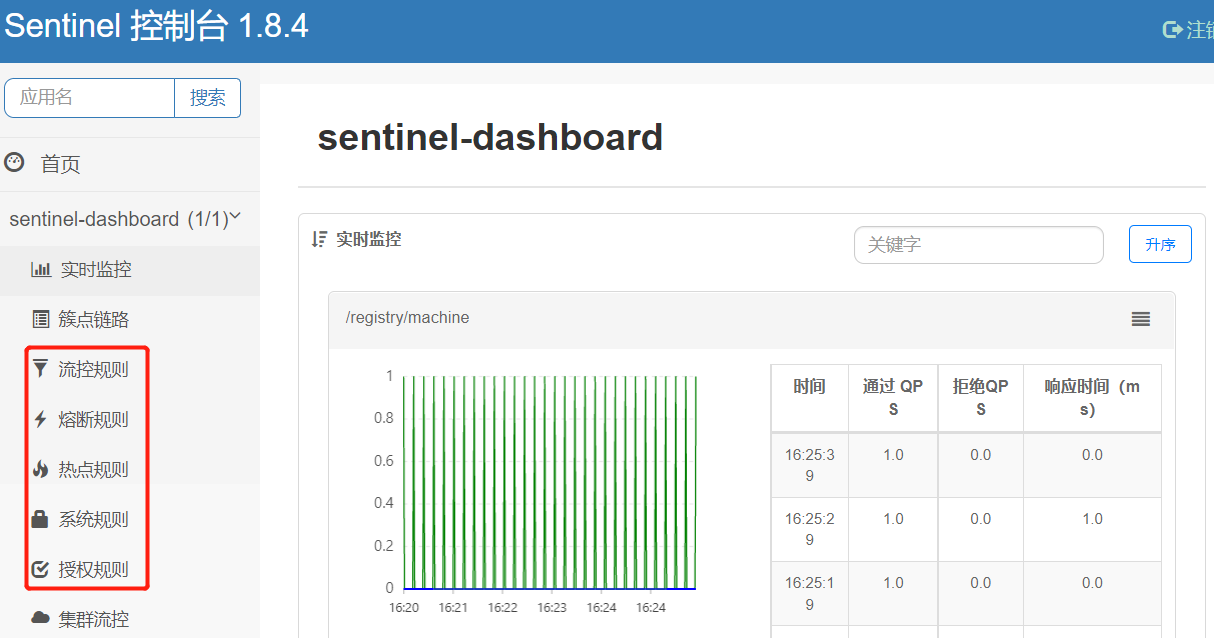
上图就是sentinel控制台,可以看到实时监控和各种规则
控制台启动成功后,开始配置Java客户端
4.创建Springboot 服务
导入相关依赖
<dependencies>
  <dependency>
    <groupId>org.springframework.boot</groupId>
    <artifactId>spring-boot-starter-web</artifactId>
    <version>2.3.4.RELEASE</version>
  </dependency>
  <!-- sentinel -->
  <dependency>
    <groupId>com.alibaba.cloud</groupId>
    <artifactId>spring-cloud-starter-alibaba-sentinel</artifactId>
    <version>2.2.4.RELEASE</version>
  </dependency>
  <!-- openfeign -->
  <dependency>
    <groupId>org.springframework.cloud</groupId>
    <artifactId>spring-cloud-starter-openfeign</artifactId>
    <version>2.2.5.RELEASE</version>
  </dependency>
  <!-- nacos -->
  <dependency>
    <groupId>com.alibaba.cloud</groupId>
    <artifactId>spring-cloud-starter-alibaba-nacos-config</artifactId>
    <version>2.2.4.RELEASE</version>
  </dependency>
  <dependency>
    <groupId>com.alibaba.cloud</groupId>
    <artifactId>spring-cloud-starter-alibaba-nacos-discovery</artifactId>
    <version>2.2.4.RELEASE</version>
  </dependency>
</dependencies>
配置bootstrap.yml
server:
  port: 2222  #配置端口号

spring:
  application:
    name: sentinel-demo
  cloud:
    nacos:
      discovery:
        server-addr: nacos-server:8848 #配置nacos地址
      config:
        server-addr: ${spring.cloud.nacos.discovery.server-addr}
        file-extension: yaml
    sentinel:
      transport:
        dashboard: localhost:8888 #配置sentinel控制台地址 即:http://localhost:8888
        port: 8719
创建测试controller
@RestController
@RequestMapping("/sentinel-demo")
public class DemoController {

    @GetMapping("/get")
    public String sentinel(){
        return "hello , this is sentinel demo";
    }
}
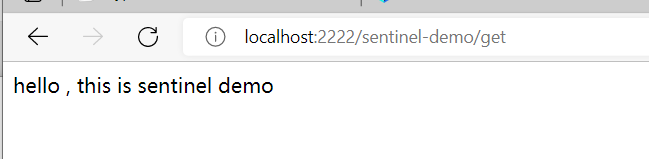
请求接口正常返回
5.流控配置
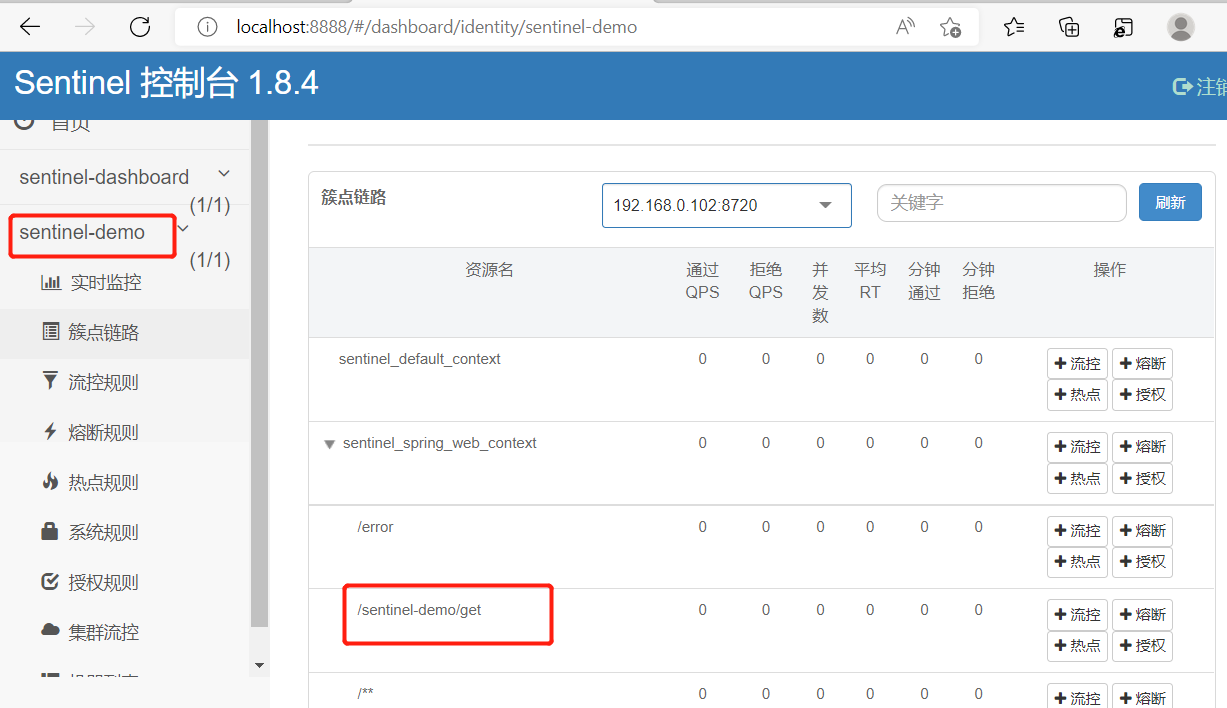
此时刷新sentinel控制台就可以看到sentinel已经监控到启动的服务,并在簇点链路可以看到我们的资源接口,如果簇点链路没有显示资源接口,需要先请求接口。
开始配置流控规则之前(先阅读官网文档,对各种规则了解一下)
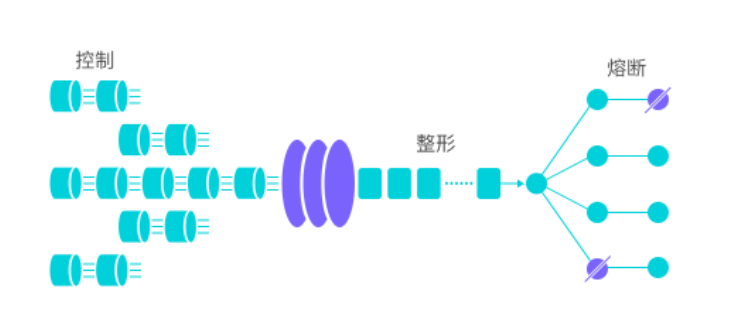
流控即流量控制,是网络传输中常用的概念,它用于调整网络包的发送数据。任意时间到来的请求往往是随机不可控的,而系统处理能力有限,我们需要根据系统的处理能力对流量进行控制。Sentinel作为一个调配器,可以根据需要把随机的请求调整成合适的形状。
找到测试接口并配置流控规则
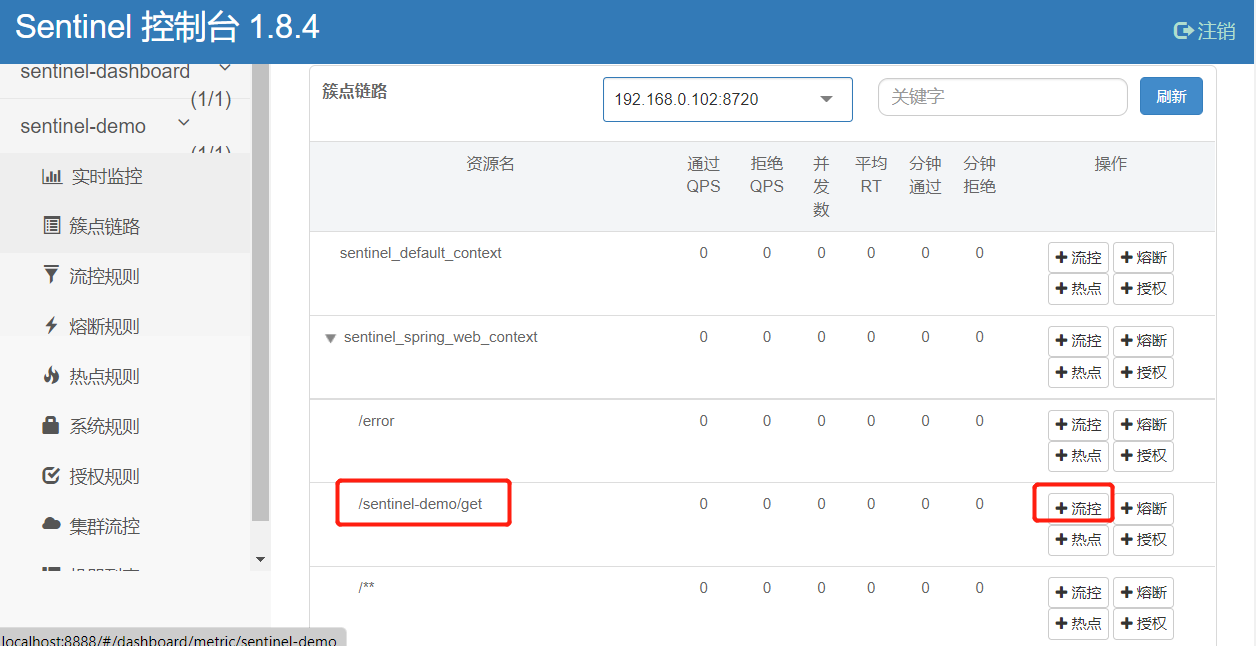
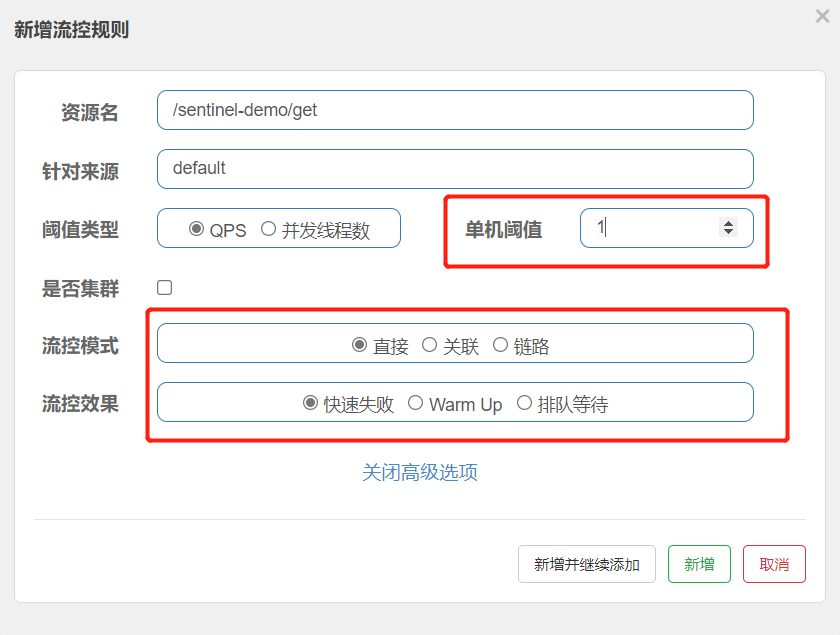
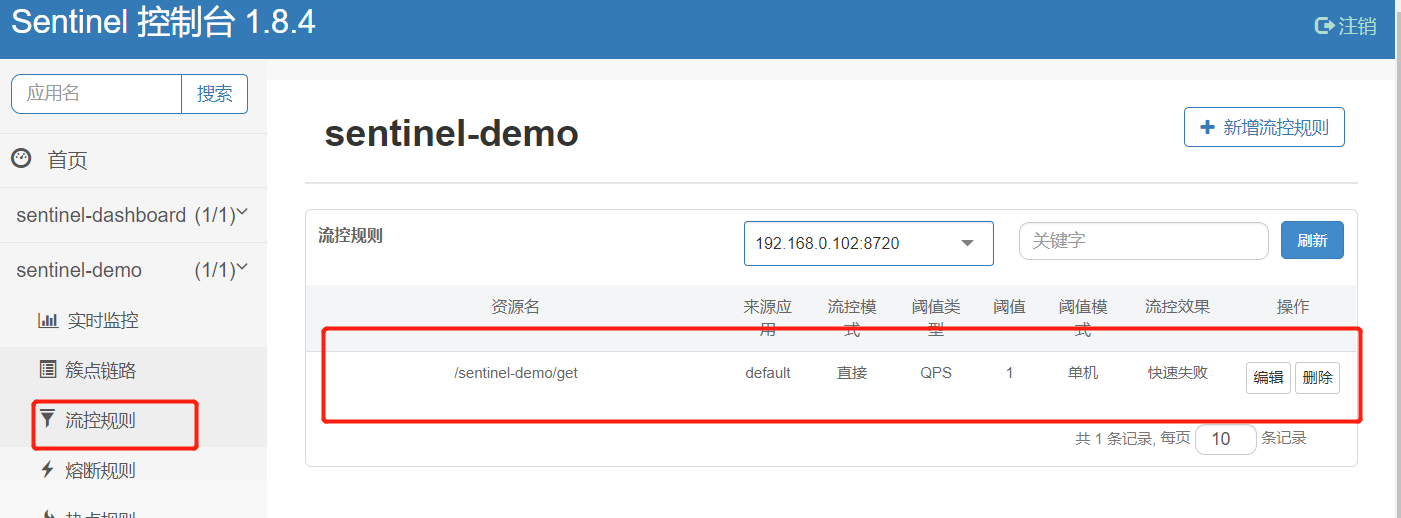
在流控规则中,可以看到新建的规则
快速请求接口,可以看到限流效果
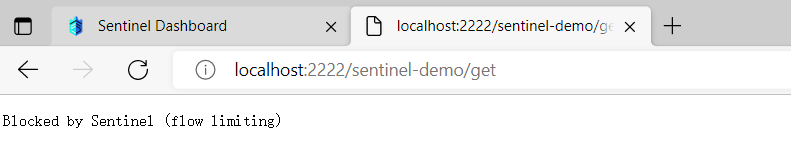
可以通过修改配置和异常拦截处理修改限流提示
设置block-page ,当限流触发时跳转百度首页
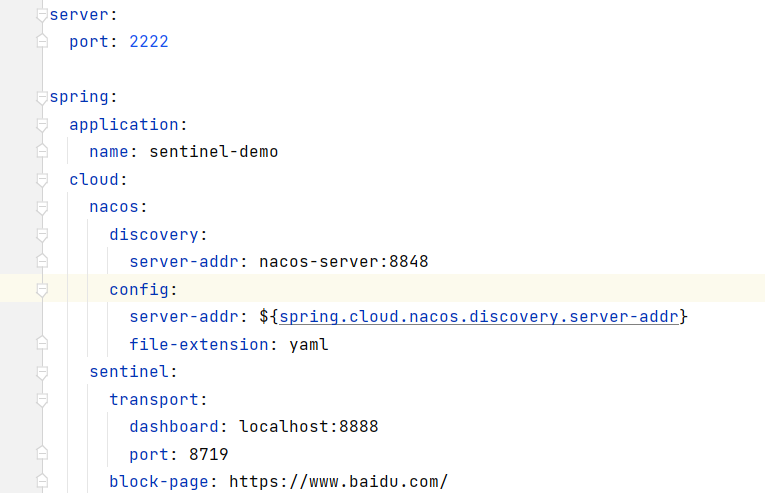
重新添加流控规则,注意:之前添加的流控规则没有配置持久化实现,所有服务每次重启都需要重新添加
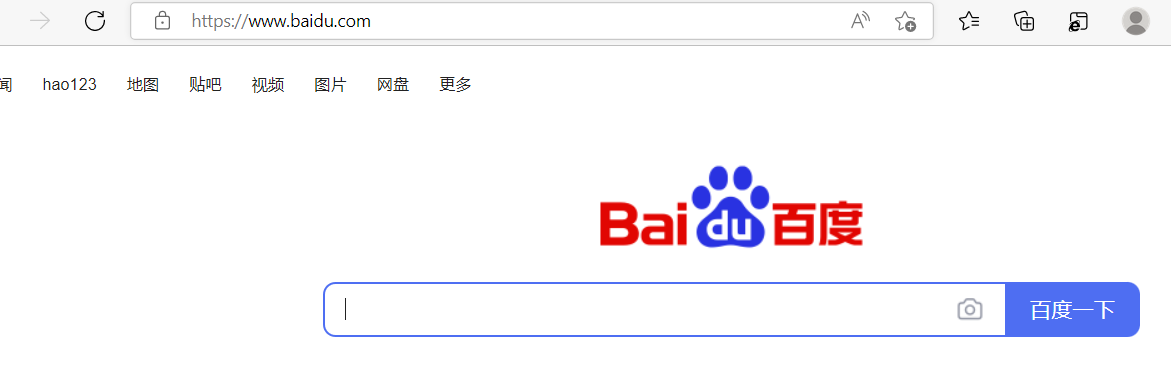
可以看到限流后会跳转到百度首页,实际开发中我们可以配置特定的处理页面
配置异常拦截器处理
@Component
public class MyBlockExceptionHandler implements BlockExceptionHandler {
    @Override
    public void handle(HttpServletRequest request, HttpServletResponse response, BlockException e){
        JSONObject jsonObject =  new JSONObject();
        if(e instanceof FlowException){
            jsonObject.put("code",100);
            jsonObject.put("msg","接口被限流了");
        }else if (e instanceof DegradeException){
            jsonObject.put("code",101);
            jsonObject.put("msg","服务降级了");
        }else if (e instanceof ParamFlowException){
            jsonObject.put("code",102);
            jsonObject.put("msg","热点参数限流了");
        }else if (e instanceof AuthorityException){
            jsonObject.put("code",104);
            jsonObject.put("msg","授权规则不通过");
        }
        //返回Json数据
        response.setStatus(500);
        response.setCharacterEncoding("UTF-8");
        response.setContentType(MediaType.APPLICATION_JSON_VALUE);
        try (PrintWriter writer = response.getWriter()) {
            writer.write(JSON.toJSONString(jsonObject));
            writer.flush();
        } catch (IOException ioException) {
            System.err.println(ioException.getMessage());
        }
    }
}
重新添加流控规则 ,请求接口可以自定义处理
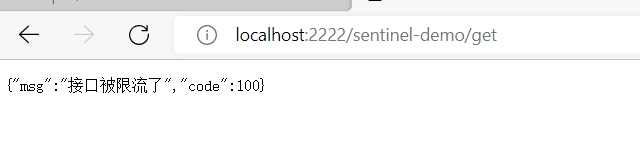
6.熔断配置
熔断降级
由于调用关系的复杂性,如果调用链路中的某个资源出现不稳定,最终会导致请求发生堆积,所以降低调用链路中的不稳定资源也是Sentinel的使命。
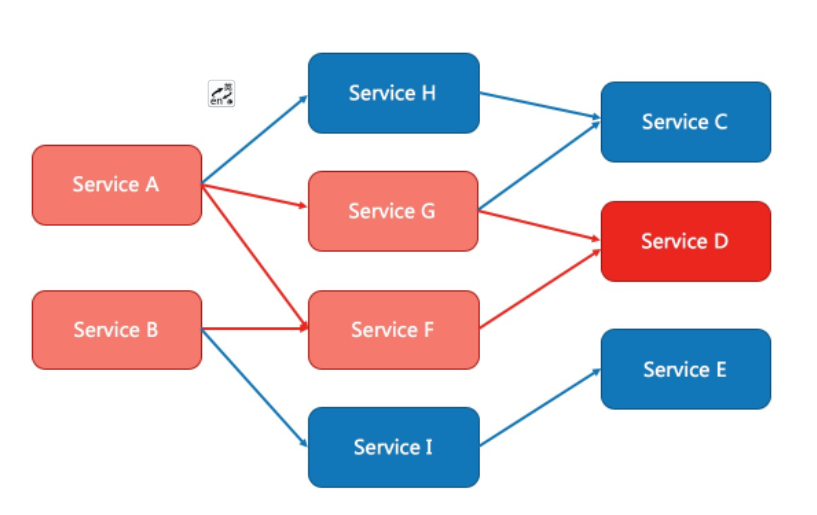
Sentinel提供系统维度的自适应保护能力。防止雪崩,是系统防护中重要的一环。当系统负载较高的时候,如果还持续让请求进入,可能会导致系统崩溃,无法响应。在集群环境下,网络负载均衡会把本应这台机器承载的流量转发到其它的机器上去。如果这个时候其它的机器也处在一个边缘状态的时候,这个增加的流量就会导致这台机器也崩溃,最后导致整个集群不可用。
模拟熔断降级,需要在创建一个服务组成链路调用,注册中心为nacos, 服务间调用使用openfeign
6.1 创建sentinel-demo2
<dependencies>
  <dependency>
    <groupId>org.springframework.boot</groupId>
    <artifactId>spring-boot-starter-web</artifactId>
    <version>2.3.4.RELEASE</version>
  </dependency>
  <!-- sentinel -->
  <dependency>
    <groupId>com.alibaba.cloud</groupId>
    <artifactId>spring-cloud-starter-alibaba-sentinel</artifactId>
    <version>2.2.4.RELEASE</version>
  </dependency>
  <!-- nacos -->
  <dependency>
    <groupId>com.alibaba.cloud</groupId>
    <artifactId>spring-cloud-starter-alibaba-nacos-config</artifactId>
    <version>2.2.4.RELEASE</version>
  </dependency>
  <dependency>
    <groupId>com.alibaba.cloud</groupId>
    <artifactId>spring-cloud-starter-alibaba-nacos-discovery</artifactId>
    <version>2.2.4.RELEASE</version>
  </dependency>
</dependencies>
server:
  port: 3333
spring:
  application:
    name: sentinel-demo2
  cloud:
    nacos:
      discovery:
        server-addr: nacos-server:8848
      config:
        server-addr: ${spring.cloud.nacos.discovery.server-addr}
        file-extension: yaml
    sentinel:
      transport:
        dashboard: localhost:8888
        port: 8719
写一个测试接口
@RestController
@AllArgsConstructor
@RequestMapping("/sentinel-demo2")
public class Demo2Controller {

    @GetMapping("/get")
    public String sentinel(){
        return "hello , this is sentinel demo2 ,Welcome you";
    }
}
然后在sentinel-demo 服务中通过 openfeign 调用 sentinel-demo2
@FeignClient(contextId = "feignSentinelService", value = "sentinel-demo2")
public interface FeignSentinelService {
    @GetMapping("/get")
    String message();
}
注意在启动类加上nacos 和openfeign 客户端注解
@EnableDiscoveryClient
@EnableFeignClients
@SpringBootApplication
public class SentinelApplication {

    public static void main(String[] args) {
        SpringApplication.run(SentinelApplication.class,args);
    }
}
在bootstrap.yml添加openfeign开启sentinel
feign:
  sentinel:
    enabled: true
调用 feignUserService
@RestController
@AllArgsConstructor
@RequestMapping("/sentinel-demo")
public class DemoController {
    private final FeignSentinelService feignSentinelService;

    @GetMapping("/get2")
    public String sentinel4(){
        return feignSentinelService.message();
    }
}
启动sentinel-demo1和sentinel-demo2
可以看到nacos已经有了注册的服务

调用接口
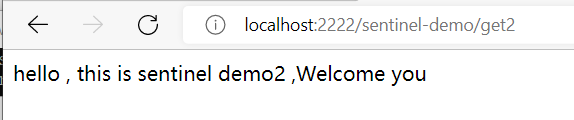
打开sentinel控制台,设置熔断规则
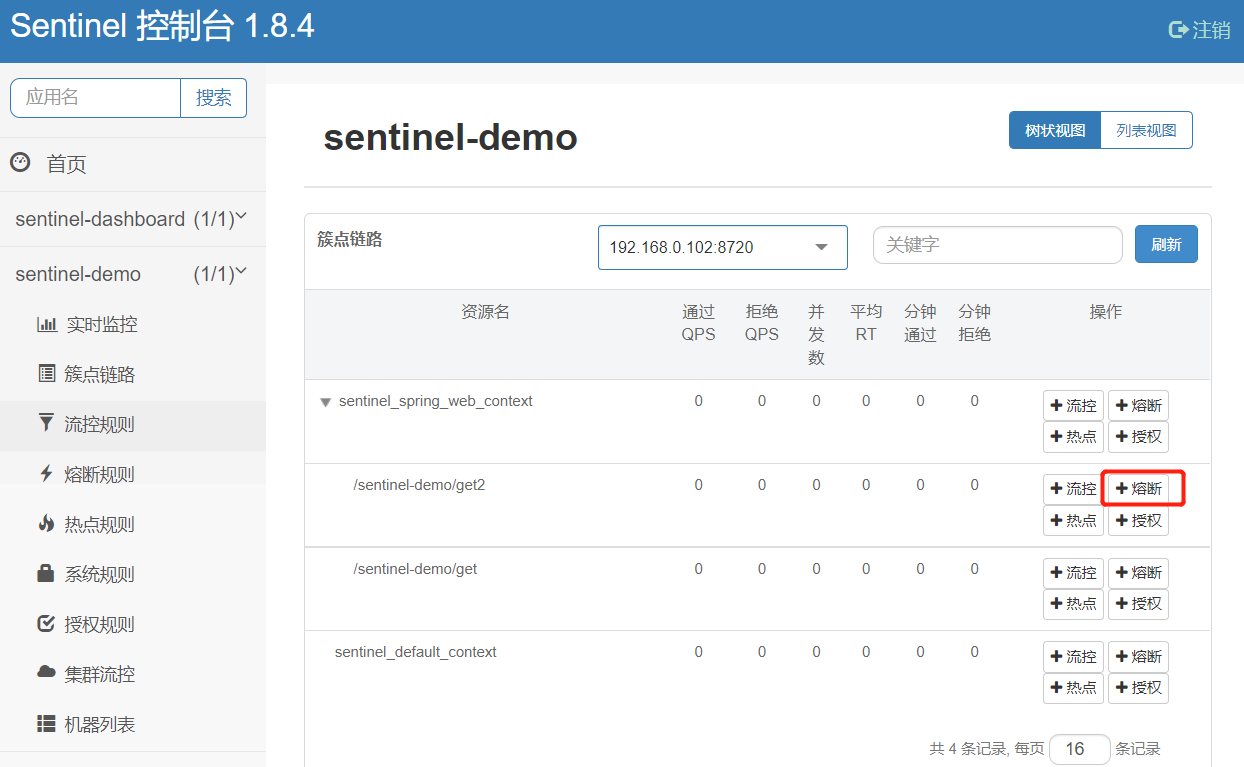
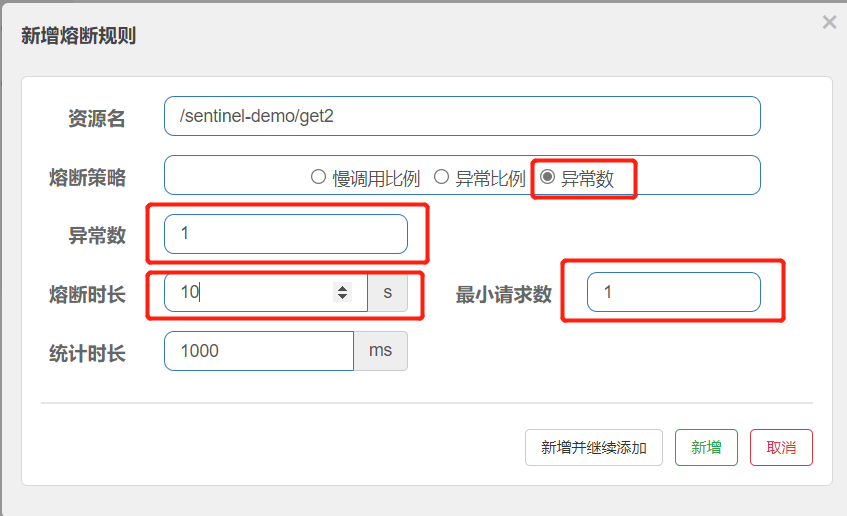
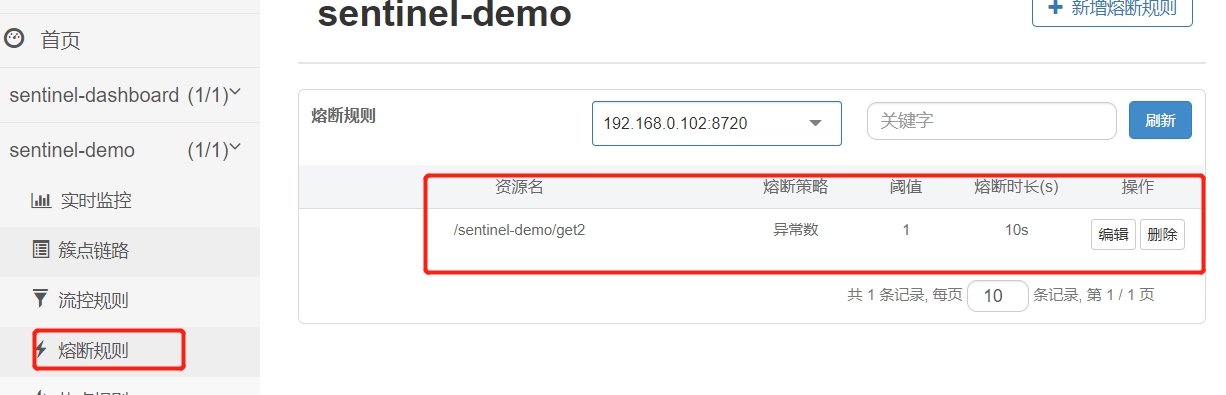
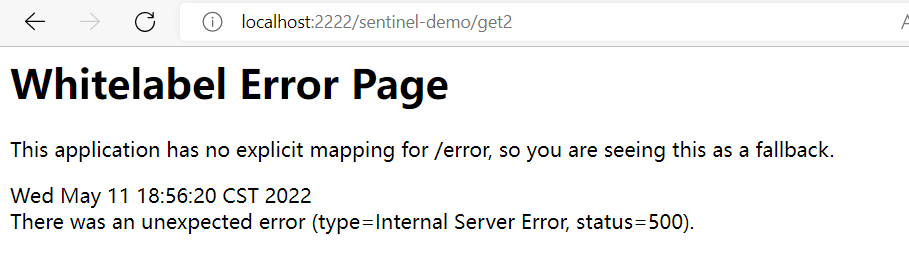
停掉sentinel-demo2服务,调用接口

可以看到服务降级了。设置的熔断时长是10s, 10s后服务就会恢复到熔断前的状态
处理流控和熔断规则,sentinel还提供了 热点、系统、授权登规则,可以结合情况做进一步配置测试。
二、Sentinel 整合 Gateway 、Nacos
添加相关依赖
 <dependencies>
		<dependency>
            <groupId>org.springframework.cloud</groupId>
            <artifactId>spring-cloud-starter-gateway</artifactId>
    		 <version>2.2.4.RELEASE</version>
        </dependency>
        <dependency>
            <groupId>org.springframework.boot</groupId>
            <artifactId>spring-boot-starter-actuator</artifactId>
    		 <version>2.2.4.RELEASE</version>
        </dependency>
<!--        sentinel-->
        <dependency>
            <groupId>com.alibaba.cloud</groupId>
            <artifactId>spring-cloud-alibaba-sentinel-gateway</artifactId>
    		 <version>2.2.4.RELEASE</version>
        </dependency>
        <dependency>
            <groupId>com.alibaba.csp</groupId>
            <artifactId>sentinel-datasource-nacos</artifactId>
            <version>1.8.4</version>
        </dependency>
        <dependency>
            <groupId>com.alibaba.cloud</groupId>
            <artifactId>spring-cloud-starter-alibaba-sentinel</artifactId>
    		 <version>2.2.4.RELEASE</version>
        </dependency>
<!--         nacos-->
        <dependency>
            <groupId>com.alibaba.cloud</groupId>
            <artifactId>spring-cloud-starter-alibaba-nacos-config</artifactId>
    		 <version>2.2.4.RELEASE</version>
        </dependency>
        <dependency>
            <groupId>com.alibaba.cloud</groupId>
            <artifactId>spring-cloud-starter-alibaba-nacos-discovery</artifactId>
    		 <version>2.2.4.RELEASE</version>
        </dependency>
        <dependency>
            <groupId>org.projectlombok</groupId>
            <artifactId>lombok</artifactId>
        </dependency>
 </dependencies>
bootstarp.yml配置
server:
  port: 11111
spring:
  application:
    name: ya-gateway
  profiles:
    active: dev
  cloud:
    gateway:
      discovery:
        locator:
          enabled: true
          lower-case-service-id: true
          route-id-prefix: /
    nacos:
      discovery:
        server-addr: nacos-server:8848
      config:
        server-addr: ${spring.cloud.nacos.discovery.server-addr}
        file-extension: yaml
    sentinel:
      transport:
        dashboard: localhost:8888 # 控制台地址
      filter:
        enabled: false
      datasource:
        flow-datasource: #流控数据源
          nacos: # 当前存储介质为nacos
            server-addr: nacos-server:8848
#            namespace:
            data-id: ya-gateway-sentinel
            group-id: DEFAULT_GROUP
            data-type: json #配置的文件结构
            rule_type: flow #流控规则
      eager: true #饿加载
logging:
  level:
    com.leyou: debug
management:
  endpoints:
    web:
      exposure:
        include: "*"
之前说到 sentinel 规则配置持久化,使用推模式:nacos 实现 sentinel DataSource 动态规则的持久化扩展,
上边配置 datasource.flow-datasource, 以流控做演示
在nacos 添加流控规则配置(如果要添加其他的规则可以添加多个数据源)
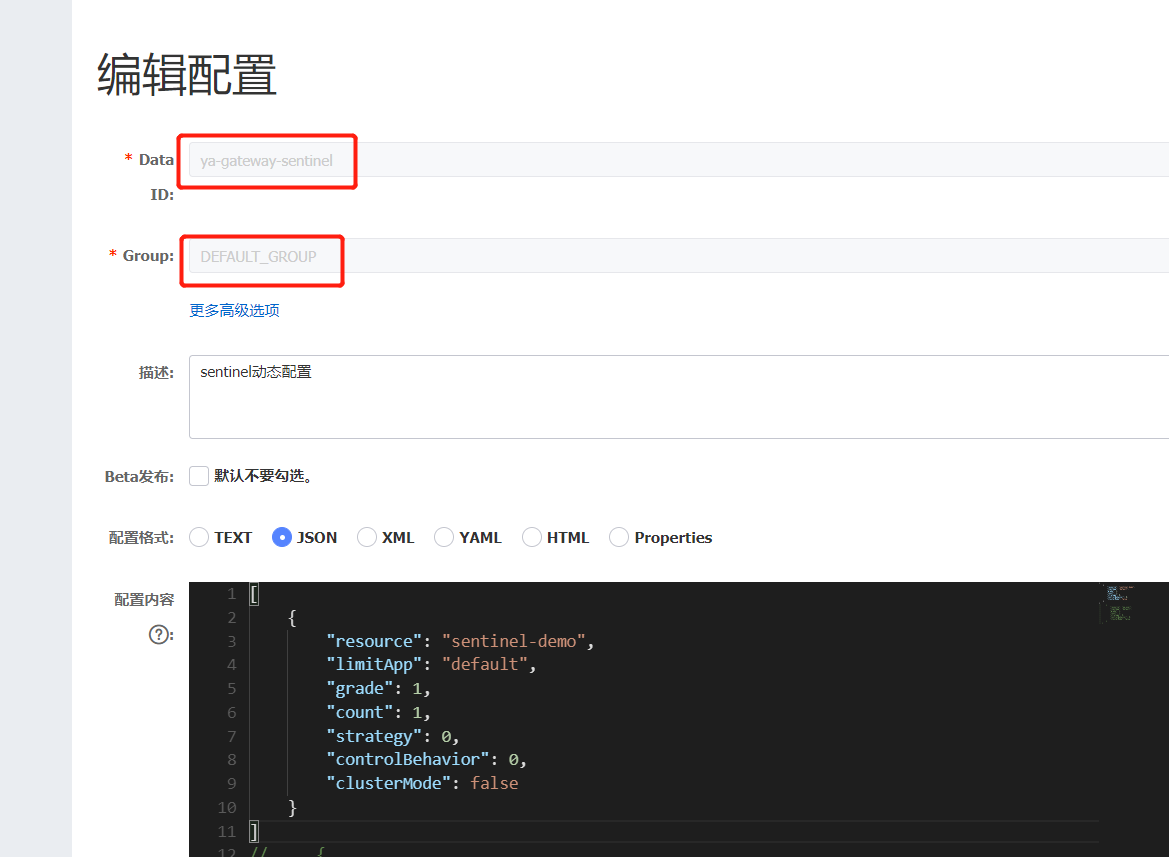
[
    {
        "resource": "sentinel-demo",
        "limitApp": "default",
        "grade": 1,
        "count": 1,
        "strategy": 0,
        "controlBehavior": 0,
        "clusterMode": false
    }
]
resource: 资源名 唯一名称,默认请求路径
limitApp:针对来源:Sentinel 可以针对调用这进行限流,填写微服务名,默认 default(不区分来源)。
grade:阈值类型/单击阈值:1 是QPS(每秒钟的请求数量)2 线程数
count:阈值
strategy:流控模式
直接:API 达到限流条件时,直接限流
关联:当关联的资源达到阈值时,就限流自己。
链路:只记录指定链路上的流量(指定资源从入口资源进来的流量,如果达到阈值,
controlBehavior:流控效果
- 快速失败:直接失败,抛异常。
- Warn Up:根据 coldFactor (冷加载因子,默认3)的值,从阈值/coldFactor,经过预热时长,才达到设置的 QPS 阈值。
- 排队等待:匀速排队,让请求以匀速的速度通过,阈值类型必须设置为 QPS,否则无效。
clusterMode:是否集群
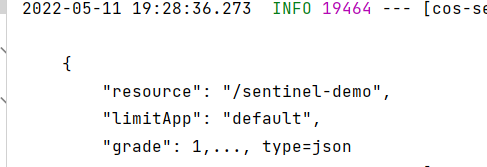
配置好之后启动网关服务可以看到sentinel监听到配置的流控规则,并加载到sentinel控制台

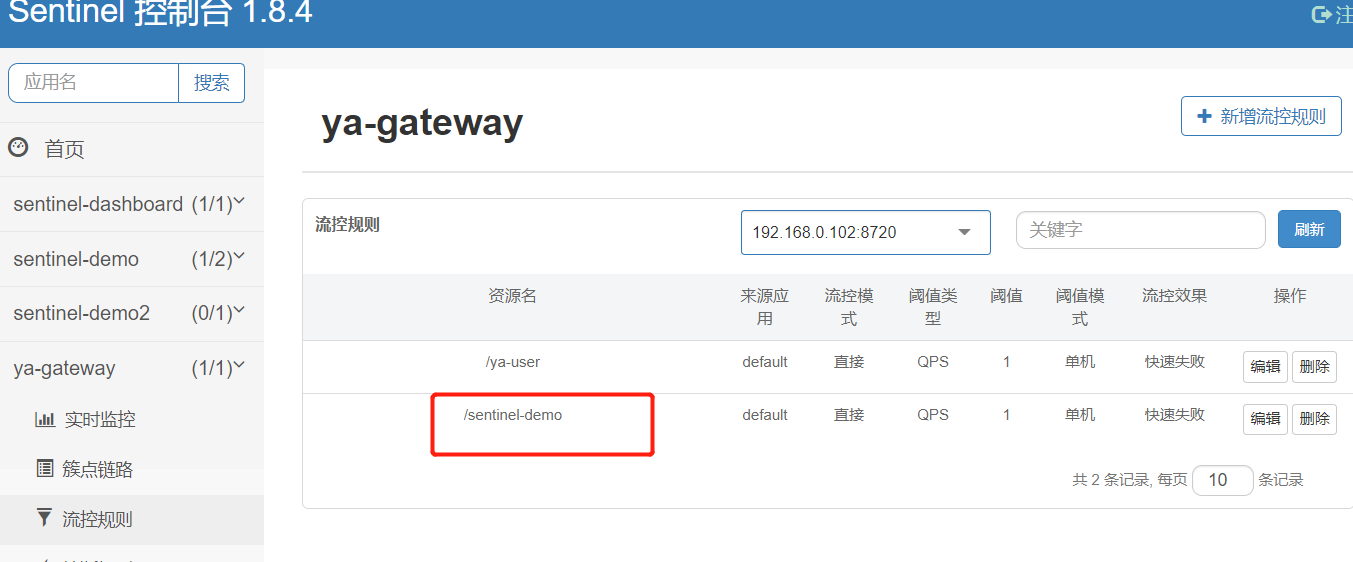
打开sentient控制台,可以看到配置的动态流控规则生效了
SentinelAutoConfiguration 类提供了多规则配置
@org.springframework.context.annotation.Configuration(proxyBeanMethods = false)
        protected static class SentinelJsonConfiguration {
            private com.fasterxml.jackson.databind.ObjectMapper objectMapper;

            public SentinelJsonConfiguration() { /* compiled code */ }

            @org.springframework.context.annotation.Bean({"sentinel-json-flow-converter"})  //流控
            public com.alibaba.cloud.sentinel.datasource.converter.JsonConverter jsonFlowConverter() { /* compiled code */ }

            @org.springframework.context.annotation.Bean({"sentinel-json-degrade-converter"})  //熔断
            public com.alibaba.cloud.sentinel.datasource.converter.JsonConverter jsonDegradeConverter() { /* compiled code */ }

            @org.springframework.context.annotation.Bean({"sentinel-json-system-converter"})  //系统
            public com.alibaba.cloud.sentinel.datasource.converter.JsonConverter jsonSystemConverter() { /* compiled code */ }

            @org.springframework.context.annotation.Bean({"sentinel-json-authority-converter"}) //授权
            public com.alibaba.cloud.sentinel.datasource.converter.JsonConverter jsonAuthorityConverter() { /* compiled code */ }

            @org.springframework.context.annotation.Bean({"sentinel-json-param-flow-converter"}) //热点参数
            public com.alibaba.cloud.sentinel.datasource.converter.JsonConverter jsonParamFlowConverter() { /* compiled code */ }
        }
通过读取源码,配置其他的动态规则
使用nacos达到sentinel 规则持久化和动态刷新,当然这是nacos到sentinel单项配置,如果想要在sentinel 控制台添加流控规则并实时同步到nacos ,需要修改sentinel控制台源码,修改打包后即可实现双向同步。

 浙公网安备 33010602011771号