uni-app碰到一个单击详情,返回首页不要刷新的问题记录
1.描述下问题出现的场景:
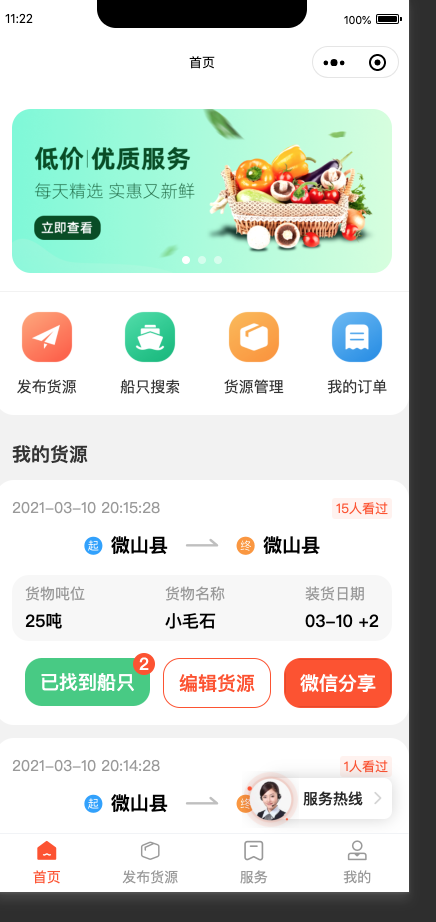
我们的地步栏是自定义封装的,首页、我的页面、服务页都是自定义组件组件,uni-app中Home.vue就没有onShow方法
先贴一段tabbar代码
  <Home v-if="current == 0"></Home>
      <text v-show="current == 1">发布货源</text>
      <Service v-show="current == 2">服务</Service>
      <Mine v-show="current == 3"></Mine>
组件触发机制采用 EventBus来实现 触发onShow是刷新页面
// tabbar.vue里面的触发
events = {
    onShow: ['onHomeShow', '', 'onServiceShow', 'onMineShow']
  }

  onShow() {
    this.$options.name = undefined
    this.$bus.emit(this.events.onShow[this.current])
  }
// Home.vue组件

created() {
    console.log(clc.red('onCreate'))
    const _this = this
    this.$bus.on('onHomeShow', (params: any) => {
      console.log(params)
      _this._onShow()
    })

    this.getHomeBanner()
    this.initRibbon()
  }

  _onShow() {
    console.log(!UserModule.hasLogin)
    if (!UserModule.hasLogin) {
      this.cargoList = []
      return
    }

    if (!this.isLoadData) {
      this.pageNum = 1
      this.getCargoData()
    }
  }
现在的业务改动是需求
返回 首页不要刷新第一页数据,保留在当前位置
实现思路
1.将tabbar组件里的Home.vue组件的v-show改为v-if,在tabbar单击的时候回触发Vue实例创建,继而触发created方法
2.Home.vue增加isLoadData方法监听页面是否加载
以上逻辑有个bug
bug:
就是首页在首页的时候,未登录的时候,就点击去登录,返回首页就没有再次创建实例,因此需要再登录处增加
this.$bus.emit('onHomeShow')
结语:
代码或者表述有误的地方,希望大家指正,万分感谢。。

 浙公网安备 33010602011771号