
小白也可以学会的Nginx安装
测试的系统是CentOS7.6
我们尝试先不考虑安装必备的依赖库,直接从官网下载nginx的压缩包进行安装。
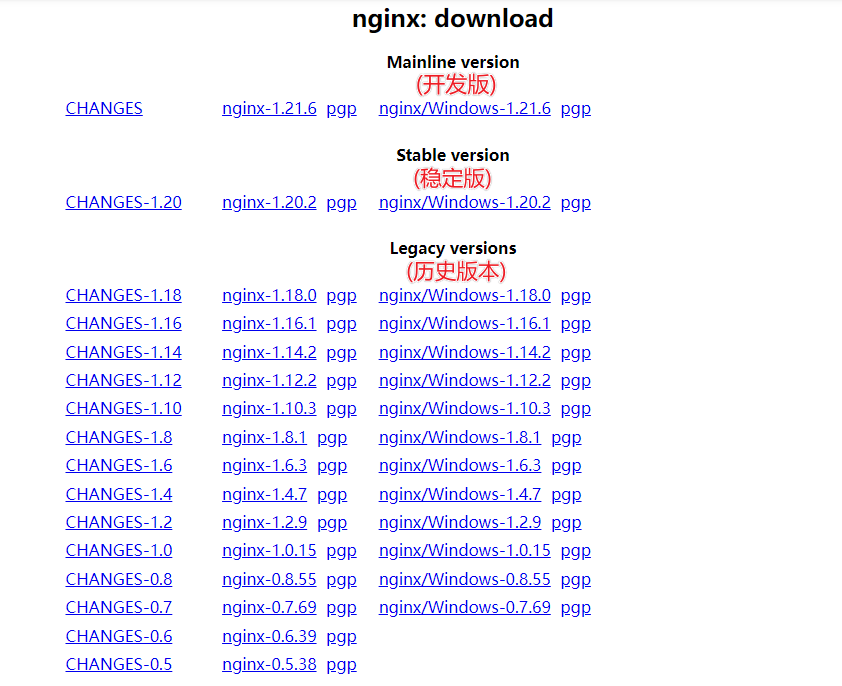
- 使用wget命令下载nginx的压缩包。如果系统没有wget,使用yum下载
yum -y install wget
wget http://nginx.org/download/nginx-1.20.2.tar.gz
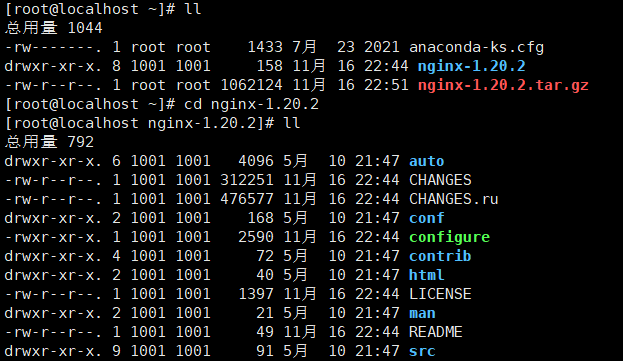
- 解压后进入nginx目录
tar -zxvf nginx-1.20.2.tar.gz
cd nginx-1.20.2
- 使用nginx默认配置
./configure
检测程序文件缺少GCC,安装后才可以进行编译
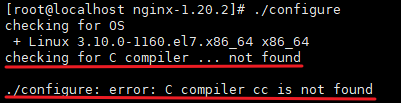
yum -y install gcc-c++
再次执行命令,提示缺少依赖库PCRE
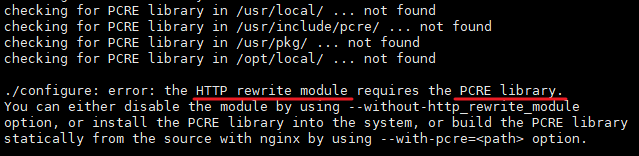
yum -y install pcre-devel
再次执行命令,提示缺少依赖库zlib

yum -y install zlib-devel
再次执行命令,没有报错。
以下信息表示 PCRE 和 zlib 使用系统库,openssl的库没有使用,默认https没有打开。
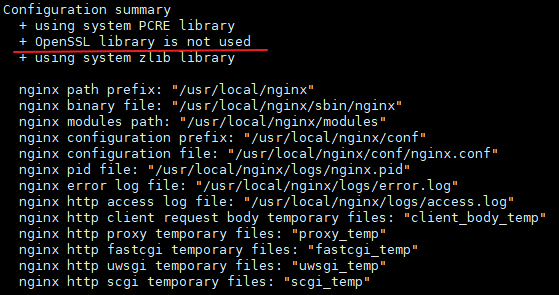
./configure --with-http_ssl_module --开启SSL加密功能

提示缺少依赖库openssl
yum -y install openssl-devel
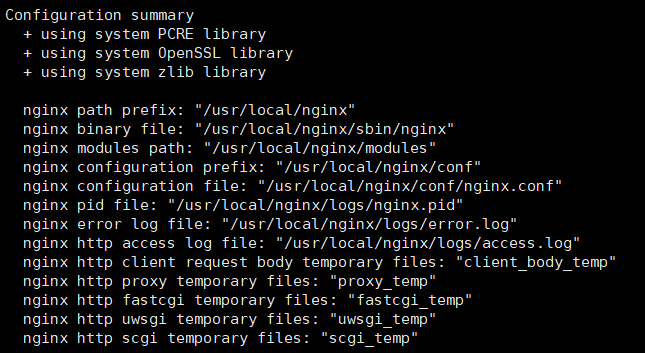
完毕!
- 编译安装
make && make install
- 检查nginx的安装路径
whereis nginx

- 进入/usr/local/nginx/sbin/,有一个可执行文件nginx。
./nginx
/usr/local/nginx/sbin/nginx

- 查看nginx是否启动成功
ps -ef|grep nginx

- 在浏览器输入nginx服务器的地址:http://192.168.26.130,显示无法访问。
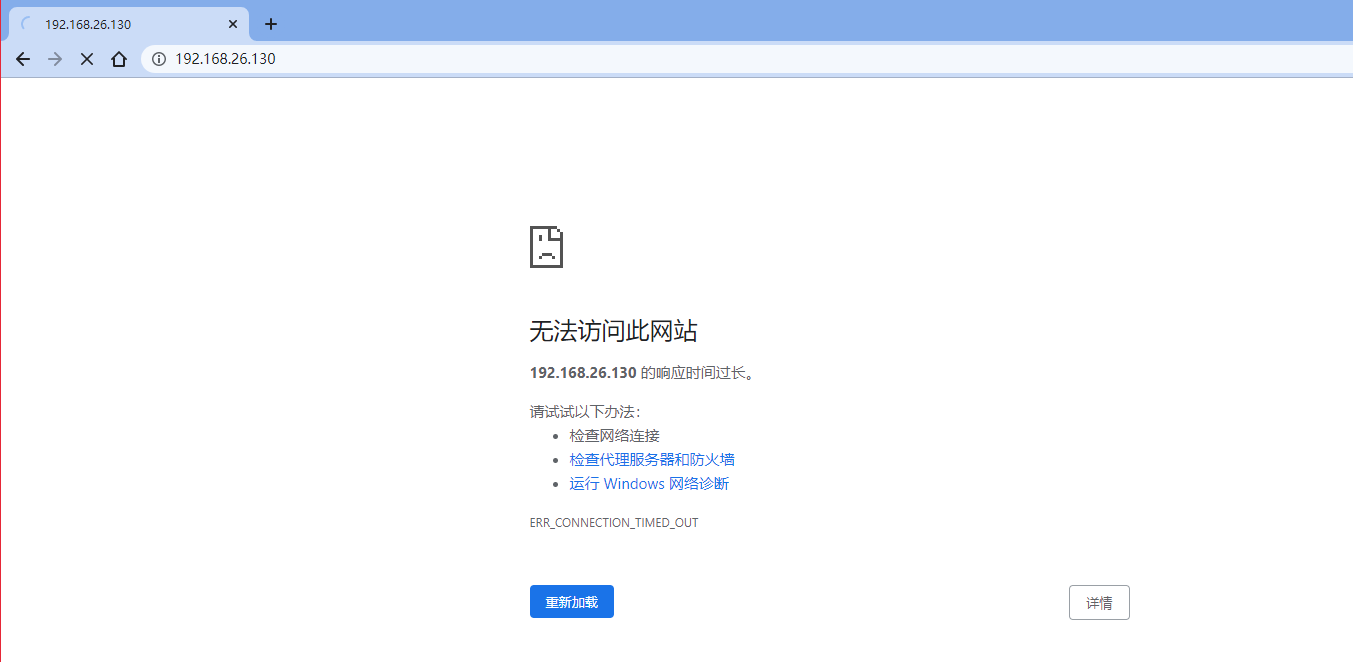
- 服务器上使用curl命令得到了响应。
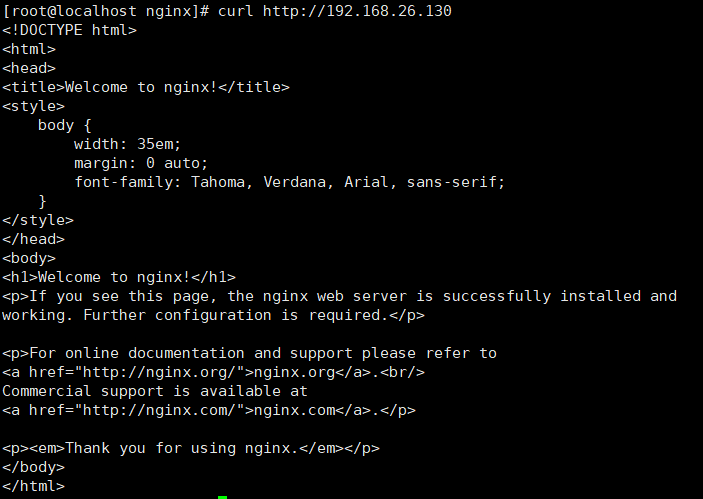
- 下面应该查看防火墙的规则。对于CentOS7.6默认使用的是firewalld作为防火墙,使用iptables必须重新设置一下。
a.使用firewalld查看防火墙状态
systemctl status firewalld
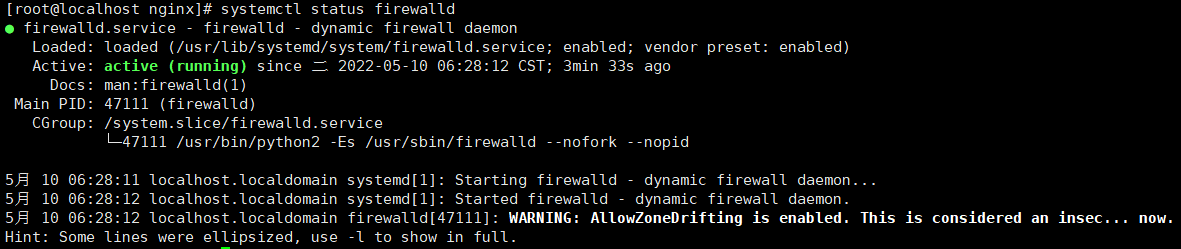
查看防火墙开放的端口
firewall-cmd --list-ports

启动防火墙后,默认没有开启任何端口,需要手动开启端口。nginx默认是80端口
firewall-cmd --zone=public --add-port=80/tcp --permanent

开启后需要重启防火墙才生效
firewall-cmd --reload

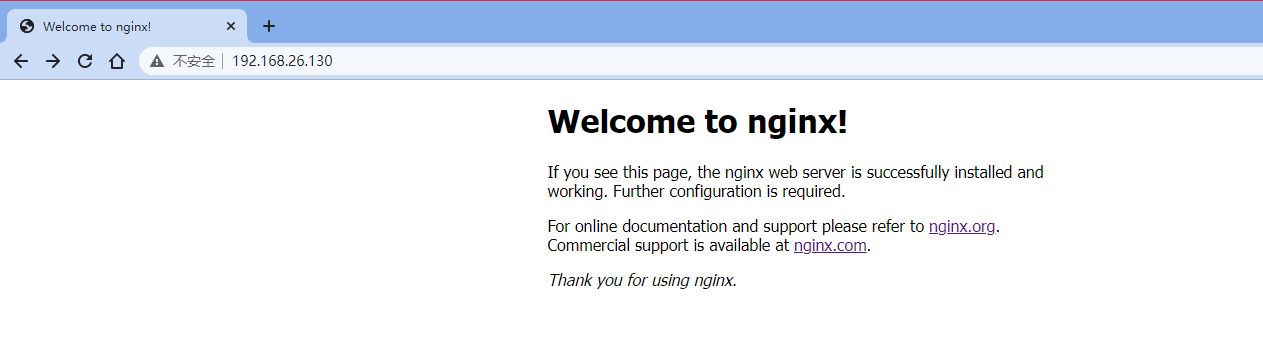
11.页面访问成功!
分割线
附:
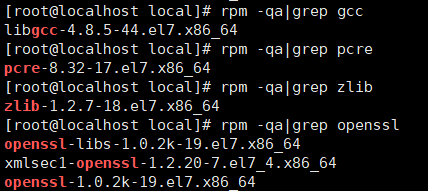
- 查看默认的依赖库
rpm -qa|grep gcc
rpm -qa|grep pcre
rpm -qa|grep zlib
rpm -qa|grep openssl
安装iptables-services
yum -y install iptables-services
使用iptables命令,查看防火墙状态
service iptables status

查看iptables规则
iptables -nvL

 浙公网安备 33010602011771号