


精灵图和字体图标
精灵图:
通过css sprite将图片拼接在一起,然后通过background-image和background-position和background-size调整图片位置和大小达到显示指定位置背景图的效果。
字体图标:
比精灵图好用,重点是大小和颜色可以像普通的文字一样通过font属性去调整,国内的有阿里的iconfont,国外的有https://icomoon.io,选择多个图标下载后压缩包解压,压缩包中需要使用的文件只有fonts文件夹下的四个文件,且调用方式有两种:
一种是通过伪类在其content中添加转义字符选择指定图标,这里的转义字符只能用于content中与>;有区别:
i:after {
      content: '\e94d';
      color: blue;
      font-family: "icomoon" !important;
      font-size: 100px;
      font-style: normal;
    }
另一种是设置类名并添加图标对应口字
.icon-1 {
      font-family: "icomoon";
      font-size: 1000px;
      font-style: normal;
      color: red;
    }
<i class="icon-1"> </i>
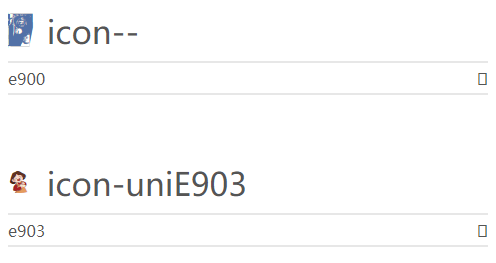
上下的口是不一样的内容哦。
导入方式如下:
@font-face {
      font-family: 'icomoon';
      src: url('fonts/icomoon.eot?5uztth');
      src: url('fonts/icomoon.eot?5uztth#iefix') format('embedded-opentype'),
        url('fonts/icomoon.ttf?5uztth') format('truetype'),
        url('fonts/icomoon.woff?5uztth') format('woff'),
        url('fonts/icomoon.svg?5uztth#icomoon') format('svg');
      font-weight: normal;
      font-style: normal;
      font-display: block;
    }
路径要跟随项目变化,然后是字体icomoon由我们自己下载时的命名为准,可以在demo.html中找到该段代码复制即可。

 浙公网安备 33010602011771号