四、PyQt5 之 对话框
"""
对话框: QDialog

QMessageBox:  消息对话框
QColorDialog: 颜色对话框
QFileDialog:  文件对话框
QFontDialog:  字体对话框
QInputDialog:获取用户输入的对话框
"""
#!/usr/bin/python
# -*- coding:utf-8 -*-

import sys
from PyQt5.QtCore import *
from PyQt5.QtGui import *
from PyQt5.QtWidgets import *


class QDialogDemo(QMainWindow):
    def __init__(self):
        super(QDialogDemo, self).__init__()
        self.initUI()

    def initUI(self):
        self.setWindowTitle("Qdialog案例")
        self.resize(300, 200)
        self.button = QPushButton(self)
        self.button.setText("弹出对话框")
        self.button.move(50, 50)
        self.button.clicked.connect(self.showDialog)

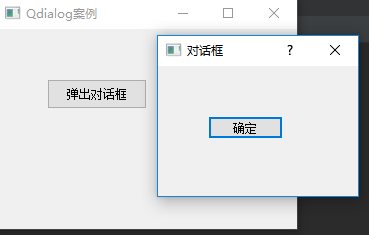
    def showDialog(self):
        dialog = QDialog()
        button = QPushButton("确定", dialog)
        # 点击自动关闭dialog
        button.clicked.connect(dialog.close)
        button.move(50, 50)
        dialog.setWindowTitle("对话框")
        # 采用模式对话框形式(模态对话框),原窗口不能适应
        dialog.setWindowModality(Qt.ApplicationModal)
        # 显示对话框
        dialog.exec()


if __name__ == '__main__':
    app = QApplication(sys.argv)
    main = QDialogDemo()
    main.show()
    sys.exit(app.exec_())
#!/usr/bin/python
# -*- coding:utf-8 -*-

"""
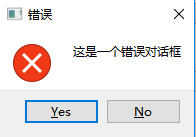
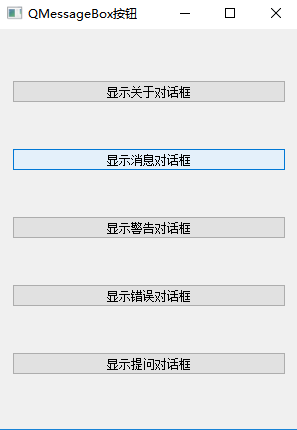
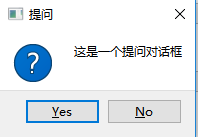
消息对话框: QMessageBox

1. 关于对话框
2. 错误对话框
3. 警告对话框
4. 提问对话框
5. 消息对话框

有2点差异
1. 显示的对话框的图标可能不同
2. 显示的按钮不一样
"""

import sys
from PyQt5.QtCore import *
from PyQt5.QtGui import *
from PyQt5.QtWidgets import *


class QMessageBoxDemo(QWidget):
    def __init__(self):
        super(QMessageBoxDemo, self).__init__()
        self.initUI()

    def initUI(self):
        self.setWindowTitle("QMessageBox按钮")
        self.resize(300, 400)

        layout = QVBoxLayout()
        self.button1 = QPushButton()
        self.button1.setText("显示关于对话框")
        self.button1.clicked.connect(self.showDialog)

        self.button2 = QPushButton()
        self.button2.setText("显示消息对话框")
        self.button2.clicked.connect(self.showDialog)

        self.button3 = QPushButton()
        self.button3.setText("显示警告对话框")
        self.button3.clicked.connect(self.showDialog)

        self.button4 = QPushButton()
        self.button4.setText("显示错误对话框")
        self.button4.clicked.connect(self.showDialog)

        self.button5 = QPushButton()
        self.button5.setText("显示提问对话框")
        self.button5.clicked.connect(self.showDialog)

        layout.addWidget(self.button1)
        layout.addWidget(self.button2)
        layout.addWidget(self.button3)
        layout.addWidget(self.button4)
        layout.addWidget(self.button5)
        self.setLayout(layout)

    def showDialog(self):
        text = self.sender().text()
        if text == "显示关于对话框":
            QMessageBox.about(self, "关于", "这是一个关于对话框")
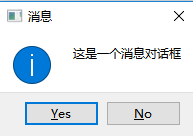
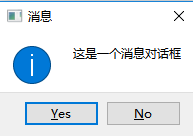
        if text == "显示消息对话框":
            # QMessageBox.information(self, 对话框标题, 对话框内筒, 确认, 取消, 默认选中), 返回的是Yes/No的返回值
            reply = QMessageBox.information(self, "消息", "这是一个消息对话框", QMessageBox.Yes | QMessageBox.No, QMessageBox.Yes)
            if reply == QMessageBox.Yes:
                print("Yes")
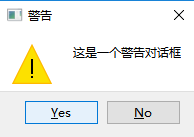
        if text == "显示警告对话框":
            QMessageBox.warning(self, "警告", "这是一个警告对话框", QMessageBox.Yes | QMessageBox.No, QMessageBox.Yes)
        if text == "显示错误对话框":
            QMessageBox.critical(self, "错误", "这是一个错误对话框", QMessageBox.Yes | QMessageBox.No, QMessageBox.Yes)
        if text == "显示提问对话框":
            QMessageBox.question(self, "提问", "这是一个提问对话框", QMessageBox.Yes | QMessageBox.No, QMessageBox.Yes)


if __name__ == '__main__':
    app = QApplication(sys.argv)
    main = QMessageBoxDemo()
    main.show()
    sys.exit(app.exec_())
#!/usr/bin/python
# -*- coding:utf-8 -*-

"""
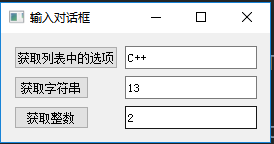
输入对话框: QInputDialog

QInputDialog.getItem : 用来显示输入的列表(元组)
QInputDialog.getText : 用来显示输入的文本
QInputDialog.getInt  : 用来显示输入的数字
"""

import sys
from PyQt5.QtCore import *
from PyQt5.QtGui import *
from PyQt5.QtWidgets import *


class QInputDialogDemo(QWidget):
    def __init__(self):
        super(QInputDialogDemo, self).__init__()
        self.initUI()

    def initUI(self):
        self.setWindowTitle("输入对话框")
        # 创建表单布局
        layout = QFormLayout()

        self.button1 = QPushButton("获取列表中的选项")
        self.button1.clicked.connect(self.getItem)
        self.lineEdit1 = QLineEdit()
        layout.addRow(self.button1, self.lineEdit1)

        self.button2 = QPushButton("获取字符串")
        self.button2.clicked.connect(self.getText)
        self.lineEdit2 = QLineEdit()
        layout.addRow(self.button2, self.lineEdit2)

        self.button3 = QPushButton("获取整数")
        self.button3.clicked.connect(self.getInt)
        self.lineEdit3 = QLineEdit()
        layout.addRow(self.button3, self.lineEdit3)

        self.setLayout(layout)

    def getItem(self):
        items = ("C", "C++", "Python", "Java")
        item, ok = QInputDialog.getItem(self, "请选择编程语言", "语言列表", items)
        if ok and item:
            self.lineEdit1.setText(item)

    def getText(self):
        text, ok = QInputDialog.getText(self, "文本输入框", "输入姓名")
        if ok and text:
            self.lineEdit2.setText(text)

    def getInt(self):
        num, ok = QInputDialog.getInt(self, "整数输入框", "输入数字")
        if ok and num:
            self.lineEdit3.setText(str(num))


if __name__ == '__main__':
    app = QApplication(sys.argv)
    main = QInputDialogDemo()
    main.show()
    sys.exit(app.exec_())
#!/usr/bin/python
# -*- coding:utf-8 -*-


import sys
from PyQt5.QtCore import *
from PyQt5.QtGui import *
from PyQt5.QtWidgets import *


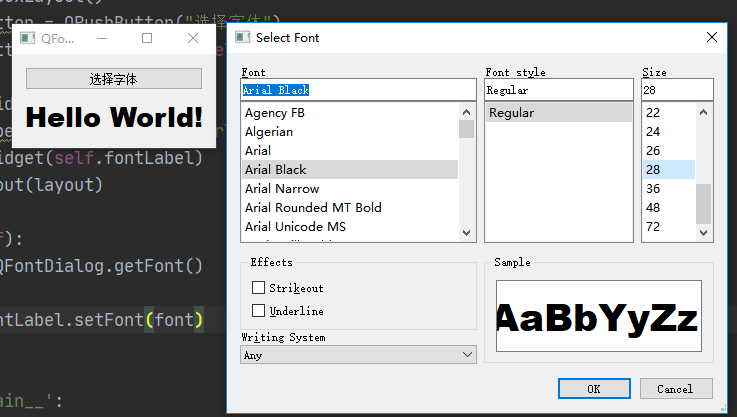
class QFontDialogDemo(QWidget):
    def __init__(self):
        super(QFontDialogDemo, self).__init__()
        self.initUI()

    def initUI(self):
        self.setWindowTitle("QFontDialog")
        layout = QVBoxLayout()
        self.fontButton = QPushButton("选择字体")
        self.fontButton.clicked.connect(self.getFont)

        layout.addWidget(self.fontButton)
        self.fontLabel = QLabel("Hello World!")
        layout.addWidget(self.fontLabel)
        self.setLayout(layout)

    def getFont(self):
        font, ok = QFontDialog.getFont()
        if ok:
            self.fontLabel.setFont(font)


if __name__ == '__main__':
    app = QApplication(sys.argv)
    main = QFontDialogDemo()
    main.show()
    sys.exit(app.exec_())
#!/usr/bin/python
# -*- coding:utf-8 -*-


import sys
from PyQt5.QtCore import *
from PyQt5.QtGui import *
from PyQt5.QtWidgets import *


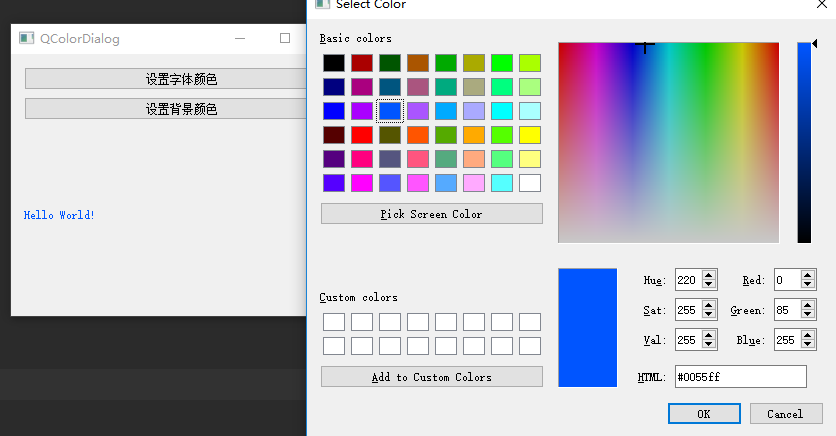
class QColorDialogDemo(QWidget):
    def __init__(self):
        super(QColorDialogDemo, self).__init__()
        self.initUI()

    def initUI(self):
        self.setWindowTitle("QColorDialog")
        layout = QVBoxLayout()
        self.colorButton = QPushButton("设置字体颜色")
        self.colorButton.clicked.connect(self.getColor)
        layout.addWidget(self.colorButton)

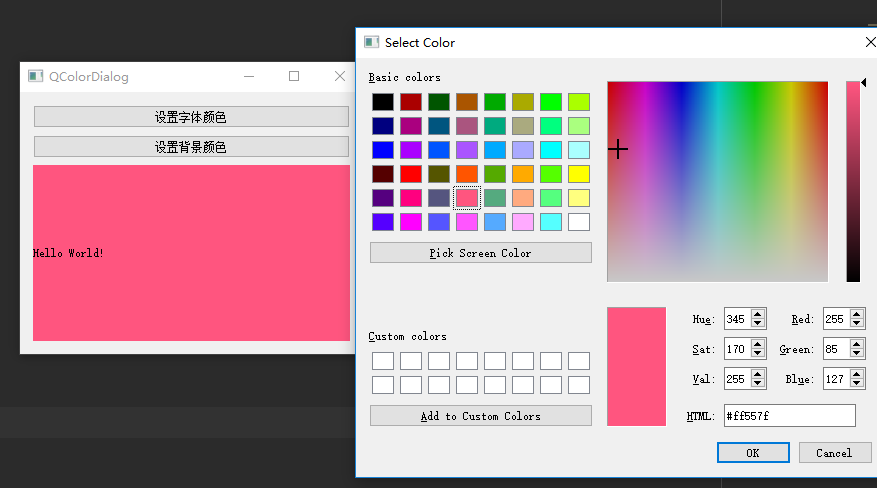
        self.colorButton1 = QPushButton("设置背景颜色")
        self.colorButton1.clicked.connect(self.getBGColor)
        layout.addWidget(self.colorButton1)

        self.colorLabel = QLabel("Hello World!")
        layout.addWidget(self.colorLabel)
        self.setLayout(layout)

    def getColor(self):
        color = QColorDialog.getColor()
        # 设置文字颜色
        p = QPalette()
        p.setColor(QPalette.WindowText, color)
        # 设置调色板颜色
        self.colorLabel.setPalette(p)

    def getBGColor(self):
        color = QColorDialog.getColor()
        p = QPalette()
        p.setColor(QPalette.Window, color)
        # 设置自动填充
        self.colorLabel.setAutoFillBackground(True)
        self.colorLabel.setPalette(p)


if __name__ == '__main__':
    app = QApplication(sys.argv)
    main = QColorDialogDemo()
    main.show()
    sys.exit(app.exec_())
#!/usr/bin/python
# -*- coding:utf-8 -*-


import sys
from PyQt5.QtCore import *
from PyQt5.QtGui import *
from PyQt5.QtWidgets import *


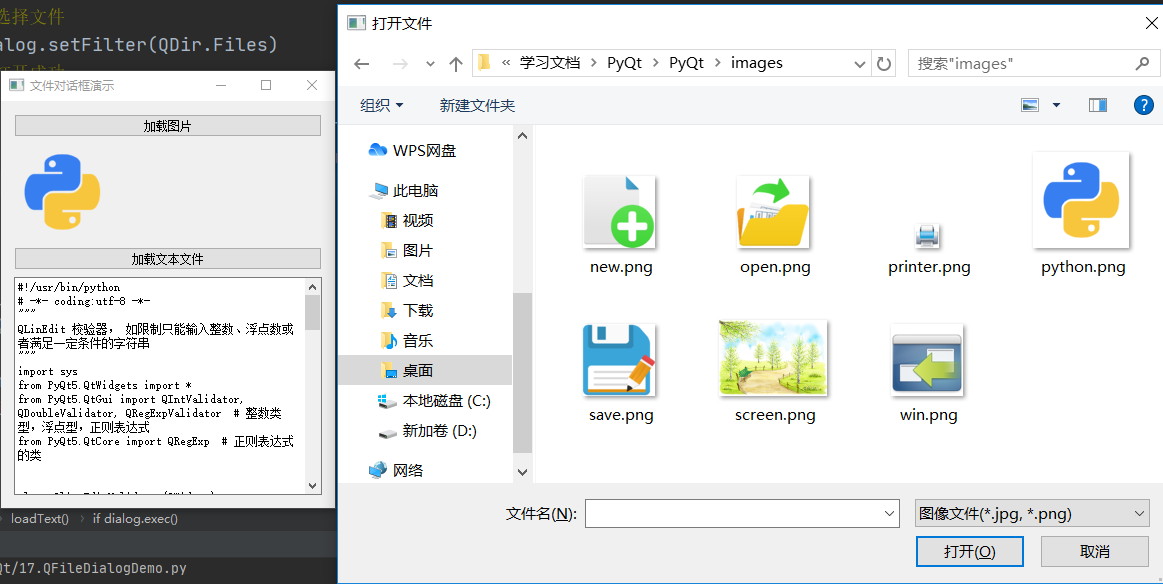
class QFileDialogDemo(QWidget):
    def __init__(self):
        super(QFileDialogDemo, self).__init__()
        self.initUI()

    def initUI(self):
        layout = QVBoxLayout()

        self.button1 = QPushButton("加载图片")
        self.button1.clicked.connect(self.loadImage)
        layout.addWidget(self.button1)

        self.imageLabel1 = QLabel()
        layout.addWidget(self.imageLabel1)

        self.button2 = QPushButton("加载文本文件")
        self.button2.clicked.connect(self.loadText)
        layout.addWidget(self.button2)

        self.contents = QTextEdit()
        layout.addWidget(self.contents)

        self.setLayout(layout)
        self.setWindowTitle("文件对话框演示")

    def loadImage(self):
        # self, 操作名称, 当前路径, 过滤条件, 返回值一个是文件名, 一个是否被点击了
        fname, _ = QFileDialog.getOpenFileName(self, "打开文件", ".", "图像文件(*.jpg, *.png)")
        self.imageLabel1.setPixmap(QPixmap(fname))

    def loadText(self):
        dialog = QFileDialog()
        # 允许打开任何模式的文件
        dialog.setFileMode(QFileDialog.AnyFile)
        # 选择文件
        dialog.setFilter(QDir.Files)
        # 打开成功
        if dialog.exec():
            filenames = dialog.selectedFiles()
            f = open(filenames[0], encoding="utf-8", mode="r")
            with f:  # 自动关闭文件
                data = f.read()
                self.contents.setText(data)


if __name__ == '__main__':
    app = QApplication(sys.argv)
    main = QFileDialogDemo()
    main.show()
    sys.exit(app.exec_())


 浙公网安备 33010602011771号