
十九、父子组件的通信(父组件向子组件传递数据)
在开发中,往往一些数据确实需要从上层传递到下层:
- 比如在一个页面中,我们从服务器请求到了很多的数据。
- 其中一部分数据,并非是我们整个页面的大组件来展示的,而是需要下面的子组件进行展示。
- 这个时候,并不会让子组件再次发送一个网络请求,而是直接让大组件(父组件)将数据传递给小组件(子组件)。
Vue官方提到如何进行父子组件间的通信:
- 通过props向子组件传递数据
- 通过事件向父组件发送消息

一、props的基本用法
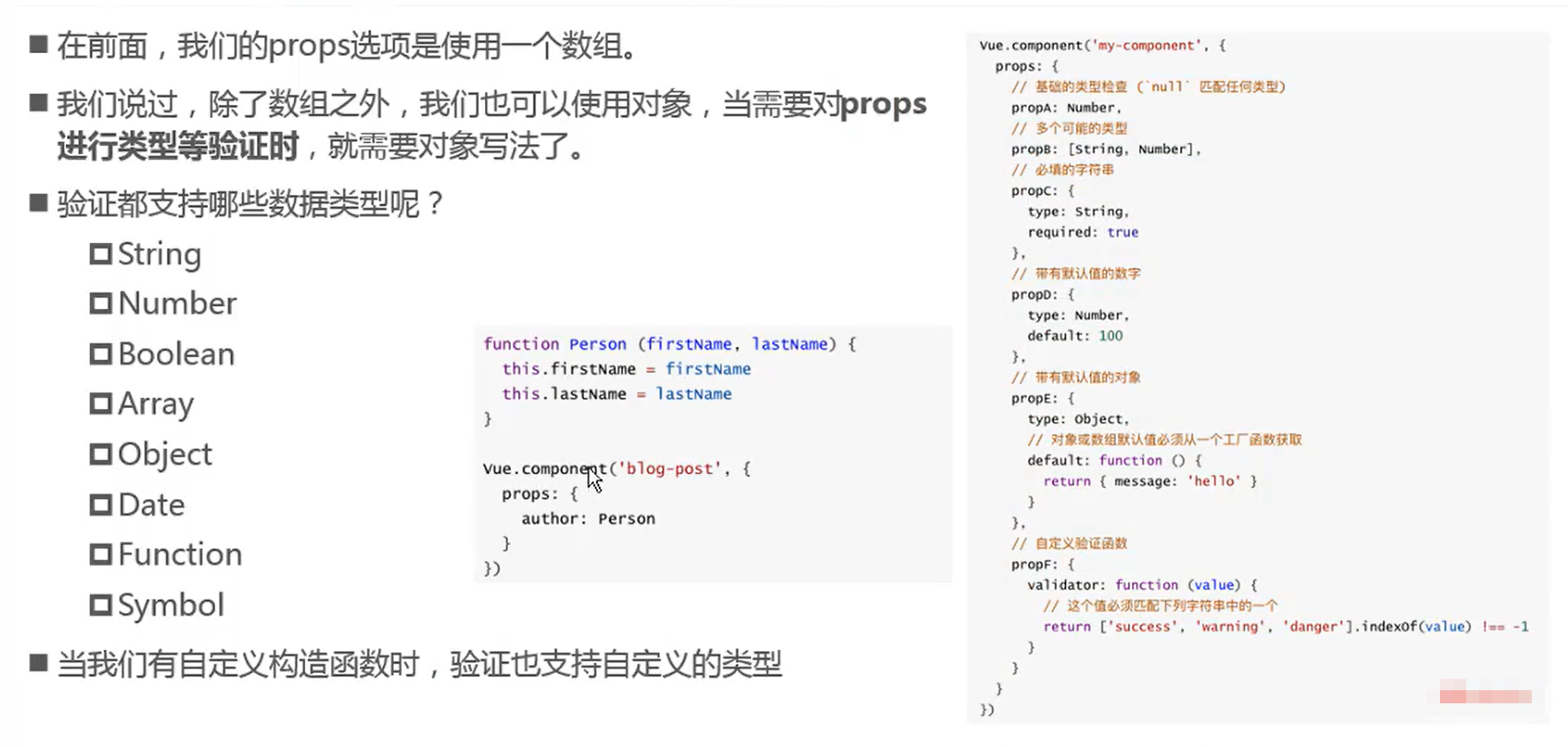
在组件中,使用选项props来声明需要从父级接收到的数据。props的值有两种方式:
- 方式一: 字符串数组,数组中的字符串就是传递时的名称。
- 方式二: 对象,对象可以设置传递时的类型,也可以设置默认值等。
    <div id="app">
      <cpn v-bind:cmovies="movies" :cmessage="message"></cpn>
    </div>

    <template id="cpn">
      <div>
        <p v-for="item in cmovies">{{item}}</p>
        <p> {{cmessage}}</p>
      </div>
    </template>
    <script>
      //父传子
      const cpn = {
        template: "#cpn",
        //props: ["cmovies","cmessage"],
        props: {
          // //1. 类型的限制
          // cmovies: Array,
          // cmessage: String

          // //2. 提供一些默认值,以及必传值
          cmessage: {
            Type: String,
            //当没有进行父级传值时会使用默认值
            default: "aaaaaa",
            // required 必须传的值
            required:true
          },
          cmovies: {
            Type: Array,
            //类型是对象或者数组时,默认值必须是一个函数
            default(){
              return []
            }
          }
        },
        data(){ return {}},
        methods: {}
      }

      const app = new Vue({
        el: "#app",
        data: {
          message: "Hellow World",
          movies: ["泰坦尼克号","海泽王","海尔兄弟"]
        },
        components: {
          cpn
        }
      });
    </script>
- 注意:在创建模板时,需要将 <template></template> 中写入一个容器,例如<div>标签;
- 在使用驼峰标识时,在模板标签引用中需要使用 “-” 符号将大写字母区隔开,在<template>模板标签中使用组件自定义驼峰标识名称(如下图所示 :c-info 和 :c-message)
    <div id="app">
      <cpn :c-info="info" :c-message="message"></cpn>
    </div>
    <template id="cpn">
      <div>
        <h2>{{ cInfo }}</h2>
        <h2>{{ cMessage }}</h2>
      </div>
    </template>
    <script>
      const cpn = {
        template : "#cpn",
        props: {
          cInfo: {
            Type: Object,
            default(){ return {}}
          },
          cMessage: {
            Type: String,
            default(){ return ""}
          }
        }
      }
      const app = new Vue({
        el: "#app",
        data: {
          message: "Hellow World",
          info: {
            name: "why",
            age: 18,
            height: 1.88
          }
        },
        components: {
          cpn
        }
      });
    </script>

 浙公网安备 33010602011771号