
十四、GridLayout 网格布局
一、常见属性
android:orientation 设置水平显示还是垂直显示
android:columnCount 设置行的显示个数
android:rowCount 设置列的显示个数
二、子控件属性
android:layout_column 显示在第几列
android:layout_columnSpan 横向跨n列
android:layout_columnWeight 横向剩余空间分配方式
android:layout_gravity在网格中的显示位置
android:layout_row 显示在第几行
android:layout_rowSpan 横向跨几行
android:layout_rowWeight 纵向剩余空间分配方式
三、代码示例
<?xml version="1.0" encoding="utf-8"?>
<GridLayout xmlns:android="http://schemas.android.com/apk/res/android"
    android:layout_width="match_parent"
    android:layout_height="match_parent">

    <Button
        android:text="第1个"
        android:layout_row="0"
        android:layout_height="wrap_content"
        android:layout_width="wrap_content" />
    <Button
        android:text="第2个"
        android:layout_height="wrap_content"
        android:layout_width="wrap_content"/>

    <Button
        android:layout_width="wrap_content"
        android:layout_height="wrap_content"
        android:layout_row="1"
        android:layout_column="0"
        android:text="第3个" />
    <Button
        android:text="第4个"
        android:layout_height="wrap_content"
        android:layout_width="wrap_content"/>
    <Button
        android:text="第5个"
        android:layout_height="wrap_content"
        android:layout_width="wrap_content"/>
    <Button
        android:text="第6个"
        android:layout_height="wrap_content"
        android:layout_width="wrap_content"/>
</GridLayout>
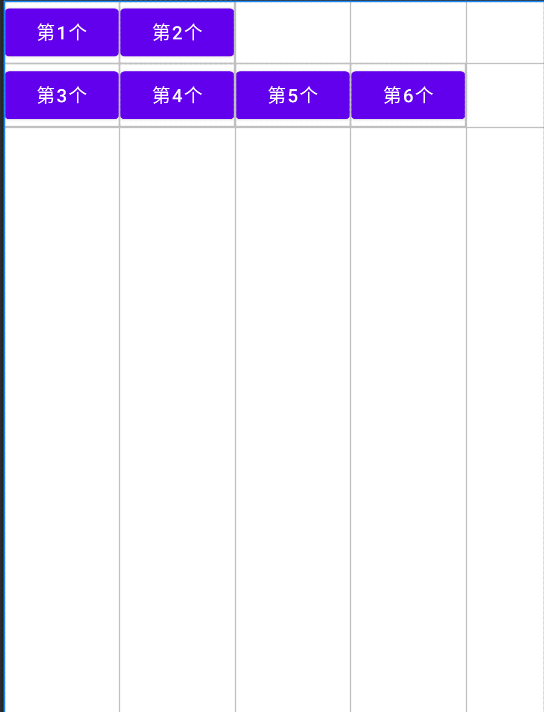
四、效果图

 浙公网安备 33010602011771号