
为什么你需要在用 Vue 渲染列表数据时指定 key
本文改写整理自一篇博文,原文链接如下:
Why you should use the key directive in Vue.js with v-for
Application state and DOM state
要回答这个问题,我们先要了解一下以下两个概念:应用状态(Application state)和 DOM 状态(DOM state),先创建一个简单的 Vue 组件如下(Vue 3):
<script setup>
import { reactive } from "@vue/reactivity"

let list = reactive([
  {
    name: 'name1',
    likes: '炸鸡汉堡',
    id: 'item1',
  },
  {
    name: 'name2',
    likes: '红茶枸杞',
    id: 'item2'
  }
]);

// 用来调换列表顺序
const changeOrder = () => {
  let list2 = [...list];
  list[0] = list2[1];
  list[1] = list2[0];
}
</script>

<template>
<ul class="list">
  <li v-for="item in list"> <!-- 没有绑定 key -->
    {{ item.name }} <br>
    {{ item.likes }}
    <input type="text">
  </li>
</ul>
<button @click="changeOrder">改变列表顺序</button>
</template>

<style scoped>
button {
  margin-top: 1em;
}
</style>
此时界面如下:
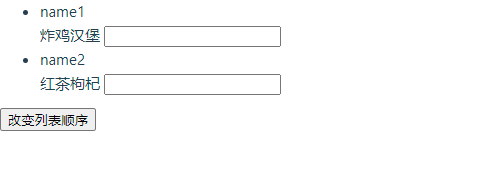
我们可以在“红茶枸杞”后输入文本,例如“好喝”
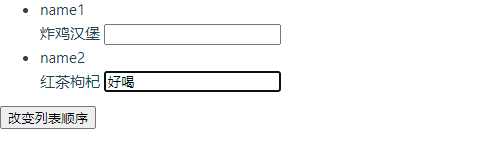
然后点击“改变列表顺序”,我们可以看到界面变成这个样子:
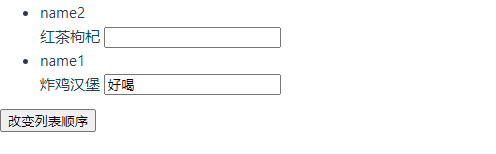
很奇怪是不是?让我们来看看是为什么?
在这个例子里,每一条数据显示的 name 和 likes 的内容是从应用的状态(application state)里获得的,其余部分的内容没有和 Vue 实例里的任何数据绑定,因此是独立于应用状态的,所以你在 input 输入框内输入的东西是临时储存于 DOM 状态(DOM State)内的
In-place patch strategy
我们已经知道了应用状态和 DOM state 的区别,现在我们要理解一下 Vue 在渲染列表数据时所采取的策略,根据 Vue 的官网介绍:
When Vue is updating a list of elements rendered with v-for, by default it uses an "in-place patch" strategy. If the order of the data items has changed, instead of moving the DOM elements to match the order of the items, Vue will patch each element in-place and make sure it reflects what should be rendered at that particular index.
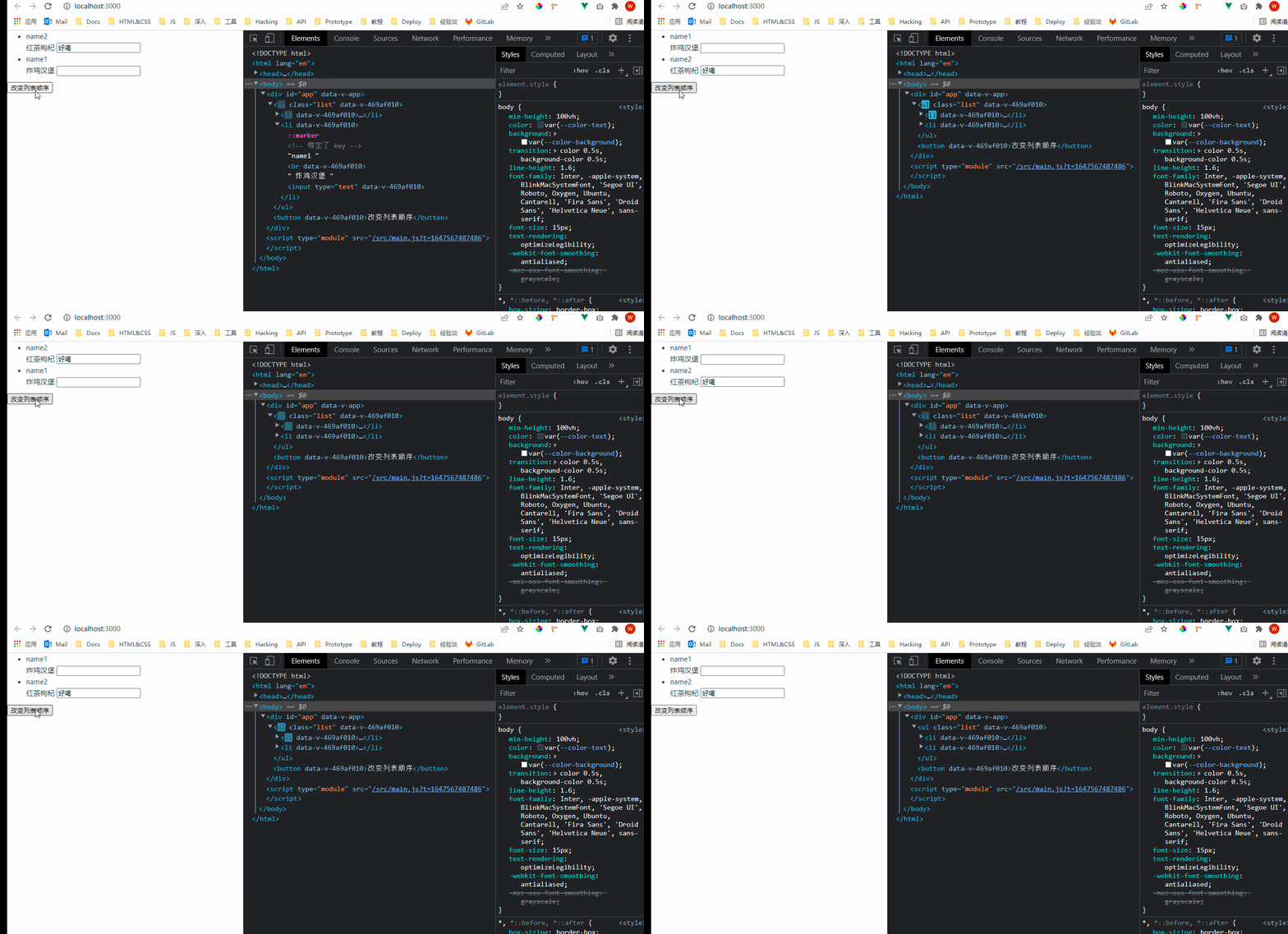
也就是说,在应用状态有变化的时候(例如列表的顺序变了),Vue 会尽可能小地减少 DOM 操作,尽可能地重用 DOM, 在上述例子里,Vue 只会更新 DOM 元素内的状态,而不是真的把两个 <li> 标签交换位置,以此来反映应用状态的变化,我们可以通过下面这张 gif 来直观地感受下:
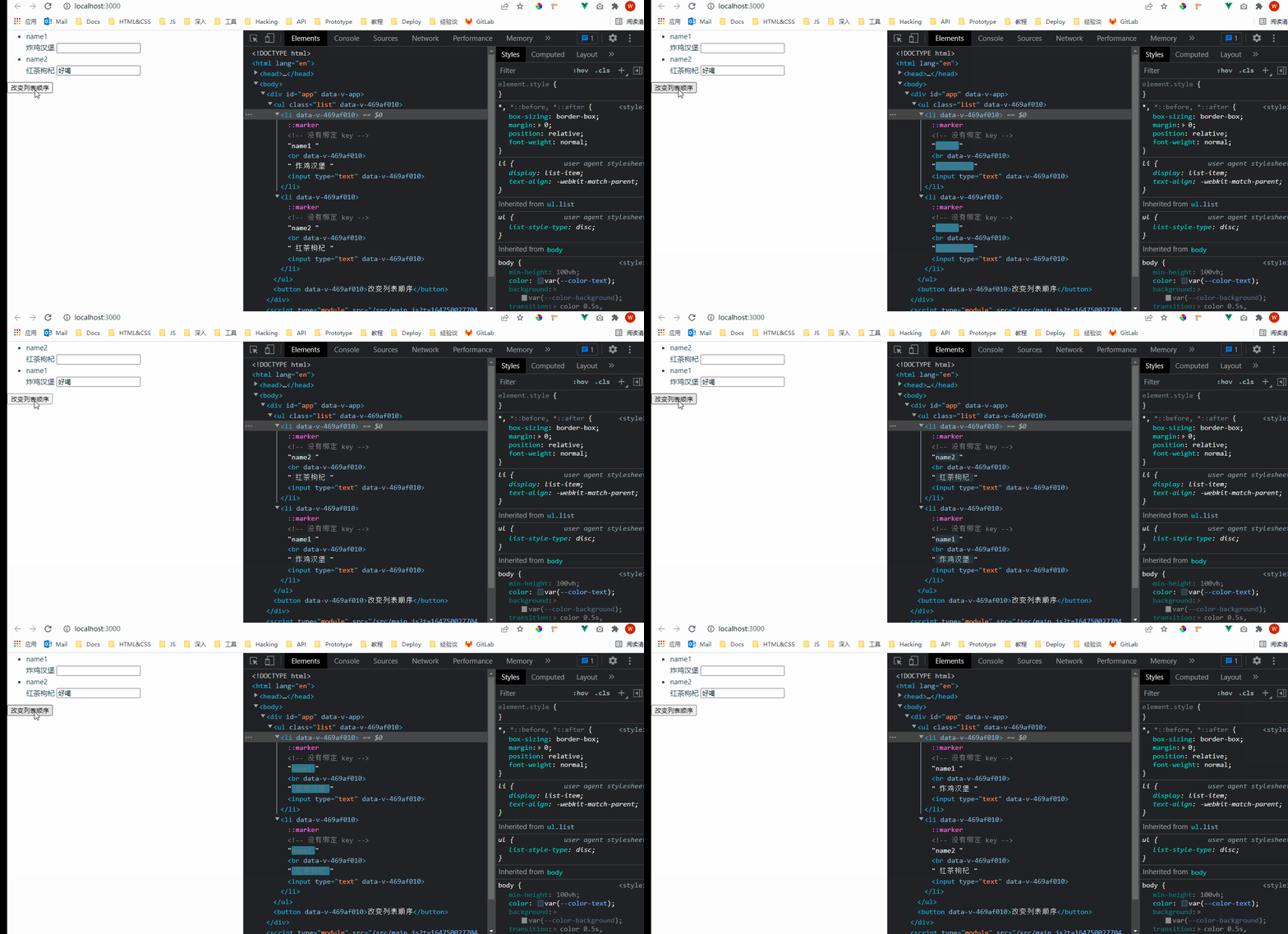
在上面的例子里,我们在输入框内输入的内容没有和如何应用状态绑定过,只是临时的 DOM 状态,又由于 Vue 的渲染策略,导致了我们在改变元素顺序时,input 并没有如我们想象中那样移动。
解决办法:添加 key
<li v-for="item in list" :key="item.id"> <!-- 绑定了 key -->
此时再点击更改列表顺序的按钮,可以看到 input 也会随着一起移动:
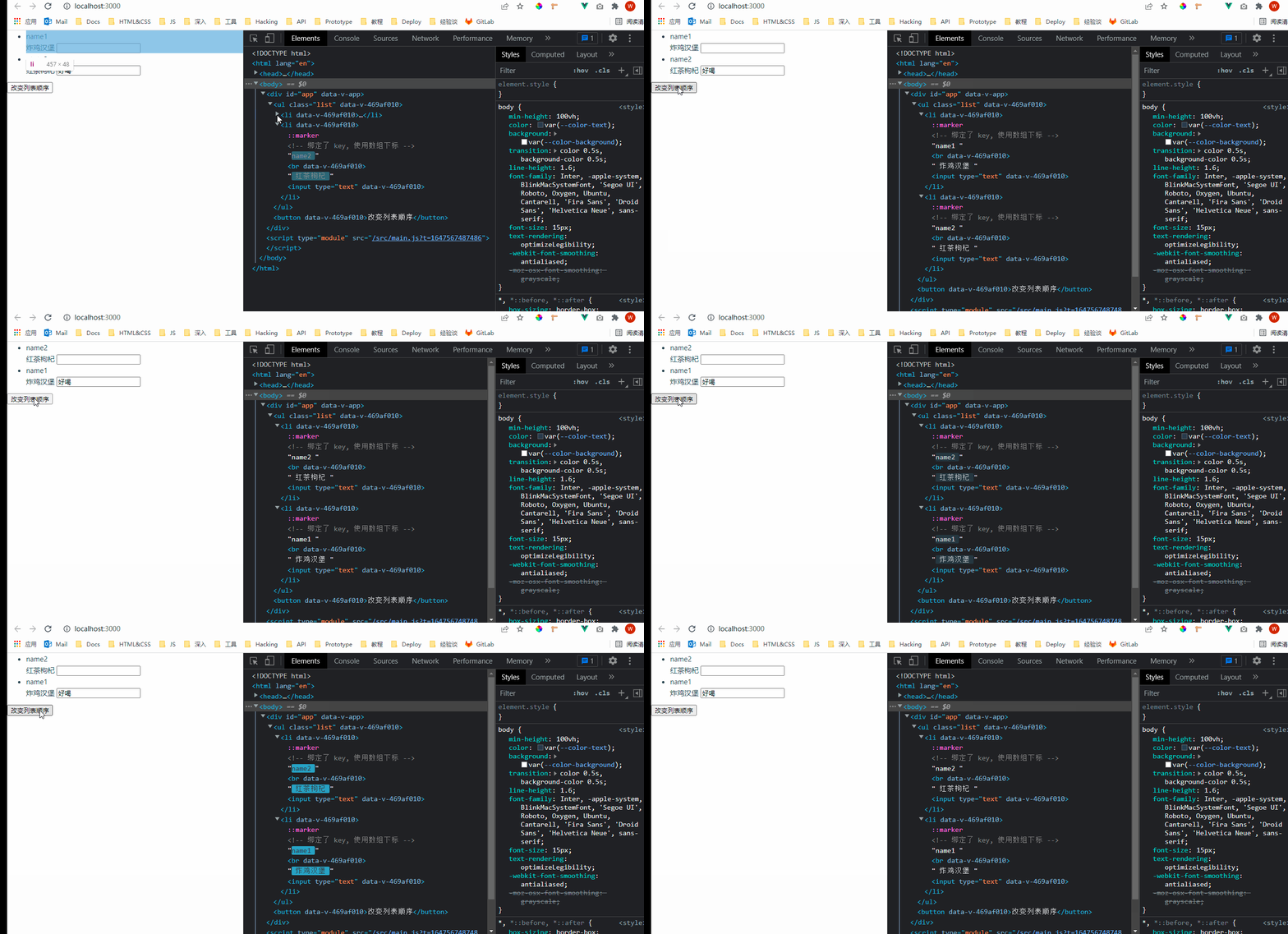
这里有一点需要注意,如果我们用数组的下标作为 key 的值,input 仍是不会移动的,数组的下标不是应用状态的一部分
<li v-for="(item, idx) in list" :key="idx"> <!-- 绑定了 key, 使用数组下标 -->

 浙公网安备 33010602011771号