
20212108《Python程序设计》实验四 Python综合实践实验报告
20212108《Python程序设计》实验四 Python综合实践实验报告
课程: 《Python程序设计》
班级: 2121
姓名: 王季延
学号: 20212108
实验教师: 王志强
实验日期: 2022年5月21日
必修/选修: 公选课
一、实验内容
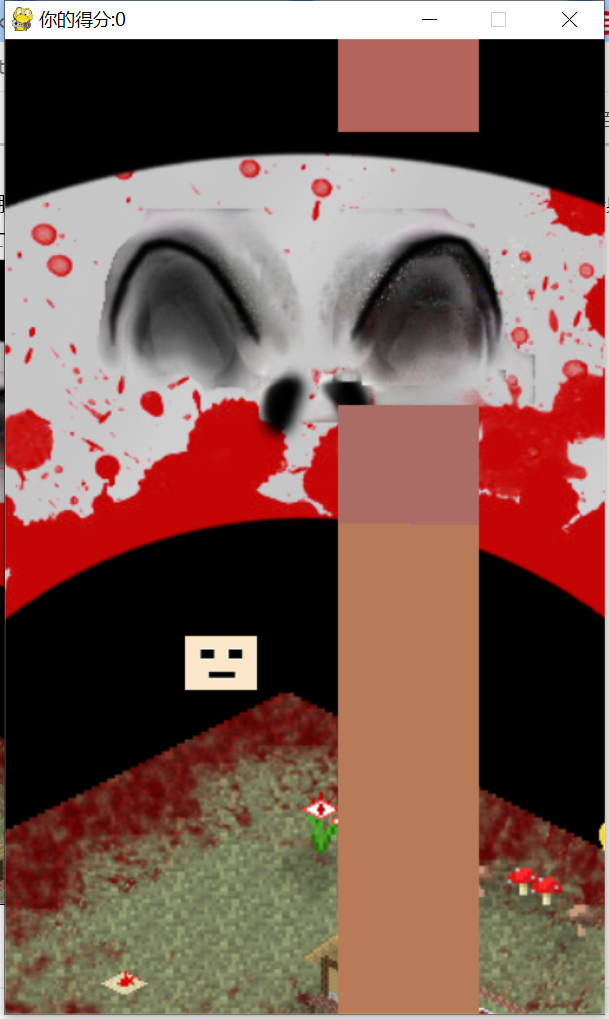
用Python做一个小游戏i wanna flippy bird
1.想法介绍:
大一上学期从课代表那里了解到可以使用pygame模块制作游戏,本学期在舍友那里接触到了i wanna类的游戏(被坑哭了),最后是在云班课中老师发的资料里找到了用pygame制作经典flippy bird游戏的视频,所以就有了用python做一个简单的两者结合的小游戏。
2.主要内容:
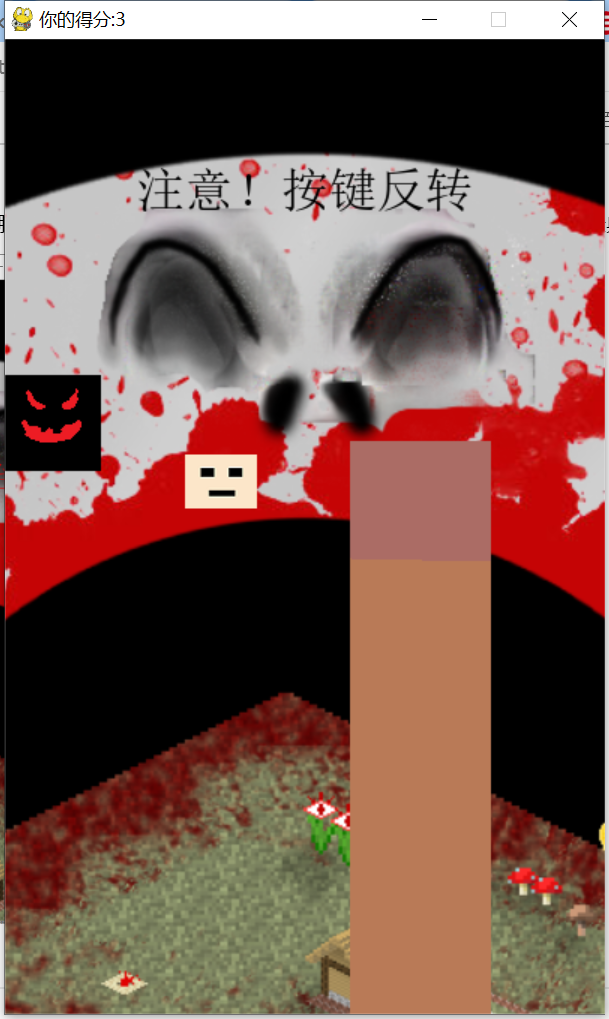
玩家控制小鸟(画成了一个脑袋)前进和跳跃(标准的flippy bird游戏中小鸟是自动前进,玩家只需要操控小鸟的跳跃即可,但是由于此游戏含有坑,前进需要玩家手动操控),通过管道获得尽可能多的分数,但是在这个经典玩法中掺杂了挡路的怪物和坑的元素。(游戏刚开始时玩家就是处于下坠状态,只是单纯为了让玩家观看死亡界面的游戏规则,接下来每次重新开始游戏后不会自动下坠,只有按下跳跃键后才会正常下落)

二、实验过程及结果
1.图片素材准备
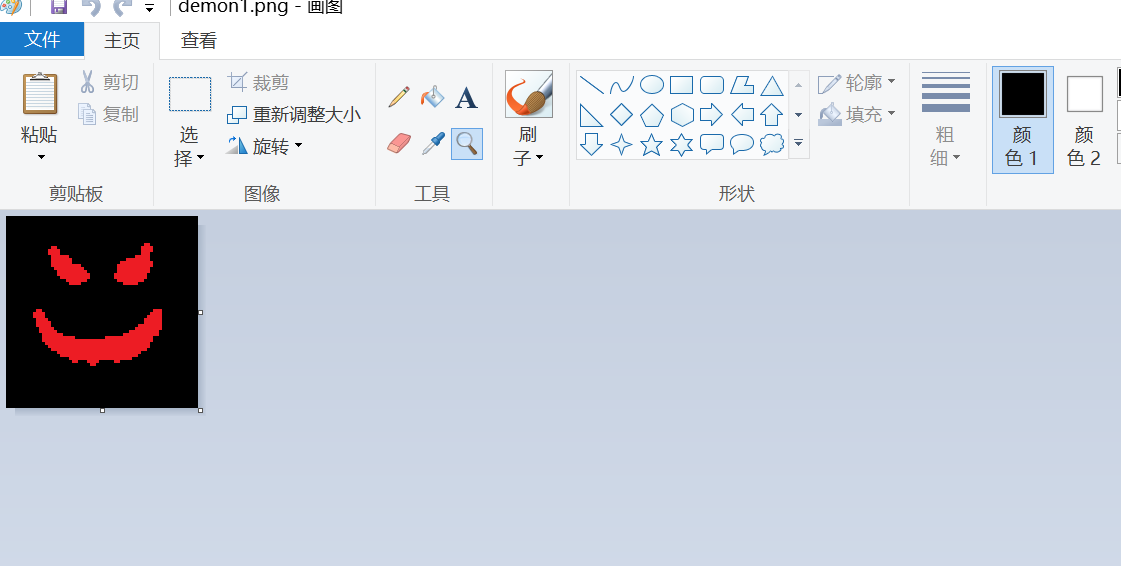
在电脑附件“画图”中直接编辑,背景使用截图
2.pygame包下载和安装
pip install pygame -i https://pypi.mirrors.ustc.edu.cn/simple安装pygame
pip show pygame查看pygame是否安装完成
重启后电脑成功检测到pygame
3.游戏架构分析
游戏即让图片在一个窗口内运动,在执行对应操作时做出对应的动作。
关于类的创建,使用class函数实现,参考资料
①https://blog.csdn.net/weixin_34177886/article/details/111963062
②本学期python课堂对class知识的讲授
关于窗口和检测按键的使用,使用pygame相关代码和自定义变量实现,参考资料
(3)实验过程
a.代码

import sys
import pygame
import random
import math
if __name__ == '__main__':
pygame.init()
#
def text_amazing(screen):
text5 = "注意!按键反转"
font5 = pygame.font.SysFont("simsun",32)
font_surface5 = font5.render(text5,True,(0,0,0))
font_rect5 = font_surface5.get_rect()
font_rect5.center = (200,100)
screen.blit(font_surface5,font_rect5)
def die(screen,score):
text = "你无了!"
font = pygame.font.SysFont("simsun",32)
font_surface = font.render(text,True,(255,0,0))
font_rect = font_surface.get_rect()
font_rect.center = (200,100)
screen.blit(font_surface,font_rect)
text1 = "你的得分是" + str(score)
font1 = pygame.font.SysFont("simsun",16)
font_surface1 = font1.render(text1,True,(0,0,0))
font_rect1 = font_surface1.get_rect()
font_rect1.center = (180,150)
screen.blit(font_surface1,font_rect1)
text2 = "规则:右键前进,空格跳跃"
font2 = pygame.font.SysFont("simsun",16)
font_surface2 = font2.render(text2,True,(255,0,0))
font_rect2 = font_surface2.get_rect()
font_rect2.center = (180,250)
screen.blit(font_surface2,font_rect2)
text3 = "注意有坑,两个按键可能交换"
font3 = pygame.font.SysFont("simsun",16)
font_surface3 = font3.render(text3,True,(0,0,0))
font_rect3 = font_surface3.get_rect()
font_rect3.center = (180,300)
screen.blit(font_surface3,font_rect3)
class bird(object):
def __init__(self):
self.sprite = [pygame.image.load("player0.png").convert_alpha(),#
pygame.image.load("player1.png").convert_alpha()]#死
self.sprite_index = 0
self.x = 120
self.y = 350
self.speed = 0
self.jump = False
self.gravity = 0.2
self.gravity_distance = 0.1
self.whether_dead = False
def move(self):
self.speed -= self.gravity
self.y -= self.speed
if not self.jump:
self.gravity += self.gravity_distance
self.gravity_distance = self.gravity_distance/2
#######################
class pipeline(object):
def __init__(self):
self.x = 400
self.y_up = random.randint(-530,-100)
self.y_distance = random.randint(140,300)
self.sprite_up = pygame.image.load("up.png")
self.sprite_down = pygame.image.load("down.png")
self.move_state = 0
#
self.amazing = 0
self.amazing3 = 4
self.amazing1_state = 1
self.score_state = 1
self.x_scale = 94
self.y_down = self.y_up + self.y_distance
self.move_total = 0
def pipeline_update(self):
if self.move_state == 1 and self.move_total == 1:
self.x -= 2
if self.x <= -100:
self.x = 400
self.y_up = random.randint(-530,-100)
self.y_distance = random.randint(140,300)
self.y_down = self.y_up + self.y_distance
self.yscale = random.randint(60,100)
self.sprite_up = pygame.transform.scale(self.sprite_up,(self.x_scale,499))
self.sprite_down = pygame.transform.scale(self.sprite_down,(self.x_scale,499))
self.amazing = random.randint(0,3)
self.score_state = 1
self.amazing1_state = 1
self.amazing3 = random.randint(0,3)
###################
class demon(object):
def __init__(self):
self.sprite = [pygame.image.load("demon1.png"),
pygame.image.load("demon2.png")]
self.sprite_index = 0
self.sprite_state = 1
self.x = 200
self.y = random.randint(100,470)
self.move_state = 0
self.move_time = 100
self.move_time2 = 100
self.move_time_state = 0
#
self.amazing = 0
self.attack = 0
self.speed = 2
self.time = self.move_time
self.speed2 = 2
self.time2 = self.move_time2
self.move_time_state2 = 0
self.amazing2_y = self.y + random.randint(-200,200)
self.amazing2_y_state = 0
self.step = 0
def move(self):
self.sprite_state -= 1
if self.amazing >= 1:
if self.time > 0 and self.amazing2_y_state == 0:
if self.move_time_state == 0:
self.y += self.speed
else:
self.y -= self.speed
self.time -= 1
if self.time <= 0 and self.amazing2_y_state == 0:
self.time = self.move_time
if self.move_time_state == 0:
self.move_time_state = 1
elif self.move_time_state == 1:
self.move_time_state = 0
if self.amazing == 2:
if self.amazing2_y_state == 0 and abs(self.y - self.amazing2_y) <= random.randint(10,15):
self.amazing2_y_state = 1
if self.amazing2_y_state == 1:
if self.time2 > 0 and self.amazing2_y_state == 1:
if self.move_time_state2 == 1:
self.x += self.speed2
else:
self.x -= self.speed2
self.time2 -= 1
if self.time2 <= 0 and self.amazing2_y_state == 1:
self.time2 = self.move_time2
if self.move_time_state2 == 0:
self.move_time_state2 = 1
elif self.move_time_state2 == 1:
self.move_time_state2 = 0
self.step += 1
if self.step == 2:
self.amazing2_y_state = 0
self.amazing2_y = self.y + random.randint(-120,200)
self.step = 0
if self.sprite_index == 0 and self.sprite_state == 0:
self.sprite_index = 1
self.sprite_state = 30
if self.sprite_index == 1 and self.sprite_state == 0:
self.sprite_index = 0
self.sprite_state = 30
if self.move_state == 1:
self.x -= 2
if self.x <= -100:
self.x = 400
self.y = random.randint(200,450)
self.attack = random.randint(0,3)
self.move_time = random.randint(40,60)
self.time = self.move_time
self.amazing = random.randint(0,2)
self.move_time_state = random.randint(0,1)
self.speed = random.randint(2,5)
self.amazing2_y = self.y + random.randint(-120,200)
self.amazing2_y_state = 0
#
self.move_time2 = random.randint(20,30)
self.move_time_state2 = random.randint(0,1)
self.speed = random.randint(2,5)
self.time2 = self.move_time2
self.step = 0
#
size = width,height = 400,650
screen = pygame.display.set_mode(size)
clock = pygame.time.Clock()
score = 0
cooldown = 0
player = bird()
pipe = pipeline()
demon = demon()
while True:
clock.tick(100)
pygame.display.set_caption("你的得分:"+str(score))
for event in pygame.event.get():
if event.type == pygame.QUIT:
sys.exit()
if not player.whether_dead:
if (pipe.amazing == pipe.amazing3 or pipe.amazing == 3) and player.x >= 20:
if event.type == pygame.KEYDOWN:
if event.key == pygame.K_RIGHT:
player.jump = True
player.gravity = 0.2
player.speed = 5
player.gravity_distance = 0.02
if event.key == pygame.K_SPACE:
pipe.move_state = 1
demon.move_state = 1
elif event.type == pygame.KEYUP:
if event.key == pygame.K_RIGHT:
player.jump = False
if event.key == pygame.K_SPACE:
pipe.move_state = 0
demon.move_state = 0
else:
if event.type == pygame.KEYDOWN:
if event.key == pygame.K_SPACE:
pipe.move_total = 1
player.jump = True
player.gravity = 0.2
player.speed = 5
player.gravity_distance = 0.02
if event.key == pygame.K_RIGHT:
pipe.move_state = 1
demon.move_state = 1
elif event.type == pygame.KEYUP:
if event.key == pygame.K_SPACE:
player.jump = False
if event.key == pygame.K_RIGHT:
pipe.move_state = 0
demon.move_state = 0
else:
player.sprite_index = 1
if player.x > pipe.x + pipe.x_scale and pipe.score_state == 1:
score += 1
pipe.score_state = 0
background = pygame.image.load("background.png")
screen.blit(background,(0,0))
if not player.whether_dead:
pipe.pipeline_update()
#第一个坑
if pipe.amazing == 1 and player.x >= pipe.x - random.randint(58,62):
if pipe.y_up < pipe.y_down and pipe.amazing1_state == 1:
pipe.y_up += pipe.y_distance/10
if pipe.y_up >= pipe.y_down:
pipe.amazing1_state = 0
if pipe.amazing1_state == 0 and pipe.y_up > pipe.y_down - pipe.y_distance:
pipe.y_up -= pipe.y_distance/10
#第二个坑
if pipe.amazing == 2 and pipe.amazing1_state == 1 and player.x >= pipe.x - random.randint(58,62):
pipe.y_up = random.randint(-530,-100)
pipe.y_distance = random.randint(140,300)
pipe.y_down = pipe.y_up + pipe.y_distance
pipe.amazing1_state = 0
screen.blit(pipe.sprite_up,(pipe.x,pipe.y_up))
if demon.attack != 0:
screen.blit(demon.sprite[demon.sprite_index],(demon.x,demon.y))
screen.blit(pipe.sprite_down,(pipe.x,pipe.y_down + 499))
#反转提示
if (pipe.amazing == pipe.amazing3 or pipe.amazing == 3) and player.x >= 20 and score >= 1:
text_amazing(screen)
if player.whether_dead:
player.sprite_index = 1
else:
player.sprite_index = 0
screen.blit(player.sprite[player.sprite_index],(player.x,player.y))
if cooldown != 1:
player.move()
if not player.whether_dead:
demon.move()
#死亡
if player.y <= 0 or player.y >= 614:
player.whether_dead = True
if player.x > pipe.x - 48 and player.x < pipe.x + pipe.x_scale:
if player.y < pipe.y_up + 499 or player.y > pipe.y_up + pipe.y_distance + 463:
player.whether_dead = True
if player.x >= demon.x - 48 and player.x <demon.x + 64 and demon.attack != 0:
if player.y >= demon.y - 36 and player.y <= demon.y + 64:
player.whether_dead = True
if cooldown == 0 and player.y >= 614:
cooldown = 1
if player.whether_dead:
die(screen,score)
pipe.amazing = 4
mouse_x,mouse_y = pygame.mouse.get_pos()
#重生
if mouse_x <= 296 and mouse_x >= 104 and mouse_y >= 184 and mouse_y <= 216:
color = (255,255,255)
for event in pygame.event.get():
if event.type == pygame.MOUSEBUTTONDOWN:
score = 0
cooldown = 0
#
player.sprite_index = 0
player.x = 120
player.y = 350
player.speed = 0
player.jump = False
player.gravity = 0
player.gravity_distance = 0
player.whether_dead = False
#
pipe.x = 400
pipe.y_up = random.randint(-530,-100)
pipe.y_distance = random.randint(140,300)
pipe.move_state = 0
pipe.move_total = 0
#
pipe.amazing = 0
pipe.amazing3 = 4
pipe.amazing1_state = 1
pipe.score_state = 1
pipe.x_scale = 94
pipe.y_down = pipe.y_up + pipe.y_distance
#
demon.sprite_index = 0
demon.sprite_state = 1
demon.x = 200
demon.y = random.randint(100,470)
demon.move_state = 0
demon.move_time = 100
demon.move_time2 = 100
demon.move_time_state = 0
#
demon.amazing = 0
demon.attack = 0
demon.speed = 2
demon.time = demon.move_time
demon.speed2 = 2
demon.time2 = demon.move_time2
demon.move_time_state2 = 0
demon.amazing2_y = demon.y + random.randint(-200,200)
demon.amazing2_y_state = 0
demon.step = 0
else:
color = None
text4 = "点我重新开始"
font4 = pygame.font.SysFont("simsun",32)
font_surface4 = font4.render(text4,True,(255,0,0),color)
font_rect4 = font_surface4.get_rect()
font_rect4.center = (200,200)
screen.blit(font_surface4,font_rect4)
pygame.display.update()#
pygame.display.flip()效果一样
b.解释
sys用于对系统进行操作,在游戏制作中主要用于结束游戏;math库提供许多数学函数,在游戏中主要用于变量运算和判断;random库用于随机数的使用,在用python做游戏时可以避免变量的;pygame是用python做游戏的主要库,提供绘制窗口、显示图片、检测按键等功能的函数。
pygame.init()
功能:用于对pygame库进行初始化。
pygame.display.set_mode(size)
功能:用于创建游戏的主屏幕,尺寸为size参数,为一个二元组(width,height),分别为房间的宽度和高度。
class bird(object)(对其他类的定义同理):
功能:定义鸟类(玩家类),__init__(self)函数用于定义该类的create变量(初始创建实例时获得的变量),__move__(self)函数用于操控实例的运动。
其中许多不常见的变量(比如self.amazing)用于制作游戏坑的元素,比如self.amazing在每次管道从左侧消失后会刷新一次,用于决定在跳下一个管道时是
否会有坑以及坑的类型,self.move_time和self.move_state等等在class demon()中的变量用于定义怪物的运动状态。
pygame.
def die(screen,score):
功能:此函数用于当玩家失败后在屏幕screen上显示的屏幕字样,同时显示玩家的得分score。
for event in pygame.event.get():
功能:用于历遍pygame中的所有事件
在此循环下用if pygame.type == ***来判断事件的类型
用if pygame.key == pygame.K_*来判断具体按键
以此在if语句下执行对应的效果,从而实现游戏的效果。
pygame.image.load(image)
功能:用于导入图片
image为图片所在位置的地址(这里的地址是相对主文件所在的位置,如果和主文件在同一文件夹下,则可以直接写成图片的名字,支持png和jpg)。
注:image也可以是一个列表,里面列举多个图片的路径,在需要取用相应的图片的时候用列表的标号取用即可,从而实现简单的图片变换过程。
screen.blit(image,location)
功能:用于在screen上将image在屏幕的location位置绘制出来
其中location是一个二元组(x,y),参数分别为x和y坐标。
pygame.display.update()
功能:用于更新屏幕画面,没有此条语句的话屏幕会保留上一次绘制的图片的残留象,让整个屏幕一片混乱。
clock = pygame.time.Clock():
功能:用于定义一个时钟,结合clock.tick(time)可以控制游戏屏幕更新的速度,time参数是指每秒屏幕更新的次数
该参数越大,游戏运行的流畅度越高,同时,对电脑配置的要求也越高。(正常参数设置为60就差不多了)
if __name__ == '__main__':
功能:主函数:程序入口
如果主文件被当成模块导入时,以下的代码将不会被运行
c.本地运行
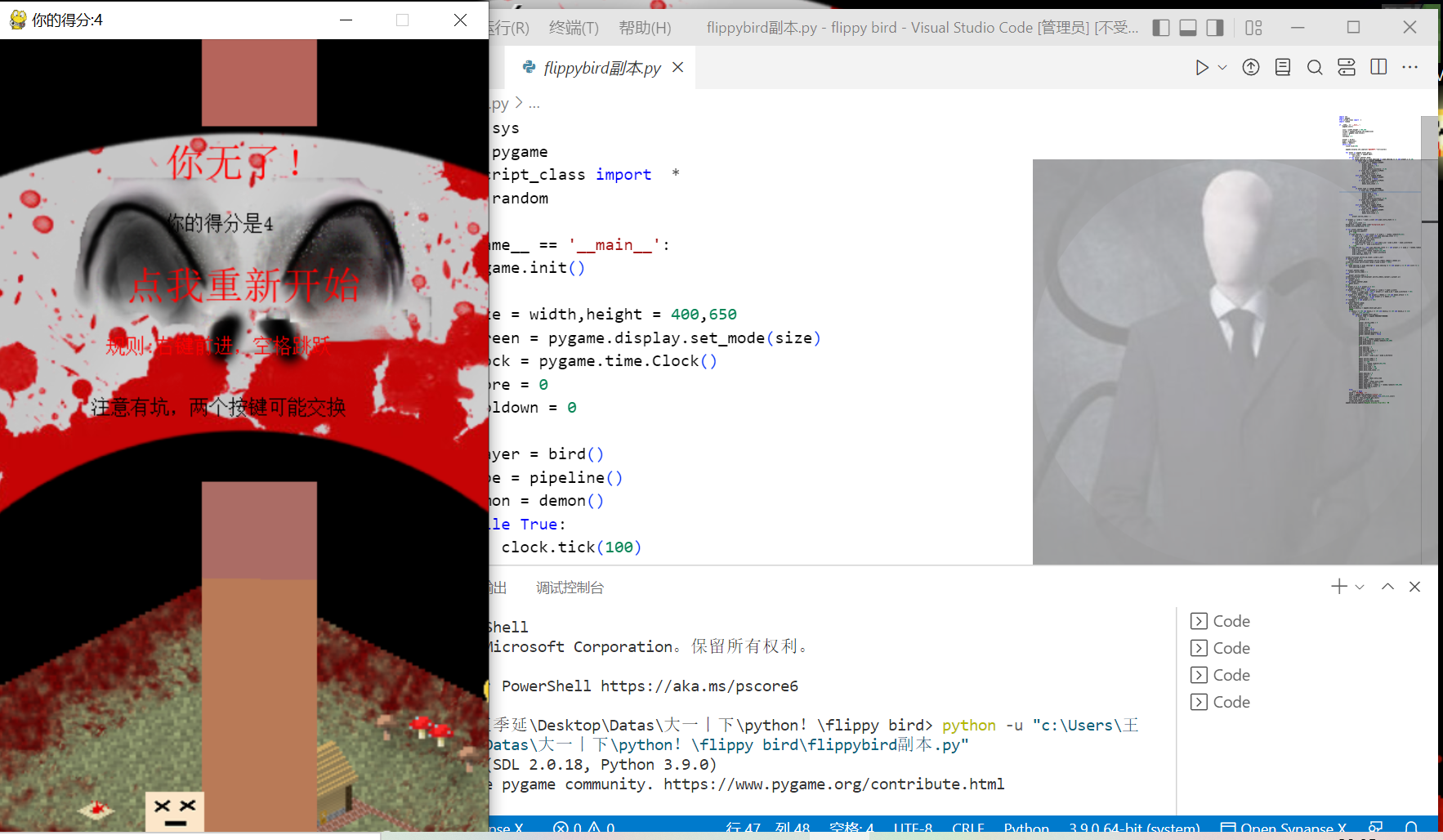
死亡界面及重新开始游戏正常
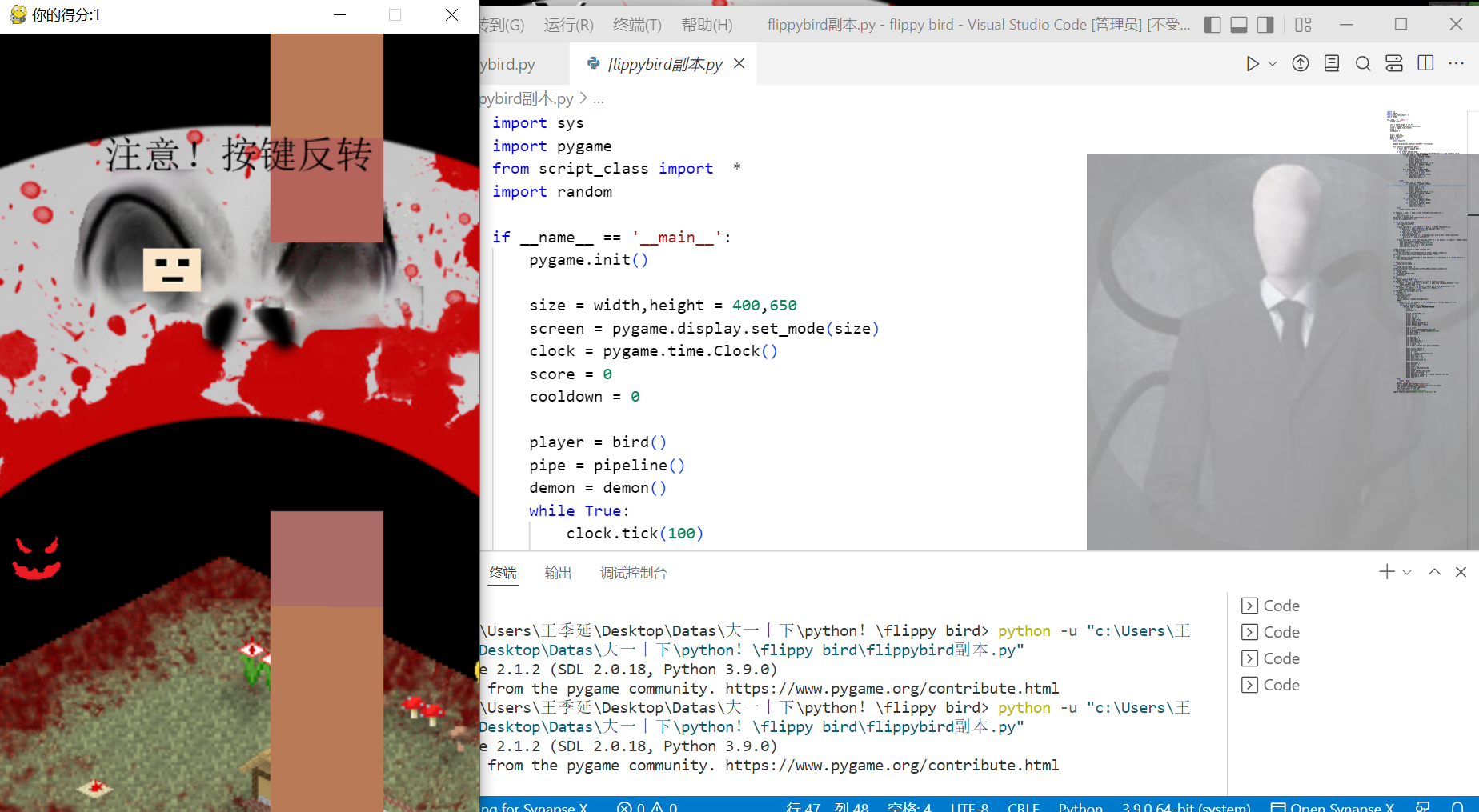
跳跃、怪物、坑和计算得分正常
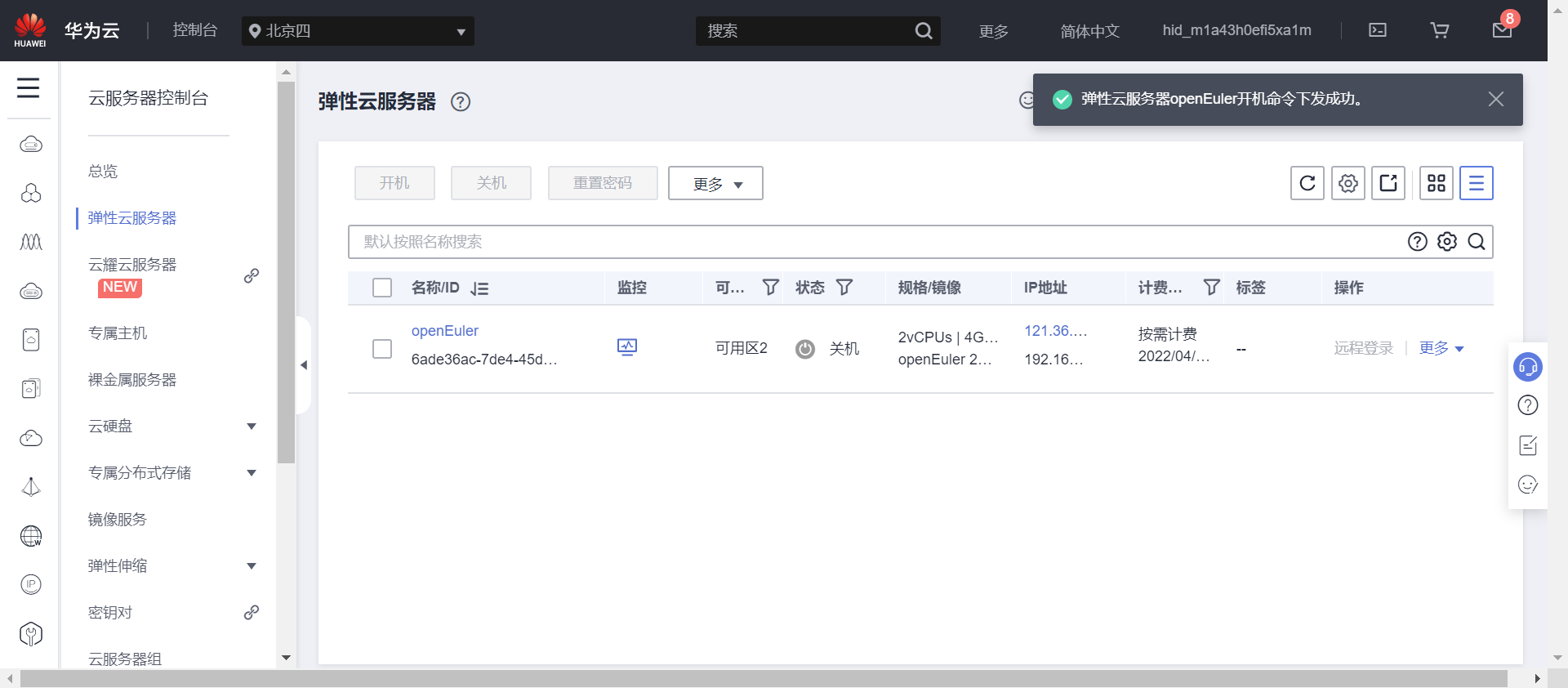
d.在ECS服务器运行
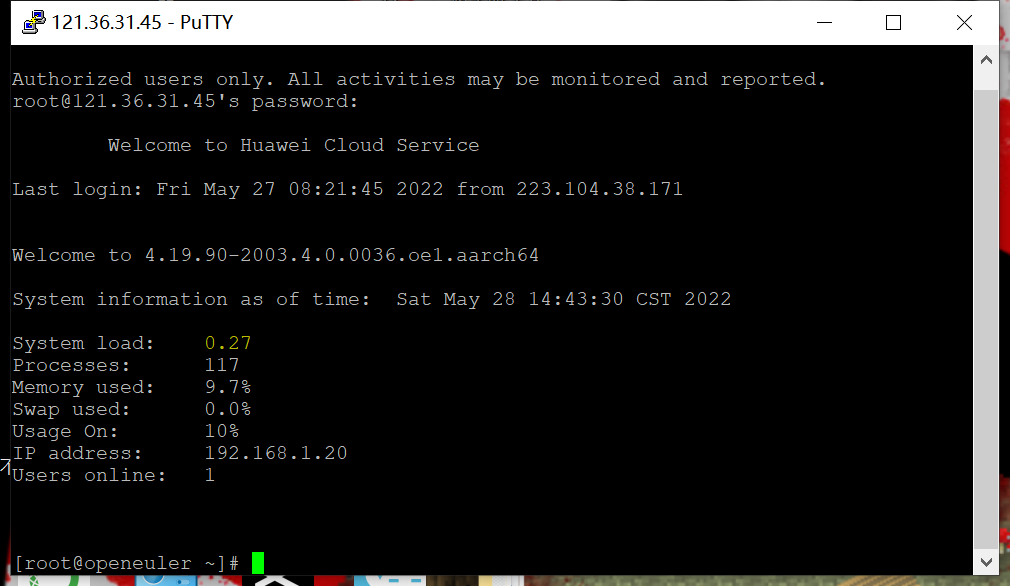
登陆PUTTY
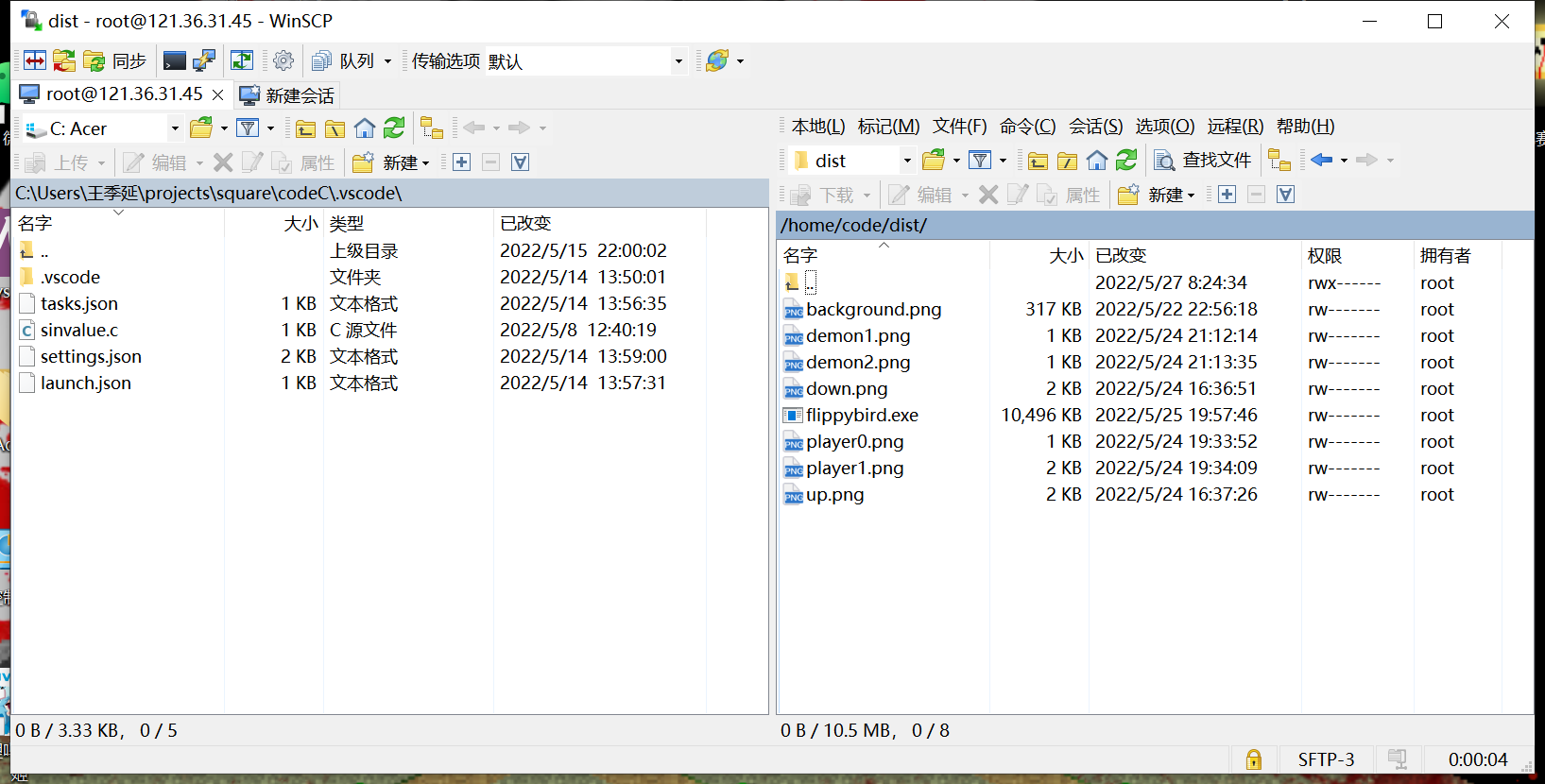
上传文件
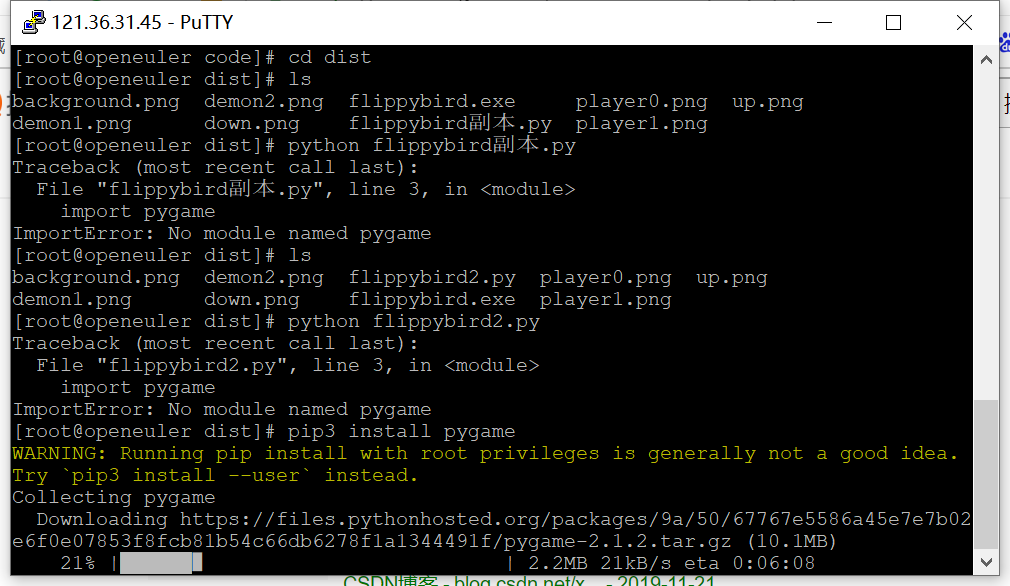
在服务器上下载所需要的包
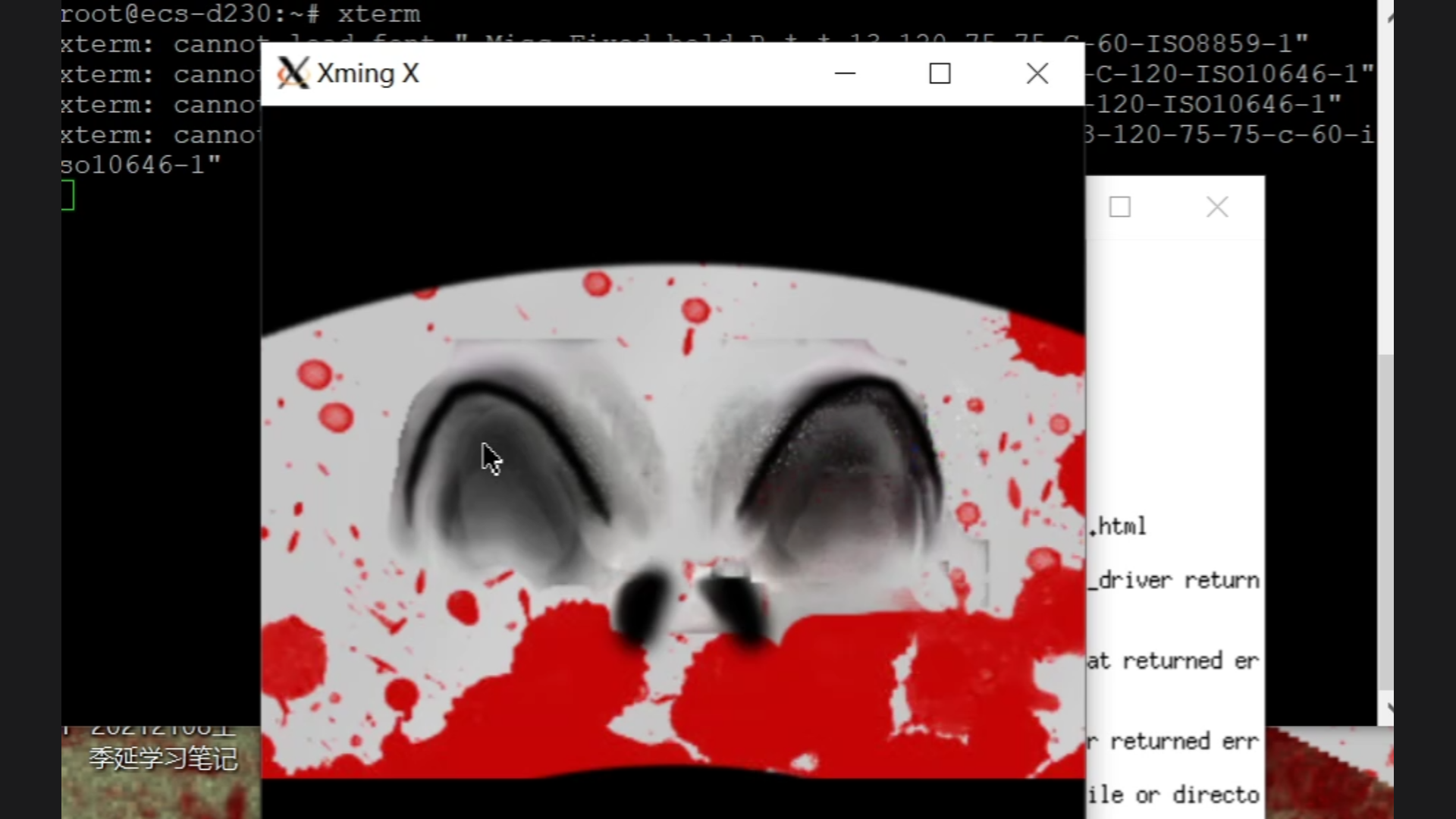
运行成功
四、遇到的问题和解决办法
1.下载安装pygame后无法使用
询问课代表之后得知需要重启才可以使用
2.运行时报错找不到图片
没把图片和主文件放在同一个文件夹下,参数也没有写成地址形式
3.无法在ESC云服务器上用python3来运行程序,且无法找到pygame包(最大的问题)
版本不匹配,pygame是用python3.9编写,而服务器上的python版本是3.7
试过pip3 install pygame但是出现报错,试过把电脑上的pygame文件直接拖进服务器文件中,仍然显示报错
五、实验感悟
首先,我想在此表达对王老师和几位课代表的由衷感谢。本学期的python课堂幽默有趣,教的知识细致全面,尤其是每节课老师都会亲自为我们做实践的演示,我也从这一学期学到了很多东西。
我接触编程是从初中教的Visual Basic开始的,但是当时老师只是让我们对着书抄代码,只是单纯觉得运行出来的跳青蛙游戏很好玩,但是并没有理解代码。在高中三年期间,同学给我推荐了一款名叫MinecraftVSZombies2的游戏,制作新颖,游戏体验感强,最吸引我的是作者——是一个和我同一级的高中生,从那会儿我开始接触编程领域(学校里的Python课只教了一节就被其他课占光了)。我了解到他使用的游戏制作的平台是GamemakerStudio2(现在正在使用Unity平台制作重制版),于是我学着用GamemakerStudio8.1平台也做了一个弹幕射击游戏(做的比较low),然后对python和C++等编程语言开始有更多的学习(但是由于高考和疫情等原因,总的学习时间还是不长)。进入大学之后,大一上学期也在自学python,学艺不精,但是在这学期的python公选课之后,感觉此方面有了新的提升(老师的实验作业和各种python实践让我从理论阶段开始跨入实践阶段)。
以上就是我和编程语言相遇、相识、相知的过程。这学期的python学习除了巩固Python中基本函数、模块、列表元组等知识之外,还让我了解了一直觉得很遥远的socket和游戏领域,虽然没能把老师教的全部知识都掌握,但是彻底打开了我的视野。虽然python公选课已经圆满结课了,但是我对python的热情不会消失,最后就以一句我第一次接触的python代码结束吧!
print("Hello Python!Thank you,Mr Wang!")
六、小建议
如果下学期还开设这门课的话,希望能详细地讲一讲socket和华为云服务器上的知识,然后也可以多争取一些和这学期写CSDN博客然后评小奖励的活动。老师上课的幽默感也希望能继续保持下去
参考资料:
[1]: https://www.cnblogs.com/yuhaowang/p/10485185.html
[2]:https://www.pygame.org/download.shtml
[3]:https://pan.baidu.com/s/1wMDA-8zqd8eiu6iGWGPqFQ?_at_=1653577595955
[4]:https://www.linuxidc.com/Linux/2017-01/139241.htm
[5]:https://www.freesion.com/article/73691086600/
[6]:https://www.daehub.com/archives/9949.html#:~:text=%E5%85%B6%E4%B8%AD%20PuTTY%20%E6%98%AF%20SSH%20%E5%AE%A2%E6%88%B7%E7%AB%AF%EF%BC%8C%E8%80%8C,Xming%20%E5%88%99%E6%98%AF%20Windows%20%E5%B9%B3%E5%8F%B0%E7%9A%84%20X%20%E6%9C%8D%E5%8A%A1%E5%99%A8%E3%80%82
[7]:https://www.jianshu.com/p/23ba123ee874

 浙公网安备 33010602011771号