
vue之 ref获取dom引用(替换掉jQuery)
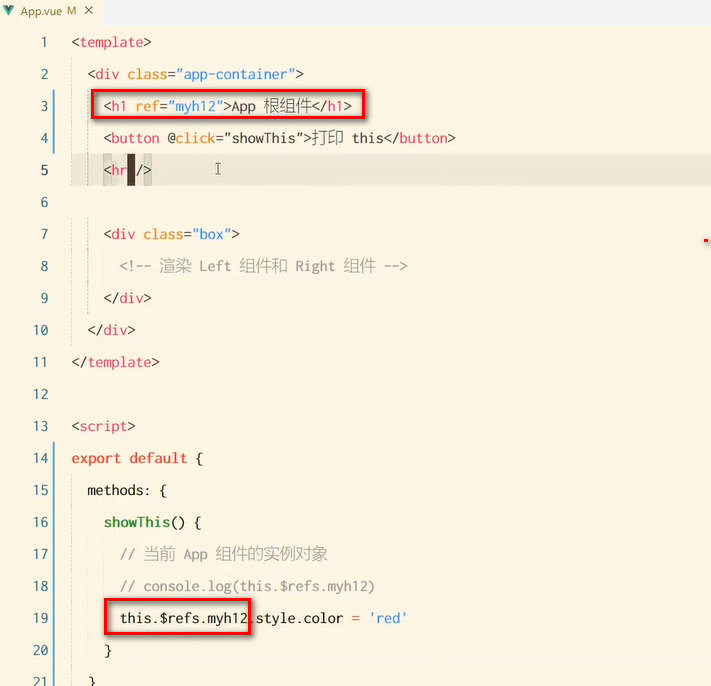
本组件内获取标签的dom
获取子组件的dom
<template>
  <div class="app-container">
    <h1 ref="myh12">App 根组件</h1>
    <button @click="showThis">打印 this</button>
    <button @click="onReset">重置 Left 组件的 count 值为 0</button>
    <hr />

    <input type="text" v-if="inputVisible" @blur="showButton" ref="iptRef" />
    <button v-else @click="showInput">展示输入框</button>

    <hr />

    <div class="box">
      <!-- 渲染 Left 组件和 Right 组件 -->
      <Left ref="comLeft"></Left>设置ref
    </div>
  </div>
</template>

<script>
import Left from '@/components/Left.vue'

export default {
  data() {
    return {
      // 控制输入框和按钮的按需切换;
      // 默认值为 false,表示默认展示按钮,隐藏输入框
      inputVisible: false
    }
  },
  /* updated() {
    this.$refs.iptRef.focus()
  }, */
  methods: {
    // 点击按钮,展示输入框
    showInput() {
      // 1. 切换布尔值,把文本框展示出来
      this.inputVisible = true
      // 2. 让展示出来的文本框,自动获取焦点
组件的 $nextTick(cb) 方法,会把 cb 回调推迟到下一个 DOM 更新周期之后执行。通俗的理解是:等组件的
DOM 更新完成之后,再执行 cb 回调函数。从而能保证 cb 回调函数可以操作到最新的 DOM 元素
      this.$nextTick(() => {
        this.$refs.iptRef.focus()
      })
    },
    showButton() {
      this.inputVisible = false
    },
    showThis() {
      // this 是当前 App 组件的实例对象
      console.log(this)
      this.$refs.myh12.style.color = 'red'
    },
    // 点击按钮,重置 Left 组件的 count 值
    onReset() {
      this.$refs.comLeft.resetCount()执行子组件内的函数
      // this.$refs.comLeft.count = 0
    }
  },
  components: {
    Left
  }
}
</script>

<style lang="less">
.app-container {
  padding: 1px 20px 20px;
  background-color: #efefef;
}
.box {
  display: flex;
}
</style>
撸起袖子加油干!!!

 浙公网安备 33010602011771号