
搭建gitlab项目管理工具
本版本需求centos7,不是centos7无法安装,请在root用户下安装
1.安装依赖,开启http,http,ssh
yum install -y curl policycoreutils-python openssh-server perl
systemctl enable sshd
systemctl start sshd
firewall-cmd --permanent --add-service=http
firewall-cmd --permanent --add-service=https
systemctl reload firewalld
2.安装 postfix
yum install postfix
systemctl enable postfix
systemctl start postfix
3.获取源文件:
百度网盘 https://pan.baidu.com/s/1EMX5_mZJCnxeD_AKv_iQGw 提取码:6k53
下载地址:https://mirror.tuna.tsinghua.edu.cn/gitlab-ce/yum/el6/gitlab-ce-10.7.1-ce.0.el6.x86_64.rpm
或者去官网下载最新版
4.安装
在文件目录执行 rpm -i gitlab-ce-10.7.1-ce.0.el6.x86_64.rpm 看到如下提示表示安装成功

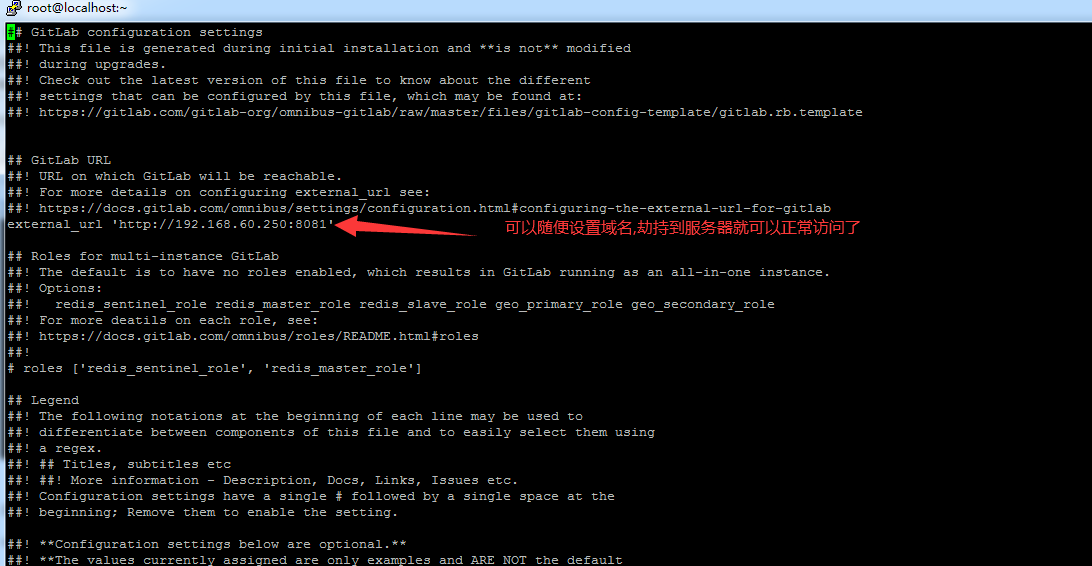
5.配置访问域名和端口
vi /etc/gitlab/gitlab.rb
6.配置和启动
gitlab-ctl reconfigure
gitlab-ctl restart
7.登录
打开地址: 初始化账号和密码:root 密码:5iveL!fe
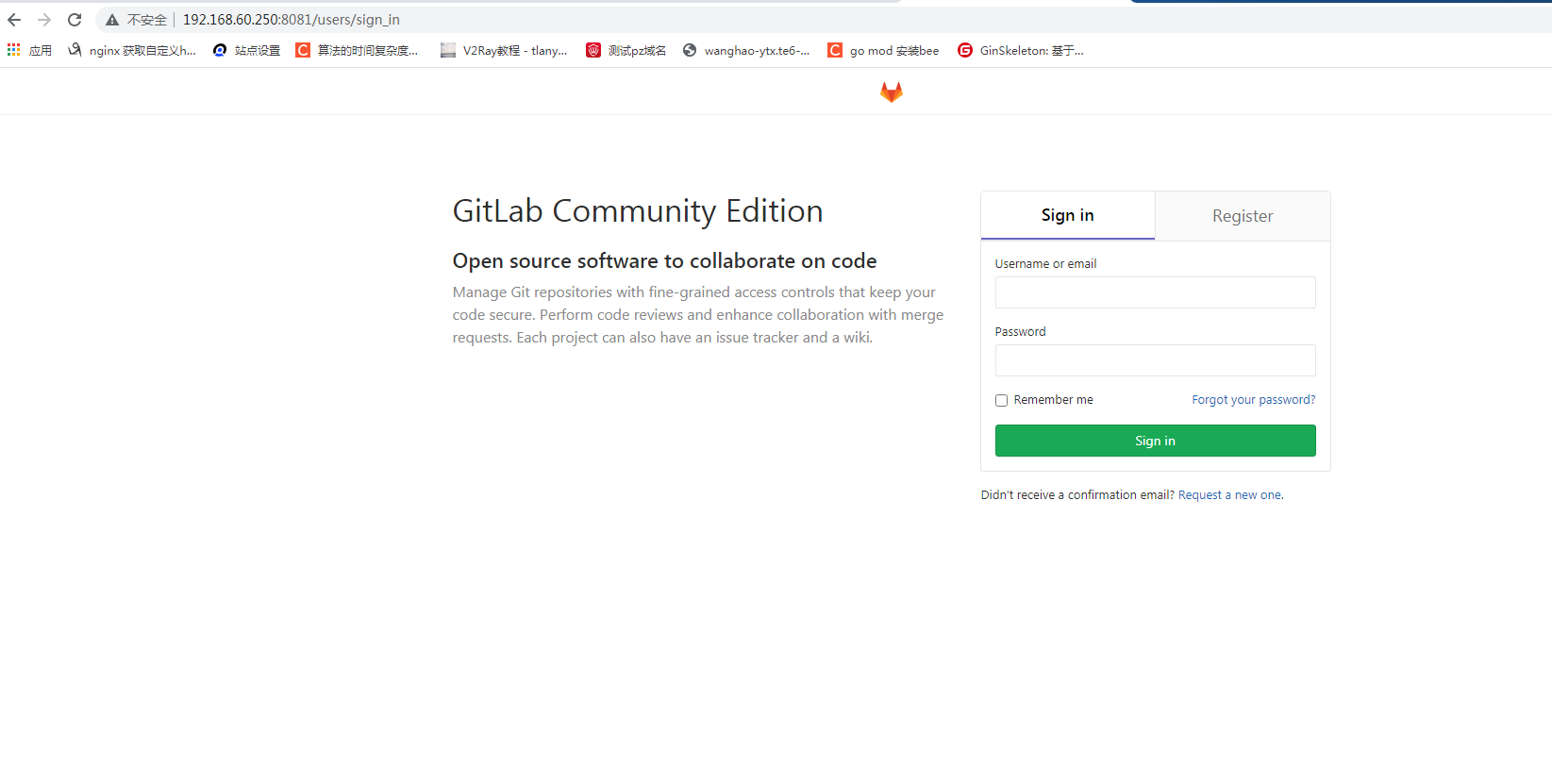
如果更新了链接和端口配置重新执行下:gitlab-ctl reconfigure gitlab-ctl restart 就可以了

 浙公网安备 33010602011771号