
.net Redis缓存处理
1.下载Redis工具
下载地址:https://github.com/MSOpenTech/redis/releases 支持Windows32位和64位,选择适合自己的版本
2.安装成功之后在CMD启动Redis
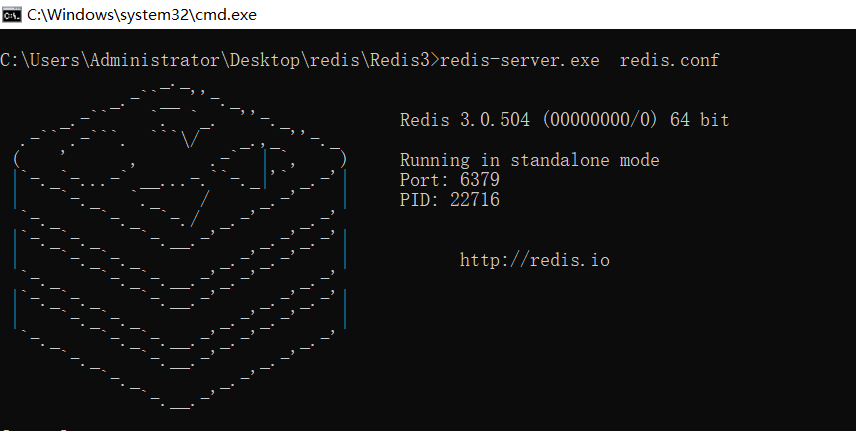
然后再打开一个新的CMD命令窗口
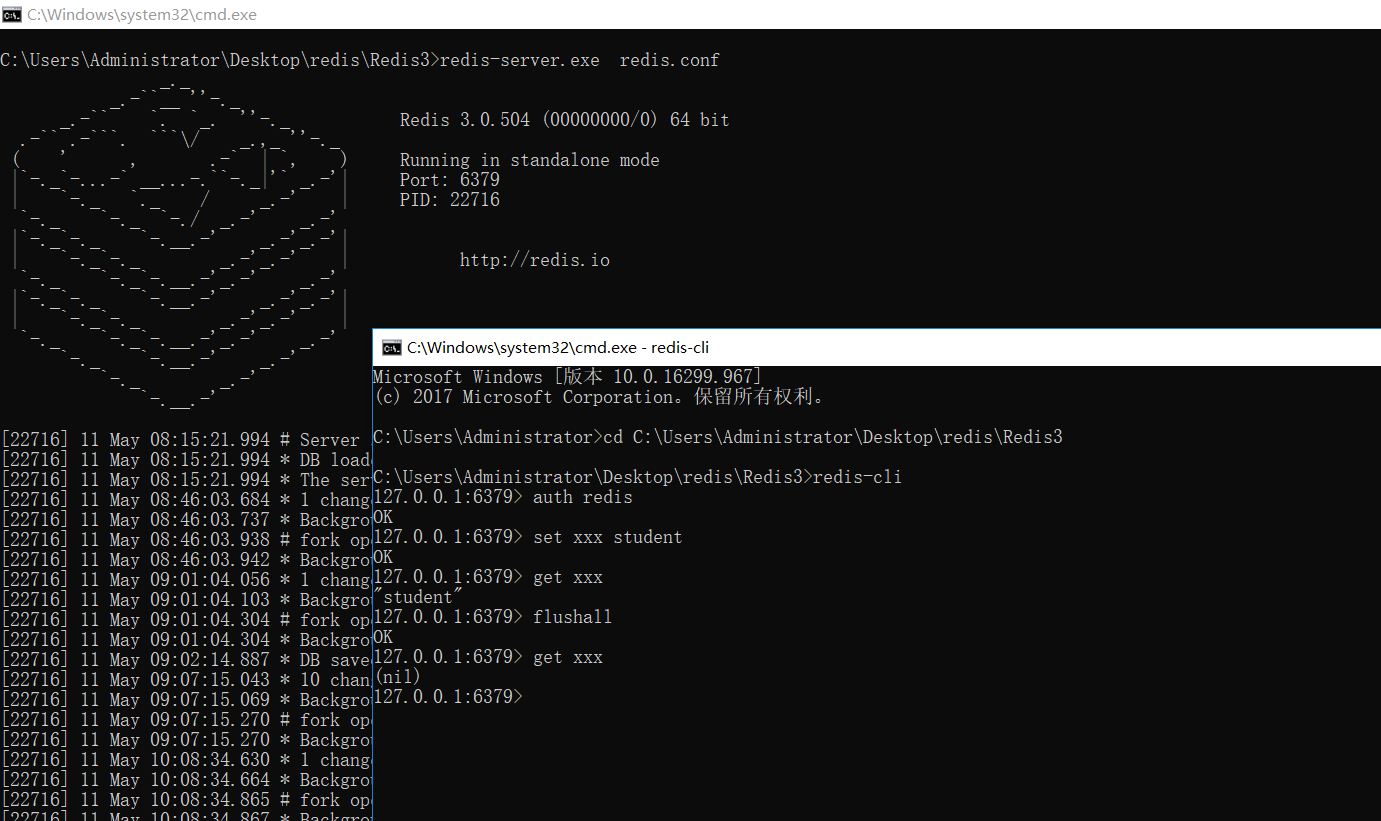
cd C:\Users\Administrator\Desktop\redis\Redis3 打开地址
C:\Users\Administrator\Desktop\redis\Redis3>redis-cli 操作redis
127.0.0.1:6379> auth redis 输入密码
set asd 123456 赋值
get asd 取值
flushdb 清除当前redis数据库缓冲
flushall 清除整个redis缓冲
设置密码
config set requirepass 666666
验证身份
auth 666666

3.新建项目。并引入:
using ServiceStack.Redis;
4.简单读取操作
using ServiceStack.Redis;
using System;
using System.Collections.Generic;
using System.Linq;
using System.Text;
using System.Threading.Tasks;

namespace Redis_Text
{
    public class RedisHelper
    {
        //key: admin(管理员), cate(图书类别),location(图书位置),book(图书),reader(读者),time(时间),record(图书借阅记录),circle(圈子)
        private static RedisClient Redis = null;
        static RedisHelper()
        {
            Redis = new RedisClient("127.0.0.1", 6379);
        }
        //存数据
        public int SetData(string key, string data, int hours = 5)
        {

            if (string.IsNullOrEmpty(key) || string.IsNullOrEmpty(data))
            {
                return 0;
            }
            else
            {
                DateTime expiryTime = DateTime.Now.AddHours(hours);
                byte[] byteArray = System.Text.Encoding.Default.GetBytes(data);
                Redis.Set(key, byteArray, expiryTime);
                return 1;
            }
        }
        //取数据
        public string GetData(string key)
        {

            if (string.IsNullOrEmpty(key))
            {
                return null;
            }
            else
            {
                byte[] value = Redis.Get(key);
                if (value == null)
                {
                    return null;
                }
                else
                {
                    return System.Text.Encoding.Default.GetString(value);
                }
            }


        }
        //删除
        public void DelData(string key)
        {
            Redis.Del(key);
        }
    }
}
然后就可以直接用啦

 浙公网安备 33010602011771号