9(edittext)
EditText 在开发中也是经常用到的控件,也是一个比较必要的组件,可以说它是用户跟Android应用进行数据传输的窗户,比如实现一个登陆界面,需要用户输入账号密码,然后我们获取用户输入的内容,提交给服务器进行判断。
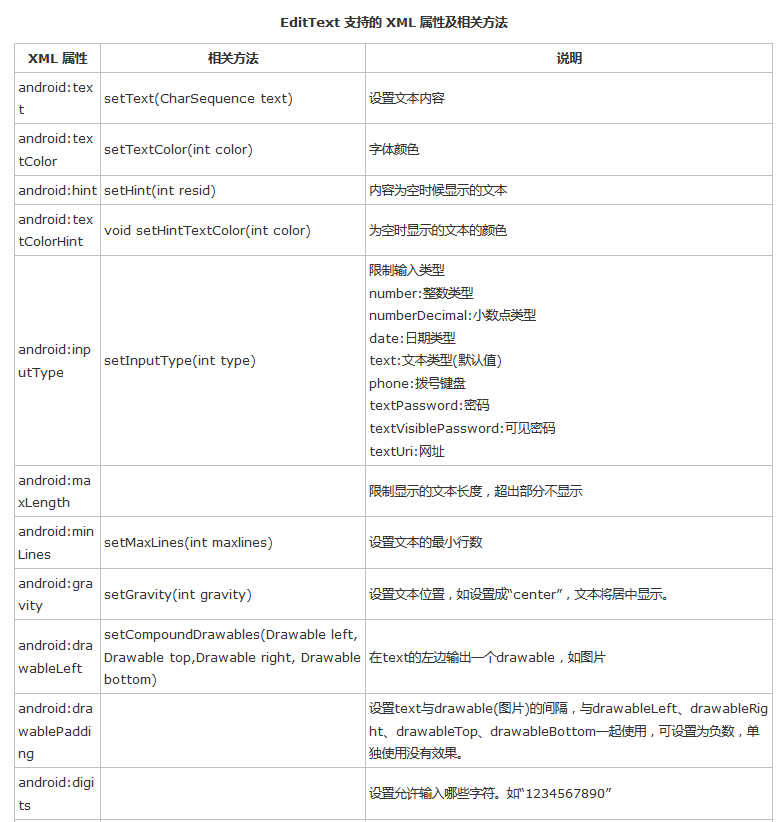
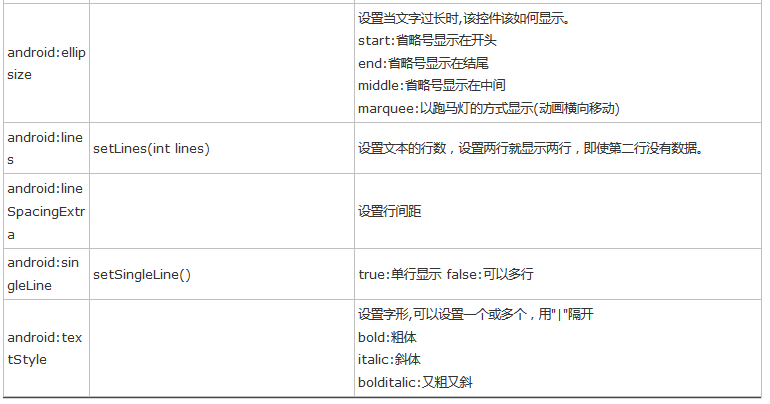
EditText实例:开发中常用的登录界面
布局文件:activity_main.xml
<?xml version="1.0" encoding="utf-8"?>
<LinearLayout xmlns:android="http://schemas.android.com/apk/res/android"
android:layout_width="match_parent"
android:layout_height="match_parent"
android:orientation="vertical">
<EditText
android:id="@+id/et_phone"
android:layout_width="match_parent"
android:layout_height="wrap_content"
android:layout_marginLeft="20dp"
android:layout_marginRight="20dp"
android:background="@null"
android:inputType="number"
android:maxLength="11"
android:hint="请输入手机号"
android:drawablePadding="10dp"
android:padding="10dp"
android:drawableLeft="@mipmap/icon_phone"
android:drawableBottom="@drawable/shape_et_bottom_line"
android:layout_marginTop="20dp"/>
<EditText
android:id="@+id/et_password"
android:layout_width="match_parent"
android:layout_height="wrap_content"
android:layout_marginLeft="20dp"
android:layout_marginRight="20dp"
android:layout_marginTop="10dp"
android:background="@null"
android:inputType="textPassword"
android:maxLength="16"
android:padding="10dp"
android:drawablePadding="10dp"
android:hint="请输入密码"
android:drawableBottom="@drawable/shape_et_bottom_line"
android:drawableLeft="@mipmap/icon_password"/>
<TextView
android:id="@+id/tv_login"
style="@style/Widget.AppCompat.Button.Colored"
android:layout_width="match_parent"
android:layout_height="50dp"
android:layout_marginLeft="10dp"
android:layout_marginRight="10dp"
android:layout_marginTop="30dp"
android:text="登 录"
android:textColor="#ffffffff"
android:textSize="18sp" />
</LinearLayout>
效果:
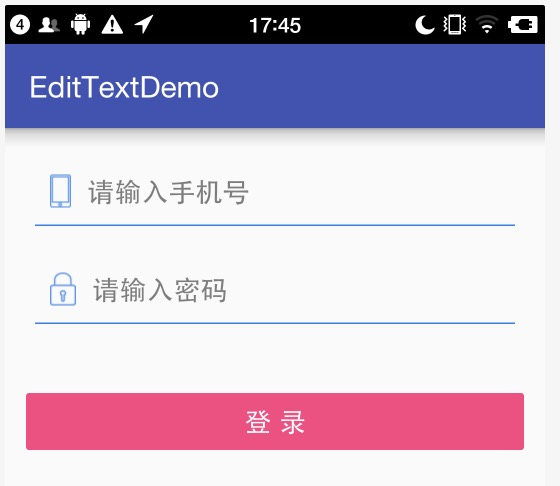
这里解决下没有说过的属性
android:background="@null" 输入框无背景
android:drawableBottom="@drawable/shape_et_bottom_line" 底部引入一个shape布局文件,这个布局文件就是输入框的下划线。
shape_et_bottom_line.xml内容如下:
<shape xmlns:android="http://schemas.android.com/apk/res/android"
android:shape="rectangle" >
<solid android:color="#1E7EE3" />
<size android:height="1dp" android:width="500dp"/>
</shape>

 浙公网安备 33010602011771号