
WinForm 多国语言切换原理
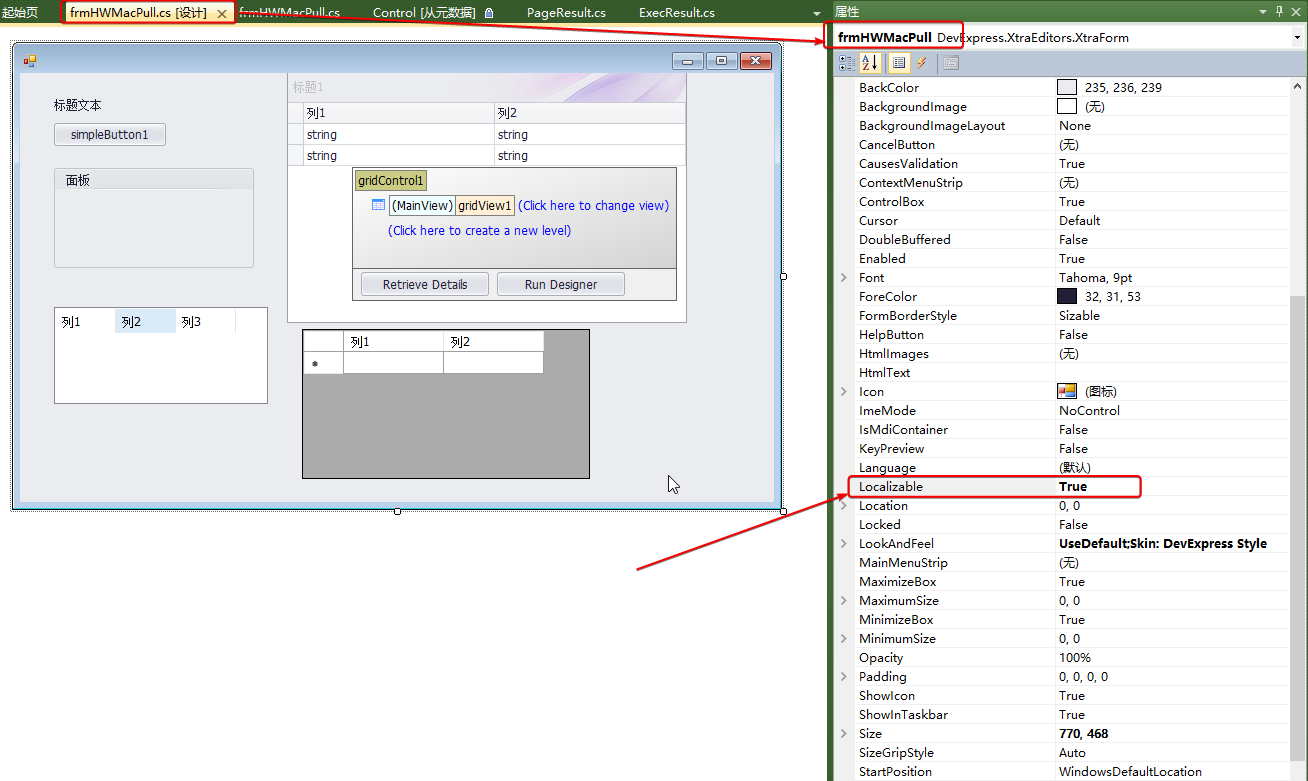
01 设置窗体的Localizable为true, 即窗体支持本地化躲过语言
下图已经有了一堆子空间,已经分别写上对应的配置
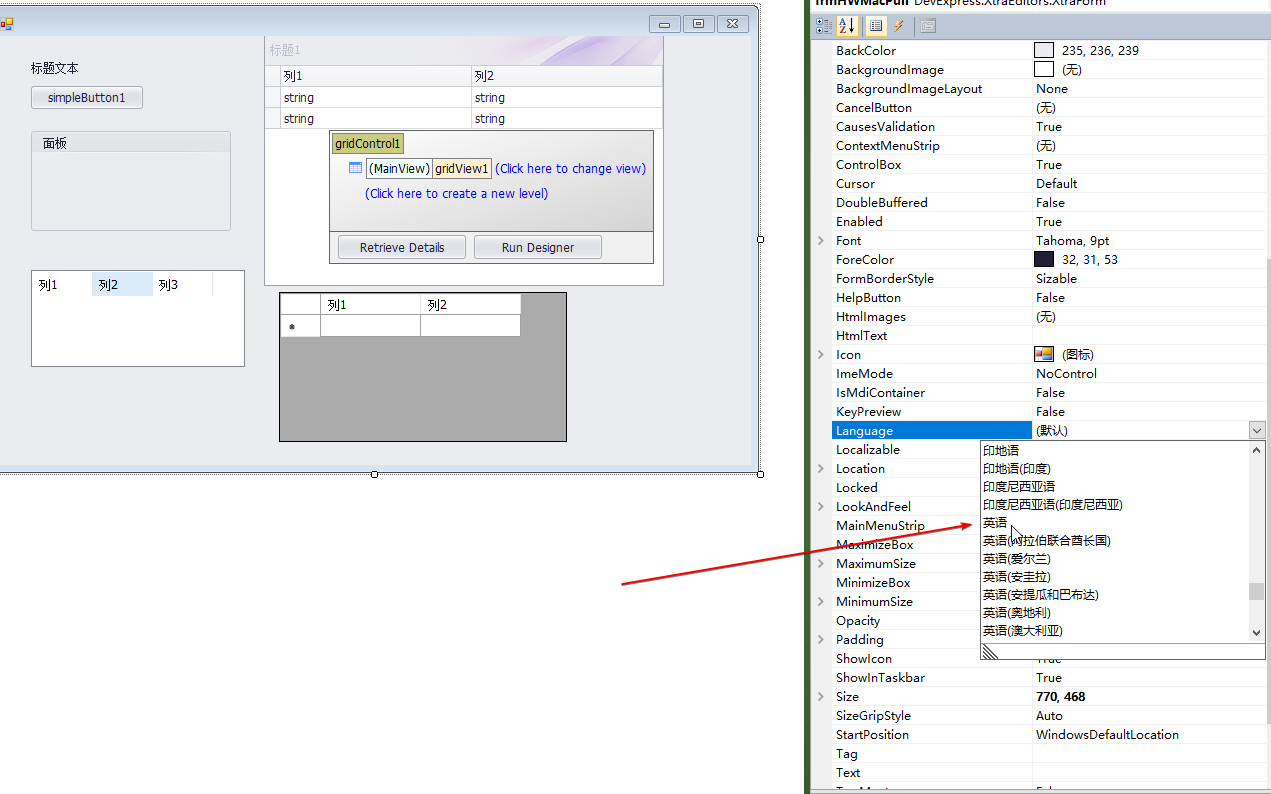
02 对窗体的Language属性切换到你要增加的多国语言
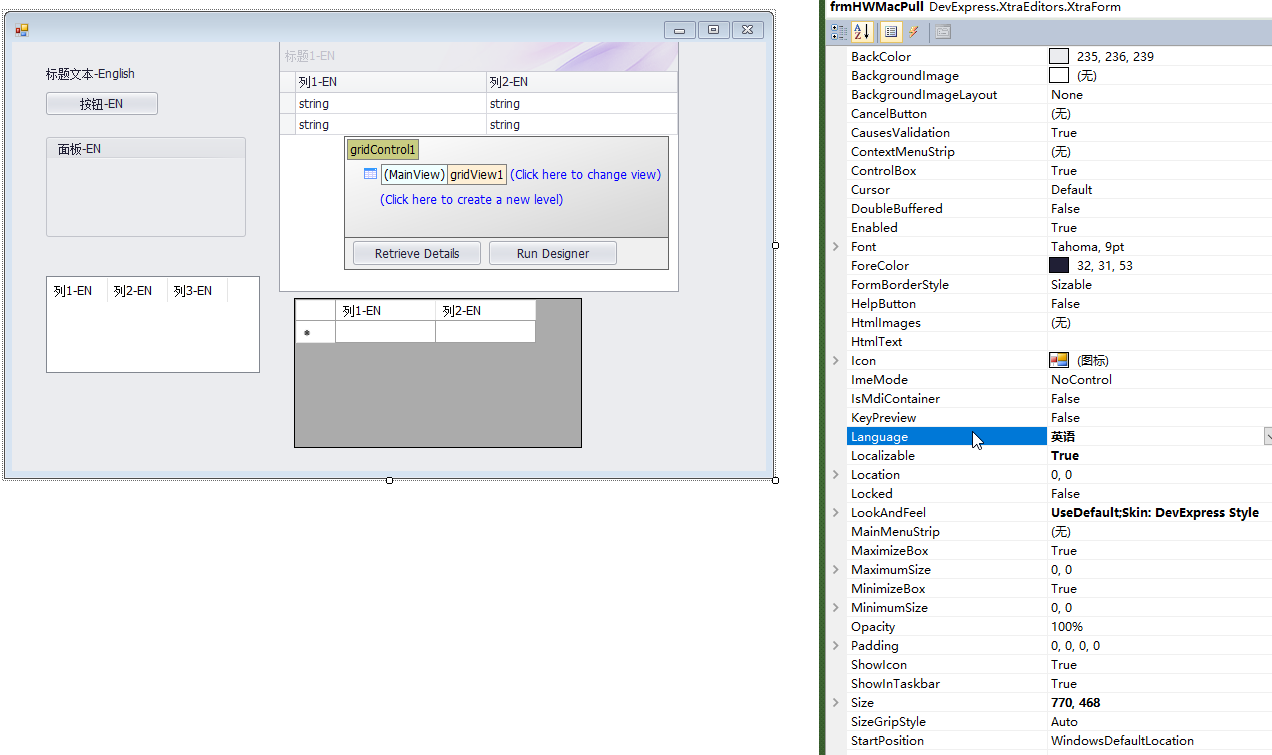
03 配置窗体控件的设置
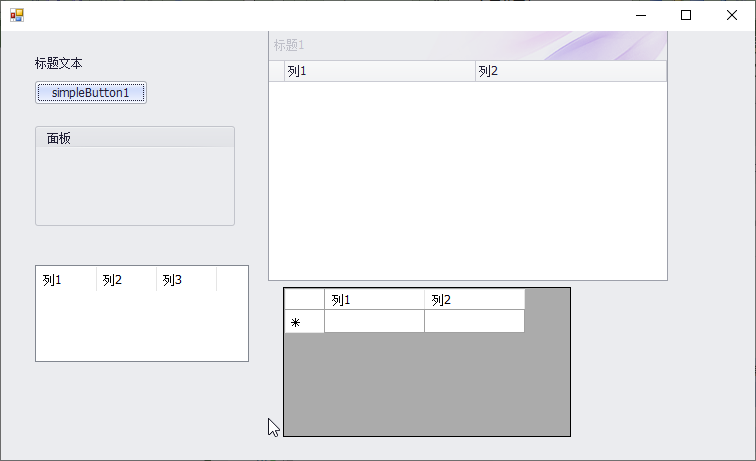
04 正常打开效果
05 强制改成英文模式显示效果
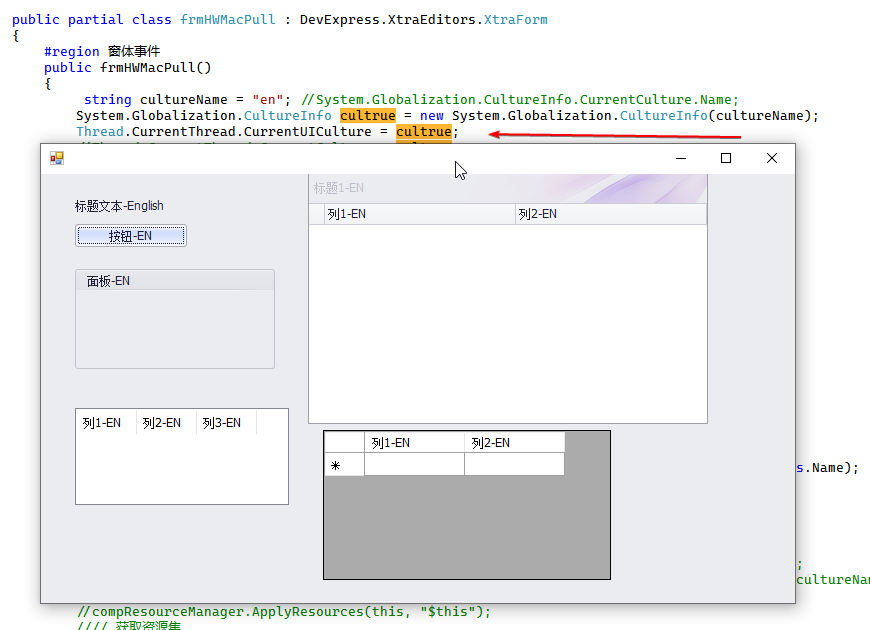
如何切换多国语言
        If langflag = 0 Then
            Thread.CurrentThread.CurrentUICulture = CultureInfo.GetCultureInfo("zh-CN")
            '//对当前窗体应用更改后的资源
            'ApplyResource()
            Dim res As ComponentResourceManager '  = new ComponentResourceManager(typeof(MainForm))
            res = New ComponentResourceManager(GetType(FrmDBOUT))
            Me.Text = res.GetString("$this.Text")
            Dim typeForm As Type = Me.GetType()
            Dim fieldInfos As System.Reflection.FieldInfo() = typeForm.GetFields(System.Reflection.BindingFlags.NonPublic Or System.Reflection.BindingFlags.Instance Or System.Reflection.BindingFlags.Static Or System.Reflection.BindingFlags.Public)
            For Each fieldInfo As System.Reflection.FieldInfo In fieldInfos
                Dim o As Object = fieldInfo.GetValue(Me)
                If Not o Is Nothing Then
                    res.ApplyResources(o, fieldInfo.Name.Substring(1))
                End If
            Next
        Else
            Thread.CurrentThread.CurrentUICulture = CultureInfo.GetCultureInfo("en")
            '//对当前窗体应用更改后的资源
            'ApplyResource()
            Dim res As ComponentResourceManager '  = new ComponentResourceManager(typeof(MainForm))
            res = New ComponentResourceManager(GetType(FrmDBOUT))
            Me.Text = res.GetString("$this.Text")
            Dim typeForm As Type = Me.GetType()
            Dim fieldInfos As System.Reflection.FieldInfo() = typeForm.GetFields(System.Reflection.BindingFlags.NonPublic Or System.Reflection.BindingFlags.Instance Or System.Reflection.BindingFlags.Static Or System.Reflection.BindingFlags.Public)
            For Each fieldInfo As System.Reflection.FieldInfo In fieldInfos
                Dim o As Object = fieldInfo.GetValue(Me)
                If Not o Is Nothing Then
                    res.ApplyResources(o, fieldInfo.Name.Substring(1))
                End If
            Next
        End If
转载保留源出处即可,商业使用请自行鉴别,使用本博客中公开内容做任何违法犯罪于本作者无关

 浙公网安备 33010602011771号