
NSlocale的使用
本地化封装了关于语言,文化以及技术约定和规范的信息。用于提供于用户所处地域相关的定制化信息和首选项信息的设置。通过获取用户的本地化信息设置,我们可以为用户提供更加友好人性化的界面设置,包括更改应用程序的界面的语言,货币类型,数字,日期格式的格式化,提供正确的地理位置显示等等。IOS内置为应用程序的开发提供了很好的本地化机制,良好的本地化意味着应用程序可以为更多的用户提供服务。其中NSLocale类的的主要作用便是用来封装本地化相关的各种信息,下面简单列举下NSLocale的一些方法,但NSLocale更多是使用在对数字,时间日期本地化的处理的过程。
1.创建本地化对象
|
1
2
3
4
5
|
//
 根据本地标识符创建本地化对象
NSLocale
*usLocale = [[NSLocale alloc] initWithLocaleIdentifier:@"en_US"];//
当前用户设置的本地化对象[NSLocale
currentLocale] |
2.获取系统本地化信息
|
1
2
3
4
5
6
7
8
9
10
11
|
//
 获取系统所有本地化标识符数组列表
[NSLocale
availableLocaleIdentifiers] ;//
获取所有已知合法的国家代码数组列表[NSLocale
ISOCountryCodes] ;//
获取所有已知合法的ISO货币代码数组列表[NSLocale
ISOCurrencyCodes] ;//
获取所有已知合法的ISO语言代码数组列表[NSLocale
ISOLanguageCodes] ; |
3.获取当前系统设置语言的标识符
|
1
2
3
|
[[NSLocale
currentLocale] localeIdentifier];等价于[[NSLocale
currentLocale] objectForKey:NSLocaleIdentifier]; |
4.获取本地化对象的具体内容
|
1
2
3
4
5
|
NSLocale
 *local = [NSLocale currentLocale];
[local
objectForKey:NSLocaleIdentifier];[local
objectForKey: NSLocaleLanguageCode]; |
key值参见NSLocale Calendar Keys
5.获取当前语言的排版方向和字符方向
|
1
2
3
|
[NSLocale
 lineDirectionForLanguage:[[NSLocale currentLocale] objectForKey:NSLocaleLanguageCode];
[NSLocale
characterDirectionForLanguage:[[NSLocale currentLocale] objectForKey:NSLocaleLanguageCode] ; |
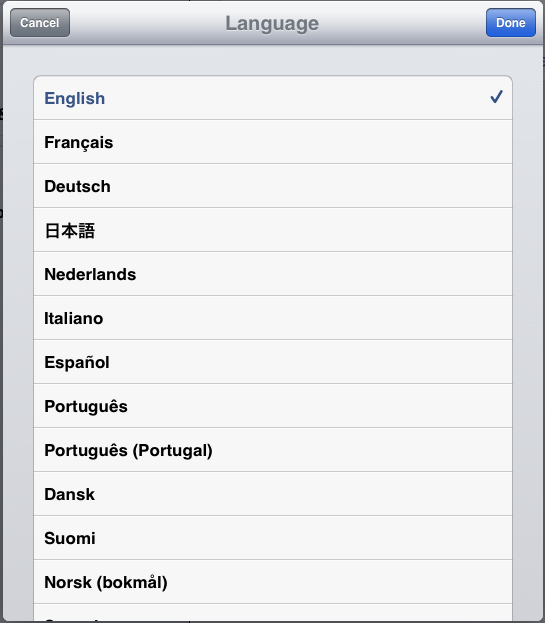
6.获取用户的语言偏好设置列表,该列表对应于IOS中Setting>General>Language弹出的面板中的语言列表。
|
1
|
[NSLocale
preferredLanguages] |
第一个元素即为当前用户设置的语言
7.监听用户本地化设置的消息
|
1
2
3
|
[[NSNotificationCenter
defaultCenter] addObserver:self selector:@selector(localChangedHandler:) name:NSCurrentLocaleDidChangeNotification
object:nil]; |
8.以本地化方式获取国际化信息的显示名称
|
1
2
3
4
5
6
7
|
NSLocale
*curLocal = [[NSLocale alloc]initWithLocaleIdentifier:@"zh-Hans"]
;NSLog(@"%@",[curLocal
displayNameForKey:NSLocaleIdentifier value:@"fr_FR"]
);//
法文(法国)curLocal
= [[NSLocale alloc]initWithLocaleIdentifier:@"zh-Hant"]
;NSLog(@"%@",[curLocal
displayNameForKey:NSLocaleIdentifier value:@"fr_FR"]
);//法文(法國) |

 浙公网安备 33010602011771号