
js位置尺寸
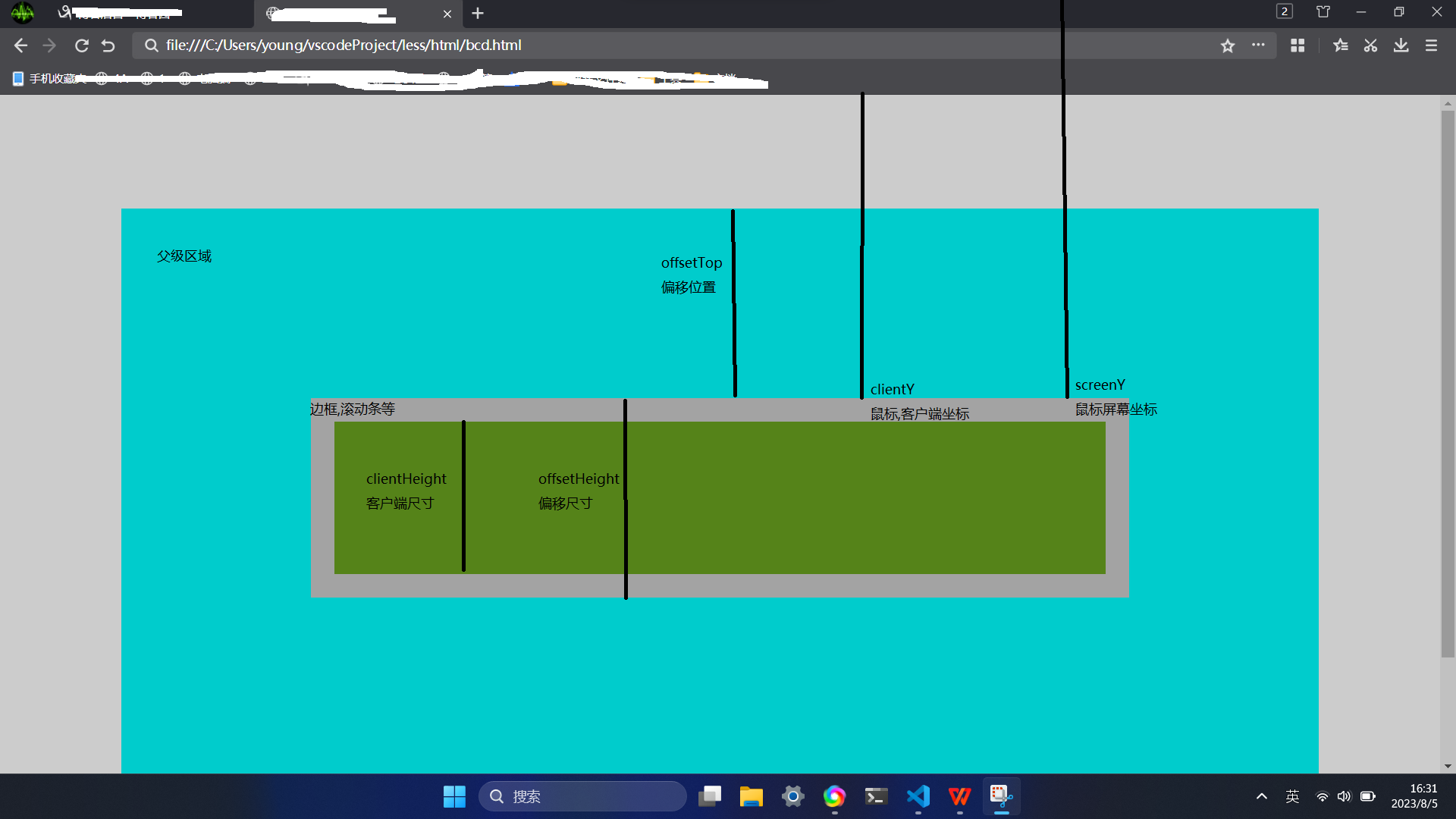
元素
.offsetParent 获取父级元素
元素尺寸
偏移尺寸
.offsetHeight; 高度(加上边框和可见的水平滚动条),只读
.offsetWidth; 宽带(同上),只读
客户端尺寸
.clientHeight; 高度(不含边框滚动条),只读
.clientWidth; 宽度(同上),只读
另一种方法
.getBoundingClientRect().height;
.getBoundingClientRect().width;
滚动尺寸
.scrollHeight; //没有滚动条时的高度
.scrollWidth; //没有滚动条时的宽度
修改尺寸
.style.height="20px"; //设置元素高度
.style.width="20px"; //设置元素宽度
元素位置
偏移位置
.offsetTop 上边框外部到父级上边框内侧的距离
.offsetLeft 左边框外部到父级左边框内侧的距离
另一种方法
.getBoundingClientRect().top; 顶部到上面
.getBoundingClientRect().bottom; 底部到上面
.getBoundingClientRect().left; 元素左边到左边
.getBoundingClientRect().right; 元素右边到左边
滚动位置
获取滚动隐藏位置
.scrollLeft; //左侧隐藏的像素数
.scrollTop; //顶部隐藏的像素数
滚动到指定位置
.scrollTop=0; //滚动到顶部
.scrollLeft=0; //滚动到最左边
修改位置
.style.left="20px";
.style.top="20px";
鼠标位置
屏幕坐标
.screeY; //距离屏幕顶部距离
.screeX; //距离屏幕左侧距离
客户端坐标
.clientY; //距视口顶部距离
.clientX; //距视口左侧距离
页面坐标(未发生滚动时,和客户端坐标一致)
.pageY; //到页面顶部的位置,
.pageX; //到页面左侧的位置,

 浙公网安备 33010602011771号