
CentOS7安装GitLab
一、安装需要的依赖
1.1、wget下载工具
yum -y install wget1.2、安装配置GitLab需要的依赖
sudo yum install -y curl policycoreutils-python openssh-server
//开机自启sshd服务
sudo systemctl enable sshd
sudo systemctl start sshd

//修改防火墙规则
sudo firewall-cmd --permanent --add-service=http
sudo firewall-cmd --permanent --add-service=https
sudo systemctl reload firewalld
1.3、安装Postfix发送通知邮件
sudo yum install postfix
sudo systemctl enable postfix
sudo systemctl start postfix
二、安装GitLab
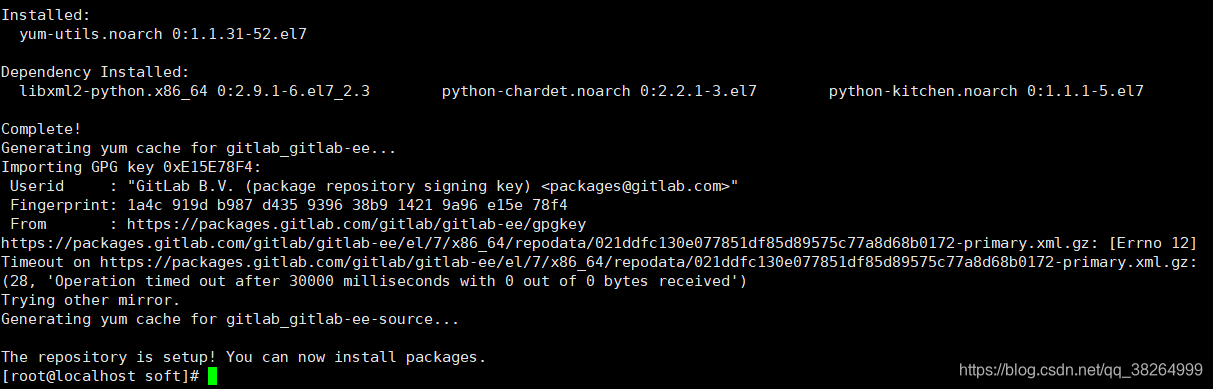
2.1、添加GitLab依赖
curl https://packages.gitlab.com/install/repositories/gitlab/gitlab-ee/script.rpm.sh | sudo bash
2.2、安装GitLib
//安装GitLab社区版
sudo EXTERNAL_URL="https://gitlab.example.com" yum install -y gitlab-ee
三、官网安装文档(建议查看官网安装文档)
https://about.gitlab.com/install/#centos-7

 浙公网安备 33010602011771号