
Handle onClick for our custom LinearLayout for Gallery-like HorizontalScrollView
The post "Implement Gallery-like HorizontalScrollView" and "Implement custom LinearLayout for Gallery-like HorizontalScrollView" explain how to implement Gallery-like HorizontalScrollView.
In this post, we will implement OnClickListener for the ImageView(s) to handle user click.

Modify MyHorizontalLayout.java from the exercise "Implement custom LinearLayout for Gallery-like HorizontalScrollView" to call setOnClickListener() when create ImageView, in getImageView() method. For "Implement Gallery-like HorizontalScrollView" without custom LinearLayout, you can do the same in insertPhoto() method.
In this post, we will implement OnClickListener for the ImageView(s) to handle user click.
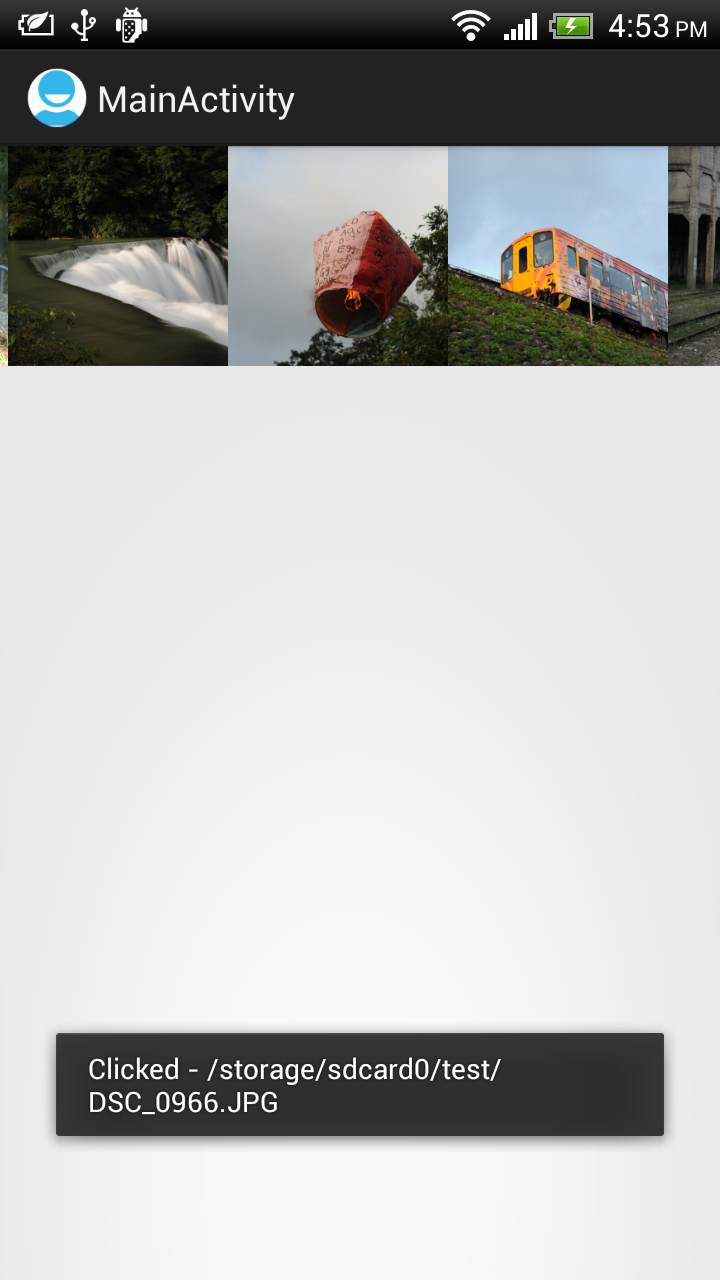
Modify MyHorizontalLayout.java from the exercise "Implement custom LinearLayout for Gallery-like HorizontalScrollView" to call setOnClickListener() when create ImageView, in getImageView() method. For "Implement Gallery-like HorizontalScrollView" without custom LinearLayout, you can do the same in insertPhoto() method.
package com.example.androidhorizontalscrollviewgallery;
import java.util.ArrayList;

import android.content.Context;
import android.graphics.Bitmap;
import android.graphics.BitmapFactory;
import android.util.AttributeSet;
import android.view.View;
import android.widget.ImageView;
import android.widget.LinearLayout;
import android.widget.Toast;

public class MyHorizontalLayout extends LinearLayout {

 Context myContext;
 ArrayList<String> itemList = new ArrayList<String>();

 public MyHorizontalLayout(Context context) {
  super(context);
  myContext = context;
 }

 public MyHorizontalLayout(Context context, AttributeSet attrs) {
  super(context, attrs);
  myContext = context;
 }

 public MyHorizontalLayout(Context context, AttributeSet attrs,
   int defStyle) {
  super(context, attrs, defStyle);
  myContext = context;
 }

 void add(String path){
  int newIdx = itemList.size();
  itemList.add(path);
  addView(getImageView(newIdx));
 }

 ImageView getImageView(final int i){
  Bitmap bm = null;
  if (i < itemList.size()){
   bm = decodeSampledBitmapFromUri(itemList.get(i), 220, 220);
  }

  ImageView imageView = new ImageView(myContext);
     imageView.setLayoutParams(new LayoutParams(220, 220));
     imageView.setScaleType(ImageView.ScaleType.CENTER_CROP);
     imageView.setImageBitmap(bm);

     imageView.setOnClickListener(new OnClickListener(){

   @Override
   public void onClick(View v) {
    Toast.makeText(myContext,
      "Clicked - " + itemList.get(i),
      Toast.LENGTH_LONG).show();
   }});

  return imageView;
 }

 public Bitmap decodeSampledBitmapFromUri(String path, int reqWidth, int reqHeight) {
     Bitmap bm = null;

     // First decode with inJustDecodeBounds=true to check dimensions
     final BitmapFactory.Options options = new BitmapFactory.Options();
     options.inJustDecodeBounds = true;
     BitmapFactory.decodeFile(path, options);

     // Calculate inSampleSize
     options.inSampleSize = calculateInSampleSize(options, reqWidth, reqHeight);

     // Decode bitmap with inSampleSize set
     options.inJustDecodeBounds = false;
     bm = BitmapFactory.decodeFile(path, options);

     return bm;
    }

    public int calculateInSampleSize(

     BitmapFactory.Options options, int reqWidth, int reqHeight) {
     // Raw height and width of image
     final int height = options.outHeight;
     final int width = options.outWidth;
     int inSampleSize = 1;

     if (height > reqHeight || width > reqWidth) {
      if (width > height) {
       inSampleSize = Math.round((float)height / (float)reqHeight);
      } else {
       inSampleSize = Math.round((float)width / (float)reqWidth);
      }
     }

     return inSampleSize;
    }

}