C# 创建 Windows Service 项目
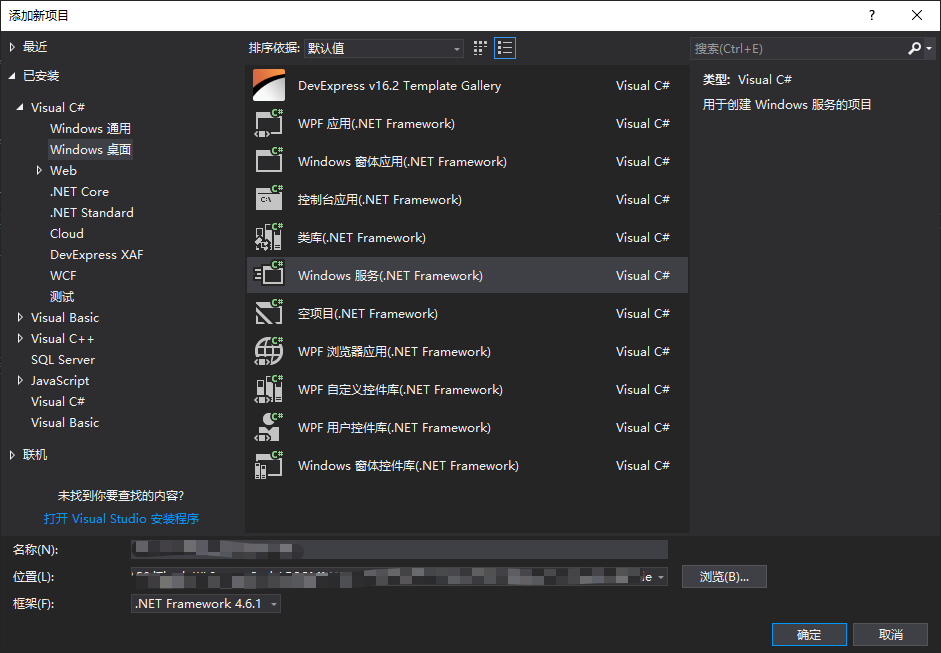
C# 创建 WindowsService 服务项目
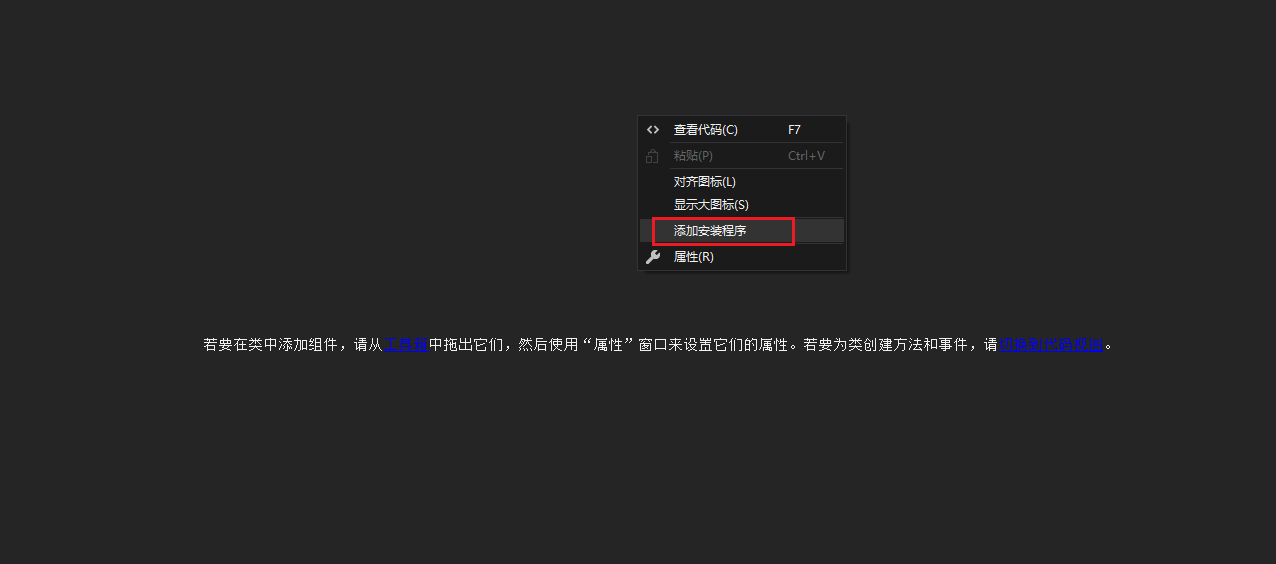
空白处,右键选择“添加安装程序”
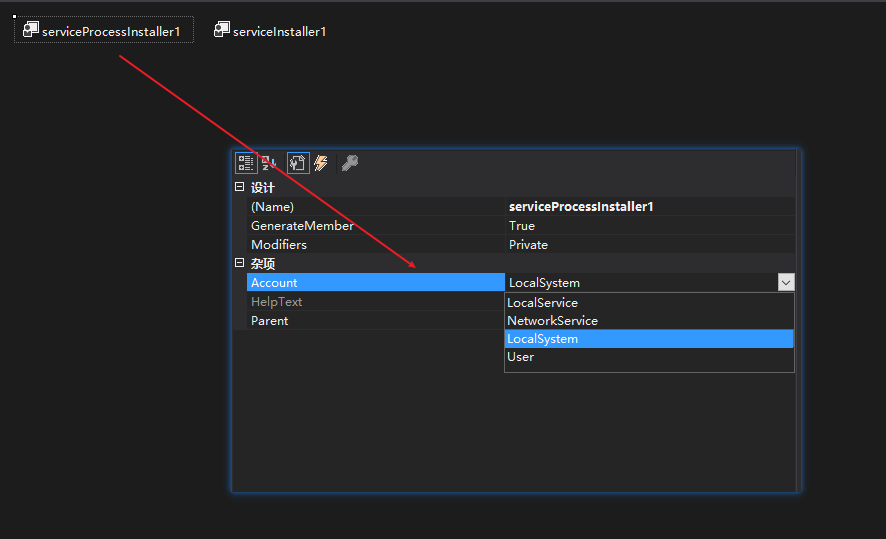
可以看到两个控件,点击右击第一个控件,打开属性设计器,将其中的Account设置为LocalSystem(本地服务),
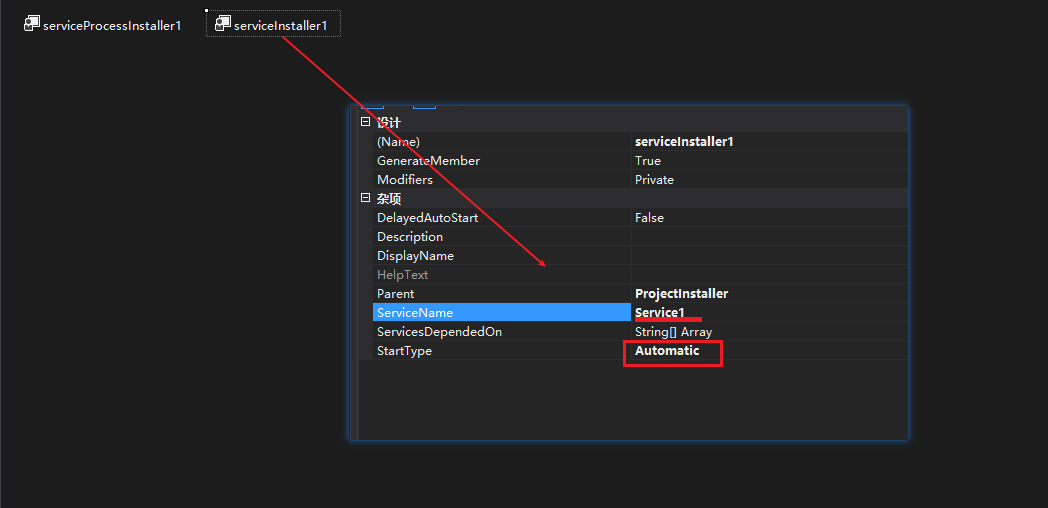
接下来,右击上面的第二个控件,打开属性界面,设置ServiceName,和将其中的StratType设置为Automatic,
public partial class Service1 : ServiceBase
{
    private readonly Timer _MyTimer;
    public Service1()
    {
        InitializeComponent();
        _MyTimer = new Timer(10*1000); //10秒钟启动一次
        _MyTimer.Elapsed += _MyTimerElapsed;
    }

    protected override void OnStart(string[] args)
    {
        _MyTimer.Start();
        WriteLog("Service1.OnStart");
    }

    protected override void OnStop()
    {
        _MyTimer.Stop();
        WriteLog("Service1.OnStop");
    }

    internal void _MyTimerElapsed(object sender, ElapsedEventArgs e)
    {
        WriteLog("开始执行了");
    }


    public void WriteLog(string msg)
    {
        string filePath = AppDomain.CurrentDomain.BaseDirectory + "Log";
        if (!Directory.Exists(filePath))
        {
            Directory.CreateDirectory(filePath);
        }
        string logPath = AppDomain.CurrentDomain.BaseDirectory + "Log\\" + DateTime.Now.ToString("yyyy-MM-dd") + ".txt";
        try
        {
            using (StreamWriter sw = File.AppendText(logPath))
            {
                sw.WriteLine("消息:" + msg);
                sw.WriteLine("时间:" + DateTime.Now.ToString("yyyy-MM-dd HH:mm:ss"));
                sw.WriteLine("**************************************************");
                sw.WriteLine();
                sw.Flush();
                sw.Close();
                sw.Dispose();
            }
        }
        catch (IOException e)
        {
            using (StreamWriter sw = File.AppendText(logPath))
            {
                sw.WriteLine("异常:" + e.Message);
                sw.WriteLine("时间:" + DateTime.Now.ToString("yyy-MM-dd HH:mm:ss"));
                sw.WriteLine("**************************************************");
                sw.WriteLine();
                sw.Flush();
                sw.Close();
                sw.Dispose();
            }
        }
    }

}
安装脚本 0.Install.bat
%SystemRoot%\Microsoft.NET\Framework\v4.0.30319\installutil.exe WindowsServiceTest.exe
Net Start ServiceTest
sc config ServiceTest start= auto
pause
卸载脚本 1.Uninstall.bat
%SystemRoot%\Microsoft.NET\Framework\v4.0.30319\installutil.exe /u WindowsServiceTest.exe
本文来自博客园,作者:VipSoft 转载请注明原文链接:https://www.cnblogs.com/vipsoft/p/18354755

 浙公网安备 33010602011771号