

闭门造轮子——javascript实现图片轮播
最近被轮播图片纠缠得头痛。缘由是UI在没有征求开发同意的情况下,在网上copy了一段,no,是大篇大篇分几段的轮播的js代码,导致的结果是:产品更换图片和链接、更换轮播图片数量时,我不得不睁大眼睛在页面修改N处html或js代码。
之前,由于应用较少,我没写过轮播js,逢五一假期,索性打开aptana闭门造轮子,写了这么一段js出来(IE8下调试,没有测过兼容性)。
由于深受其害,写之前反复思考,尽量使用更简单维护最方便。
引用:
第一步:引入js文件 <script type="text/javascript" src="flash.js"></script>,部署图片目录和名称:images/0.jpg,images/1.jpg,images/2.jpg
第二步:在页面需要放置轮播广告的地方部署一个带id属性的div <div id="flash"> </div>
第三步:在页面准备好后执行如下代码
        //图片对应的链接,数组的长度决定显示图片的多少
        var links = ["http://jifen.qq.com", "http://pay.qq.com", "http://service.qq.com"];
        //容器	链接数组	宽	高
        flash.show("flash", links, 530, 140);
第四步:对切换图片的元素添加事件
        <button onclick="flash.left();">
            left
        </button>
        <button onclick="flash.right();">
            right
        </button>
        <button onmouseover="flash.move(1);return false;">
            1
        </button>
        <button onmouseover="flash.move(2);return false;">
            2
        </button>
        <button onmouseover="flash.move(3);return false;">
            3
        </button>
效果:
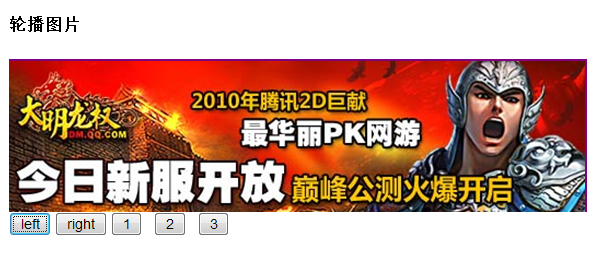
源码:
/**
 * @author Sky
 */
var flash={};
flash.show=function(id,links,width,heigth){
	//外壳(flash)执行后被实例化
	flash=new Flash(id, links, width, heigth);
	flash.create();
}
var Flash=function(id,links,width,heigth)
{
	this.mId=id||"flash";				//容器ID
	this.mLinks=links||[];				//链接数组
	this.mWidth=width||400;				//宽度
	this.mHeigth=heigth||300;			//高度

	this.imgRoot="images/";				//图片根路径
	this.innerId="flash_inner_div";		//容器内部层的id

	this.perOffset=width+10;			//单个图片偏移量
	this.miniOffset=45;					//单位偏移量
	this.count=this.mLinks.length||0;	//数量
	this.indexId=this.count;			//当前索引
	this.flag=true;
}
Flash.prototype={
	create:function(data)
	{
		//设置父层
		var parentDiv=document.getElementById(this.mId);
		parentDiv.style.overflow="hidden";
		parentDiv.style.width=this.mWidth+"px";
		parentDiv.style.height=this.mHeigth+"px";

		//创建
		var L=this.count;
		var arr=[];
		var _style="height:"+this.mHeigth+"px;width:"+(this.perOffset)*L+"px;position:relative;left:0px;";

		//创建内层、图片及链接
		arr.push("<div id=\""+this.innerId+"\" style=\""+_style+"\">")
		for(var i=0;i<L;i++)
		{
			arr.push("<a href='"+this.mLinks[i]+"'><img src='"+this.imgRoot+i+".jpg' border='0' /></a>");
		}
		arr.push("</div>")
		parentDiv.innerHTML=arr.join("\n");
	},
	move:function(index)
	{
		_self=this;
		if(_self.flag==false)return false;
		var div=document.getElementById(this.innerId);
		//获取当前left
		var curentPos=parseInt(div.style.left);
		//计算终点left
		var endPost=curentPos+(index-this.indexId)*this.perOffset;
		//标记方向
		var _flag=(index-this.indexId)<0?-1:1;
		//分几种速度
		var speed1=this.miniOffset*_flag;
		var speed2=parseInt(this.miniOffset/2)*_flag;
		var speed3=2*_flag;
		//存储索引
		this.indexId=index;
		//开始位移
		var loop=setInterval(function(){
			//当差距小到一定值的时候直接赋值
			var left=parseInt(div.style.left);
			if(Math.abs(left-endPost)<5)
			{
				div.style.left=endPost+"px";
				_self.flag=true;
				clearInterval(loop);
			}
			else if(Math.abs(left-endPost)<20)
			{
				div.style.left=left+speed3+"px";
			}
			else if(Math.abs(left-endPost)<150)
			{
				div.style.left=left+speed2+"px";
			}
			else
			{
				div.style.left=left+speed1+"px";
			}
		},1);
	},
	left:function()
	{
		//执行偏移(从pos点移动offset像素)
		this.indexId-1<1?0:this.move(this.indexId-1);

	},
	right:function()
	{
		this.indexId+1>this.count?0:this.move(this.indexId+1);
	}
}
闲来无事,今天对代码进行了完善,主要增加回调函数,能自主控制样式,增加显示区域能显示多图片
        //图片对应的链接
        var links = ["http://jifen.qq.com", "http://pay.qq.com", "http://service.qq.com","#","#","#","#","#"];
		function callback(index)
		{
			alert(index);//这里可以写控制样式的代码,比如把当前选择的button变换样式
		}
		//
        //容器	链接数组	 单个图片宽	单个图片高,可视区域显示图片数量,回调函数(参数为当前图片的索引),图片路径
        flash.show("flash", links, 123, 148,3,callback,"lunbo/");
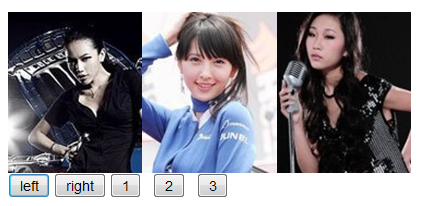
5.4日再次完善代码,支持是否滑动,是否自动轮播,图片地址自定义
        //链接
        var links = ["http://jifen.qq.com", "http://pay.qq.com", "http://service.qq.com"];
		//图片
		var images= ["images/0.jpg","images/1.jpg","images/2.jpg"];
		//上面的button可以根据链接或者图片数组的长度动态生成
		function callback(index)
		{
			//alert(index);//这里可以写控制样式的代码,比如把当前选择的button变换样式
		}
		/*
		 * flash.show(id,width,heigth,num,links,images,callback,slide,auto)
		 * @param (String)	 id			需要放置轮播图片的元素ID;
		 * @param (Number)	 width		宽;
		 * @param (Number)	 heigth		高;
		 * @param (Number)	 num		可视区域图片的数量;
		 * @param (Array)	 links		链接数组
		 * @param (Array)	 images		图片数组
		 * @param (Function) callback	回调函数,参数为当前被选中图片的索引,可以控制样式
		 * @param (Boolean)  slide		是否需要滑动效果
		 * @param (Boolean)	 auto		是否自动轮播
		 */
        flash.show("flash", 530, 140,1,links,images,callback,false,true);
demo3效果图



 浙公网安备 33010602011771号