
从多个Word文档中批量取值,整理到Excel表中的技能,Word魔方
提取Word表格到Excel中,涉及Word VBA和Excel VBA知识。
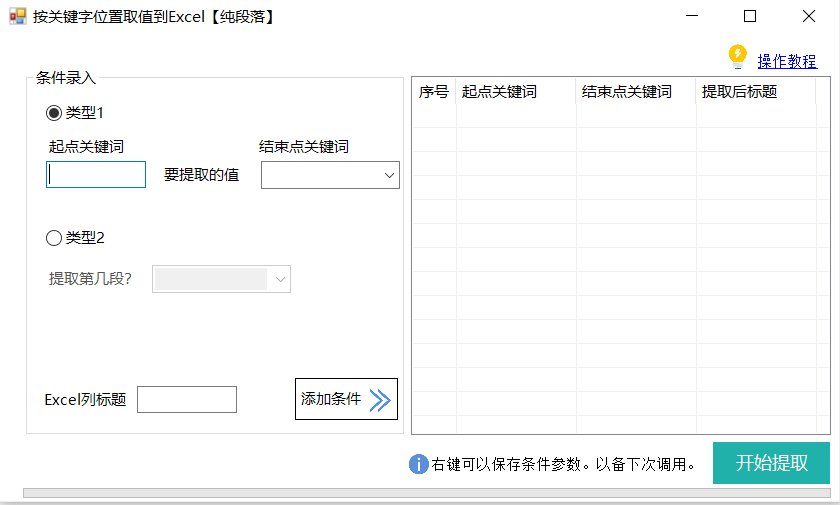
可以用插件一键搞定

Sub 提取模板()
    Set d = CreateObject("scripting.dictionary")
    i = 0
    j = 0
    k = 0
    Dim doc As Document
    Set doc = Documents.Open("C:\Users\28553\Desktop\模板.docx")
    If doc.Tables.Count = 0 Then
        doc.Close False
        MsgBox ("文档中没有找到表格!")
        Exit Sub
    End If
    Dim tbl As Table
    Dim c As Cell
    For Each tbl In doc.Tables
        i = i + 1
        For Each c In tbl.Range.Cells
            j = j + 1
            s = l(c.Range.Text)
            If Len(s) > 0 Then
                d(i & "|" & j & "|" & s) = ""
            End If
        Next
        j = 0
    Next
    kr = d.keys
    ir = d.items
    doc.Close False
    '/新建导出表格
    Set exl = CreateObject("excel.application")
    exl.Visible = True
    Set wb = exl.workbooks.Add
    Set sht = wb.activesheet
    For i = 0 To UBound(kr)
        arr = Split(kr(i), "|")
        sht.Cells(1, i + 3).Value = arr(2)
    Next
    sht.Cells(1, 1).Value = "序号"
    sht.Cells(1, 2).Value = "文档名"
    '/开始提取数据
    ReDim jg(0 To 10000, 0 To UBound(kr) + 2)
    f = Dir("C:\Users\28553\Desktop\新建文件夹\*.doc*")
    Do While f <> ""
        Set doc = Documents.Open("C:\Users\28553\Desktop\新建文件夹\" & f)
        For i = 0 To UBound(kr)
            arr = Split(kr(i), "|")
            jg(k, 0) = k + 1
            jg(k, 1) = f
            jg(k, i + 2) = l(doc.Tables(Val(arr(0))).Range.Cells(Val(arr(1))).Range.Text)
        Next
        k = k + 1
        doc.Close False
        f = Dir
    Loop
    '/写入excel和处理格式
    sht.Range("a2").Resize(k, UBound(jg, 2) + 1) = jg
    '调整格式
    '作用:调整格式
    '常见的居中,自动适应列宽,边框加粗
    With sht.usedrange
        .HorizontalAlignment = xlCenter                        '水平居中
        .VerticalAlignment = xlCenter                          '竖直居中
        .Borders(8).LineStyle = xlContinuous
        .Borders(9).LineStyle = xlContinuous
        .Borders(7).LineStyle = xlContinuous
        .Borders(10).LineStyle = xlContinuous
        .Borders(11).LineStyle = xlContinuous
        .Borders(12).LineStyle = xlContinuous
    End With
    sht.Columns.AutoFit
    MsgBox "完成!"
End Sub
Function l(n)
    l = Replace(Replace(n, Chr(7), ""), Chr(13), "")
End Function
本文来自博客园,作者:VBA说,转载请注明原文链接:https://www.cnblogs.com/vbashuo/p/17007726.html

 浙公网安备 33010602011771号