

如何使用JitPack发布依赖库
一般你自己做的基础库
想做成依赖库,用Jitpack就比较简单了。
第一步:首先新建module:
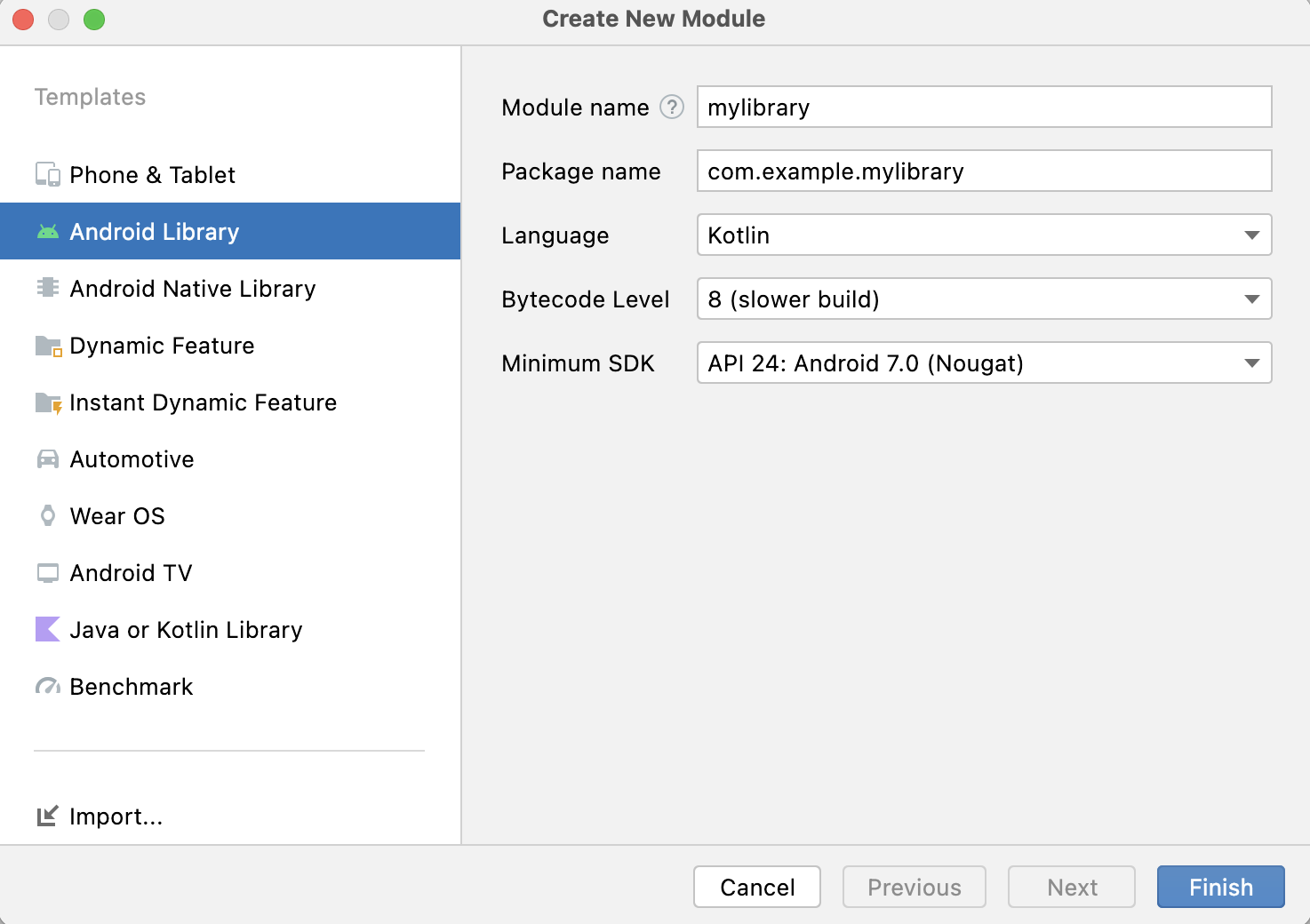
选择Android Library ->
module工程的gradle配置可以参考:
https://github.com/jitpack/android-example/blob/master/library/build.gradle
plugins {
    id 'com.android.library'
    id 'kotlin-android'
    id 'maven-publish'
}

group = 'com.github.jitpack'
version = '1.0'

android {
    compileSdkVersion 31

    defaultConfig {
        minSdkVersion 21
        targetSdkVersion 31
        versionCode 1
        versionName "1.0"
    }

    buildTypes {
        release {
            minifyEnabled false
            proguardFiles getDefaultProguardFile('proguard-android-optimize.txt'), 'proguard-rules.pro'
        }
    }

    kotlinOptions {
        jvmTarget = '1.8'
    }
}

dependencies {
    implementation "org.jetbrains.kotlin:kotlin-stdlib:$kotlin_version"
    implementation 'androidx.core:core-ktx:1.7.0'
    implementation 'androidx.appcompat:appcompat:1.4.1'
    implementation 'com.google.android.material:material:1.5.0'
}

afterEvaluate {
    publishing {
        publications {
            // Creates a Maven publication called "release".
            release(MavenPublication) {
                from components.release
                groupId = 'com.github.jitpack'
                artifactId = 'android-example'
                version = '1.0'
            }
        }
    }
}
第二步:把module工程上传到github上。
在github上创建一个release版本
第三步:在JitPack上打包编译
https://jitpack.io/
将github上的项目地址复制进去,几点look up,然后get it进行编译,编译完成后可以使用了

 浙公网安备 33010602011771号