
PostgreSQL安装异常:Problem running post-install step
1.错误详情
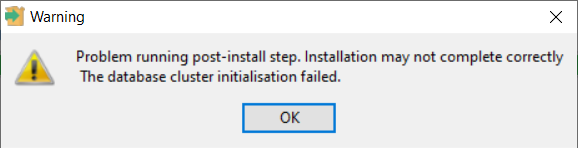
安装PostgreSQL时快要完成的时候抛出异常
Problem running post-install step. Installation may not complete correctlty.
The database cluster initialisation failed.
2.解决方法
以管理员权限打开PowerShell
找到PostgreSQL安装目录,进入bin文件夹(例子中是D:\PostgreSQL\bin 要换成自己的),按顺序执行以下代码(D:\pgdata 是安装时指定的数据库路径,要换成自己的)
初始化数据库
D:\PostgreSQL\bin>initdb.exe -D D:\pgdata
注册一个名为postgresql1122的服务
D:\PostgreSQL\bin>pg_ctl.exe register -N postgresql1122 -D D:\pgdata
win+R输入services.msc打开服务,找到刚刚注册的服务启动
启动服务后打开SQL Shell(psql),用系统当前的用户名登陆数据库
登录进去就能创建新的用户,比如postgres
参考:
(25条消息) PostgreSQL安装异常:Problem running post-install step。_x024的博客-CSDN博客

 浙公网安备 33010602011771号