Springboot项目使用Swagger自动生成API文档
一、swagger是什么?
Swagger是一款RESTFUL接口的文档在线自动生成+功能测试功能软件。Swagger是一个规范和完整的框架,用于生成、描述、调用和可视化RESTful风格的Web服务。目标是使客户端和文件系统作为服务器以同样的速度来更新文件的方法,参数和模型紧密集成到服务器。简单的说,swagger是一款可以根据resutful风格生成的生成的接口开发文档,并且支持做测试的一款中间软件。
二、为什么要使用swaager?
1、对于后端开发人员来说
(1)不用再手写WiKi接口拼大量的参数,避免手写错误
(2)对代码侵入性低,采用全注解的方式,开发简单
(3)方法参数名修改、增加、减少参数都可以直接生效,不用手动维护
(4)缺点:增加了开发成本,写接口还得再写一套参数配置
2、对于前端开发来说
(1)后端只需要定义好接口,会自动生成文档,接口功能、参数一目了然
(2)联调方便,如果出问题,直接测试接口,实时检查参数和返回值,就可以快速定位是前端还是后端的问题
3、对于测试
(1)对于某些没有前端界面UI的功能,可以用它来测试接口
(2)操作简单,不用了解具体代码就可以操作
三、项目中集成swagger
1、pom.xml添加swagger依赖
    <dependency>
      <groupId>io.springfox</groupId>
      <artifactId>springfox-swagger2</artifactId>
      <version>2.7.0</version>
    </dependency>
    <dependency>
      <groupId>io.springfox</groupId>
      <artifactId>springfox-swagger-ui</artifactId>
      <version>2.7.0</version>
    </dependency>
2、编写Swagger配置类SwaggerConfig.java
import org.springframework.context.annotation.Bean;
import org.springframework.context.annotation.Configuration;
import springfox.documentation.builders.ApiInfoBuilder;
import springfox.documentation.builders.PathSelectors;
import springfox.documentation.builders.RequestHandlerSelectors;
import springfox.documentation.service.ApiInfo;
import springfox.documentation.service.Contact;
import springfox.documentation.spi.DocumentationType;
import springfox.documentation.spring.web.plugins.Docket;
import springfox.documentation.swagger2.annotations.EnableSwagger2;

@Configuration
@EnableSwagger2
public class SwaggerConfig {

    /**
     * @Description:swagger2的配置文件,这里可以配置swagger2的一些基本的内容,比如扫描的包等等
     */
    @Bean
    public Docket createRestApi() {
        return new Docket(DocumentationType.SWAGGER_2).apiInfo(apiInfo()).select()
                .apis(RequestHandlerSelectors.basePackage("com.imooc.miaosha.controller"))
                .paths(PathSelectors.any()).build();
    }

    /**
     * @Description: 构建 api文档的信息
     */
    private ApiInfo apiInfo() {
        return new ApiInfoBuilder()
                // 设置页面标题
                .title("标题")
                // 设置联系人
                .contact(new Contact("name", "url", "email"))
                // 描述
                .description("文档描述信息")
                // 定义版本号
                .version("1.0").build();
    }
}
3、在controller中使用注解
给controller添加名字
@Controller
@Api(value = "商品Controller", tags = { "商品业务接口" })
@RequestMapping("/goods")
public class GoodsController {
给接口和传递的参数添加名字
    @ApiOperation(value = "秒杀商品详情")
    @ApiImplicitParam(name = "goodsId", value = "秒杀商品id", dataType = "long", paramType = "path", required = true)
    @RequestMapping("/to_detail/{goodsId}")
    public String detail(Model model, MiaoshaUser user,@PathVariable long goodsId) {
4、访问本地链接
http://localhost:8080/swagger-ui.html#/
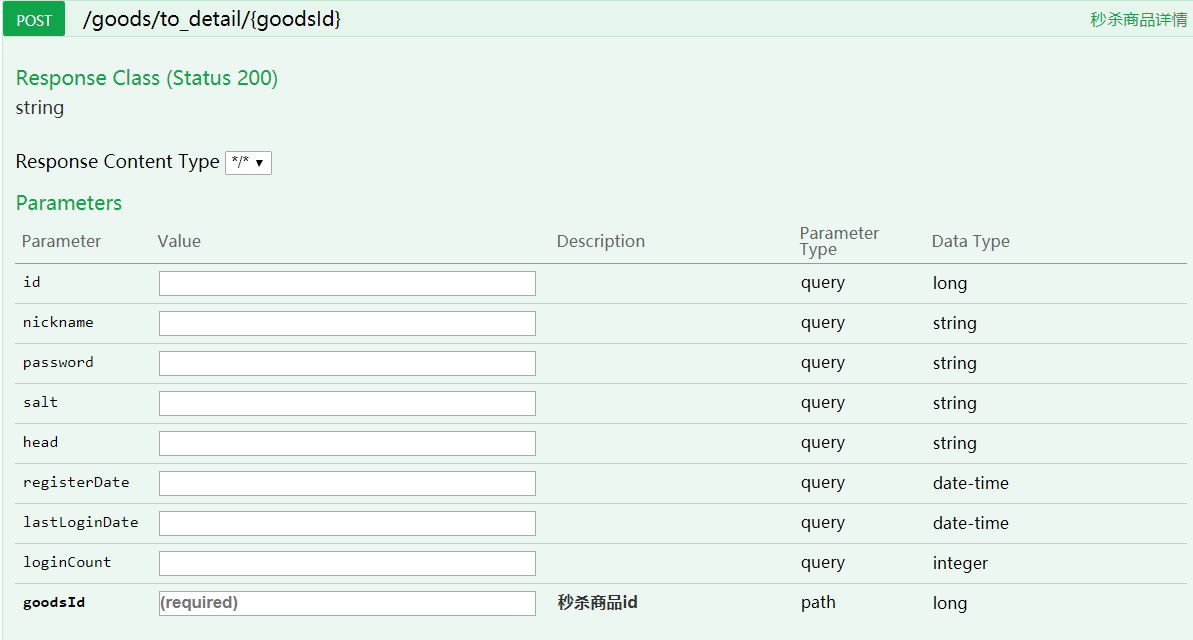
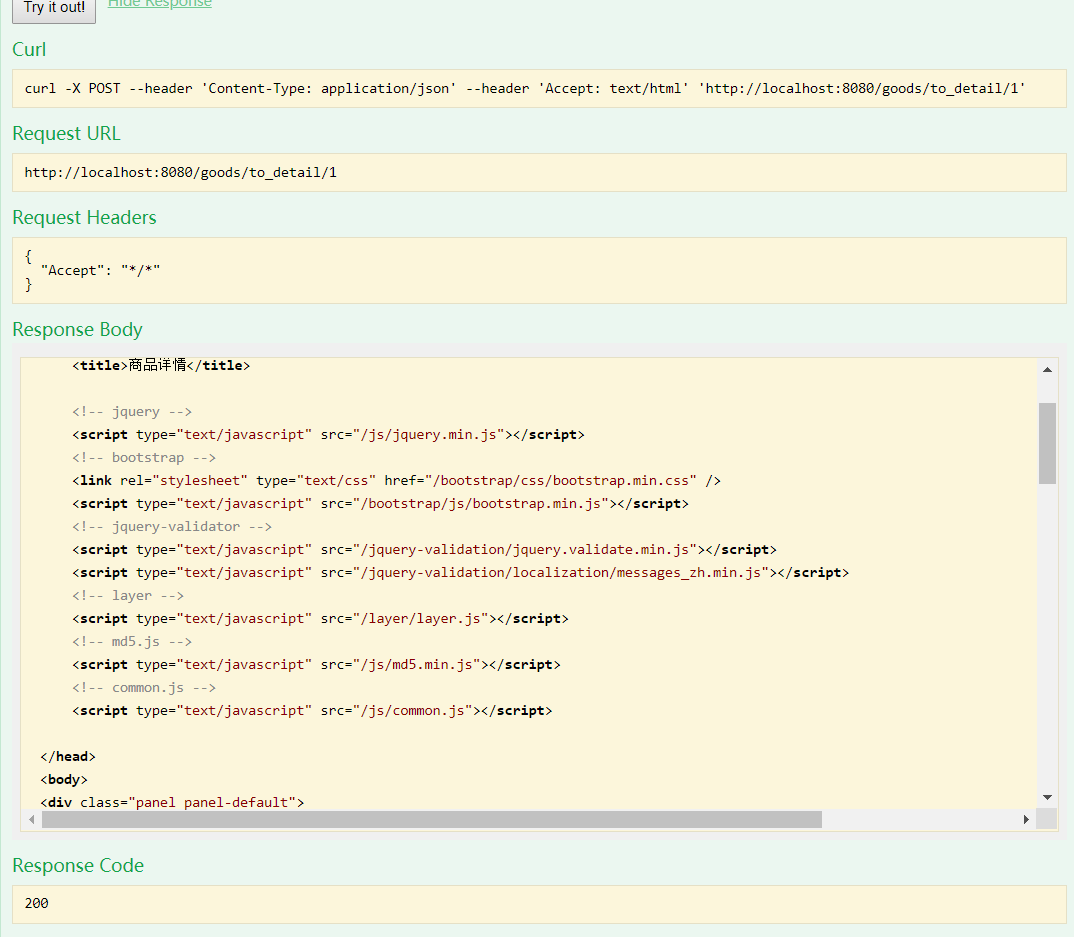
输入参数,点击try it out

 浙公网安备 33010602011771号