
FastAPI系列(12):响应模型参数
本系列汇总,请查看这里:https://www.cnblogs.com/uncleyong/p/19503695
response_model
简介
FastAPI 提供了 response_model 参数,声明 return 响应体的模型
可以在任意的路径操作中使用response_model参数来声明用于响应的模型
response_model 是路径操作的参数,并不是路径函数的参数
# 路径操作
@app.post("/items/", response_model=Item)
# 路径函数
async def create_item(item: Item):
    ...
FastAPI将使用response_model进行以下操作:
- 将输出数据转换为response_model中声明的数据类型
- 验证数据结构和类型
- 将输出数据限制为该model定义的
- 添加到OpenAPI中
- 在自动文档系统中使用
示例
Pydantic 将某些功能设为可选依赖,避免不必要的包体积,'email' 是 Pydantic 提供的一个extras_require选项
pip install pydantic - 仅安装基础功能
pip install 'pydantic[email]' - 安装基础 + 邮件验证功能
from typing import Union

import uvicorn
from fastapi import FastAPI
from pydantic import BaseModel, EmailStr

app = FastAPI()


class UserIn(BaseModel):
    username: str
    password: str
    email: EmailStr
    # Python 3.9 及以下:只能使用 Union[str, None]
    # Python 3.10+:两种语法都支持,推荐使用 str | None
    full_name: str | None = None  # 等价full_name: Union[str, None] = None


class UserOut(BaseModel):  # 未包含密码
    username: str
    email: EmailStr
    full_name: Union[str, None] = None


@app.post("/user", response_model=UserOut)
def create_user(user: UserIn):
    #  存到数据库
    return user


if __name__ == '__main__':
    uvicorn.run("response_model:app", port=8001, reload=True)
接口文档
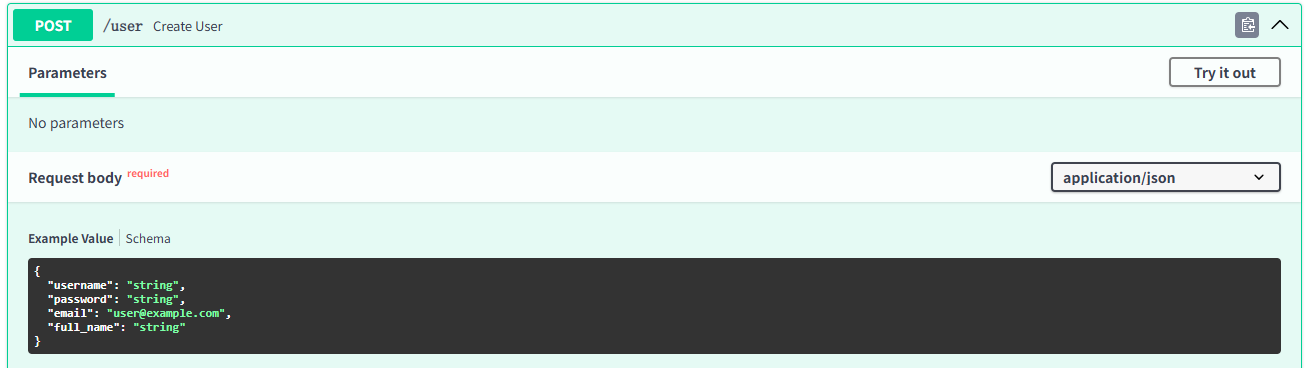
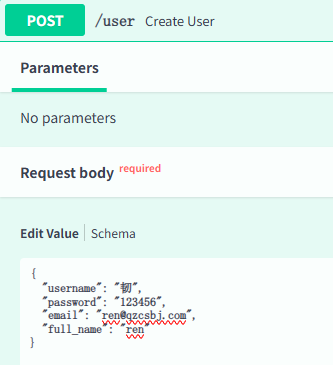
请求数据
响应
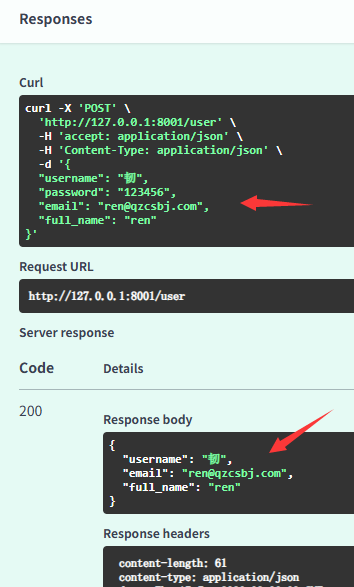
过滤response_model中的字段
示例
from typing import List

import uvicorn
from fastapi import FastAPI
from pydantic import BaseModel

app = FastAPI()


class Item(BaseModel):
    name: str
    description: str | None = None
    price: float
    tax: float = 12.5
    tags: List[str] = []


# 模拟数据库数据
items = {
    "foo": {"name": "Foo", "price": 50.2},
    "bar": {"name": "Bar", "description": "bar-description", "price": 100, "tax": 25.5},
    "baz": {"name": "Baz", "description": None, "price": 50.2, "tax": 10.5, "tags": []},
}


@app.get("/items/{item_id}", response_model=Item)
async def read_item(item_id: str):
    return items[item_id]


if __name__ == '__main__':
    uvicorn.run("response_model:app", port=8001, reload=True)
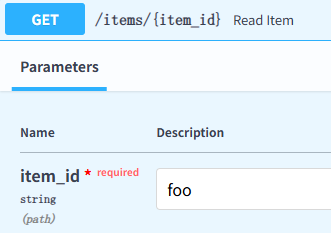
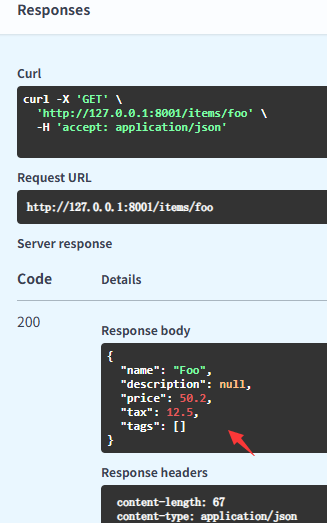
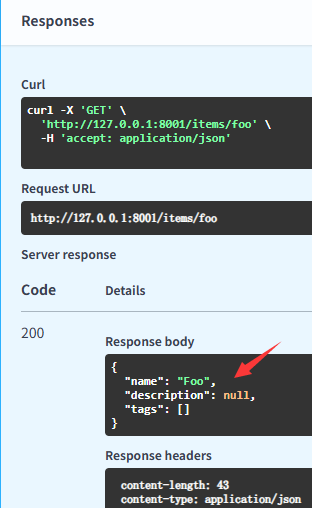
没传的值展示默认值
接口文档
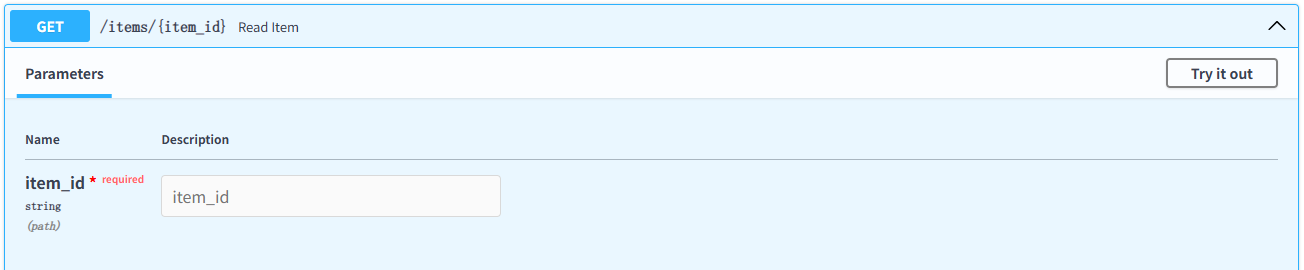
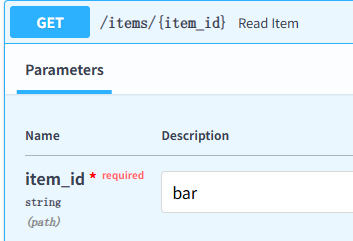
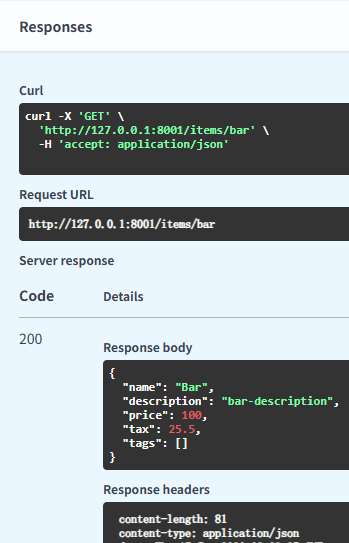
传了的值不会展示默认值
请求数据
响应,没传的值展示默认值
请求数据
响应,传了的值不会展示默认值
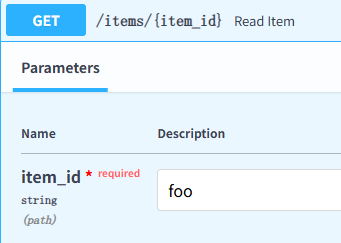
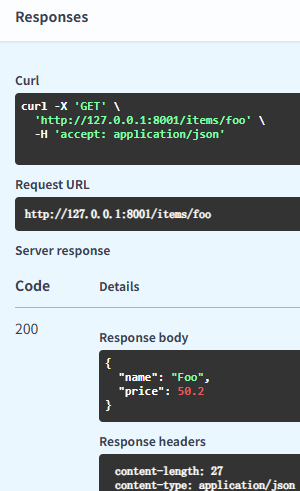
response_model_exclude_unset:仅返回显式设定的值
示例
@app.get("/items/{item_id}", response_model=Item, response_model_exclude_unset=True)
async def read_item(item_id: str):
    return items[item_id]
请求数据
响应
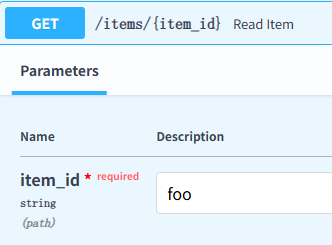
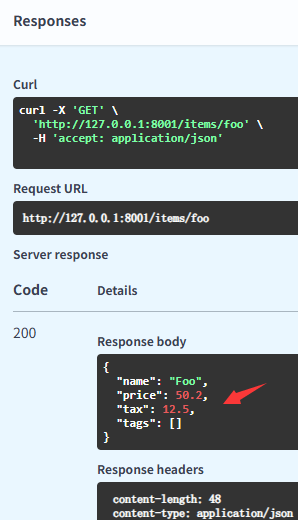
response_model_exclude_none:不返回是None的字段
示例
@app.get("/items/{item_id}", response_model=Item, response_model_exclude_none=True)
async def read_item(item_id: str):
    return items[item_id]
请求数据
响应
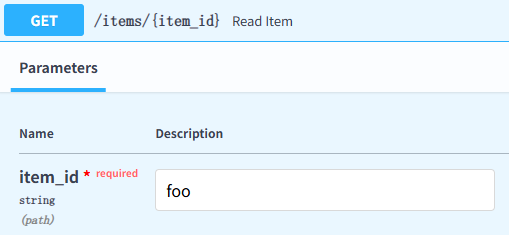
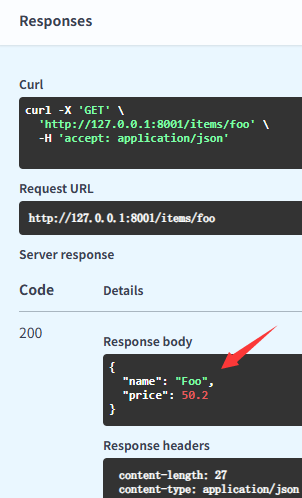
response_model_exclude_defaults:不返回是默认值的字段
示例
@app.get("/items/{item_id}", response_model=Item, response_model_exclude_defaults=True)
async def read_item(item_id: str):
    return items[item_id]
请求数据
响应
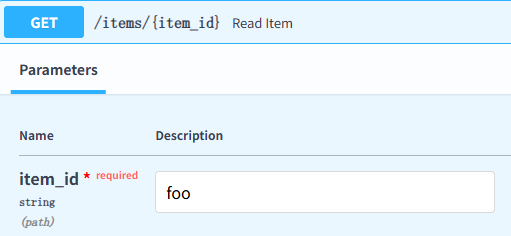
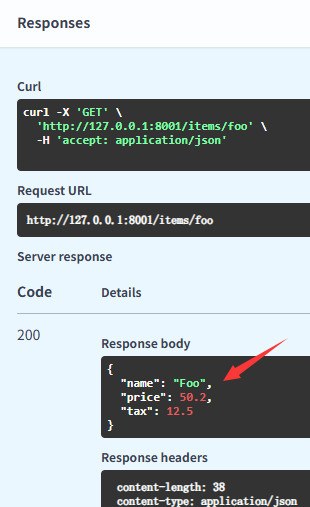
response_model_include:返回指定的字段
示例
@app.get("/items/{item_id}", response_model=Item, response_model_include={"name", "price", "tax"})
async def read_item(item_id: str):
    return items[item_id]
请求数据
响应
response_model_exclude:不返回指定的字段
示例
@app.get("/items/{item_id}", response_model=Item, response_model_exclude={"price", "tax"})
async def read_item(item_id: str):
    return items[item_id]
请求数据
响应
__EOF__

本文作者:持之以恒(韧)
关于博主:擅长性能、全链路、自动化、企业级自动化持续集成(DevTestOps)、测开等
面试必备:项目实战(性能、自动化)、简历笔试,https://www.cnblogs.com/uncleyong/p/15777706.html
测试提升:从测试小白到高级测试修炼之路,https://www.cnblogs.com/uncleyong/p/10530261.html
欢迎分享:如果您觉得文章对您有帮助,欢迎转载、分享,也可以点击文章右下角【推荐】一下!
关于博主:擅长性能、全链路、自动化、企业级自动化持续集成(DevTestOps)、测开等
面试必备:项目实战(性能、自动化)、简历笔试,https://www.cnblogs.com/uncleyong/p/15777706.html
测试提升:从测试小白到高级测试修炼之路,https://www.cnblogs.com/uncleyong/p/10530261.html
欢迎分享:如果您觉得文章对您有帮助,欢迎转载、分享,也可以点击文章右下角【推荐】一下!

 浙公网安备 33010602011771号