|
|
| |
|
UML Diagram Component / Drawing C++ Source Code Solution from ucancode
 Download Prebuild Eval Kit of UML Sample Download Prebuild Eval Kit of UML Sample
Diagrams are a natural and intuitive way of expressing relationships in your application data. E-Form++ Components make it easy to add expressive, interactive UML diagrams to your application. UCanCode's E-Form++ Diagram Component is the most comprehensive set of tools, components and libraries for creating graphical editing, visualization, supervision and monitoring tools for the VC++ / .NET platform. Both diagrams—displays used to show the relationships between objects and UML drawing and layout can be easily created.
For Building UML diagram drawing like application, it's very hard to build the GUI interface, this will take you much long time, it's recommended to use a special UML modeling tool ( UML design tool ) Component.
E-Form++ Enterprise Edition Suite is a 100% C++ based diagram Component, it's UML Diagram Solution contains almost all the features of building a high-quality UML Application, as a UML modeling tool component, it helps you to quickly and easily build any kind of applications that has all varieties of UML diagrams. UML design tool Component- E-Form++ Enterprise Edition includes full source codes and features for UML design, UML diagram samples, reference guide to UML modeling.
With E-Form++ Enterprise Edition Suite, it has almost all the features of Microsoft' Visio on UML Part:
-
Over 20 kinds of links that will help you create any kind of UML Links quickly and easily. -
Over 30 kinds of arrows, by override a few virtual methods, you can create any kind of new arrow styles. -
With shapedesigner application, you can use over 100 kinds of basic shapes to create very complex UML Diagram Shapes. -
The size of canvas can be created freely. -
Advanced print and print preview supports, you don't need take any time on print and print preview. -
Export to bitmap file or jpeg file supports. -
Create new class shape by open a .H source code file. -
Panning and zooming. -
Full tested on all windows platform includes windows vista. -
Supports Visual Studio 6.0, Visual Studio.NET 2003, Visual Studio.NET 2005, Visual Studio.NET 2008 -
Ships with full documents and 100% source codes.
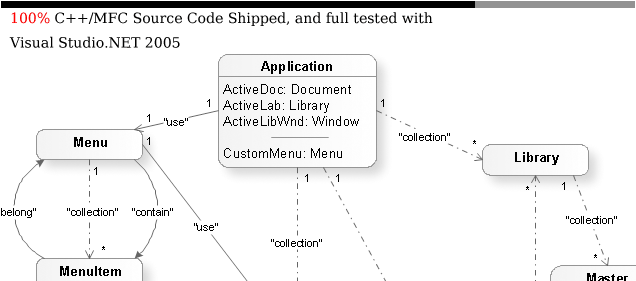
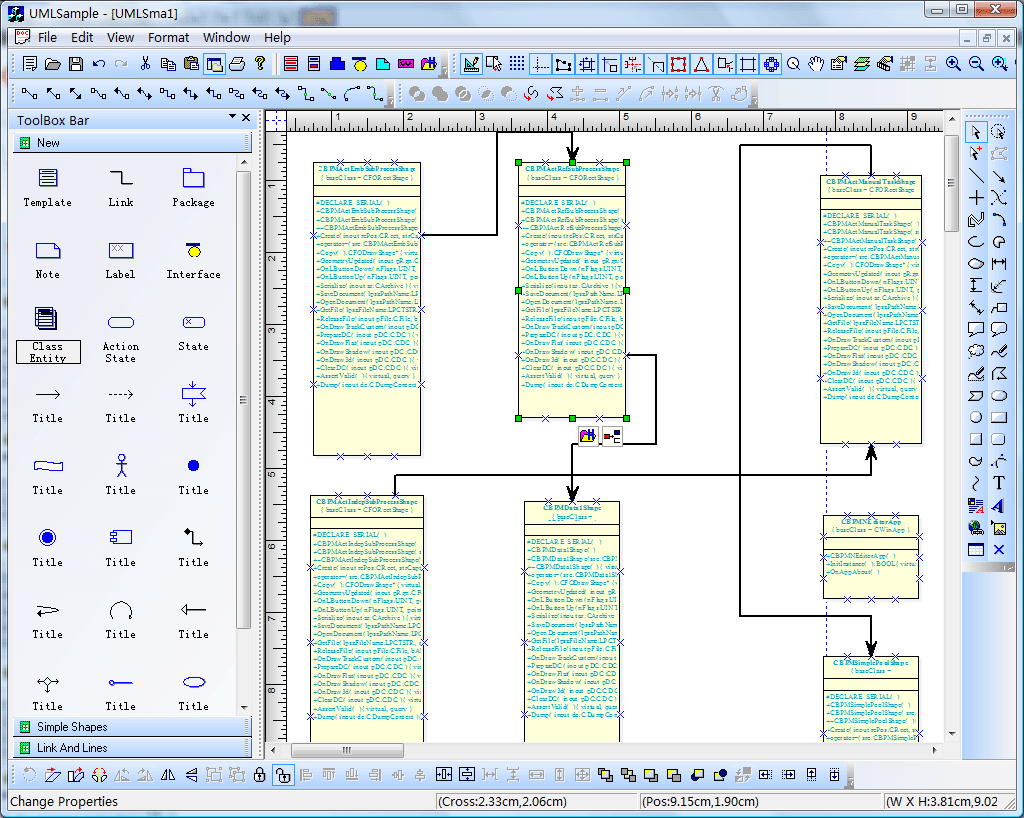
All the source codes of the following screen shots will be shipped with full edition of E-Form++ Enterprise Edition Suite:
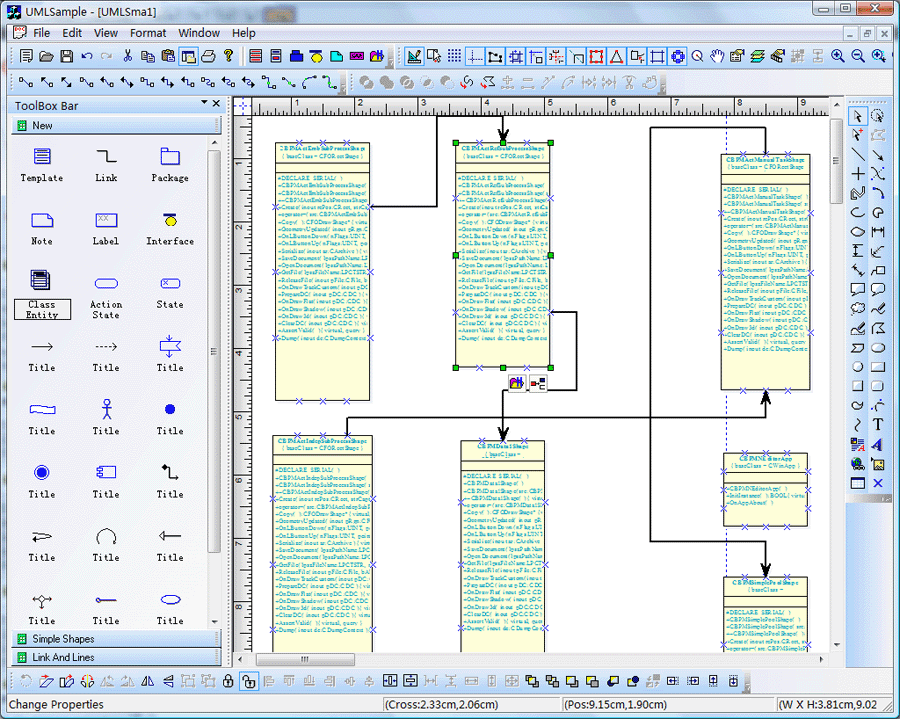
"Diagramming business logic when developing a custom application is a time-consuming, tedious—and necessary—process. With E-Form++ Diagramming Source Code Kit, you can spend more time focusing on the finer points of your customer's business and less time worrying about making the business process diagram look good. " | |
E-Form++可视化图形组件库集成了UCanCode所有技术的最好的源代码组件库,并提供更加灵活的界面控制以及图形操作能力,为开发排版、地理信息系统以及其他高性能的软件提供了一套完善的解决方案。 此版本是目前UCanCode产品中最大、最全、功能最强、最畅销的版本。是开发高性能的企业级应用系统的首选。
 |
100% VC++设计,并提供所有的源代码,毫无保留。
|
|
超过30万行有效代码,以及超过300个C++扩展类。
|
|
自动代码产生程序以及完整的开发文档,帮助您快速构建各种基于Form++的应用。
d |
|
提供开发高级应用系统的完善的可扩展的界面控制功能。
d |
|
提供一行代码修改属性并支持Undo/Redo功能。
d |
|
用户可根据自己的需要对画布、组件、操作等各种操作进行自定义。
d |
|
同时支持单页面或者多页面应用程序。
d |
|
对组件进行布局、间隔、顺序编排。
d |
|
打印、打印预览以及输出到图象。
d |
|
更加强大的用户操作界面。
d |
|
支持将EditBox,CheckBox,RadioBox,ComboBox等Windows倥件直接拖入画布,并完成数据录入功能,此外系统的灵活架构允许您将任何标准Windows控件放入画布。
d |
|
绘制直线、标注线、曲线、矩形、椭圆、添加文本、以及图片等。
d |
|
提供超过40个各种开发示例程序。
d |
|
多种图像文件格式支持(包括:JPG,GIF,TGA,PNG,PCX等)。
d |
|
多图层支持。
d |
|
辅助线同辅助控制点
d |
|
图形与图形之间的各种运算等。 |
全部超过50万行精心设计并严格测试的源代码提供无任何保留!
提供超过400个C++扩展类,50万行有效VC++/MFC源代码,70多个示例或者解决方案源代码,完整的而细致的用户在线帮助系统和文档,精心设计的辅助开发工具!
强大,灵活和易于使用的可视化图型源码库。
功能强大,灵活地创建各种各样的满足您的需求的图表。产品设计规范,很容易使用,在短短的几天就能根据您的需求设计出产品。 我们提供完整的支持产品下载试用。
功能丰富。
超多功能,如自动布局,多层次,可折叠子图,单元连接点中,XML,DXF, SHP, SVG等等,能够协助您快速灵活的创建复杂的图表。支持大量事件:如单击,双击,悬停,选择,橡皮筋选择,复制,删除,调整大小和移动的支持。支持最复杂的操作:如拖和拖放,无限次的撤销/重做和剪贴板操作等等。
节省时间和金钱,获得可靠性。
一张图胜过千言万语,E-Form++提供超过50万行精心设计和良好测试的C++源代码!开发耗时十年,全球上千家客户验证,能够为您节省大量的开发时间和金钱!
现在就来试试!
不要光听我们的说, 试试吧! 我们的免费试用版包括所有你需要你的应用程序原型。免费技术支持。
 产品中心 产品中心
 下载此解决方案 下载此解决方案
|




 浙公网安备 33010602011771号