
css设计指南-笔记4
围住浮动元素的三种方法
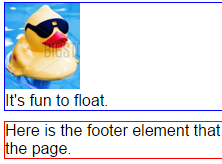
如下例(效果图在底面)

It's fun to float.
1. 为父元素添加overflow:hidden
section {overflow:hidden;}
img {float:left;}
//此处的overflow:hidden强迫父元素包含浮动的元素
2. 同时浮动父元素
section {float:left; width:100%;} //width:100%使section与浏览器容器同宽
img {float:left;}
footer {clear:both;}
3. 添加非浮动的清除元素
在父元素内容的末尾添加非浮动元素
可以直接在标记中添加,也可以通过给父元素添加类来添加
//section结束标签前加
img {float:left;}
.div1 {clear:left;}
//给section添加一个clearfix类
.clearfix::after {
content: "";
height: 0;
visibility: hidden;
display: block;
clear: both;
}


 浙公网安备 33010602011771号