
mac环境变量配置
https://blog.csdn.net/weixin_42148729/article/details/115056646
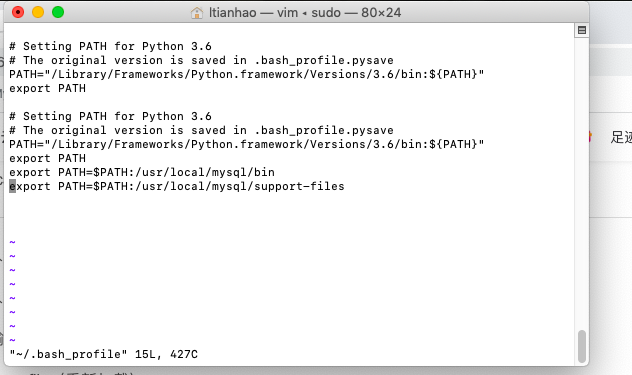
2、配置MySQL环境变量
意思就是在/usr/local/mysql/bin/里把mysql添加到环境变量
(1)打开终端,输入:sudo vim ~/.bash_profile(执行root权限,当前用户的根目录下的.bash_profile)
(2)然后在里面输入:export PATH=$PATH:/usr/local/mysql/bin
(3)按ESC,然后输入::wq
(4)source ~/.bash_profile(重新加载)
(5)控制台输入mysql --version,查看版本号就成功了
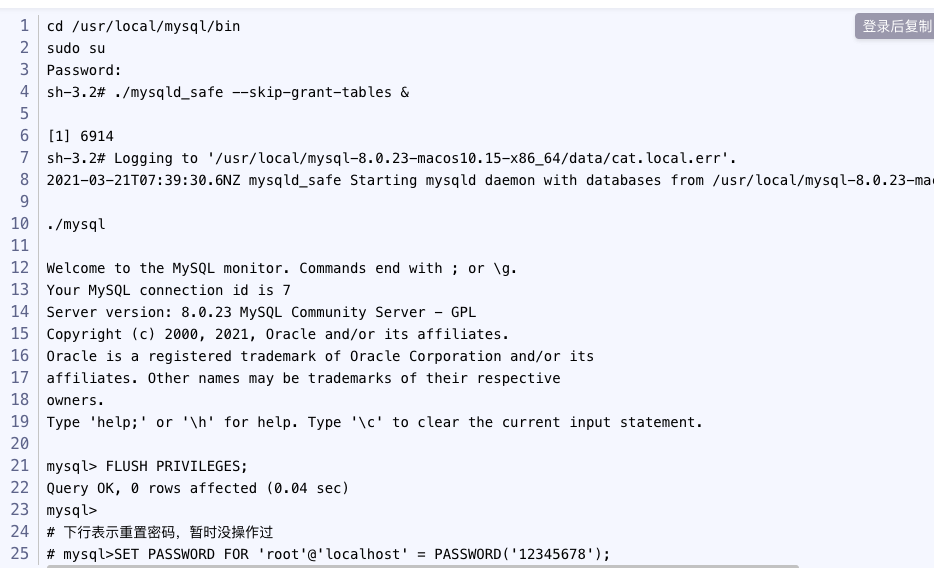
cd /usr/local/mysql/bin
sudo su
Password:
sh-3.2#./mysqld_safe --skip-grant-tables &
[1】 6914
sh-3.2# Logging to'/usr/local/mysql-8.0.23-macos10.15-x86_64/data/cat.local.err'.
2021-03-21T07:39:30.6NZ mysqld_safe Starting mysqld daemon with databases from /usr/local/mysql-8.0.23
./mysql
Welcome to the MySQL monitor. Commands end with ; or \g.
Your MySQL connection id is 7
Server version: 8.0.23 MySQL Community Server - GPL
Copyright (c) 2000, 2021, Oracle and/or its affiliates.
Oracle is a registered trademark of Oracle Corporation and/or its
affiliates. 0ther names may be trademarks of their respective
owners.
Type 'help;' or '\h'for help. Type '\c' to clear the current input statement.
mysql> FLUSH PRIVILEGES;
Query OK, 0 rows affected (0.04 sec)
mysql>
#下行表示重置密码,暂时没操作过
# mysql>SET PASSWORD FOR 'root'@'localhost'= PASSWORD('12345678');

 浙公网安备 33010602011771号