
luffy项目前端
# 1.创建项目
# 1 vue.create luffy.city
# 2 删除一些不用的
	app.vue中只保留
	<template>
		<div id="app">

		<router-view/>
		</div>
	</template>
# HomeView.vue
	<template>
		  <div class="home">
			<h1>首页</h1>
		  </div>
		</template>

	<script>

		export default {
		  name: 'HomeView',

		}
	</script>

# router/index.js

	const routes = [
	  {
		path: '/',
		name: 'home',
		component: HomeView
	  },

]
2.安装axios
# 1.安装 cnpm install axios
# 2.main.js中配置
	//1.axios配置,配置完在组件中使用直接this.$axios即可
	import axios from 'axios'
	Vue.prototype.$axios = axios
# 3.使用this.$axios.get()
3.引入element-ui
//vue2使用elementui
//安装 cnpm install element-ui -S
//2.element-ui配置
	import ElementUI from 'element-ui'
	import 'element-ui/lib/theme-chalk/index.css'
	Vue.use(ElementUI)
//3.使用-->在任意组件中复制粘贴(template,script,style)

//vue3使用element-plus
4.引入vue-cookies
// 1.安装 cnpm install vue-cookies -S
// 2.配置main.js
	//vue-cookies配置
	import cookies from 'vue-cookies'
	Vue.prototype.$cookies = cookies
// 3使用this.$cookies.set()
5.前台全局样式和js配置
# body div 默认样式,统一去掉
# 写一个,应用到项目中


# 后端接口的地址,统一写,以后统一改
global.css
/* 声明全局样式和项目的初始化样式 */
body, h1, h2, h3, h4, h5, h6, p, table, tr, td, ul, li, a, form, input, select, option, textarea {
    margin: 0;
    padding: 0;
    font-size: 15px;
}

a {
    text-decoration: none;
    color: #333;
}

ul {
    list-style: none;
}

table {
    border-collapse: collapse; /* 合并边框 */
}


使用main.sj
//5.去掉所有标签样式
import '@/assets/css/global.css'
settings文件
将路径配置成全局配置创建settings文件
export default {
    BASE_URL:'http://127.0.0.1:8000/api/v1/'
}

使用
//6.导入全局配置
import settings from "@/assets/js/settings";
Vue.prototype.$settings = settings
6.引入jquery和bootstrap
下载---> cnpm install jquery
	cnpm install bootstrap@3
使用
import 'bootstrap'
import 'bootstrap/dist/css/bootstrap.min.css'
由于会冲突需要在config.js中配置
const webpack = require("webpack");

module.exports = {
    configureWebpack: {
        plugins: [
            new webpack.ProvidePlugin({
                $: "jquery",
                jQuery: "jquery",
                "window.jQuery": "jquery",
                "window.$": "jquery",
                Popper: ["popper.js", "default"]
            })
        ]
    }
};
7.编写前端组件
views.HomeView.vue页面组件
<template>
  <div class="home">

    <Header></Header>
    <Banner></Banner>
    <div class="course">
      <el-row>
        <el-col :span="6" v-for="(o, index) in 8" :key="o" class="course_detail">
          <el-card :body-style="{ padding: '0px' }">
            <img src=" https://img1.baidu.com/it/u=2806336810 ,4108315549&fm=253&fmt=auto&app=138&f=JPEG?w=500&h=666"
                 class="image">
            <div style="padding: 14px;">
              <span>好看的美女</span>
              <div class="bottom clearfix">
                <time class="time">价格999</time>
                <el-button type="text" class="button">查看美女联系</el-button>
              </div>
            </div>
          </el-card>
        </el-col>
      </el-row>
    </div>
    <div ><img src=" https://img0.baidu.com/it/u=2527001186 ,1884851821&fm=253&fmt=auto&app=138&f=JPG?w=1295&h=500" alt=""
              style="padding-left: 28px"></div>
    <Footer></Footer>


  </div>
</template>

<script>
import Header from '@/components/Header'
import Banner from '@/components/Banner'
import Footer from '@/components/Footer'

export default {
  name: 'HomeView',
  data() {
    return{}
  },
  components: {
    Header, Banner, Footer
  }
}
</script>

<style scoped>
.time {
  font-size: 13px;
  color: #999;
}

.course_detail {
  padding: 50px;
}

.bottom {
  margin-top: 13px;
  line-height: 12px;
}

.button {
  padding: 0;
  float: right;
}

.image {
  width: 100%;
  display: block;
}

.clearfix:before,
.clearfix:after {
  display: table;
  content: "";
}

.clearfix:after {
  clear: both
}
</style>
局部组件
components.Bannser.vue 首页轮播图与后端数据接通
<template>
    <div class="banner">
      <el-carousel :interval="5000" arrow="always" height="400px">
        <el-carousel-item v-for="item in bannerList" :key="item.title">
          <div v-if="item.image.indexOf('http')==-1">
            <router-link :to="item.link"><img :src="item.image" alt=""></router-link>
          </div>
          <div v-else>
            <a :href="item.link"><img :src="item.image" alt=""></a>
          </div>

        </el-carousel-item>
      </el-carousel>

    </div>

  </template>

  <script>
  export default {
    name: "Banner",
    data() {
      return {
        bannerList: []
      }
    },
    created() {
      this.$axios.get(this.$settings.BASE_URL + 'home/banner/').then(res => {
        this.bannerList = res.data.result
        console.log(this.bannerList)
      })
    }
  }
  </script>

  <style scoped>
  .el-carousel__item {
    height: 400px;
    min-width: 1200px;
  }

  .el-carousel__item img {
    height: 400px;
    margin-left: calc(50% - 1920px / 2);
  }

  .el-carousel__item h3 {
    color: #475669;
    font-size: 18px;
    opacity: 0.75;
    line-height: 300px;
    margin: 0;
  }

  .el-carousel__item:nth-child(2n) {
    background-color: #99a9bf;
  }

  .el-carousel__item:nth-child(2n+1) {
    background-color: #d3dce6;
  }
  </style>
components.header.vue
<template>
  <div class="header">
    <div class="slogan">
      <p>老男孩IT教育 | 帮助有志向的年轻人通过努力学习获得体面的工作和生活</p>
    </div>
    <div class="nav">
      <ul class="left-part">
        <li class="logo">
          <router-link to="/">
            <img src="../assets/img/luffy_city.jpg" alt="" style="width: 48px;height:48px">
          </router-link>
        </li>
        <li class="ele">
          <span @click="goPage('/free-course')" :class="{active: url_path === '/free-course'}">免费课</span>
        </li>
        <li class="ele">
          <span @click="goPage('/actual-course')" :class="{ active: url_path === '/actual-course' }">实战课</span>
        </li>
        <li class="ele">
          <span @click="goPage('/light-course')" :class="{ active: url_path === '/light-course' }">轻课</span>
        </li>
      </ul>

      <div class="right-part">
        <div v-if="!username">
          <span @click="put_login">登录</span>
          <span class="line">|</span>
          <span @click="put_register">注册</span>
        </div>
        <div v-else>
          <span><img :src="this.$cookies.get('icon') " alt="" style="width: 48px;height:48px;margin: 10px;" @click="goicon"></span>
          <span>{{username}}</span>
          <span class="line">|</span>
          <span @click="logout">注销</span>
        </div>
        <Login v-if="is_login" @close="close_login" @go="put_register"></Login>
        <Register v-if="is_register" @close="close_register" @go="put_login"></Register>
        <Icon v-if="is_icon" @close="close_icon"></Icon>
      </div>
    </div>
  </div>

</template>

<script>
import Login from '@/components/Login.vue'
import Register from '@/components/Register.vue'
import Icon from '@/components/Icon.vue'
export default {
  name: "Header",
  data() {
    return {
      url_path: sessionStorage.url_path || '/',
      is_login: false,
      is_register: false,
      is_icon:false,
      username:'',

    }
  },
  methods: {

    goPage(url_path) {
      // 已经是当前路由就没有必要重新跳转
      if (this.url_path !== url_path) {
        // 传入的参数,如果不等于当前路径,就跳转
        this.$router.push(url_path)
      }
      sessionStorage.url_path = url_path;
    },
    //跳转登陆关闭注册
    put_login() {
      this.is_login = true;
      this.is_register = false;
    },
    //跳转注册关闭登陆
    put_register() {
      this.is_login = false;
      this.is_register = true;
    },
    //关闭登陆
    close_login() {
      this.is_login = false;
      this.username=this.$cookies.get('username')

    },
    //关闭注册
    close_register() {
      this.is_register = false;
    },
    //注销功能 删除本地cookies和将用户名置空即可
    logout(){
      this.$cookies.remove('username')
      this.$cookies.remove('token')
      this.$cookies.remove('icon')
      this.username=''
    },
    //打开头像框查看
    goicon(){this.is_icon = true;},
    close_icon(){this.is_icon = !this.is_icon}

  }, components: { Login, Register ,Icon}
  ,
  created() {
    sessionStorage.url_path = this.$route.path
    this.url_path = this.$route.path
    //取出cookies中的username提供给组件判断是否有值有值显示用户名和注销
    this.username=this.$cookies.get('username')
  }
}
</script>

<style scoped>
.header {
  background-color: white;
  box-shadow: 0 0 5px 0 #aaa;
}

.header:after {
  content: "";
  display: block;
  clear: both;
}

.slogan {
  background-color: #eee;
  height: 40px;
}

.slogan p {
  width: 1200px;
  margin: 0 auto;
  color: #aaa;
  font-size: 13px;
  line-height: 40px;
}

.nav {
  background-color: white;
  user-select: none;
  width: 1200px;
  margin: 0 auto;

}

.nav ul {
  padding: 15px 0;
  float: left;
}

.nav ul:after {
  clear: both;
  content: '';
  display: block;
}

.nav ul li {
  float: left;
}

.logo {
  margin-right: 20px;

}

.ele {
  margin: 0 20px;
}

.ele span {
  display: block;
  font: 15px/36px '微软雅黑';
  border-bottom: 2px solid transparent;
  cursor: pointer;
}

.ele span:hover {
  border-bottom-color: orange;
}

.ele span.active {
  color: orange;
  border-bottom-color: orange;
}

.right-part {
  float: right;
}

.right-part .line {
  margin: 0 10px;
}

.right-part span {
  line-height: 68px;
  cursor: pointer;
}
</style>
首页中间样式的添加
使用element组件使用element组件
<template>
  <div class="home">
    <Header></Header>
    <Banner></Banner>
    <div class="course">
      <el-row>
        <el-col :span="6" v-for="(o, index) in 8" :key="o" class="course_detail">
          <el-card :body-style="{ padding: '0px' }">
            <img src=" https://img1.baidu.com/it/u=2806336810 ,4108315549&fm=253&fmt=auto&app=138&f=JPEG?w=500&h=666"
                 class="image">
            <div style="padding: 14px;">
              <span>好看的美女</span>
              <div class="bottom clearfix">
                <time class="time">价格999</time>
                <el-button type="text" class="button">查看美女联系</el-button>
              </div>
            </div>
          </el-card>
        </el-col>
      </el-row>
    </div>
    <div ><img src=" https://img0.baidu.com/it/u=2527001186 ,1884851821&fm=253&fmt=auto&app=138&f=JPG?w=1295&h=500" alt=""
              style="padding-left: 28px"></div>
    <Footer></Footer>
  </div>
</template>

<script>
import Header from '@/components/Header'
import Banner from '@/components/Banner'
import Footer from '@/components/Footer'

export default {
  name: 'HomeView',
  data() {
    return {}
  },
  components: {
    Header, Banner, Footer
  }
}
</script>

<style scoped>
.time {
  font-size: 13px;
  color: #999;
}

.course_detail {
  padding: 50px;
}

.bottom {
  margin-top: 13px;
  line-height: 12px;
}

.button {
  padding: 0;
  float: right;
}

.image {
  width: 100%;
  display: block;
}

.clearfix:before,
.clearfix:after {
  display: table;
  content: "";
}

.clearfix:after {
  clear: both
}
</style>
8.登陆注册功能设计编写
# 1账号密码手机号登陆
# 2 手机验证码登陆
# 3发送手机验证码
# 4 注册手机验证码
# 5 创建登陆组件和注册功能组件
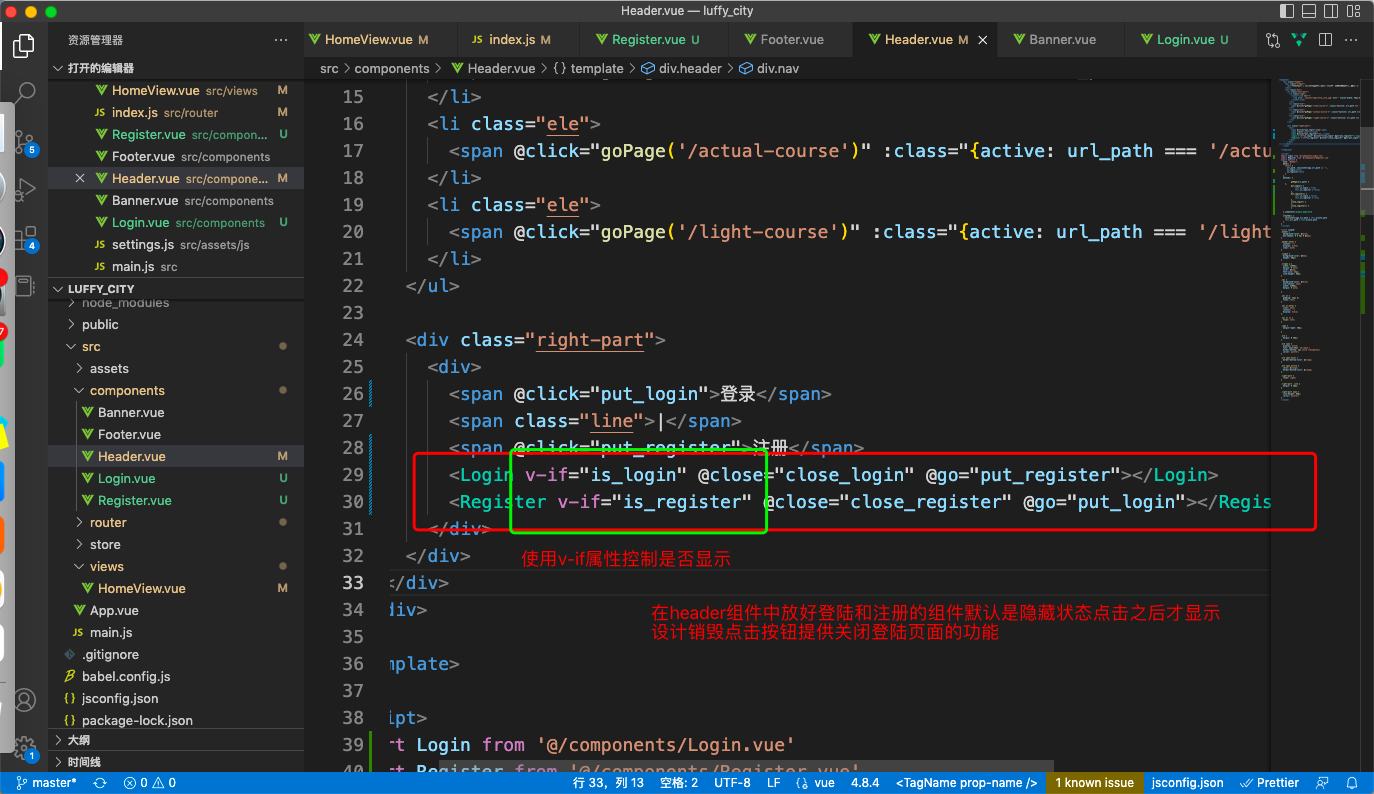
# 6 在头部组件中绑定号点击事件一点击就显示登陆和注册功能,两个只有一个会显示可以切换,两个组件都是全局的默认是不显示,点击就显示
# 7 在登陆组件中写点击事件朝后端服务器发请求
# 8 通过后端返回的数据判断是否登陆成功
components.Login.vue
<template>
    <div class="login">
        <div class="box">
            <i class="el-icon-close" @click="close_login"></i>
            <div class="content">
                <div class="nav">
                    <span :class="{ active: login_method === 'is_pwd' }"
                        @click="change_login_method('is_pwd')">密码登录</span>
                    <span :class="{ active: login_method === 'is_sms' }"
                        @click="change_login_method('is_sms')">短信登录</span>
                </div>
                <el-form v-if="login_method === 'is_pwd'">
                    <el-input placeholder="用户名/手机号/邮箱" prefix-icon="el-icon-user" v-model="username" clearable>
                    </el-input>
                    <el-input placeholder="密码" prefix-icon="el-icon-key" v-model="password" clearable show-password>
                    </el-input>
                    <el-button type="primary" @click="usernamelogin">登录</el-button>
                </el-form>
                <el-form v-if="login_method === 'is_sms'">
                    <el-input placeholder="手机号" prefix-icon="el-icon-phone-outline" v-model="mobile" clearable
                        @blur="check_mobile">
                    </el-input>
                    <el-input placeholder="验证码" prefix-icon="el-icon-chat-line-round" v-model="sms" clearable>
                        <template slot="append">
                            <span class="sms" @click="send_sms">{{ sms_interval }}</span>
                        </template>
                    </el-input>
                    <el-button type="primary" @click="mobilelogin">登录</el-button>
                </el-form>
                <div class="foot">
                    <span @click="go_register">立即注册</span>
                </div>
            </div>
        </div>
    </div>
</template>

<script>
export default {
    name: "Login",
    data() {
        return {
            username: '',
            password: '',
            mobile: '',
            sms: '',
            login_method: 'is_pwd',
            sms_interval: '获取验证码',
            is_send: false,

        }
    },
    methods: {
        close_login() {
            this.$emit('close')
        },
        go_register() {
            this.$emit('go')
        },
        change_login_method(method) {
            this.login_method = method;
        },
        check_mobile() {
            if (!this.mobile) return;
            if (!this.mobile.match(/^1[3-9][0-9]{9}$/)) {
                this.$message({
                    message: '手机号有误',
                    type: 'warning',
                    duration: 1000,
                    onClose: () => {
                        this.mobile = '';
                    }
                });
                return false;
            }
            this.is_send = true;
        },
        send_sms() {

            if (!this.is_send) return;
            this.is_send = false;
            let sms_interval_time = 60;
            this.sms_interval = "发送中...";
            this.$axios.post('http://127.0.0.1:8000/api/v1/user/user/send_sms/', { mobile: this.mobile }).then(response => {
                console.log(response.data)
                if (response.data.code !== 100) { this.$message.warning(response.data.msg) }
            })
            let timer = setInterval(() => {
                if (sms_interval_time <= 1) {
                    clearInterval(timer);
                    this.sms_interval = "获取验证码";
                    this.is_send = true; // 重新回复点击发送功能的条件
                } else {
                    sms_interval_time -= 1;
                    this.sms_interval = `${sms_interval_time}秒后再发`;
                }
            }, 1000);
        }

        ,
        //用户密码登陆功能
        usernamelogin() {
            //用户名或密码为空弹警告信息并结束函数
            if (!this.username | !this.password) {
                this.$message.warning('用户名和密码不能为空')
                return
            }
            //发送登陆请求
            this.$axios.post('http://127.0.0.1:8000/api/v1/user/user/login/', { username: this.username, password: this.password }).then(response => {

                if (response.data.code == 100) {
                    //登陆成功将用户头像token存到本地
                    //销毁登陆组件
                    console.log(response.data)
                    this.$cookies.set('token', response.data.token)
                    this.$cookies.set('icon', response.data.icon)
                    this.$cookies.set('username', response.data.username)
                    this.$emit('close')
                } else {
                    this.$message.error(response.data.msg)
                }

            })
        },
        //手机验证码登陆功
        mobilelogin() {
            if (!this.mobile && !this.sms) {
                this.$message.error('手机号和验证码不能为空')
                return
            }


            this.$axios.post('http://127.0.0.1:8000/api/v1/user/user/mobile_login/', { mobile: this.mobile, code: this.sms }).then(response => {

                if (response.data.code == 100) {
                    //登陆成功将用户头像token存到本地
                    //销毁登陆组件
                    console.log(response.data)
                    this.$cookies.set('token', response.data.token)
                    this.$cookies.set('icon', response.data.icon)
                    this.$cookies.set('username', response.data.username)
                    this.$emit('close')
                } else {
                    this.$message.error(response.data.msg)
                }

            })
        }
    }
}
</script>

<style scoped>
.login {
    width: 100vw;
    height: 100vh;
    position: fixed;
    top: 0;
    left: 0;
    z-index: 10;
    background-color: rgba(0, 0, 0, 0.3);
}

.box {
    width: 400px;
    height: 420px;
    background-color: white;
    border-radius: 10px;
    position: relative;
    top: calc(50vh - 210px);
    left: calc(50vw - 200px);
}

.el-icon-close {
    position: absolute;
    font-weight: bold;
    font-size: 20px;
    top: 10px;
    right: 10px;
    cursor: pointer;
}

.el-icon-close:hover {
    color: darkred;
}

.content {
    position: absolute;
    top: 40px;
    width: 280px;
    left: 60px;
}

.nav {
    font-size: 20px;
    height: 38px;
    border-bottom: 2px solid darkgrey;
}

.nav>span {
    margin: 0 20px 0 35px;
    color: darkgrey;
    user-select: none;
    cursor: pointer;
    padding-bottom: 10px;
    border-bottom: 2px solid darkgrey;
}

.nav>span.active {
    color: black;
    border-bottom: 3px solid black;
    padding-bottom: 9px;
}

.el-input,
.el-button {
    margin-top: 40px;
}

.el-button {
    width: 100%;
    font-size: 18px;
}

.foot>span {
    float: right;
    margin-top: 20px;
    color: orange;
    cursor: pointer;
}

.sms {
    color: orange;
    cursor: pointer;
    display: inline-block;
    width: 70px;
    text-align: center;
    user-select: none;
}
</style>
components.Register.vue
<template>
    <div class="register">
        <div class="box">
            <i class="el-icon-close" @click="close_register"></i>
            <div class="content">
                <div class="nav">
                    <span class="active">新用户注册</span>
                </div>
                <el-form>
                    <el-input placeholder="手机号" prefix-icon="el-icon-phone-outline" v-model="mobile" clearable
                        @blur="check_mobile">
                    </el-input>
                    <el-input placeholder="密码" prefix-icon="el-icon-key" v-model="password" clearable show-password>
                    </el-input>
                    <el-input placeholder="验证码" prefix-icon="el-icon-chat-line-round" v-model="sms" clearable>
                        <template slot="append">
                            <span class="sms" @click="send_sms">{{ sms_interval }}</span>
                        </template>
                    </el-input>
                    <el-button type="primary" @click="mobileregister">注册</el-button>
                </el-form>

                <div class="foot">
                    <span @click="go_login">立即登录</span>
                </div>
            </div>
        </div>
    </div>
</template>

<script>
export default {
    name: "Register",
    data() {
        return {
            mobile: '',
            password: '',
            sms: '',
            sms_interval: '获取验证码',
            is_send: false,
        }
    },
    methods: {
        //关闭注册组件
        close_register() {
            this.$emit('close', false)
        },
        //前往登陆
        go_login() {
            this.$emit('go')
        },
        //校验手机号是否注册
        check_mobile() {
            if (!this.mobile) return;
            if (!this.mobile.match(/^1[3-9][0-9]{9}$/)) {
                this.$message({
                    message: '手机号有误',
                    type: 'warning',
                    duration: 1000,
                    onClose: () => {
                        this.mobile = '';
                    }
                });
                return false;
            }
            //判断手机号是否存在失去焦点立刻发送请求校验手机号是否存在
            this.$axios.get('http://127.0.0.1:8000/api/v1/user/user/getmobile/?mobile=' + this.mobile).then(response => {
                if (response.data.code == 100) {
                    this.$message({
                        message: '手机号已注册,请前往登陆',
                        type: 'error'
                    });
                    this.mobile = ''
                    return
                }
            })
            this.is_send = true;
        },
        // 发送短信功能
        send_sms() {
            if (!this.is_send) return;
            this.is_send = false;
            let sms_interval_time = 60;
            this.sms_interval = "发送中...";
            this.$axios.post('http://127.0.0.1:8000/api/v1/user/user/send_sms/', { mobile: this.mobile }).then(response => { if (response.data.code !== 100) { this.$message.warning(response.data.msg) } })
            let timer = setInterval(() => {
                if (sms_interval_time <= 1) {
                    clearInterval(timer);
                    this.sms_interval = "获取验证码";
                    this.is_send = true; // 重新回复点击发送功能的条件
                } else {
                    sms_interval_time -= 1;
                    this.sms_interval = `${sms_interval_time}秒后再发`;
                }
            }, 1000);
        },
        //用户注册功能
        mobileregister() {
            if (!this.mobile) {
                this.$message.error('手机号忘填了')
                return
            }
            if (!this.password) {
                this.$message.error('密码不能为空')
                return
            }
            if (!this.sms) {
                this.$message.error('验证码不能为空')
                return
            }
            this.$axios.post('http://127.0.0.1:8000/api/v1/user/user/register/', { mobile: this.mobile, password: this.password, code: this.sms }).then(response => {

                if (response.data.code == 100) {
                    this.$emit('go')//注册成功触发登陆事件直接跳转
                } else {
                    this.$message.error(response.data.msg)  //失败弹出失败提示
                }

            })

        }
    }
}
</script>

<style scoped>
.register {
    width: 100vw;
    height: 100vh;
    position: fixed;
    top: 0;
    left: 0;
    z-index: 10;
    background-color: rgba(0, 0, 0, 0.3);
}

.box {
    width: 400px;
    height: 480px;
    background-color: white;
    border-radius: 10px;
    position: relative;
    top: calc(50vh - 240px);
    left: calc(50vw - 200px);
}

.el-icon-close {
    position: absolute;
    font-weight: bold;
    font-size: 20px;
    top: 10px;
    right: 10px;
    cursor: pointer;
}

.el-icon-close:hover {
    color: darkred;
}

.content {
    position: absolute;
    top: 40px;
    width: 280px;
    left: 60px;
}

.nav {
    font-size: 20px;
    height: 38px;
    border-bottom: 2px solid darkgrey;
}

.nav>span {
    margin-left: 90px;
    color: darkgrey;
    user-select: none;
    cursor: pointer;
    padding-bottom: 10px;
    border-bottom: 2px solid darkgrey;
}

.nav>span.active {
    color: black;
    border-bottom: 3px solid black;
    padding-bottom: 9px;
}

.el-input,
.el-button {
    margin-top: 40px;
}

.el-button {
    width: 100%;
    font-size: 18px;
}

.foot>span {
    float: right;
    margin-top: 20px;
    color: orange;
    cursor: pointer;
}

.sms {
    color: orange;
    cursor: pointer;
    display: inline-block;
    width: 70px;
    text-align: center;
    user-select: none;
}
</style>
components.icom.vue
<template>
    <div class="login">
        <div class="box">
            <i class="el-icon-close" @click="close_icon"></i>
            <img class="img" :src="this.$cookies.get('icon')" alt="">

        </div>
    </div>
</template>

<script>
export default {
    name: "Icon",
    methods: {
        close_icon() {
            this.$emit('close')
        },
    }
}
</script>

<style scoped>
.login {
    width: 100vw;
    height: 100vh;
    position: fixed;
    top: 0;
    left: 0;
    z-index: 10;
    background-color: rgba(0, 0, 0, 0.3);
}

.box {
    width: 400px;
    height: 420px;
    background-color: white;
    border-radius: 10px;
    position: relative;
    top: calc(50vh - 210px);
    left: calc(50vw - 200px);
}
.el-icon-close {
    position: absolute;
    font-weight: bold;
    font-size: 20px;
    top: 10px;
    right: 10px;
    cursor: pointer;
    color:rgb(#888888);
}

.img {
    width: 400px;
    height: 420px;
}
</style>

 浙公网安备 33010602011771号