


WPF-Button中使用按钮图片
xaml
<Window x:Class="WpfApp8.MainWindow"
        xmlns="http://schemas.microsoft.com/winfx/2006/xaml/presentation"
        xmlns:x="http://schemas.microsoft.com/winfx/2006/xaml"
        xmlns:d="http://schemas.microsoft.com/expression/blend/2008"
        xmlns:mc="http://schemas.openxmlformats.org/markup-compatibility/2006"
        xmlns:local="clr-namespace:WpfApp8"
        mc:Ignorable="d"
        Title="MainWindow" Height="450" Width="800">
    <Grid>
        <StackPanel>
            <Button Width="100" Margin="10" Click="Button_Click">
                <Image Source="./Resources/Image01.jpeg"></Image>
            </Button>
        </StackPanel>
    </Grid>
</Window>
添加图片到项目
新建一个文件夹,命名为Resources
右键->添加->现有项->图像文件->选择一个图片
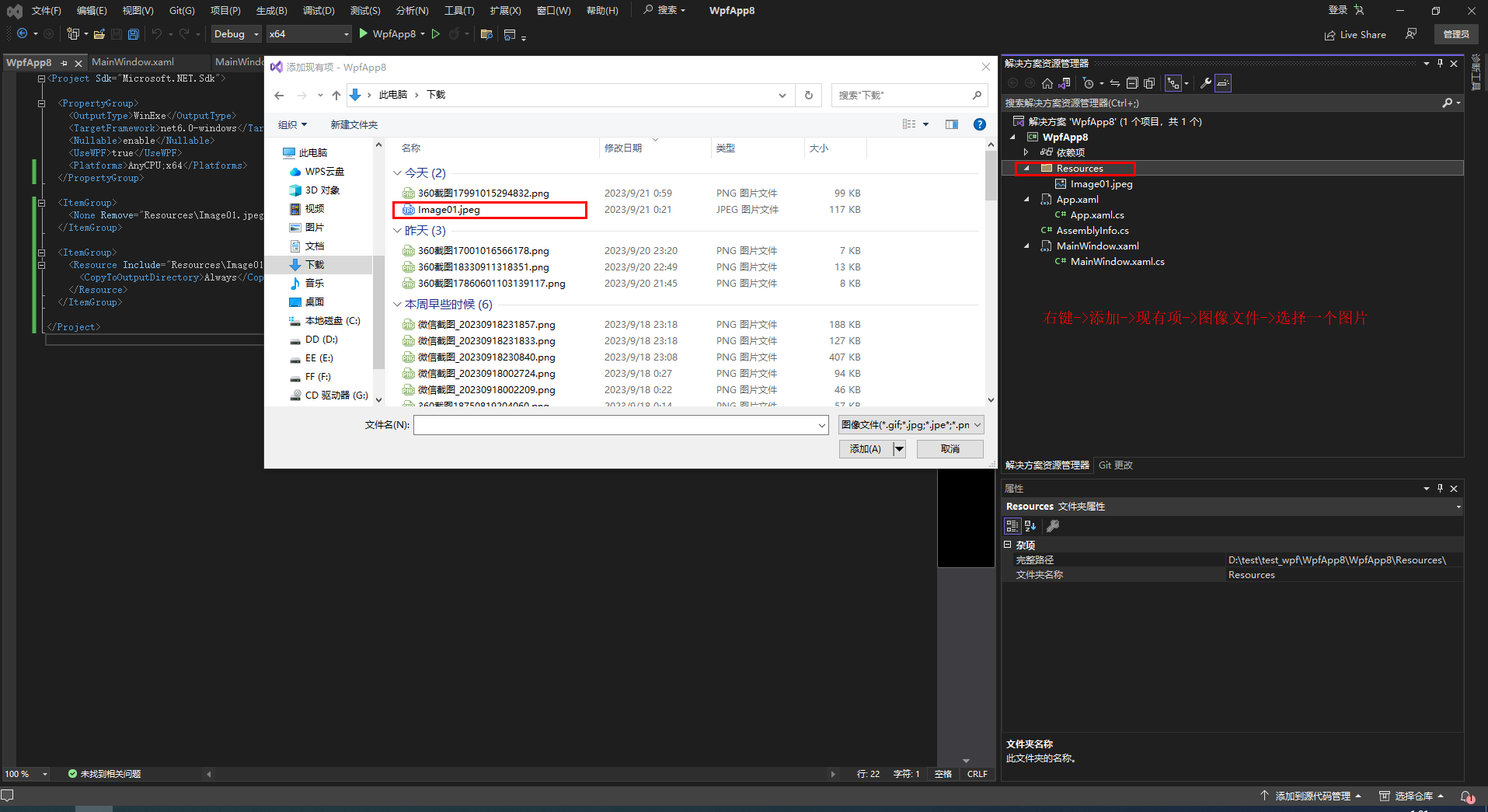
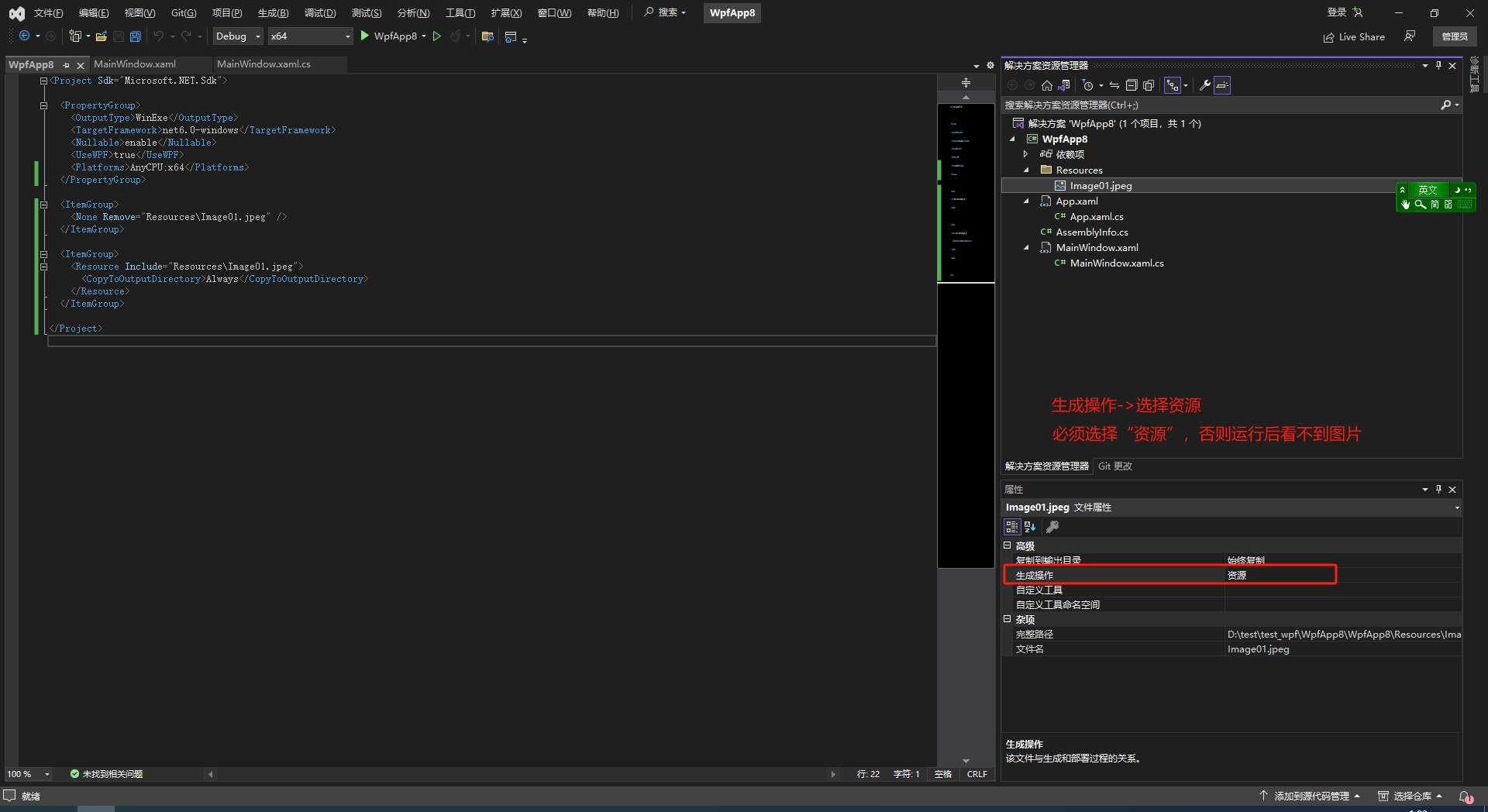
运行后看不到图片?
在图片上右键->属性->生成操作->选择“资源”,注意要重新生成“解决方案”
复制到输出目录:始终复制
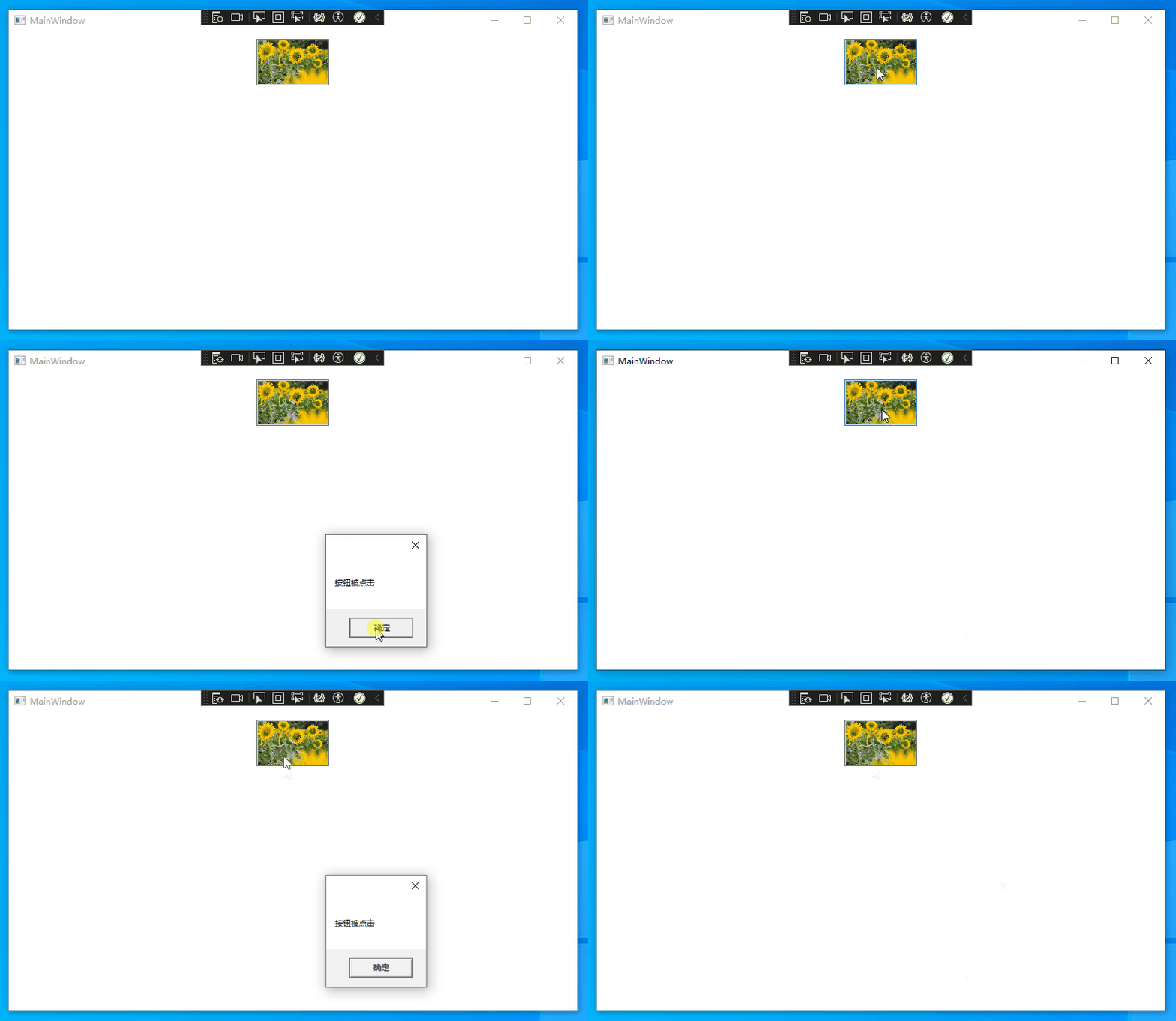
运行效果

 浙公网安备 33010602011771号