
播放图片下一张,上一张
1.启动播放窗口
private void metroButtonVideoPlayer_Click(object sender, EventArgs e)
        {
            //videoPlayerForm chartForm = new videoPlayerForm(plots, repository1);
            videoPlayerForm videoPlayerForm = new videoPlayerForm();
            videoPlayerForm.Show();
            videoPlayerForm.StartPosition = FormStartPosition.CenterParent;
        }
2.上一张下一张代码
using System;
using System.Collections.Generic;
using System.ComponentModel;
using System.Data;
using System.Drawing;
using System.IO;
using System.Linq;
using System.Text;
using System.Threading.Tasks;
using System.Timers;
using System.Windows.Forms;

namespace Winform
{
    public partial class videoPlayerForm : Form
    {
        public videoPlayerForm()
        {
            InitializeComponent();
        }
        //运行程序路径下的picture文件夹
        string picturePath = Application.StartupPath + "\\picture\\";
        string[] path = null;
        int i = 1;
        private void videoPlayerForm_Load(object sender, EventArgs e)
        {
try
{
//设置图片显示格式
this.pictureBoxImage.SizeMode = PictureBoxSizeMode.StretchImage;
//设置当前picturebox显示的图片为1.jpg
this.pictureBoxImage.Image = Image.FromFile(picturePath + "\\1.jpg");
//获取指定文件夹的所有文件的路径
path = Directory.GetFiles(@picturePath);
//计时器自动执行
timer1.Enabled = true;//获取或设置计时器正在运行
timer1.Interval = 1000 / 24; //执行间隔时间,单位为毫秒; 这里实际间隔为1/24秒
timer1.Start();//启动计时器
}
catch (Exception ex)
{
MessageBox.Show(string.Format("该路径下没有图片!{0}", ex.Message));
}
        }
        private void timer1_Tick(object sender, EventArgs e)
        {
            i++;
            if (i == path.Length)
            {
                i = 0;
            }
            pictureBoxImage.Image = Image.FromFile(path[i]);
        }


        //下一张
        private void button1_Click(object sender, EventArgs e)
        {
            i++;
            if (i == path.Length)
            {
                i = 0;
            }
            pictureBoxImage.Image = Image.FromFile(path[i]);
        }
        //上一张
        private void button2_Click(object sender, EventArgs e)
        {
            i--;
            if (i < 0)
            {
                i = path.Length - 1;
            }
            pictureBoxImage.Image = Image.FromFile(path[i]);
        }
    }
}
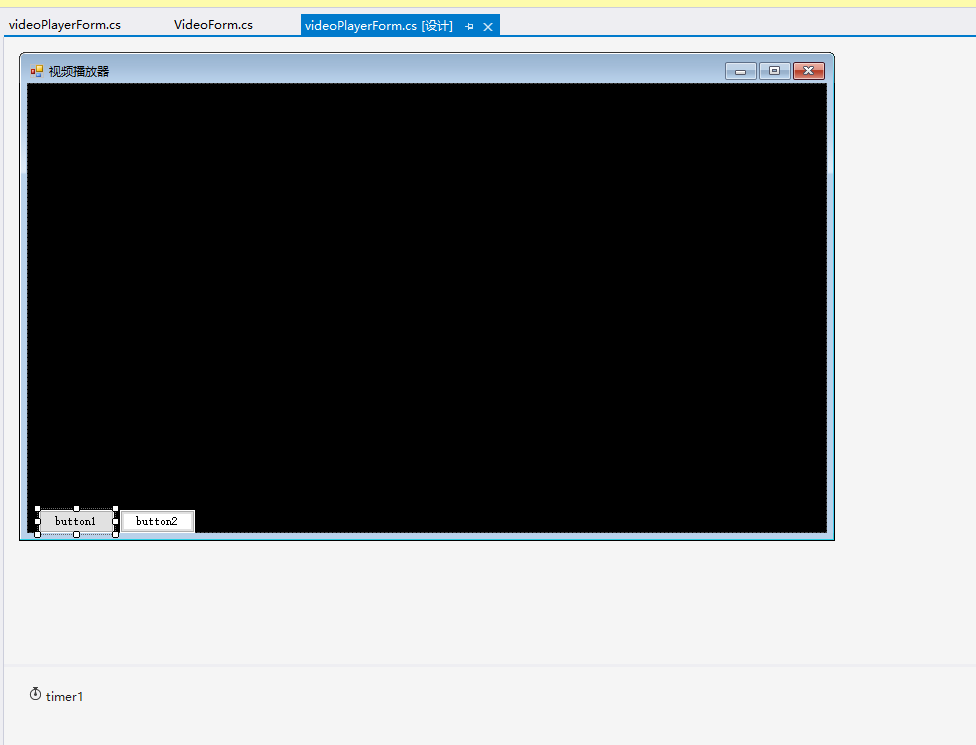
3.窗体效果
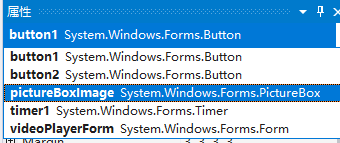
4.添加的控件

 浙公网安备 33010602011771号