
Jeecg j-ellipsis列表字段内容缩略,鼠标放上去显示全部
HTML部分:
scopedSlots: {customRender: 'situation'},
通常使用已经封装好的组件j-ellipsis
import JEllipsis from '@/components/jeecg/JEllipsis'组件带有v-model的使用方法:
<!-- 字符串超长截取省略号显示 -->
<span slot="situation" slot-scope="text">
	<j-ellipsis arrow-point-at-center :value="text" :length="20"/>
</span>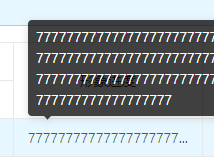
封装的HTML内容是:
<template>
  <a-tooltip placement="topLeft">
    <template slot="title">
      <span>{{value}}</span>
    </template>
    {{ value | ellipsis(length) }}
  </a-tooltip>
</template>
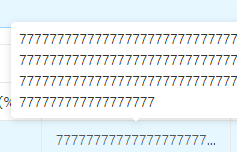
如果想要改变其颜色,可以直接把封装的HTML拿出来
<template slot="situation" slot-scope="text, record, index">
  <a-tooltip placement="top" overlayClassName="bgc_tooltip">
    <template slot="title">
    	<span>{{text}}</span>
    </template>
    {{ text | ellipsis(20) }}
  </a-tooltip>
</template>
css样式:
  .bgc_tooltip{
    .ant-tooltip-inner{
      color: #333333;
      background-color: #ffffff!important;
    }
    .ant-tooltip-arrow:before{
      background-color: #ffffff!important;
    }
  }
本文来自博客园,作者:屯庆,转载请注明原文链接:https://www.cnblogs.com/tunqing/p/15577942.html

 浙公网安备 33010602011771号