第一个SpringBoot应用程序
1. 创建POM
创建一个maven工程,pom.xml:
<?xml version="1.0" encoding="UTF-8"?>
<project xmlns="http://maven.apache.org/POM/4.0.0"
         xmlns:xsi="http://www.w3.org/2001/XMLSchema-instance"
         xsi:schemaLocation="http://maven.apache.org/POM/4.0.0 http://maven.apache.org/xsd/maven-4.0.0.xsd">
    <modelVersion>4.0.0</modelVersion>

    <groupId>com.ttpfx</groupId>
    <artifactId>sb01-helloworld</artifactId>
    <version>1.0-SNAPSHOT</version>

    <parent>
        <groupId>org.springframework.boot</groupId>
        <artifactId>spring-boot-starter-parent</artifactId>
        <version>2.5.2</version>
    </parent>

    <dependencies>
        <dependency>
            <groupId>org.springframework.boot</groupId>
            <artifactId>spring-boot-starter-web</artifactId>
        </dependency>
    </dependencies>
</project>
2. 创建主程序
package com.ttpfx.boot;

import org.springframework.boot.SpringApplication;
import org.springframework.boot.autoconfigure.SpringBootApplication;

@SpringBootApplication
public class MainApplication {
    public static void main(String[] args) {
        SpringApplication.run(MainApplication.class, args);
    }
}
3. 创建HelloController
package com.ttpfx.boot.controller;

import org.springframework.web.bind.annotation.RequestMapping;
import org.springframework.web.bind.annotation.RestController;

@RestController
public class HelloController {
    @RequestMapping("/hello")
    public String handle() {
        return "Hello SpringBoot!";
    }
}
4. 运行程序
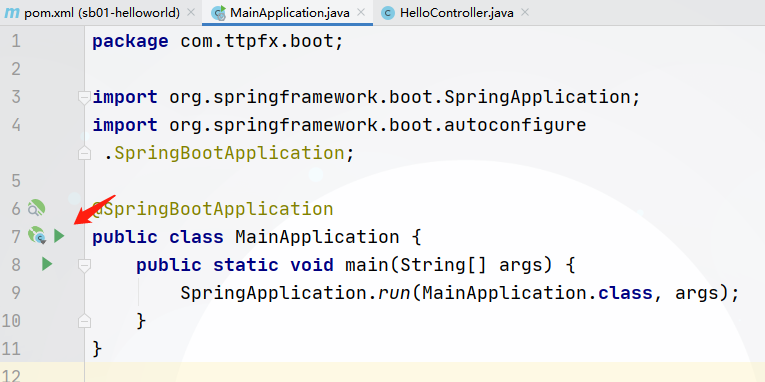
4.1 在IDEA中运行MainApplication:
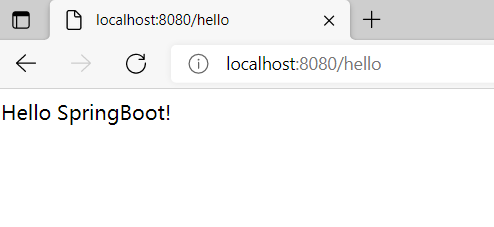
4.2 浏览器访问http://localhost:8080/hello:
5. 打成jar包
5.1 pom.xml中增加打包配置:
<build>
    <plugins>
        <plugin>
            <groupId>org.springframework.boot</groupId>
            <artifactId>spring-boot-maven-plugin</artifactId>
        </plugin>
    </plugins>
</build>
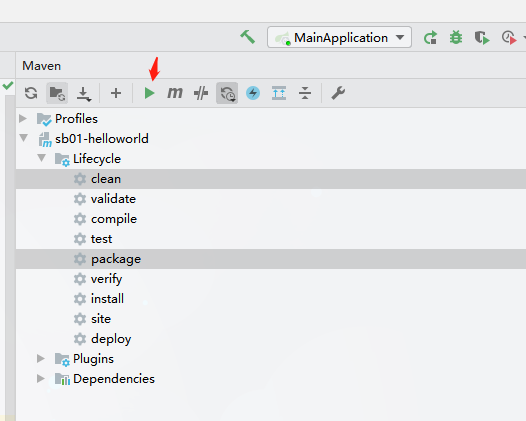
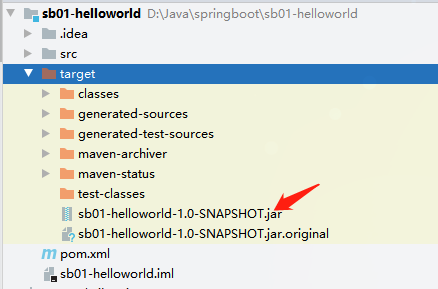
5.2 IDEA中打包:
5.3 运行jar包
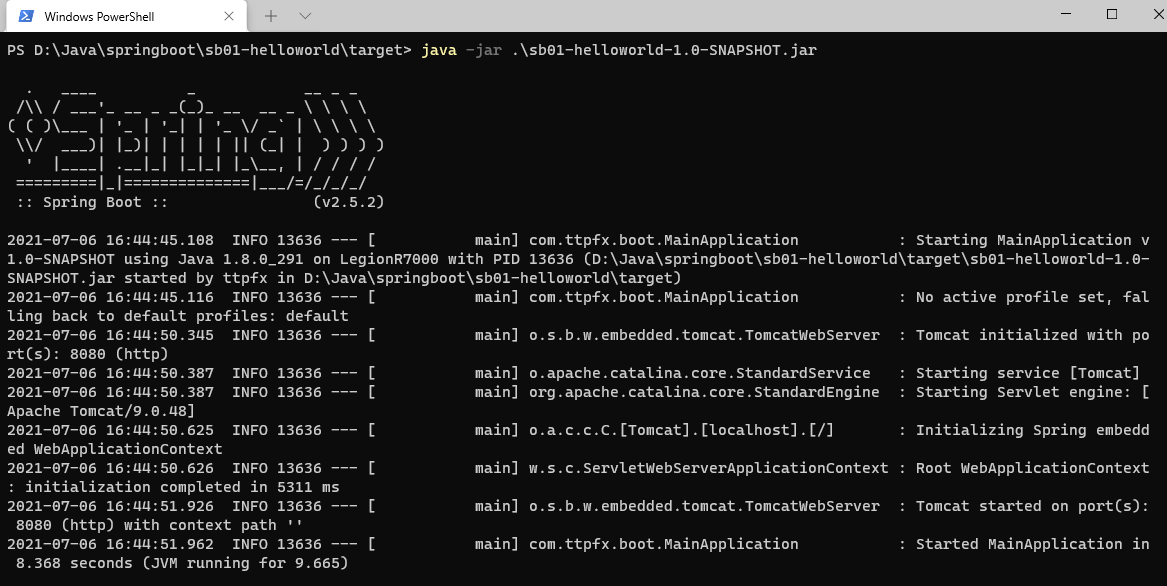
5.4 浏览器访问http://localhost:8080/hello:
6. 配置文件
6.1 src/main/resources/下增加application.properties配置文件:
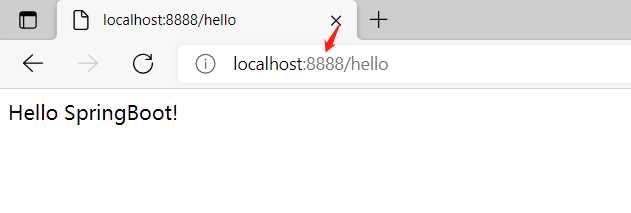
server.port=8888
6.2 运行MainApplication,浏览器访问http://localhost:8888/hello:

 浙公网安备 33010602011771号