WPF Border头像圆角边缘裁剪裁切
临时马上用,有空再封装
应该没有空
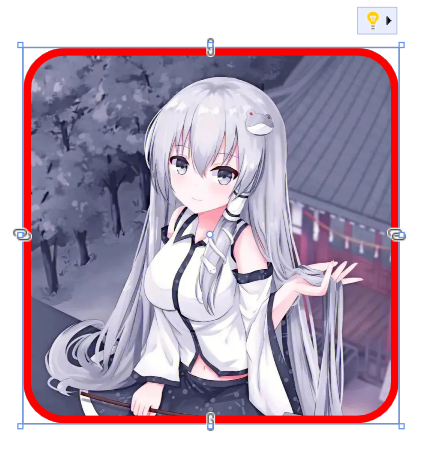
宽度为 100 注意匹配
圆角为 10 注意匹配
边框粗细为2
剪切的半径为11(圆角+边框粗细/2)
<Window
    x:Class="WpfApp2.MainWindow"
    xmlns="http://schemas.microsoft.com/winfx/2006/xaml/presentation"
    xmlns:x="http://schemas.microsoft.com/winfx/2006/xaml"
    xmlns:d="http://schemas.microsoft.com/expression/blend/2008"
    xmlns:local="clr-namespace:WpfApp2"
    xmlns:mc="http://schemas.openxmlformats.org/markup-compatibility/2006"
    Title="MainWindow"
    Width="800"
    Height="450"
    mc:Ignorable="d">
    <Grid>
        <Border
            Width="100"
            Height="100"
            CornerRadius="10">
            <Border.Clip>
                <RectangleGeometry
                    RadiusX="11"
                    RadiusY="11"
                    Rect="0,0,100,100" />
            </Border.Clip>
            <Image Source="E:\TrykleCgTool\bin\Debug\tools\101\icon.png" />
        </Border>
        <Border
            Width="100"
            Height="100"
            BorderBrush="Red"
            BorderThickness="2"
            CornerRadius="10" />
    </Grid>
</Window>
新方案
(2025.03.21)
转换器
 public class SizeToRectConverter : IMultiValueConverter
 {
     public object Convert(object[] values, Type targetType, object parameter, CultureInfo culture)
     {
         double width = (double)values[0];
         double height = (double)values[1];
         return new Rect(0, 0, width, height);
     }

     public object[] ConvertBack(object value, Type[] targetTypes, object parameter, CultureInfo culture)
     {
         throw new NotImplementedException();
     }
 }
xaml上使用
注意那个11
 <Window.Resources>
     <local:SizeToRectConverter x:Key="RectConverter" />
 </Window.Resources>

 <Border
     Width="150"
     Height="100"
     BorderBrush="Red"
     BorderThickness="2"
     CornerRadius="11">
     <Grid>
         <Grid.Clip>
             <RectangleGeometry RadiusX="11" RadiusY="11">
                 <RectangleGeometry.Rect>
                     <MultiBinding Converter="{StaticResource RectConverter}">
                         <Binding Path="ActualWidth" RelativeSource="{RelativeSource AncestorType=Grid}" />
                         <Binding Path="ActualHeight" RelativeSource="{RelativeSource AncestorType=Grid}" />
                     </MultiBinding>
                 </RectangleGeometry.Rect>
             </RectangleGeometry>
         </Grid.Clip>
         <Image Source="C:\Users\pc\Desktop\8e160238gy1hse6edb5rzj20j60j6q4x.jpg" Stretch="UniformToFill" />
     </Grid>
 </Border>

 浙公网安备 33010602011771号