处理ddddocr ImportError:DLL loadfailed while importing onnxruntime_pybind11_state: 动态链接库(DLL)初始化例程失败 报错解决
pip install ddddocr
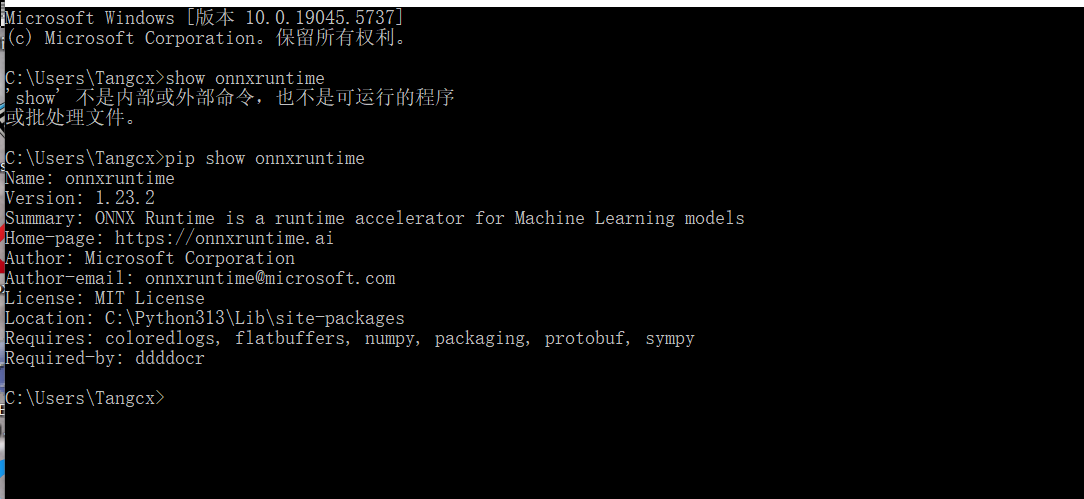
安装ddddocr后
onnxruntime是1.23.2,pillow版本是Version: 12.0.0
但运行时出现如下错误:
ImportError:DLL loadfailed while importing onnxruntime_pybind11_state: 动态链接库(DLL)初始化例程失败
解决方案是:
可能是由DLL 初始化失败可能与系统运行时库缺失有关,尝试安装 Microsoft Visual C++ 2019 Redistributable:
从微软官网下载并安装以下链接:Visual C++ 2019
下载网址:
https://learn.microsoft.com/en-us/cpp/windows/latest-supported-vc-redist?view=msvc-170

安装后还是出现
module 'PIL.Image' has no attribute 'ANTIALIAS'错误
解决方案为:
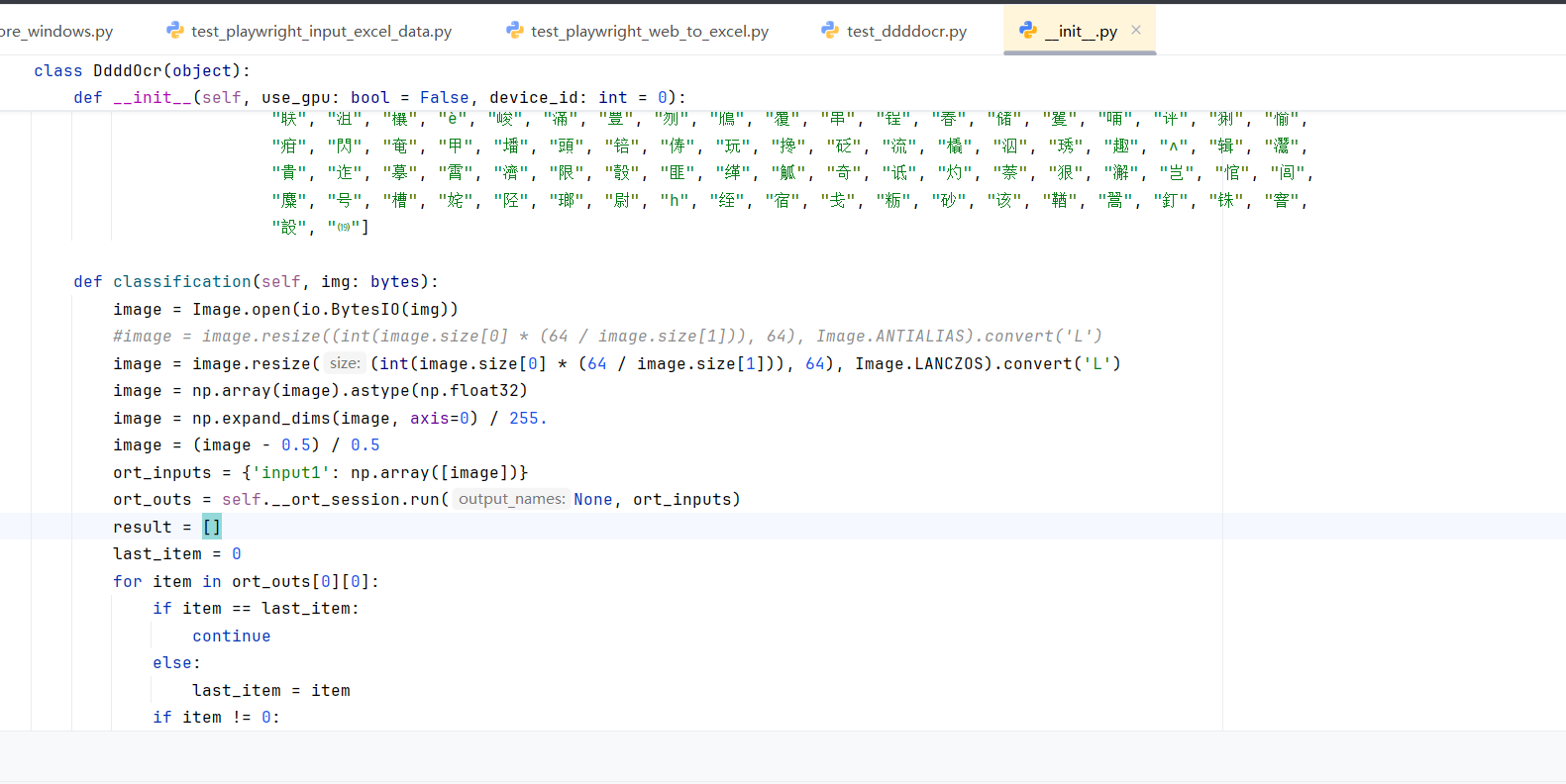
方案一,修改ddddocr的_init_.py文件,将其中的ANTIALIAS替换为新方法:
image = image.resize((int(image.size[0] * (64 / image.size[1])), 64), Image.ANTIALIAS).convert('L')
image = image.resize((int(image.size[0] * (64 / image.size[1])), 64), Image.LANCZOS).convert('L')
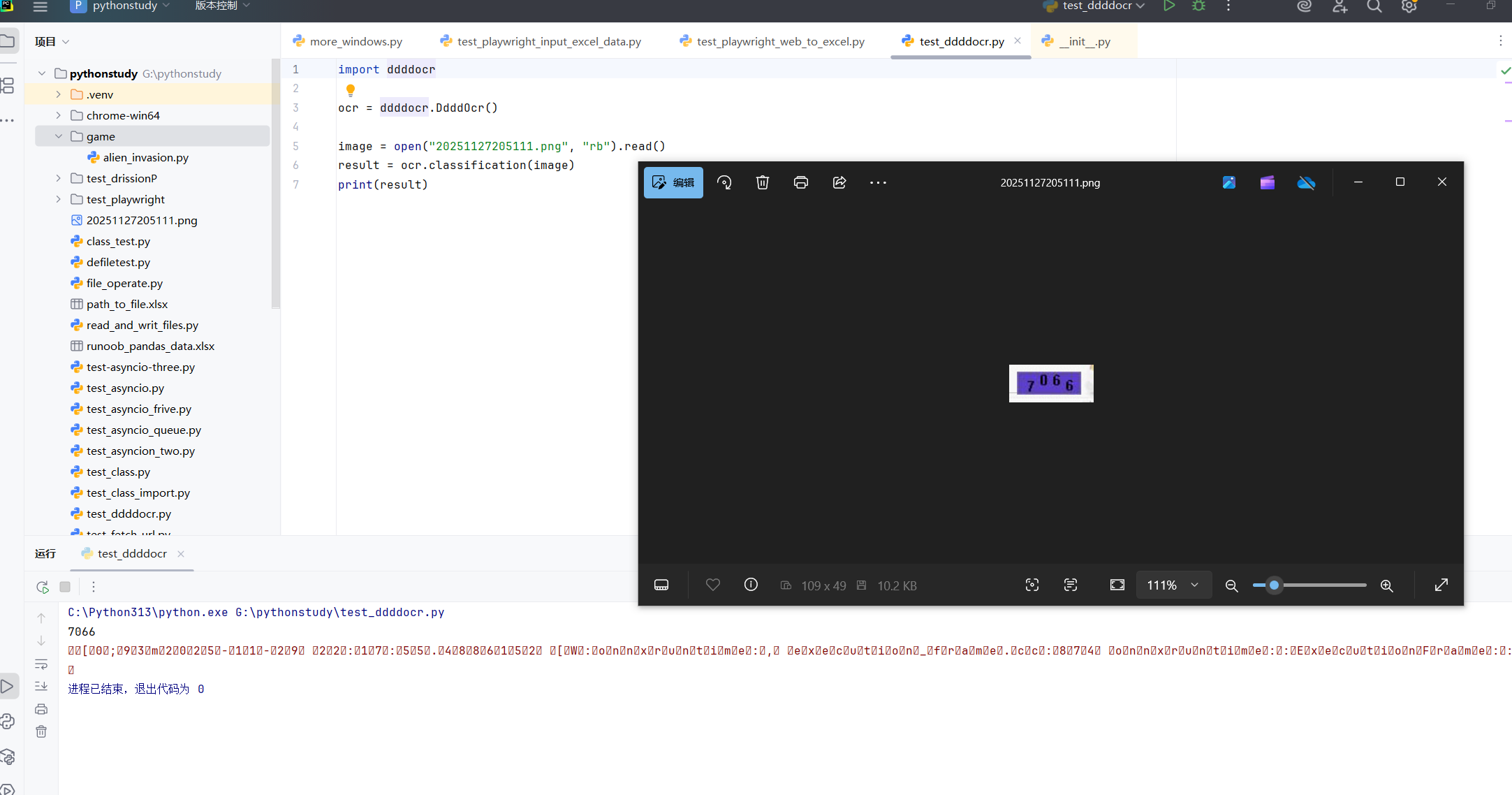
最后运行成功了!

 浙公网安备 33010602011771号