
【VUE】8.VUEX核心概念
1. Vuex核心概念主要如下
- state : 存储共享数据
- mutation: 变更store中的数据,方法,不能异步操作
- action: 异步操作,通过触发mutation变更数据
- getter: 对Store中数据重新加工,但是不改变原来的数据
2. State
1. 概念
提供唯一公共数据源的地方,所有共享数据都要统一放到Store中的state中进行存储
2. step
1. 创建3个组件 新增Add.vue, 减法Sub.vue, 主要组件Main.vue
Add.vue
<template>
    <div>
        <h3>这是Add组件:</h3>
        <button>+1</button>
    </div>
</template>

<script>
export default {

}
</script>
Sub.vue
<template>
    <div>
        <h3>这是Sub组件:</h3>
        <button>-1</button>
    </div>
</template>

<script>
export default {

}
</script>
Main.vue 先导入Add.vue Sub.vue, 然后注册对应的组件(路由注册省略)
<template>
    <div>
        <my-add></my-add>
        <my-sub></my-sub>
    </div>
</template>

<script>
// 导入
import Add from './Add.vue'
import Sub from './Sub.vue'

export default {
    data() {
        return {}
    },
    // 注册
    components: {
        'my-add': Add,
        'my-sub': Sub
    }
}
</script>
2. 访问http://127.0.0.1:8080/#/main
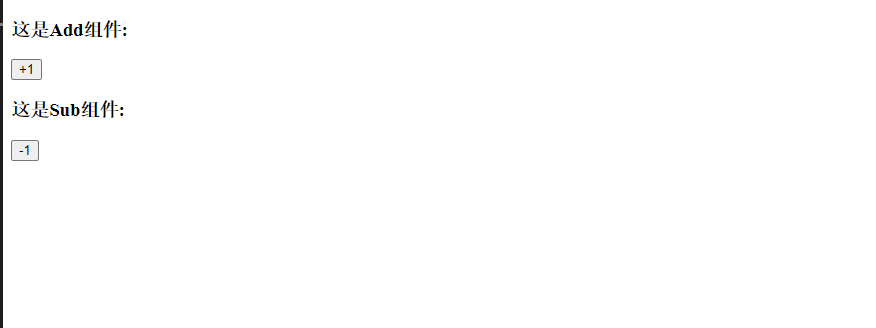
3. 这时候我们想Add.vue Sub.vue想访问同样的数据如何操作呢
4. store.js -> state 创建共享数据
export default new Vuex.Store({
    state: {
        count:0
    },
    mutations: {

    },
    actions: {

    }
})
5.访问共享数据方式一: 通过this.$store.state.全局数据名
6. Add.vue ->
<template>
    <div>
        <h3>这是Add组件:{{this.$store.state.count}}</h3>
        <button>+1</button>
    </div>
</template>

<script>
export default {

}
</script>
7.效果显示
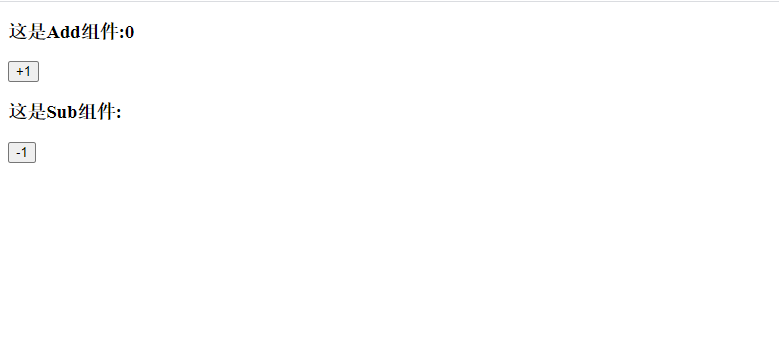
8. 访问共享数据方式二: 通过mapState函数访问全局数据 ->Sub.vue
<template>
    <div>
        <h3>这是Sub组件:{{count}}</h3>
        <button>-1</button>
    </div>
</template>

<script>
// 导入mapState函数
import {mapState} from 'vuex'
export default {
    data() {
        return {}
    },
    // 定义计算属性,把全局变量映射到当前组件中的computed计算属性中
    computed: {
        ...mapState(['count']),
    }
}
</script>
9. 效果
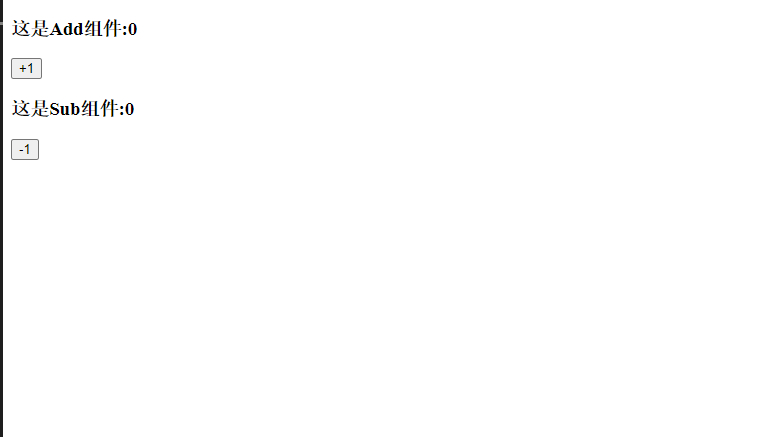
3. matation
1. 概念
用于变更state中的数据
2. 定义mutation
1. store.js -> 在mutations中定义一个加法操作.并且传递state的参数
export default new Vuex.Store({
    state: {
        count:0
    },
    mutations: {
        // 定义一个加法操作
        add(state) {
            // 变更state
            state.count ++
        }
    },
    actions: {

    }
})
3. 触发mutation
1. 触发mutation 方式一 -> Add.vue -> 通过this.$store.commit('方法名')
<template>
  <div>
    <h3>这是Add组件:{{this.$store.state.count}}</h3>
    <button @click="Add">+1</button>
  </div>
</template>

<script>
export default {
  methods: {
    // 绑定click事件
    Add() {
    // 触发mutations
      this.$store.commit("add");
    }
  }
};
</script>
2. 触发方式二:导入mapMutations函数,映射到methods
store.js
export default new Vuex.Store({
    state: {
        count:0
    },
    mutations: {
        // 定义一个加法操作
        add(state) {
            // 变更state
            state.count ++
        },
        sub(state) {
            // 变更减法
            state.count --
        }
    },
    actions: {

    }
})
Sub.vue -> click事件可以直接调用sub方法
<template>
  <div>
    <h3>这是Sub组件:{{count}}</h3>
    <button @click="sub">-1</button>
  </div>
</template>

<script>
// 导入mapState函数
// 导入 mapMutations函数
import { mapState, mapMutations } from "vuex";
export default {
  data() {
    return {};
  },
  // 定义计算属性,把全局变量映射到当前组件中的computed计算属性中
  computed: {
    ...mapState(["count"])
  },
  // 映射到methods
  methods: {
      ...mapMutations(['sub'])
  }
};
</script>
4. Action
1. 概念
处理异步操作,操作步骤不能在mutation中操作,只能通过Action触发mutation方式变更数据
2. 创建异步操作
store.js
export default new Vuex.Store({
    state: {
        count: 0
    },
    mutations: {
        // 定义一个加法操作
        add(state) {
            // 变更state
            state.count++
        },
        sub(state) {
            // 变更减法
            state.count--
        }
    },
    actions: {
        // 创建异步操作,每1秒后条用mutation中的add
        addAsync(context) {
            setTimeout(() => {
                context.commit('add')
            }, 1000)
        }
    }
})
3. 触发action 中的第一种方式: this.$store.dispath()
Add.vue
<template>
  <div>
    <h3>这是Add组件:{{this.$store.state.count}}</h3>
    <button @click="Add">+1</button>
    <button @click="AddAsync">+1</button>
  </div>
</template>

<script>
export default {
  methods: {
    // 触发mutations
    Add() {
      this.$store.commit("add");
    },
    // 触发action
    AddAsync() {
      this.$store.dispatch("addAsync");
    }
  }
};
</script>
4. 触发action的第二种方式:mapActions
store.js
export default new Vuex.Store({
    state: {
        count: 0
    },
    mutations: {
        // 定义一个加法操作
        add(state) {
            // 变更state
            state.count++
        },
        sub(state) {
            // 变更减法
            state.count--
        }
    },
    actions: {
        // 创建异步操作,每1秒后条用mutation中的add
        addAsync(context) {
            setTimeout(() => {
                context.commit('add')
            }, 1000)
        },
        subAsync(context) {
            setTimeout(() => {
                context.commit('sub')
            }, 1000)
        }
    }
})
Sub.vue -> 导入mapActions函数,映射到methods方法中
<template>
  <div>
    <h3>这是Sub组件:{{count}}</h3>
    <button @click="sub">-1</button>
    <button @click="subAsync">异步-1</button>
  </div>
</template>

<script>
// 导入mapState函数
// 导入 mapMutations函数
import { mapState, mapMutations, mapActions } from "vuex";
export default {
  data() {
    return {};
  },
  // 定义计算属性,把全局变量映射到当前组件中的computed计算属性中
  computed: {
    ...mapState(["count"])
  },
  // 映射到methods
  methods: {
    ...mapMutations(["sub"]),
    ...mapActions(["subAsync"])
  }
};
</script>
5. getter
1. 概念
用于对Store中的数据进行重新包装成新的数据(以前的数据不变化),Store中的数据变更,Getter中的数据也变更
2.定义Getter
store.js
getters: {
        // 定义一个showNum 参数参入state
        showNum(state){
            return '当前getter数据为' + state.count
        }
    }
3.获取getter中数据方式一: this.$store.getters.名称 -> Add.vue
<template>
  <div>
    <h3>这是Add组件:{{this.$store.state.count}}</h3>
    <h3>getter:{{this.$store.getters.showNum}}</h3>
    <button @click="Add">+1</button>
    <button @click="AddAsync">+1</button>
  </div>
</template>
4. 获取getter数据方式二:mapGetters 映射到methods -> Sub.vue
<template>
  <div>
    <h3>这是Sub组件:{{count}}</h3>
    <h3>这是Sub组件getter:{{showNum()}}</h3>
    <button @click="sub">-1</button>
    <button @click="subAsync">异步-1</button>
  </div>
</template>

<script>
// 导入mapState函数
// 导入 mapMutations函数
// 导入mapGetters 函数
import { mapState, mapMutations, mapActions, mapGetters } from "vuex";
export default {
  data() {
    return {};
  },
  // 定义计算属性,把全局变量映射到当前组件中的computed计算属性中
  computed: {
    ...mapState(["count"])
  },
  // 映射到methods
  methods: {
    ...mapMutations(["sub"]),
    ...mapActions(["subAsync"]),
    ...mapGetters(['showNum'])
  }
};
</script>
演示效果
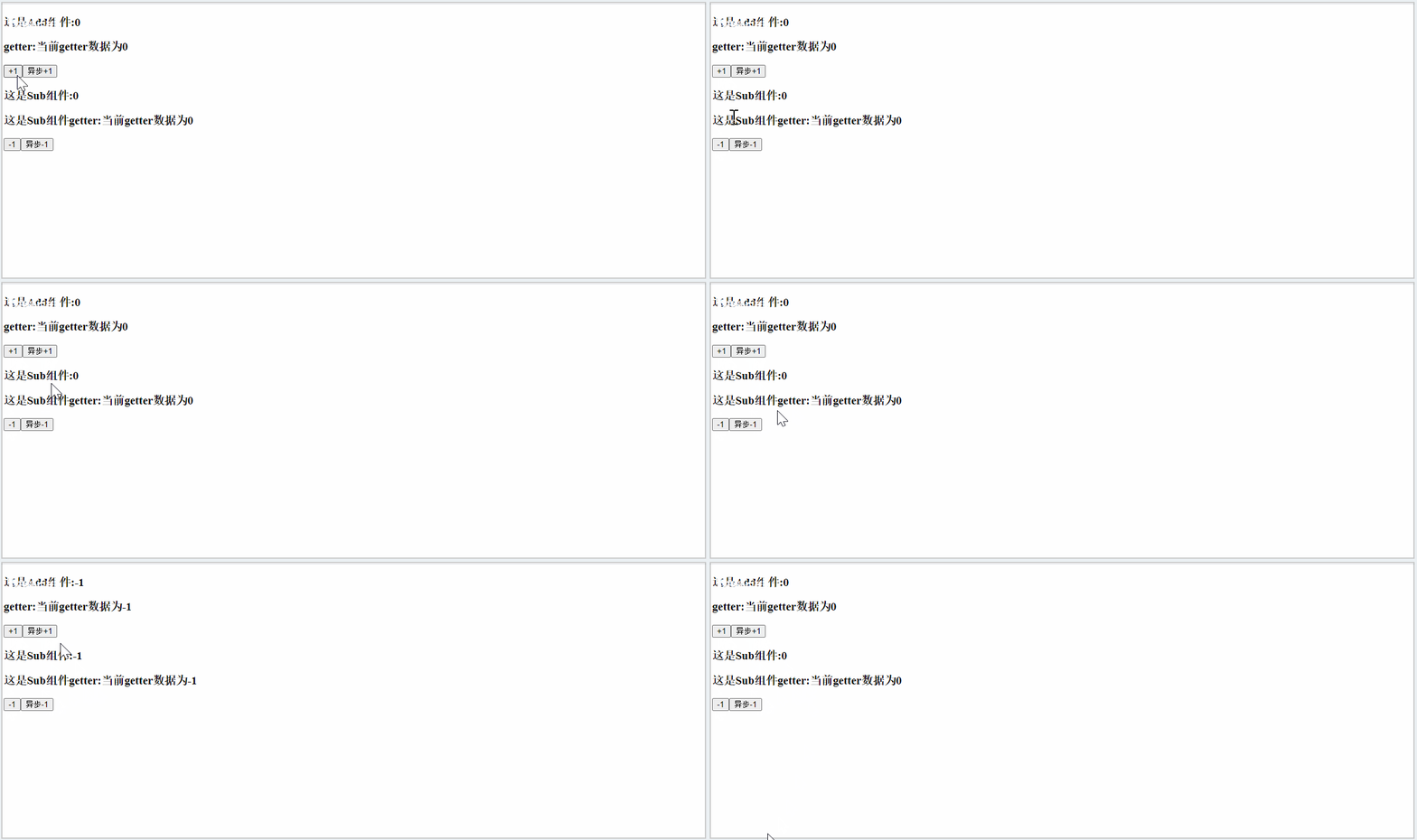
github demo: https://github.com/wangxiao9/vue_coding.git

 浙公网安备 33010602011771号