
python+Selenium+browsermob+HwTestReport 读取Excel进行Web-UI自动化测试框架
2021/2/1 - 2021/3/4 抛出假期,大概时间3星期,每天花费4个小时进行,脚本学习(其实1个多礼拜应该都可以完成,太浪费时间了)
整体框架:python语言+Selenium框架+browsermob(代理抓取) +HwTestReport(报告输出)
数据驱动、模块化运行
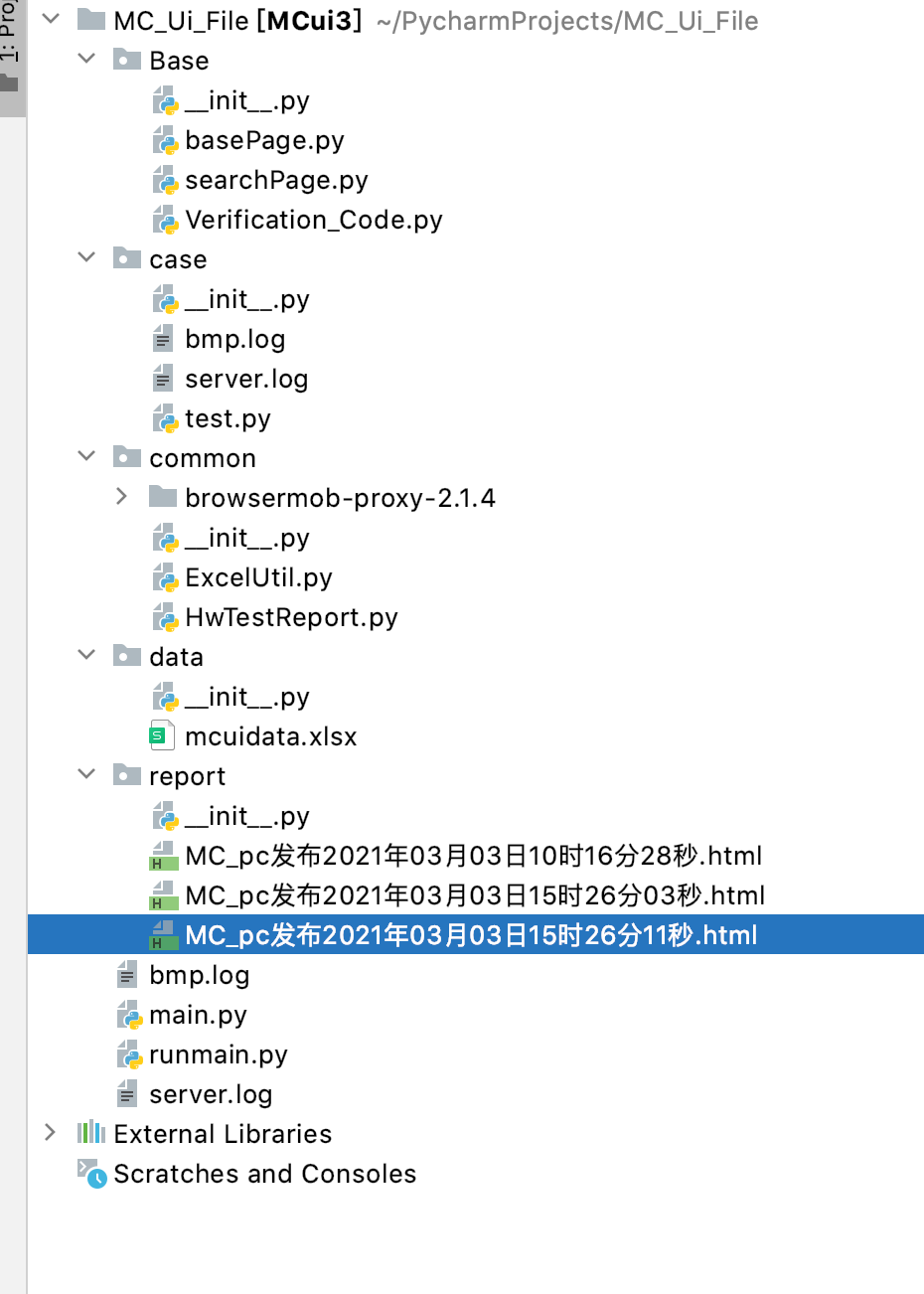
框架结构:
Base : 基础结构代码(被调用代码)
case :主脚本(被执行代码)
common : 代理/文件操作/报告脚本等
data : Excel文件(操作参数内容)
report : 所生成的报告
runmain :执行启动脚本
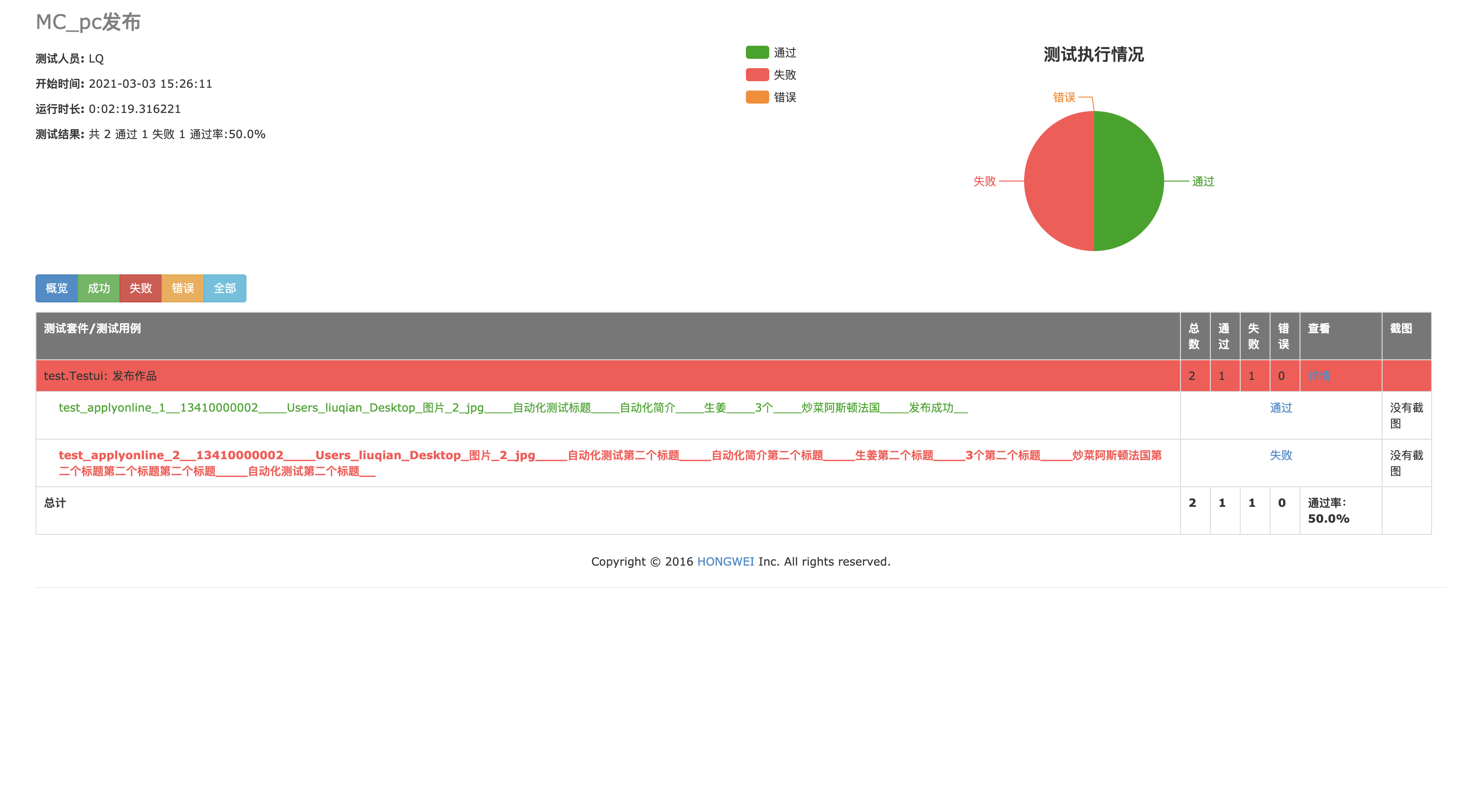
报告截图:
一、问题总结:
1、登陆页面存在短信验证码:
解决方案,测试环境下短信验证码可通过接口返回,所运用browsermob进行抓取浏览器接口请求获取验证码并输入
(其他解决方案:固定账号、万能验证码、指定URL删除验证码)
2、browsermob所生成的har文件解析后,找不到所需接口:
(代理生成的har文件,需要在所需操作前生成)
3、悬浮窗不能使用普通的点击操作:
element = self.driver.find_element_by_css_selector('#app > div > div.choose_cuisines > div.choose_cuisines_header > span > span > button')
self.driver.execute_script("arguments[0].click();", element)
4、蒙层状态下无法点击:
self.driver.find_elements_by_xpath('//[text()="确定"]')[2].click()
self.driver.find_elements_by_xpath('//[text()="返回个人中心"]')[0].click()
5、滑动条操作:
ActionChains(self.driver).click_and_hold(self.driver.find_element_by_xpath('//*[@id="login"]/div/div[2]/div[2]/div/div[3]')).perform()
ActionChains(self.driver).move_by_offset(xoffset=260, yoffset=0).perform()
6、路径选择后找不到:
某些操作选择路径位置,最好选择到对应的标签下

 浙公网安备 33010602011771号