
新服务器配置(二) acme.sh
书接上文
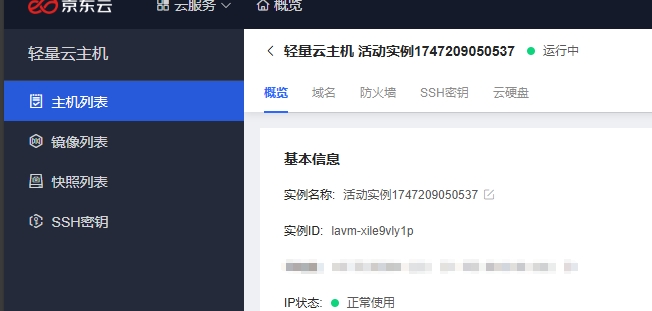
原来京东云给了我ssh密钥的快速配置方案。但是,管他呢
接下来该干的事

由于Ohttps存在问题,因此选择加入acme.sh大家庭
最后还是选择了让nginx反代alist,为什么都这么干呢?
配置 Nginx
安装 Nginx :若服务器上未安装 Nginx,可使用系统包管理器进行安装,如 Debian/Ubuntu 系统可运行sudo apt install nginx命令,CentOS/RHEL 系统可运行sudo yum install nginx命令。
启动 Nginx :安装完成后启动 Nginx 服务,命令为sudo systemctl start nginx,并设置开机自启,命令为sudo systemctl enable nginx。
配置 HTTP 服务 :配置 Nginx 在 80 端口对外提供 HTTP 服务,以便让 CA 能正常下载 HTTP-01 Token。创建或编辑 Nginx 配置文件,如/etc/nginx/conf.d/your_domain.conf,添加以下内容:
卸载conf.d里面:acme.conf,用于提供默认的80环境以申请证书
server {
    listen 80;
    server_name example.com; # 替换为你的域名

    location /.well-known/acme-challenge/ {
        root /var/www/html; # 这个目录是 acme.sh 验证时使用的目录
        try_files $uri =404;
    }
}
记得重载配置文件:
nginx -s reload

尝试申请第一次证书(可能有点卡,耐心等待):
acme.sh --issue -d example.com --nginx
写在conf.d里面:alist.conf
server {
  listen       443 ssl;
  server_name  example.con;
  ssl_certificate /root/ssl/server.crt; # fullchain.pem
  ssl_certificate_key /root/ssl/server.key; #privkey.pem
  ssl_verify_client off;
  server_tokens off;
  root /usr/share/nginx/html;
  location /.well-known/acme-challenge/ {
        root /var/www/html; # 这个目录是 acme.sh 验证时使用的目录
        try_files $uri =404;
  }
  location / {
    proxy_set_header X-Forwarded-For $proxy_add_x_forwarded_for;
    proxy_set_header X-Forwarded-Proto $scheme;
    proxy_set_header Host $http_host;
    proxy_set_header X-Real-IP $remote_addr;
    proxy_set_header Range $http_range;
    proxy_set_header If-Range $http_if_range;
    proxy_redirect off;
    proxy_pass http://localhost:5244;
    # the max size of file to upload
    client_max_body_size 20000m;
  }
}
记得重载配置文件:
nginx -s reload
安装第一次证书:
acme.sh --install-cert -d example.con --key-file /root/ssl/server.key --fullchain-file /root/ssl/server.crt --reloadcmd "systemctl reload-or-restart nginx"
安装好后,acme会自动配置一个定时任务更新,完事。

 浙公网安备 33010602011771号