

- 下载boost binary
https://sourceforge.net/projects/boost/files/boost-binaries/1.67.0_b1/
由于我用的是Windows10下的VS2013,所以下载的是这个:

下载后安装,会要求指定一个目录解压,用默认的local目录即可。
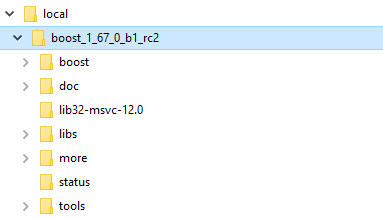
安装完成后,目录结构如下:
- 用VS2013创建一个c++的console application.
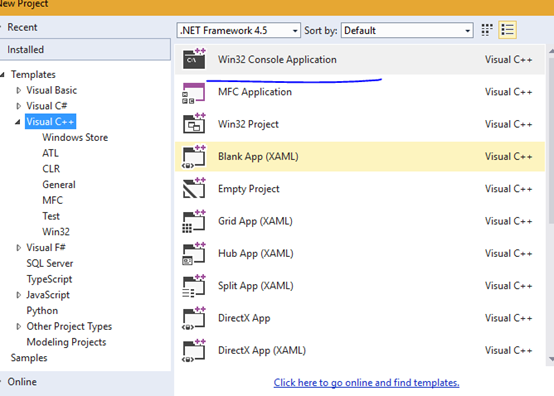
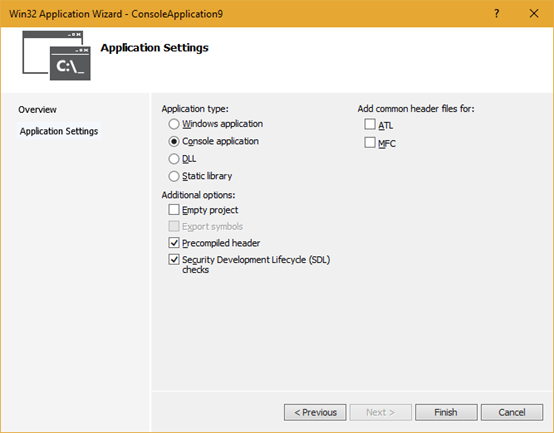
- 创建完成后,加入额外的include路径。
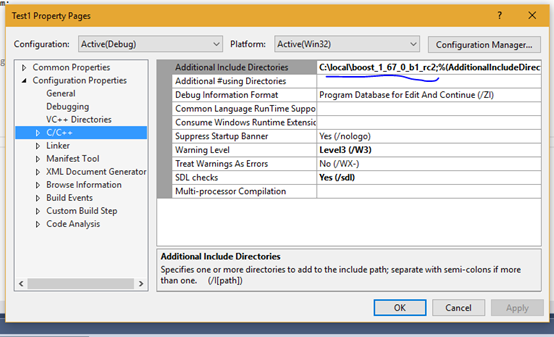
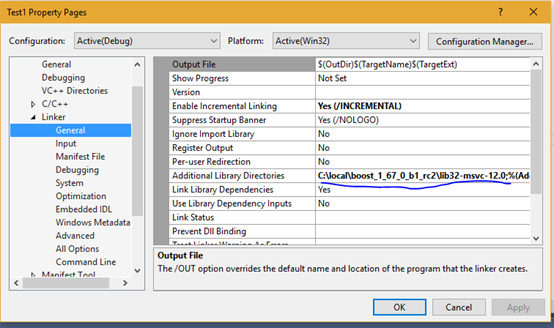
- 加入额外的lib路径。
- 在主文件中写入如下的代码:
|
#include "stdafx.h" #include <iostream> #include <boost/filesystem.hpp> // define a short alias for the namespace namespace boostfs = boost::filesystem;
int _tmain(int argc, _TCHAR* argv[]) { if (argc <= 1) { std::cerr << "Usage: " << argv[0] << " <filename>" << std::endl; return 1; }
boostfs::path p(argv[1]);
if (boostfs::exists(p)) { std::cout << "File " << p << " exists." << std::endl; } else { std::cout << "File " << p << " does not exist." << '\n';
}
return 0; }
|
- 编译后,运行程序。
如果参数的路径存在,就会输出File exists, 否则,会输出File does not exist.

 浙公网安备 33010602011771号