

python 画心形
python 利用 matplotlib 和 numpy 画心形。
 1 import matplotlib.pyplot as plt
 2 import numpy as np
 3
 4 #初始化数据
 5 init = np.arange(-np.pi, np.pi, 0.001)
 6 y = np.subtract(np.multiply(2, np.cos(init)), np.cos(np.multiply(2, init)))
 7 x = np.subtract(np.multiply(2, np.sin(init)), np.sin(np.multiply(2, init)))
 8
 9 #画图
10 plt.plot(x, y)
11 plt.fill_between(x, y, facecolor='red')
12 plt.show()
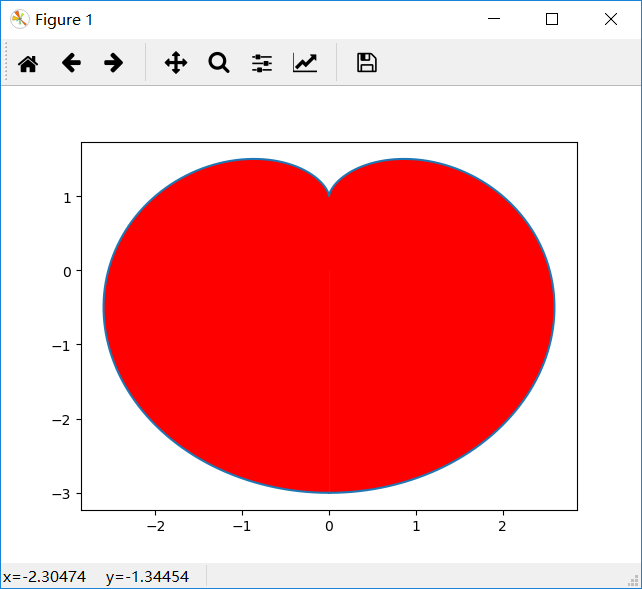
结果:

 浙公网安备 33010602011771号