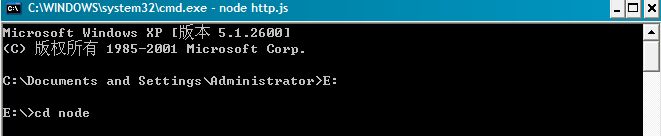
首先下载node.js,然后解压到E盘,改名为node,然后开始菜单输入cmd,用cd命令切换到nodejs的解压目录:
第一个例子:hello world。
在node目录下建立hello.js文件,然后在里面输入:
var sys = require("util") |
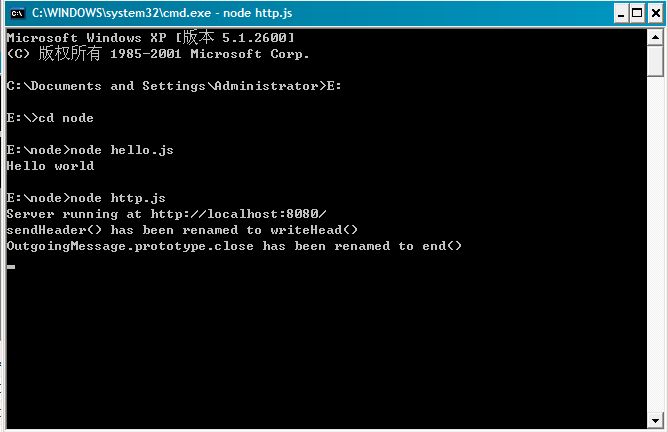
然后我们在命名台中输入命令node hello.js,就能看到命名台输出结果Hello world。
第二个例子:hello world2。
好了,这次我们试从游览器中输出hello world。在node目录下建立http.js,然后输入:
var sys = require("util") |
var http = require("http"); |
http.createServer(function(request, response) { |
response.writeHeader(200, {"Content-Type": "text/html"}); |
response.write("Hello World!"); |
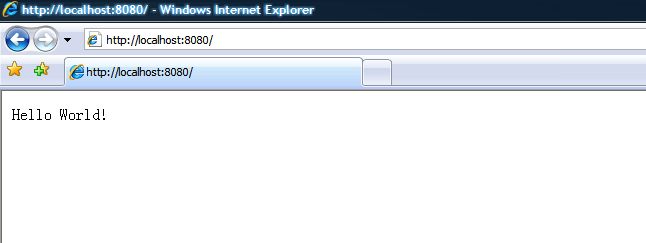
然后我们在命名台中输入命令node http.js,在浏览器输入http://localhost:8080/
第三个例子:hello world2。
node.js提供一个Buffer类用于转换不同编码的字符串。目前支持三种类型:'ascii','utf8'与'binary'。详见这里
var Buffer = require('buffer').Buffer, |
len = buf.write('\u00bd + \u00bc = \u00be', 0); |
console.log(len + " bytes: " + buf.toString('utf8', 0, len)); |
第四个例子:hello world3。
var http = require('http'); |
http.createServer(function (request, response) { |
response.writeHead(200, {'Content-Type': 'text/plain'}); |
response.end('Hello World\n'); |


 浙公网安备 33010602011771号