
好处概念啥的不讲了,网上一大堆
1.搭建(三种方法)
1.1java脚手架
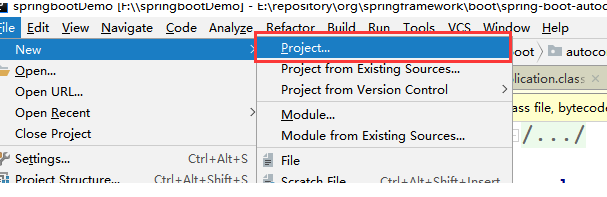
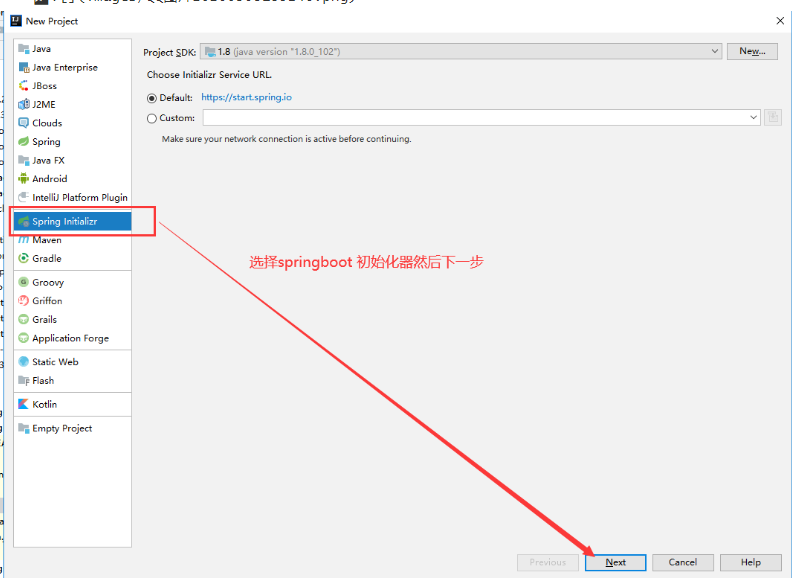
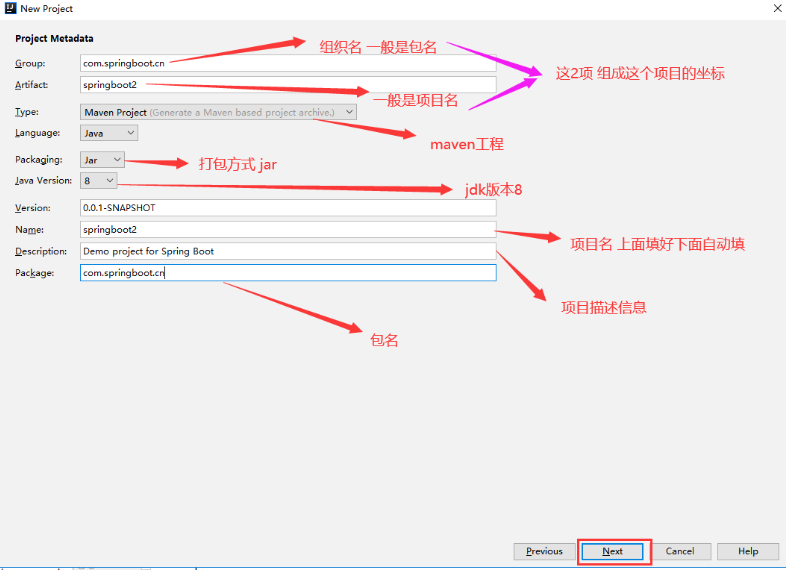
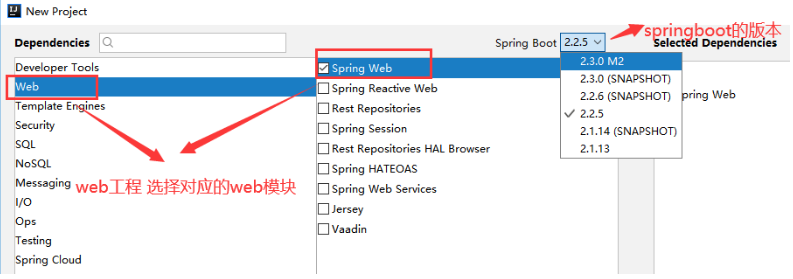
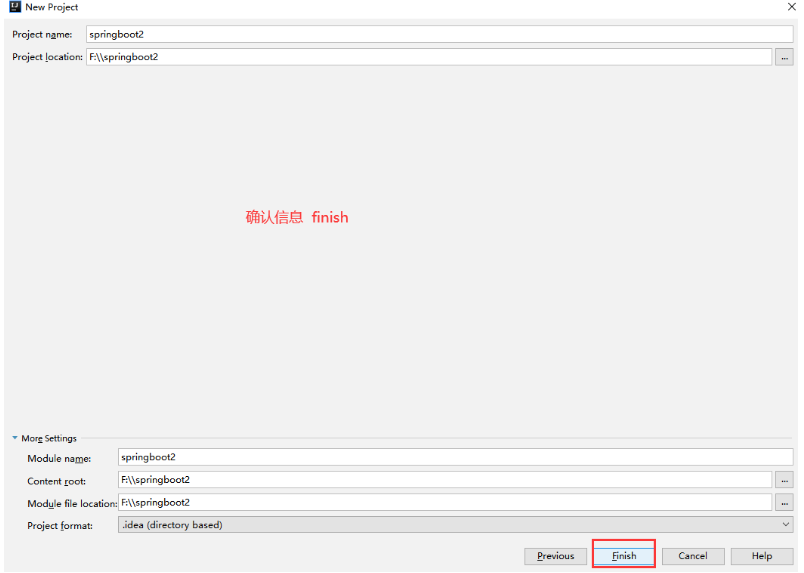
1.1完毕
1.2普通工程通过maven改造成springboot工程
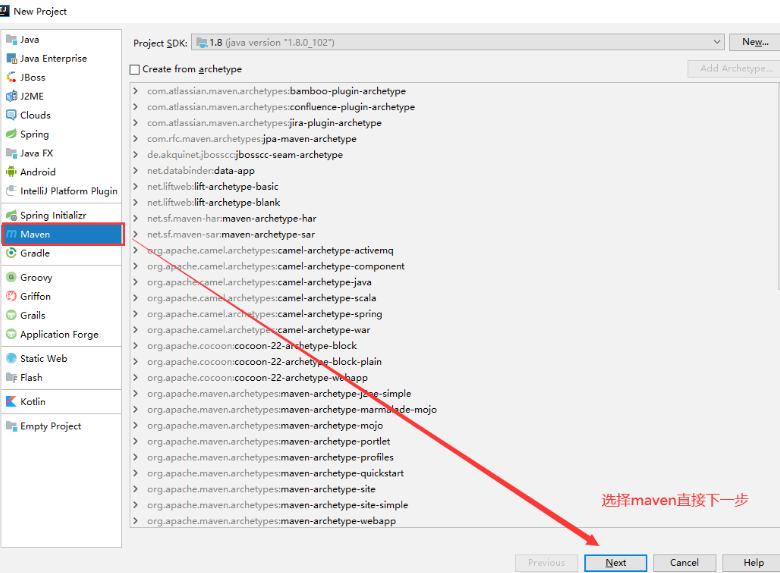
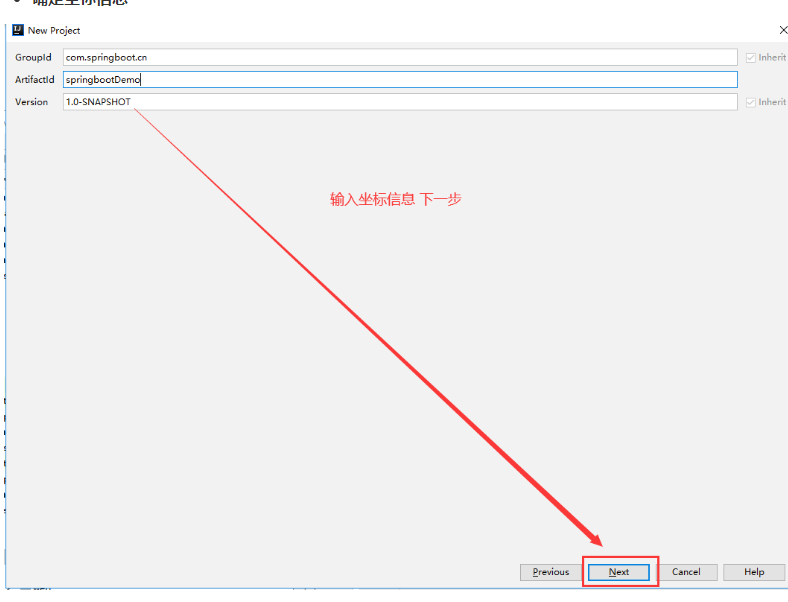
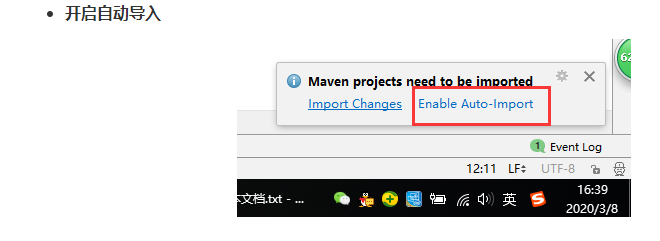
maven写入以下代码
    <parent>
        <groupId>org.springframework.boot</groupId>
        <artifactId>spring-boot-starter-parent</artifactId>
        <version>2.2.5.RELEASE</version>
    </parent>

    <!-- Add typical dependencies for a web application -->
    <dependencies>
        <dependency>
            <groupId>org.springframework.boot</groupId>
            <artifactId>spring-boot-starter-web</artifactId>
        </dependency>
    </dependencies>

    <build>
        <plugins>
            <plugin>
                <groupId>org.springframework.boot</groupId>
                <artifactId>spring-boot-maven-plugin</artifactId>
            </plugin>·
        </plugins>
    </build>
---1.2完
1.3开始
网站创建:
网站地址:Spring Initializr
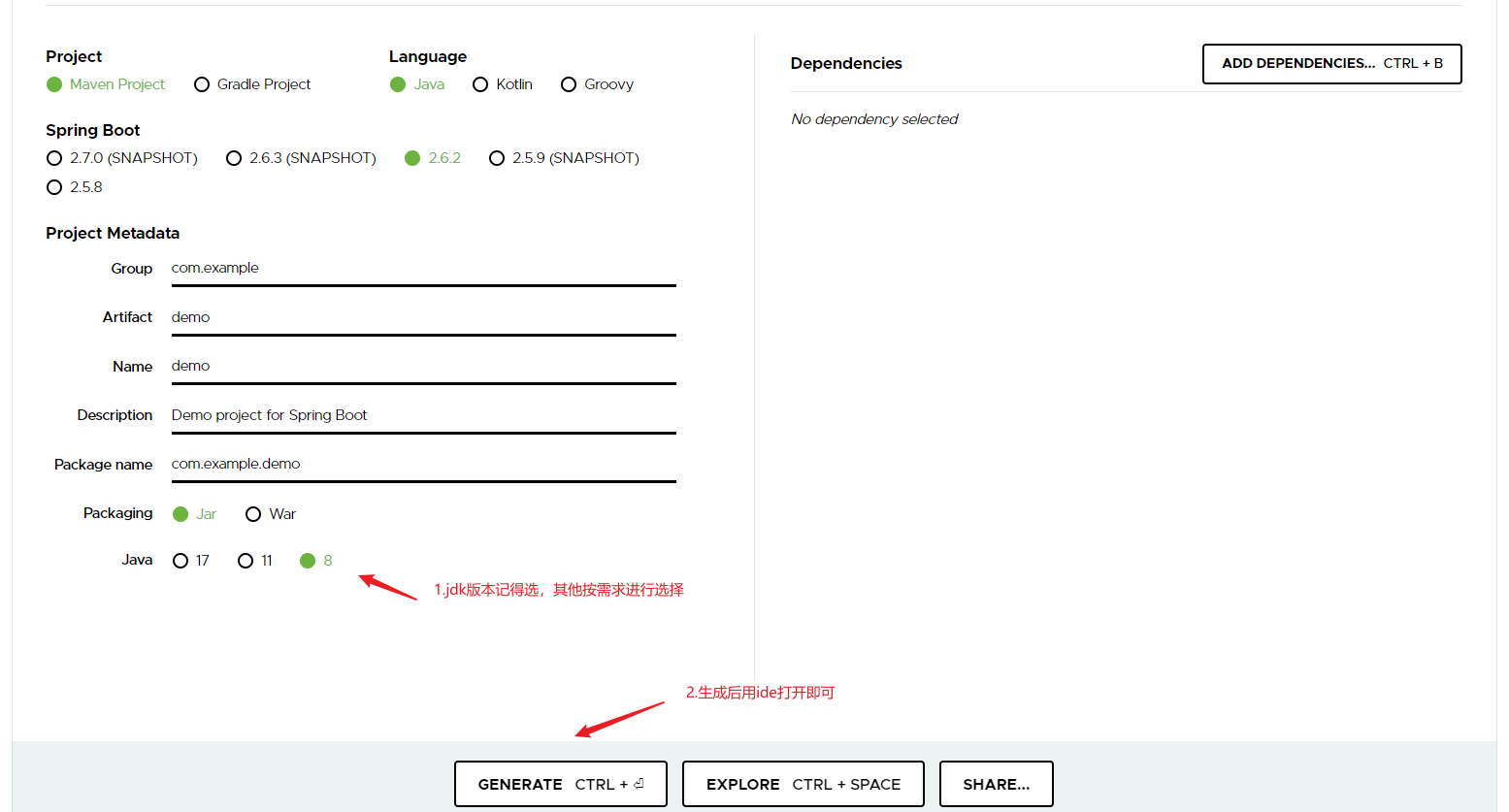
---1.3完
2.部分补充说明
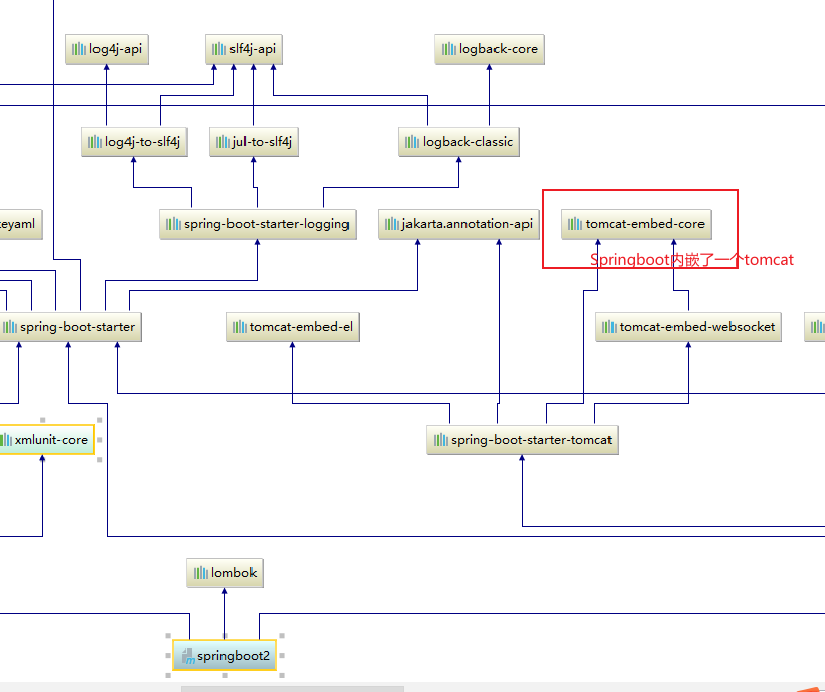
Q:为什么不用配置tomcat?
A:
Q:为什么我配置好了启动项目会404
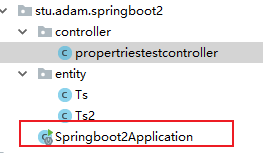
A:初次启动后404大概率是因为入口程序没有放到拥有所有子包所在的父包下面 例如stu.adam.entiy/stu.adam.xxx 他们的父包就是stu.adam记得把入口类放到这里,因为其所拥有的注解
@SpringBootApplication拥有 @Configuration ,@EnableAutoConfiguration 和 @ComponentScan 三个配置,所以没放对位置@ComponentScan包扫描注解就会扫不到controller导致404
Q:诸如为什么我在ssm中要配置xxx为什么springboot不用配置
A:大概率是因为springboot本身间接依赖了很多支持
3.springboot的配置文件(简单讲讲语法)
3.1传统的properties文件
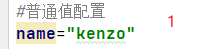
3.1.1普通值配置
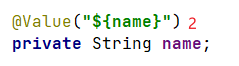
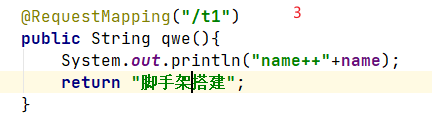

3.1.2对象配置
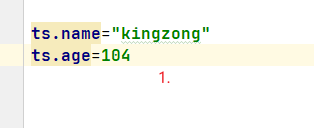
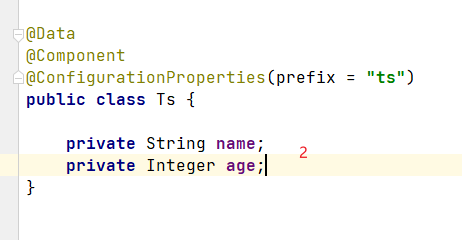

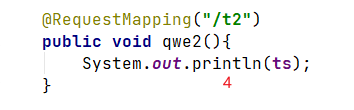

3.1.3map配置
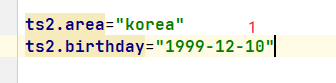
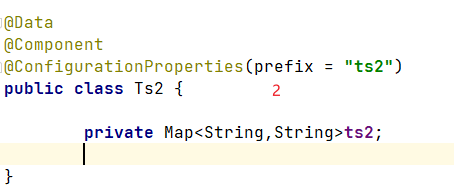
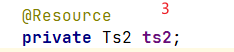


3.1.4集合配置

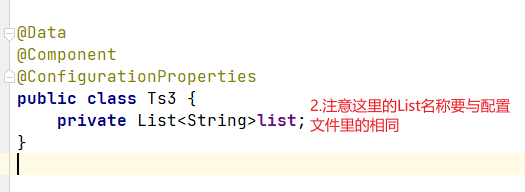
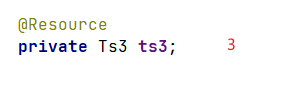


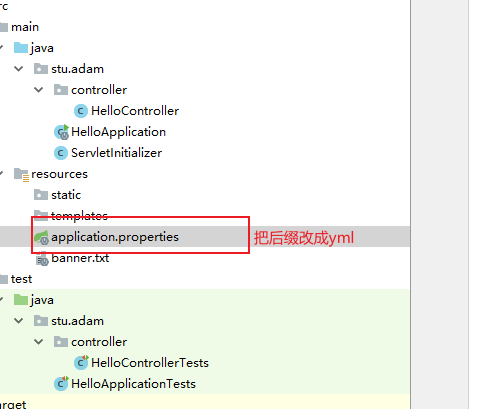
3.2不这么传统的yml配置(最好新建一个工程,建议使用1.1/1.3方法创建,不然自己要写项目结构)
准备工作:
效果:

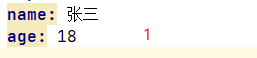
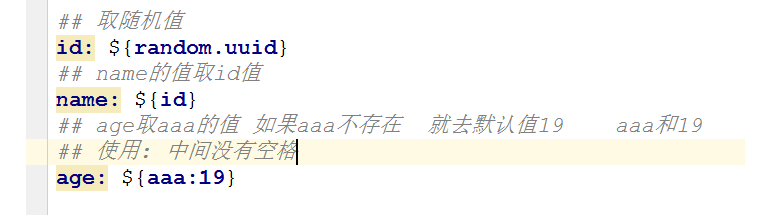
3.2.1yml普通传值
(切记冒号有个空格 格式为key: value)
没变蓝就是无效,如果中文出现乱码请配置utf-8格式,附教程(15条消息) 解决idea中文乱码以及(SpringBoot)yml配置文件中文乱码以及启动报错问题_猫寻-CSDN博客_yml文件中文乱码
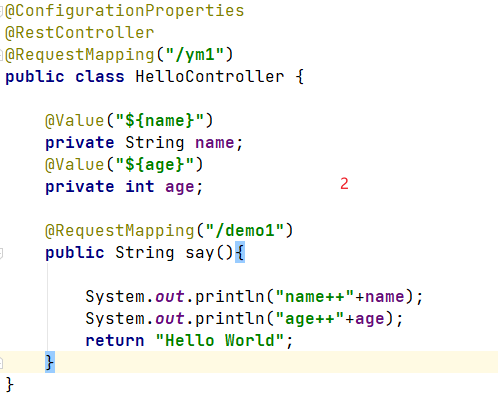
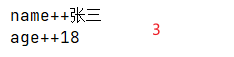
3.2.2对象格式传值(有点像python)
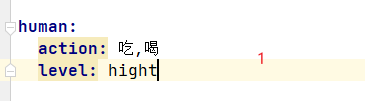 或者
或者 两种写法,个人比较推荐第一种
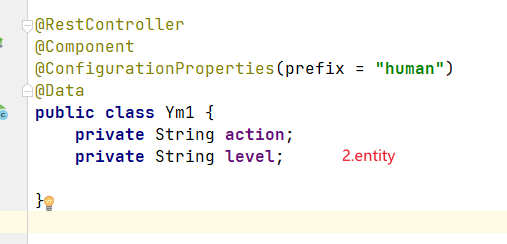

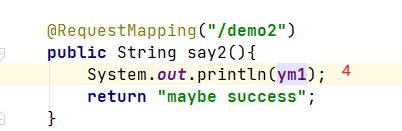

3.2.3map格式传值

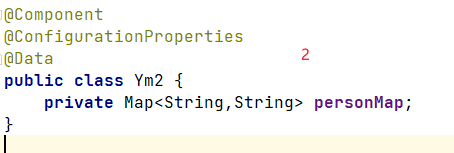

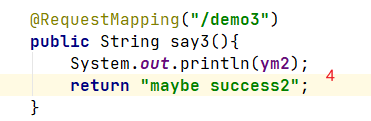

3.2.4list两种写法
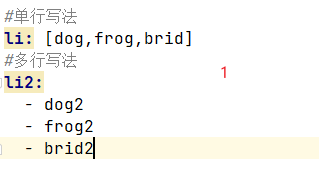
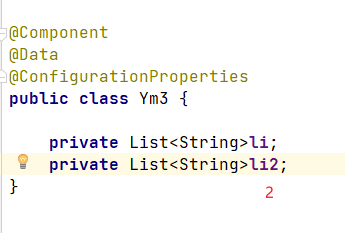
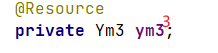
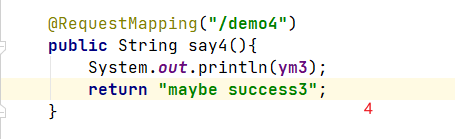

4.解决使用@ConfigurationProperties注解文件上面爆红的问题


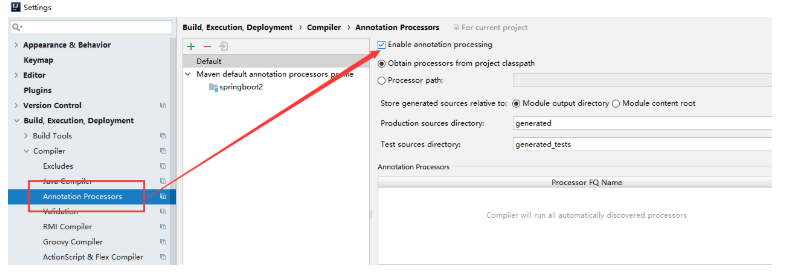
解决
5.

·

 浙公网安备 33010602011771号