
20242106 2024-2025-2 《Python 程序设计》实验一报告
20242106 2024-2025-2 《Python 程序设计》实验一报告
课程:《Python 程序设计》
班级: 2421
姓名: 于凯
学号: 20242106
实验教师:王志强
实验日期:2025 年 3 月 12 日
必修/选修: 公选课
一、实验内容
- 熟悉 Python 开发环境;
- 练习 Python 运行、调试技能(编写书中的程序,并进行调试分析,要有过程);
- 编写程序,练习变量和类型、字符串、对象、缩进和注释等(编写一个猜数字或者剪刀石头布的游戏);
- 掌握 git 技能。
二、实验过程及结果
(一)实验环境的布置
- 码云:https://gitee.com/thedyingkai/thedyingkai
- 博客园:https://home.cnblogs.com/u/thedyingkai
- Python 程序
print("人生苦短,我学Python!") - Python 环境
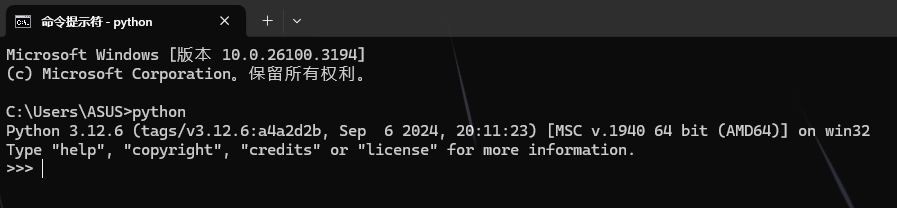
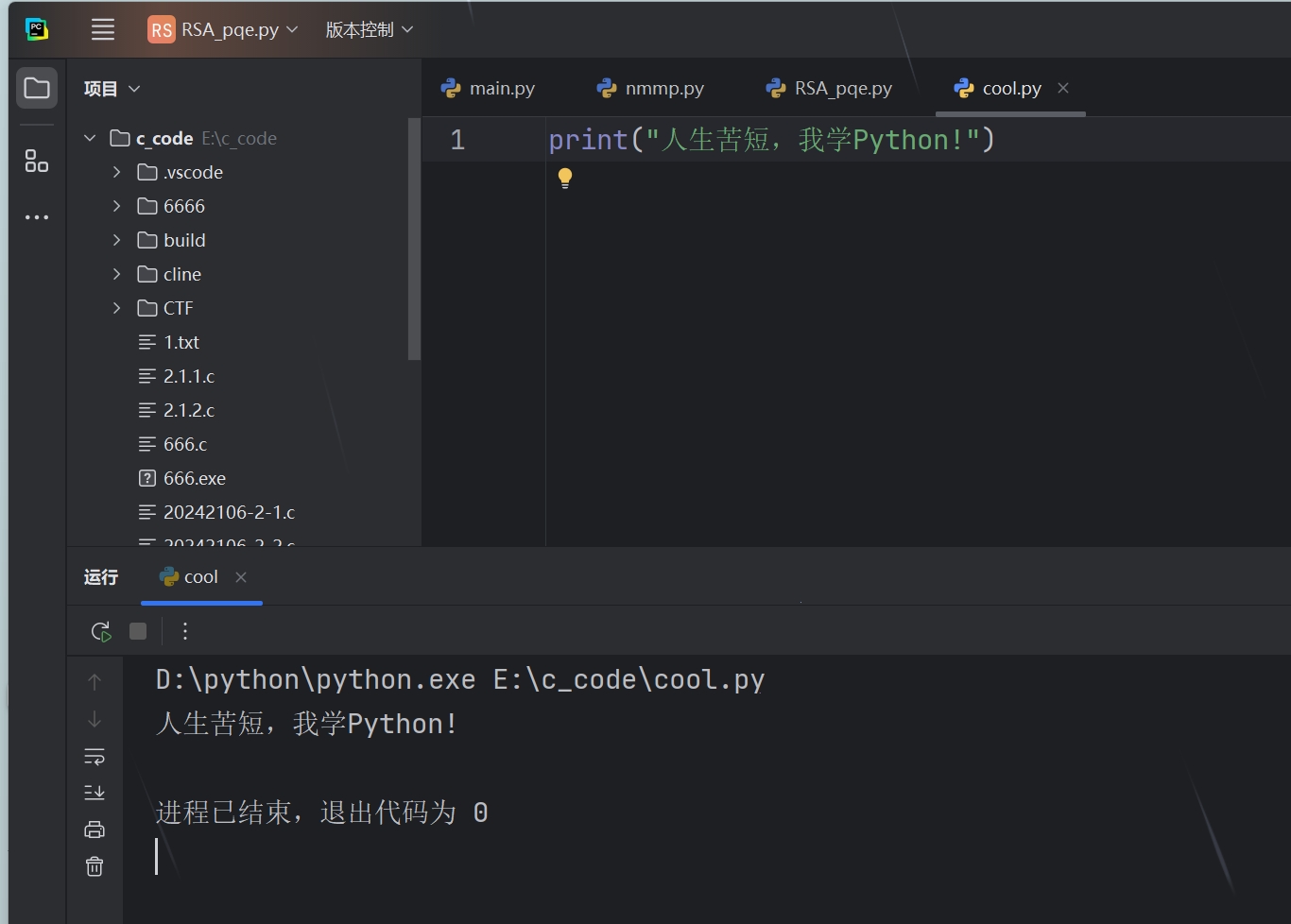
- 仓库提交示例
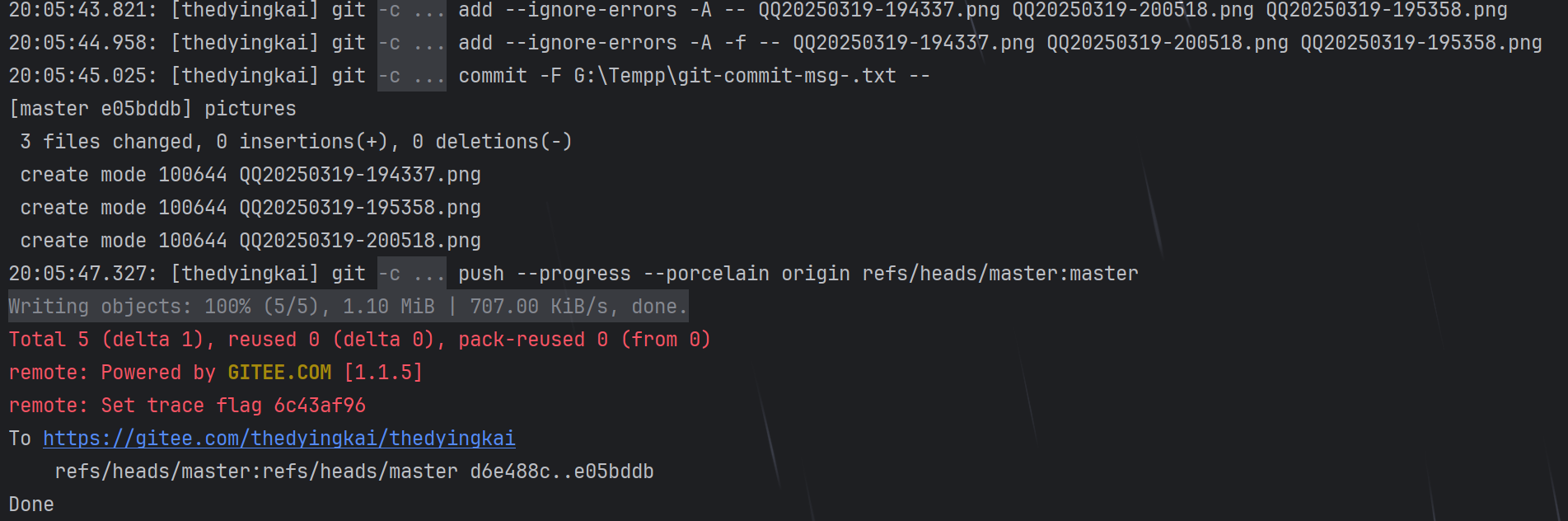
(二) debug
debug,在 pycharm 图形化下的 debug 简单方便,但是命令行还是稍微麻烦一点,这个我个人觉得了解即可。
- 两种 debug 方法:
- 不用额外修改源代码,在命令行下直接运行就能调试:
python3 -m pdb filename.py。 - 需要在被调试的代码中添加一行代码然后再正常运行代码:
import pdb;pdb.set_trace()。当你在命令行看到下面这个提示符时,说明已经正确打开了 pdb:
(Pdb)。
- pdb 的 debug 方法:
l:查看当前位置前后 11 行代码,当前位置使用-->标注。ll:显示全部源代码。b:设置断点:- 示例:
b lineno,b filename:lineno,b functionname。 - filename:文件名,断点添加到哪个文件,如 test.py。
- lineno:断点添加到哪一行。
- function:函数名,在该函数执行的第一行设置断点。
- 不带参数表示查看断点设置。
- 带参则在指定位置设置一个断点。
- 示例:
(三)剪刀石头布程序
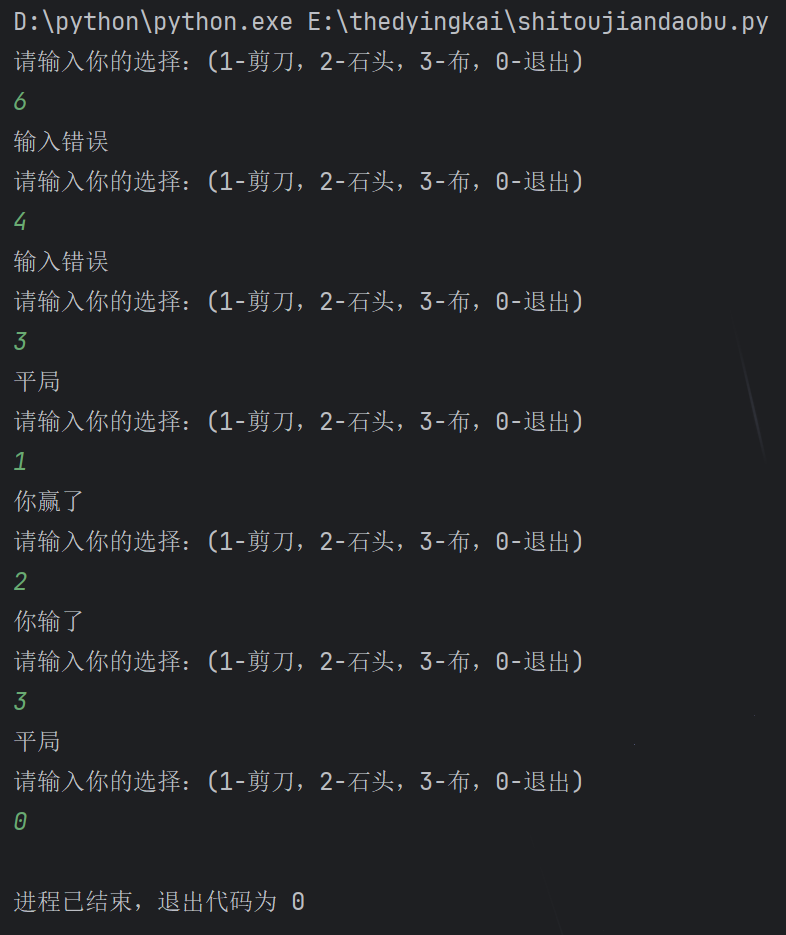
猜数字感觉和剪刀石头布没太大区别,然后感觉剪刀石头布稍微复杂一些吧,就写了后者。
- 打包命令用
pyinstaller -i ico.ico -F test.py就可以打包有图标的 exe 可执行文件。 - resharcher 也可以修改图标。
- 源代码如下:
import random # 老师让写注释我就写一个 while True: rand = random.randint(1, 3) print('请输入你的选择:(1-剪刀,2-石头,3-布,0-退出)') choice = int(input()) - int('0') if choice == 0: break elif choice not in range(1, 4): print('输入错误') elif choice == rand: print('平局') elif choice == 1: if rand == 2: print('你输了') elif rand == 3: print('你赢了') elif choice == 2: if rand == 1: print('你输了') elif rand == 3: print('你赢了') elif choice == 3: if rand == 1: print('你输了') elif rand == 2: print('你赢了') - 运行结果:
(四)Codeforces 2074D
- 题目链接:https://codeforces.com/contest/2074/problem/D。
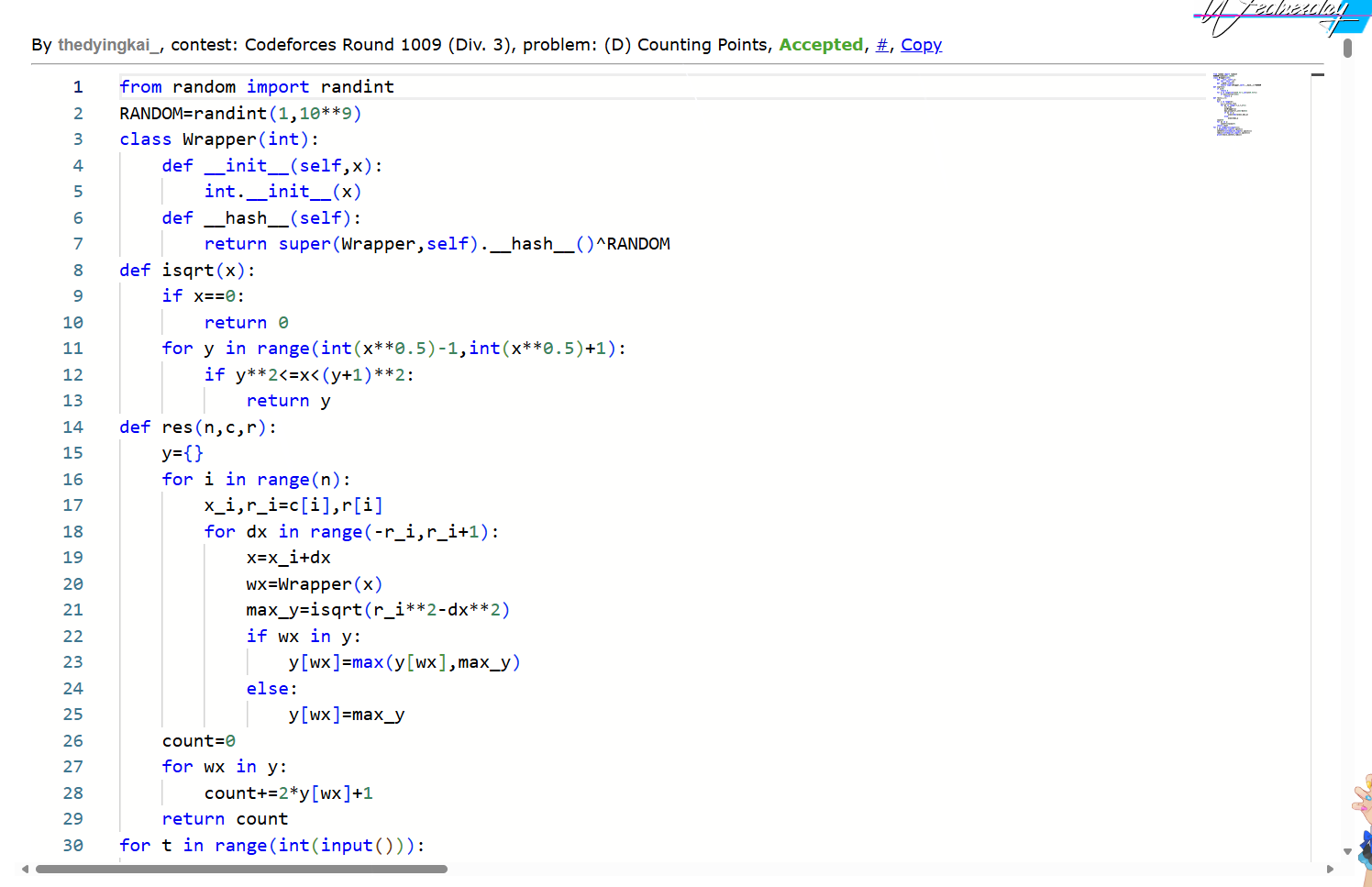
- 因为猜数字什么的有点没意思,我用 python 交了一道 Codeforces Div3 的 D。
- 一道用了 Hash 的神秘优化暴力题,赛时优化不到位赛后被 hack 了,掉大分。
- 源代码:
from random import randint RANDOM=randint(1,10**9) class Wrapper(int): def __init__(self,x): int.__init__(x) def __hash__(self): return super(Wrapper,self).__hash__()^RANDOM def isqrt(x): if x==0: return 0 for y in range(int(x**0.5)-1,int(x**0.5)+1): if y**2<=x<(y+1)**2: return y def res(n,c,r): y={} for i in range(n): x_i,r_i=c[i],r[i] for dx in range(-r_i,r_i+1): x=x_i+dx wx=Wrapper(x) max_y=isqrt(r_i**2-dx**2) if wx in y: y[wx]=max(y[wx],max_y) else: y[wx]=max_y count=0 for wx in y: count+=2*y[wx]+1 return count for t in range(int(input())): n,m=map(int,input().split()) centers=list(map(int,input().split())) radii=list(map(int,input().split())) print(res(n,centers,radii)) - 提交记录:
(五)Kali Linux 及 Windows 拉推 github 仓库
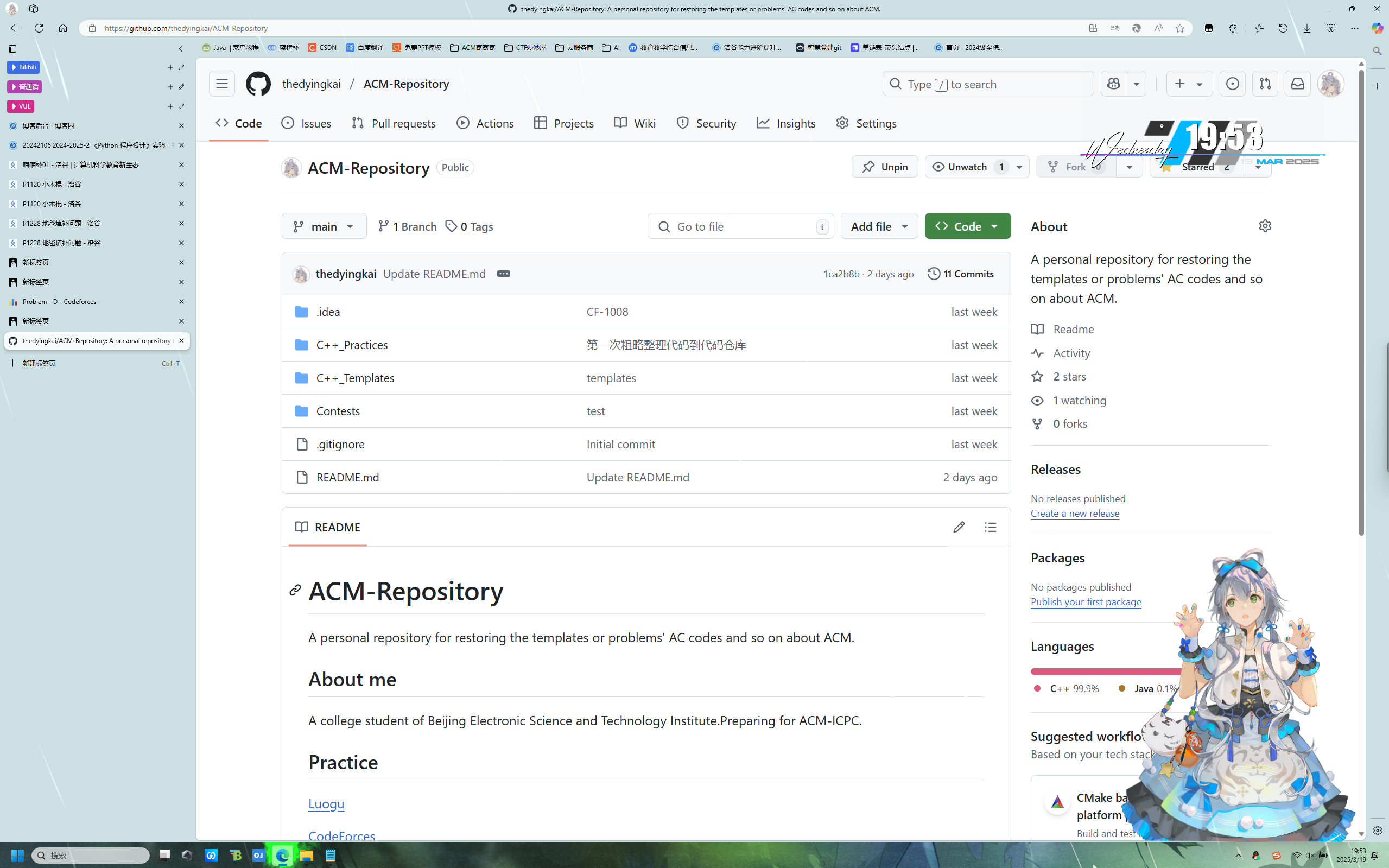
- github 主页:https://github.com/thedyingkai
- github 仓库:https://github.com/thedyingkai/ACM-Repository
三、实验过程中遇到的问题和解决过程
- 问题 1:Kali Linux 环境的 Clion push to github,git 脚本报错,问题日志如下:
18:28:59.543: [ACM_Repository] git -c core.quotepath=false -c log.showSignature=false push --progress --porcelain origin refs/heads/main:main Error: A JNI error has occurred, please check your installation and try again Exception in thread "main" java.lang.InternalError: Error loading java.security file at java.base/java.security.Security.initialize(Security.java:105) at java.base/java.security.Security.lambda$static$0(Security.java:84) at java.base/java.security.AccessController.doPrivileged(AccessController.java:319) at java.base/java.security.Security.<clinit>(Security.java:83) at java.base/sun.security.util.SecurityProperties.getOverridableProperty(SecurityProperties.java:57) at java.base/sun.security.util.SecurityProperties.privilegedGetOverridable(SecurityProperties.java:48) at java.base/sun.security.util.SecurityProperties.includedInExceptions(SecurityProperties.java:72) at java.base/sun.security.util.SecurityProperties.<clinit>(SecurityProperties.java:36) at java.base/sun.security.util.FilePermCompat.<clinit>(FilePermCompat.java:43) at java.base/java.security.AccessControlContext.<init>(AccessControlContext.java:270) at java.base/java.security.AccessController.createWrapper(AccessController.java:649) at java.base/java.security.AccessController.doPrivileged(AccessController.java:461) at java.base/java.util.ResourceBundle$ResourceBundleProviderHelper.loadResourceBundle(ResourceBundle.java:3628) at java.base/java.util.ResourceBundle.loadBundle(ResourceBundle.java:1851) at java.base/java.util.ResourceBundle.findBundle(ResourceBundle.java:1782) at java.base/java.util.ResourceBundle.findBundle(ResourceBundle.java:1736) at java.base/java.util.ResourceBundle.findBundle(ResourceBundle.java:1736) at java.base/java.util.ResourceBundle.getBundleImpl(ResourceBundle.java:1670) at java.base/java.util.ResourceBundle.getBundleImpl(ResourceBundle.java:1589) at java.base/java.util.ResourceBundle.getBundleImpl(ResourceBundle.java:1555) at java.base/java.util.ResourceBundle.getBundle(ResourceBundle.java:861) at java.base/sun.launcher.LauncherHelper$ResourceBundleHolder.<clinit>(LauncherHelper.java:129) at java.base/sun.launcher.LauncherHelper.getLocalizedMessage(LauncherHelper.java:503) at java.base/sun.launcher.LauncherHelper.abort(LauncherHelper.java:667) at java.base/sun.launcher.LauncherHelper.loadMainClass(LauncherHelper.java:827) at java.base/sun.launcher.LauncherHelper.checkAndLoadMain(LauncherHelper.java:706) error: unable to read askpass response from '/home/tdk/.cache/JetBrains/CLion2024.3/tmp/intellij-git-askpass-local.sh' fatal: could not read Username for 'https://github.com': No such device or address - 问题 1 解决方案:经检查,jetbrains 的 软件自带 java 环境,替换 JBR 中的 java,报错变化,说明是 JBR 在解压时出现错误,重新安装,完成修复。
- 问题 2:安装 pyinstaller 后在 pycharm 内无法使用。
- 问题 2 解决方案:检查
pip list,存在 pyinstaller,说明安装成功,检查 pycharm 解释器中的 Scripts 路径,检查pyinstaller.exe,发现没有,检查系统环境变量,发现两个 python 环境,删除不需要的版本,重新安装,问题解决。
四、其他(感悟、思考等)
人还是得多折腾,越折腾越能折腾。 ————TDK
老师你为什么非要把我的 WIFI 念出来 qwq
五、参考资料
- CSDN 若干,但是一个比一个坑,有一个差点把我 Kali 的 py3 玩没了。
- 群友,收到我的问题描述和报错日志后,和我一起排查技术问题,帮大忙了。
- 编程之道-如何写出规范层次清晰的 Markdown 文档

 浙公网安备 33010602011771号