
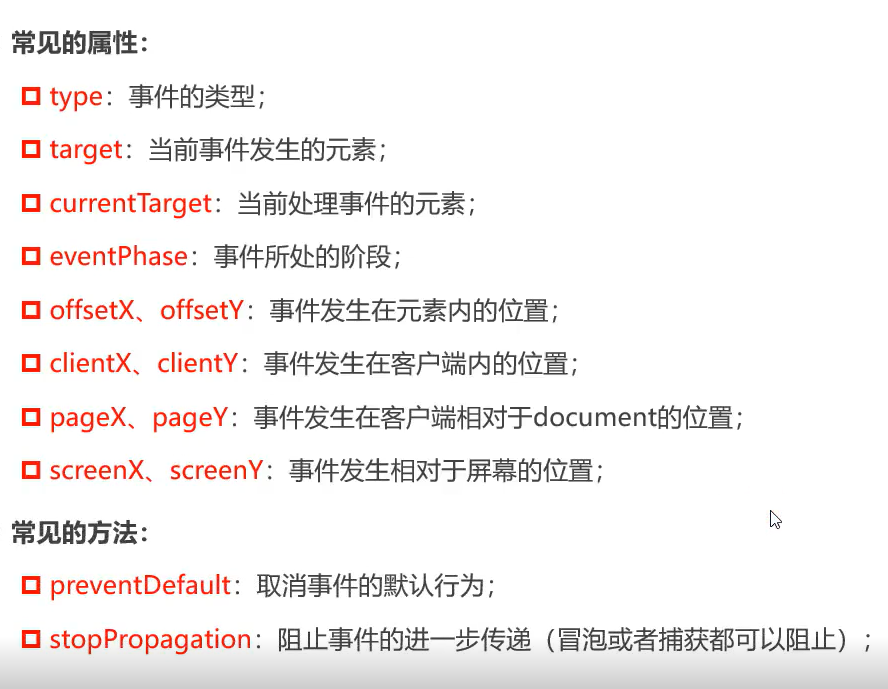
JavaScript事件对象的详细分析
<!DOCTYPE html>
<html lang="en">
<head>
<meta charset="UTF-8">
<meta http-equiv="X-UA-Compatible" content="IE=edge">
<meta name="viewport" content="width=device-width, initial-scale=1.0">
<title>Document</title>
<style>
.box{
width: 300px;
height: 300px;
background-color:pink;
}
</style>
</head>
<body>
<div class="box">
<button>按钮</button>
</div>
<a href="https://www.baidu.com">baidu</a>
<script>
var boxEle=document.querySelector('.box');
var btnEle=document.querySelector('button');
var aEle=document.querySelector('a');
boxEle.addEventListener('click',function(e){
console.log('事件类型',e.type);
console.log('事件发生的元素',e.target);
console.log('事件正在处理的元素',e.currentTarget);
})
btnEle.addEventListener('click',function(e){
console.log('事件类型',e.type);
console.log('事件发生的元素',e.target);
console.log('事件正在处理的元素',e.currentTarget);
})
aEle.addEventListener('click',function(e){
e.preventDefault();
//阻止a跳转(阻止默认行为)
})
</script>
</body>
</html>

 浙公网安备 33010602011771号