图片素材
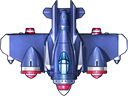

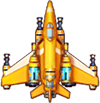

玩家飞机
package cn.tx;

import javax.swing.*;
import java.awt.*;

public class hero_plane extends Thread{
    //飞机也是一个小线程
    int x=200, y=500;//定义飞机的坐标
    int speed=1;//飞机移动速度
    int width = 50, height = 50;
    Image image = new ImageIcon("imag/hero.png").getImage();
    //定义方向键
    boolean left;
    boolean right;
    boolean up;
    boolean down;


    public hero_plane(int x, int y, int width, int height) {
        this.x = x;
        this.y = y;
        this.width = width;
        this.height = height;
    }

    @Override
    public void run() {
        //重写线程的run方法
        while(true){
            if(up){
                y-=speed;
            }
            if(down){
                y+=speed;
            }
            if(left){
                x-=speed;
            }
            if(right){
                x+=speed;
            }
            try {
                Thread.sleep(10);
            } catch (InterruptedException e) {
                e.printStackTrace();
            }
        }
    }
}
喽啰飞机
package cn.tx;

import javax.swing.*;
import java.awt.*;

public class bad_plane extends Thread{
    //同理坏蛋飞机也是小线程
    public game_frame gf;
    public int x,y;
    public int width;
    public int height;
    public int speed=10;
    public Image bad=new ImageIcon("imag/badplane.png").getImage();
    public bad_plane(int x, int y, int width, int height,game_frame gf) {
        this.x = x;
        this.y = y;
        this.width = width;
        this.height = height;
        this.gf=gf;
    }
    public bad_plane(int x, int y, game_frame gf) {
        this.x = x;
        this.y = y;
        this.gf=gf;
    }
    public void run(){
        while (true){
            if(hit()){
                System.out.println("敌机被干掉");
                this.speed=0;//敌机的速度清零
                this.bad=new ImageIcon("imag/gameover.jpg").getImage();
                try {
                    this.sleep(500);
                } catch (InterruptedException e) {
                    e.printStackTrace();
                }
                break;
            }


            if(this.y>600){
                break;
            }
            try {
                this.sleep(10);
            } catch (InterruptedException e) {
                e.printStackTrace();
            }
        }

    }
    //碰撞检测
    public boolean hit(){
        Rectangle myrectangle=new Rectangle(this.x,this.y,this.width,this.height);
        Rectangle paorec=null;

        for(int i=0;i<gf.paoDans.size();i++){
            pao_dan pao=gf.paoDans.get(i);
            System.out.println("检测碰撞");
            paorec=new Rectangle(pao.x,pao.y-1,pao.width,pao.height);
            if(myrectangle.intersects(paorec)){
                return true;//碰撞返回true
            }
        }
        return false;
    }

}
玩家操控
package cn.tx;

import java.awt.event.KeyAdapter;
import java.awt.event.KeyEvent;

public class player extends KeyAdapter {
    game_frame frame;

    public player(game_frame frame) {
        this.frame=frame;
    }

    @Override
    public void keyPressed(KeyEvent e) {
        int keycode= e.getKeyCode();
        //System.out.println(keycode);
        switch (keycode){
            case 37:
                frame.heroPlane.left=true; break;
            case 38:
                frame.heroPlane.up=true;break;
            case 39:
                frame.heroPlane.right=true;break;
            case 40:
                frame.heroPlane.down=true;break;
            case 66:
                shoot();
                break;

        }
    }
    public void shoot(){
        frame.paoDans.add(new pao_dan(frame.heroPlane.x+5,frame.heroPlane.y-20));

    }

    @Override
    public void keyReleased(KeyEvent e) {
        int keycode= e.getKeyCode();
        //System.out.println(keycode);
        switch (keycode){
            case 37:
                frame.heroPlane.left=false;
            case 38:
                frame.heroPlane.up=false;
            case 39:
                frame.heroPlane.right=false;
            case 40:
                frame.heroPlane.down=false;
        }

    }
}
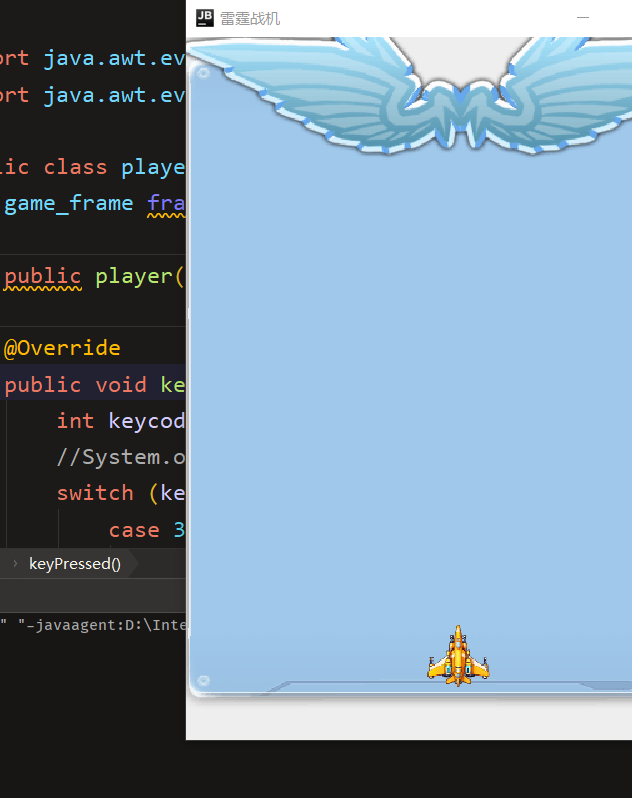
运行效果


 浙公网安备 33010602011771号