
Git使用SSH密钥来签名commit
一、生成SSH密钥
推荐使用 Ed25519 算法(更安全)
ssh-keygen -t ed25519 -C "your_email@example.com"
或使用 RSA 算法(兼容性更好)
ssh-keygen -t rsa -b 4096 -C "your_email@example.com"
二、上传SSH公钥
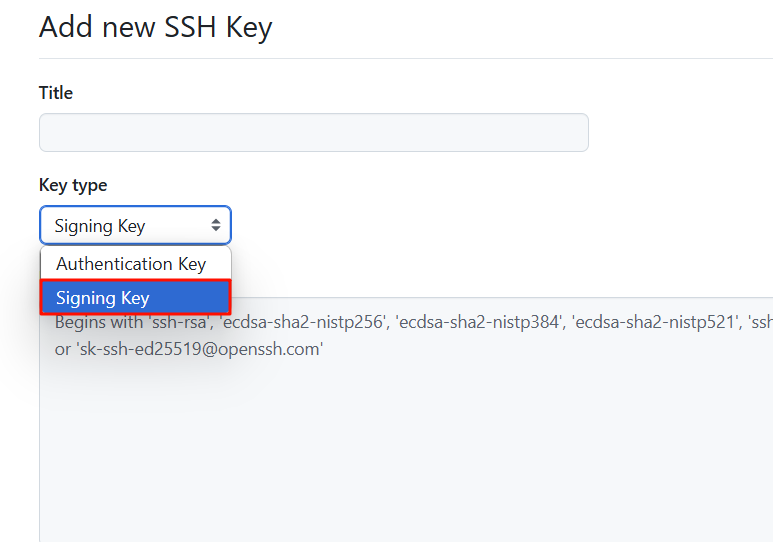
注:Authentication Key和Signing Key可以使用同一个密钥添加
Github选择签名密钥
三、配置Git使用SSH密钥
注:公钥文件的位置不能有更改
全局设置
git config --global gpg.format ssh
git config --global user.signingkey <public_key>
当前仓库设置
git config gpg.format ssh
git config user.signingkey <public_key>
签名
手动签名
git commit -S -m "Your signed commit message"
自动签名
全局设置
git config --global commit.gpgsign true
当前仓库设置
git config commit.gpgsign true

 浙公网安备 33010602011771号